

X (Twitter) Tweet Scraper | $0.00015/Tweet | Pay-Per-Result
Pricing
from $0.00015 / tweets
X (Twitter) Tweet Scraper | $0.00015/Tweet | Pay-Per-Result
Scrape Twitter tweets, replies, profiles, lists & searches from $0.00015 per delivered tweet on every Apify plan. Use it as a Twitter API alternative with 63 fields per tweet, 50+ filters & batch lookup. No X login. World's fastest & cheapest X (Twitter) scraper service. Not affiliated with X Corp.
Pricing
from $0.00015 / tweets
Rating
4.7
(16)
Developer

Xquik
Maintained by CommunityActor stats
34
Bookmarked
6.8K
Total users
2.7K
Monthly active users
5.8 hours
Issues response
a day ago
Last modified
Share
English · Español · Türkçe · 简体中文 · 日本語 · 한국어 · Deutsch · Français · Italiano
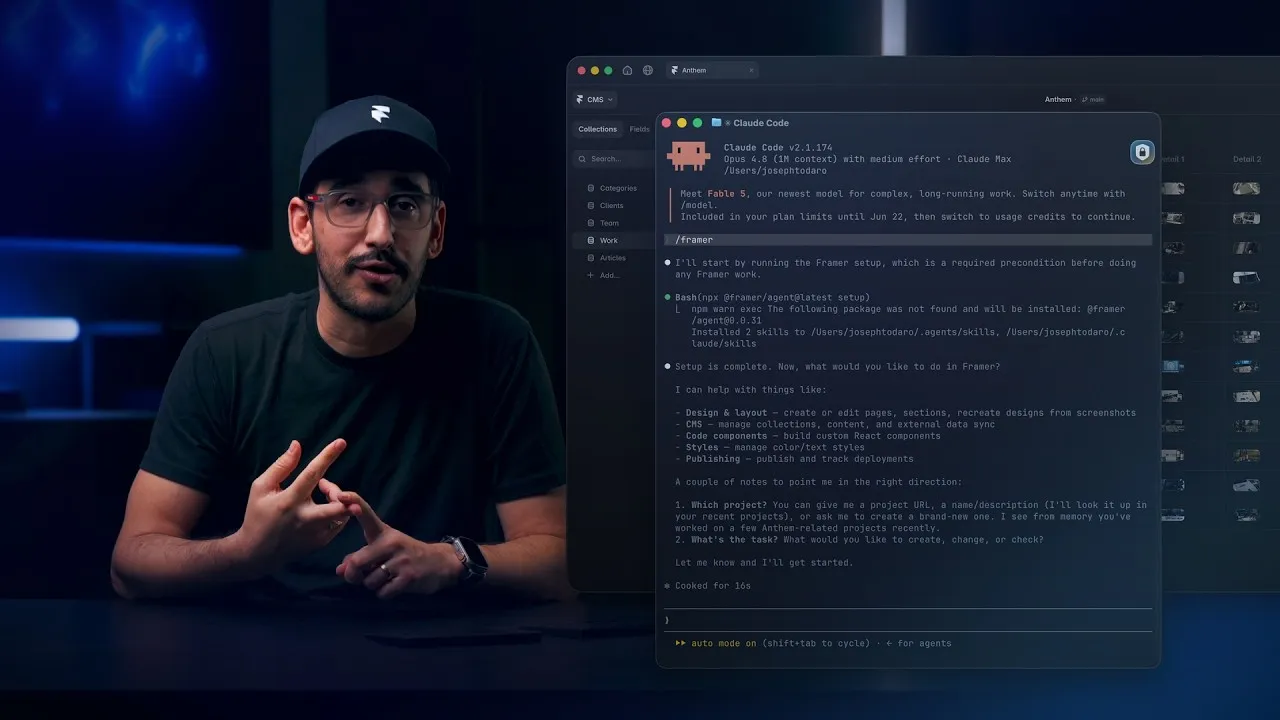
Watch how Framer uses Xquik scrapers
with Claude Code, Codex, Cursor & more, from 6:07.
Xquik is the world's fastest & cheapest X (Twitter) scraper service with the most complete X data. Xquik's X Tweet Scraper collects tweets, replies, profiles, lists & searches with 50+ filters. In public benchmarks, it searches 13.6x faster than 4 other tweet Actors. It also costs the least per useful tweet. Its rows carry 1.3x the median Actor's fields, as the benchmark below shows. Most other Apify Actors charge before filtering or deduplicating. Xquik charges only for delivered, unique, filter-matching results.
Scrape Twitter tweets from $0.00015 per delivered result on every Apify plan, a Twitter API alternative. Apify bills platform usage separately. You need no X login, & you pay no start or query fee. Built by Xquik.
Xquik is an independent third-party service. Not affiliated with X Corp. "Twitter" and "X" are trademarks of X Corp.
What does X Tweet Scraper do?
Xquik's X Tweet Scraper returns tweets, engagement metrics, public author profiles & media. It accepts URLs, handles, List IDs, Tweet IDs & search queries with 50+ filters.
Key features
- Filters & duplicate removal run before billing.
- 1 input supports lookups, timelines, Lists, search & engagement modes.
- Tweet ID inputs have no fixed count cap. Your Apify spend & timeout settings still apply.
- Run logs show page timing in
fetchDurationMs,processingDurationMs,pushDurationMs,statusDurationMs&fullPageDurationMs. - Runs keep delivered rows & progress when Apify restarts them.
Use cases
- Feed research, enrichment, analytics & AI training with more fields per tweet. Our median rich row had 63 fields on 2026-09-29. That is 2x the median of 11 other Actors.
- Track brand sentiment across tweets.
- Monitor competitor posts & industry terms.
- Find prospects in public conversations.
- Collect public datasets for research.
- Find posts with high public engagement.
What data can X Tweet Scraper extract?
| Field | Description |
|---|---|
id | Tweet ID |
text | Full text, including Note Tweets up to 25k chars |
createdAt | X native timestamp string |
likeCount | Number of likes |
retweetCount | Number of retweets |
replyCount | Number of replies |
quoteCount | Number of quote tweets |
viewCount | Number of views |
bookmarkCount | Number of bookmarks |
lang | Tweet language |
url | Direct link to tweet |
tweetUrl | Flat output tweet URL alias |
twitterUrl | Flat output twitter.com URL |
author | Author username, bio, website & counts |
authorUsername | Flat output author handle |
authorFollowers | Flat output author follower count |
authorUrl | Flat output author website when available |
authorDescription | Flat output author bio text |
authorCoverPicture | Flat output author banner image URL |
authorPinnedTweetIds | Flat output author pinned tweet IDs |
media | Attached images, videos, GIFs |
mediaUrls | Flat output media URLs |
imageUrls | Flat output image URLs |
videoUrls | Flat output video URLs |
entities | Hashtags, URLs, mentions, and video timestamps |
displayTextRange | X display text range when available |
contentDisclosure | Disclosure metadata when available |
conversationControl | Reply policy and public conversation owner |
reactionContext | Public post and user referenced by a reaction |
subscriberBadge | The creator the reply's author subscribes to |
limitedActions | Public interaction restrictions and prompts |
isLimitedReply | Whether replies are limited |
isNoteTweet | Whether this is a Note Tweet (long-form post) |
isQuoteStatus | Whether this tweet quotes another tweet |
isRetweet | Whether this row is a retweet, original attached |
isPinned | Whether the author pinned this post. Only in flat rows |
isReply | Whether this tweet is a reply |
quoted_tweet | Quoted tweet object (if quote tweet) |
conversationId | Thread/conversation ID |
resultType | Row type for rich, engagement & diagnostic rows |
sourceTweetId | Source tweet ID for article and engagement modes |
article | Structured article data in mode: "article" |
translation | X's translation in mode: "translation" |
embed | Embed HTML & link in mode: "embed" |
Optional tweet metadata includes authorUnavailable, card,
cashtagAttachments, communityId, communityName, communityNote, edit,
exclusiveContent, noteTweet & postCta. isTranslatable, place,
possiblySensitive & viewState keep other public context. previousCounts
keeps pre-edit engagement. tombstone keeps visibility notices.
unmentionedUserIds lists users who left the conversation. See OpenAPI for the
exact fields.
Set outputVariant: "rich" for the most data per row. Rich rows add
hasCommunityNotes, quotedTweetPermalink, unavailableAuthorId & media
sourceUser at the end. Legacy rows stay unchanged.
Nested author objects carry public profile fields. They cover identity,
counts, verification, availability, professional data & profile biographies.
Retweet rows set isRetweet to true. Their text carries the original post
in full. retweeted_tweet holds the original post with its author & counts.
Tweet rows also keep type, source, inReplyToId, inReplyToUserId,
inReplyToUsername & retweeted_tweet. Quoted & reposted tweets carry the same
fields at every nesting level.
Media carries availability, geometry, tags & video variants. It also carries the
watchNowUrl & visitSiteUrl actions.
Rows never include viewer-only state. The Actor removes follow, block, mute, bookmark, like, repost, edit-permission & similar viewer flags. Raw output drops them too.
How do I use X Tweet Scraper to scrape tweet data?
New to Apify? Create a free account first. The free plan needs no credit card & gives $5 to spend each month. At $0.00015 per row, $5 pays for up to 33,000 rows before platform usage. Then come back here & press Try for free.
Follow these steps in Apify Console.
- Open a task example or the Input tab.
- Add URLs, handles, Tweet IDs or search terms.
- Set
maxItems& any filters you need. - Click Start & wait for the run to finish.
- Export the dataset as JSON, CSV, Excel or HTML.
Each recipe below is a complete input for 1 source. Pick the one that fits your data.
Paste URLs
Paste any mix of tweet, profile, search or List URLs.
Tweet URLs return those tweets, unique & in your input order. Profile URLs
return the account's posts. Search URLs run their query. List URLs return the
List's posts. maxItems caps results across all pasted URLs.
Scrape many handles
Handles work as shorthand for many from:username searches.
Each handle returns that account's posts. The Actor removes duplicate rows
before output & billing. You can add usernames with or without @. Handles &
profile URLs keep reposts, as the Posts tab on X does. They keep them even with
dates or filters. Set tweetTypes.excludeRetweets to drop them.
Search tweets
Put 1 or more queries in the Search terms field.
With mode set to tweet or tweets & no Tweet IDs, queries run as Search.
Valid searchTerms then never return an empty lookup.
Account backfills with date windows work too, such as
from:elonmusk since:2026-01-01 until:2026-01-02. Each term keeps its own
searchTerm attribution. maxItems caps results across all search terms. The
Actor checks every returned tweet against since:, until: & Unix-time
windows. Filtered searches keep reading until they find matches or X has no more
results.
A from: search term returns what X search returns, so it leaves out reposts.
Add include:nativeretweets to keep them, or filter:nativeretweets for
reposts only.
Look up tweets by ID
Results keep your input order, drop duplicates & include only the tweets you
asked for. The lookup also accepts tweetId, tweetIDs, tweets, postIds,
lookupPostIds, tweetUrls & postUrls.
Each entry is a tweet ID or a tweet URL. The run skips any other entry at no charge & reads the rest. Its status counts the skipped entries & its log lists them.
Put all your IDs in 1 run. Each run pays Apify the same start cost. With 1 ID per run, Apify usage adds about $0.00008 to each tweet. With 188 IDs in 1 run, it adds about $0.000005. A run of fewer than 5 IDs ends with this tip.
Engagement, thread & article modes
Set mode to pick what the run reads, whatever other fields the input holds.
Tweet & search modes are tweet, tweets & search. Profile modes are
profileTweets, profileReplies, profileMedia, profileLikes &
profileMentions. listTweets reads List posts, & article reads the X
article in a post. Modes for a single post are replies, quotes, thread,
retweeters, favoriters, translation & embed.
profileMentions returns the posts that mention each handle, newest first.
profileTweets follows the profile Posts tab on X. It returns the account's
posts, reposts & replies to its own posts. Rows come in date order. The Actor
drops replies to other accounts before billing. It also drops conversation
context from other authors.
For original posts only, exclude the types you do not want.
tweetTypes.excludeReplies, excludeRetweets & excludeQuotes work on every
source. A search sends them to X as -filter:replies, -filter:nativeretweets
& -filter:quote. On a profile or a List, the Actor drops those rows itself.
Excluded rows never reach the dataset, so you never pay for them. They never
count toward maxItems either.
profileReplies follows X's With Replies tab. It returns the account's own
posts & replies. The Actor excludes conversation context from other authors. Use
filter:replies or a to: search for reply-only results.
Search & paginated Tweet modes support time.since, time.until, Unix
timestamps & lang. These include profile Posts, With Replies, Media, Likes,
Lists, replies, quotes & threads. Matching flat date operators work too. The
Actor verifies each row before billing. The lower date bound is inclusive. The
upper bound is exclusive. Date filters exclude rows without usable dates.
Language filters exclude missing or mismatched languages. Filtered rows never
use up your result limit.
The same date for since & until gives an empty window. Set until to the
next day to get 1 full day. List runs with a date window reach older days
quickly. They end once they pass your lower bound. Windows far back in a List
can miss a few replies. Tweet filters do not apply to user lists or direct Tweet
or article lookups.
time.withinTime & within_time work in the same modes. A value of 7d keeps
the last 7 days before the run starts reading. A window reaching back before
2006 keeps every post.
mode: "replies" is stricter. Every tweet row has inReplyToId equal to the
requested tweet ID. Nested conversation replies never count as direct replies.
If X shows fewer replies than it reports, the Actor keeps the rows it found. It
adds 1 replies-incomplete record to diagnostics when your limit is not
reached. The run stays partial until it reaches your limit or X has no more
replies. replyCoverage reports reply counts & coverage details. Set maxItems
to the total you want, even above 25,000 for 1 reply target.
Article rows include resultType: "article", sourceTweetId, article &
optional author. Engagement user rows include resultType: "user",
sourceTweetId & engagementMode.
Retweeters work as a normal public engagement mode. Favoriters are best effort. X may show likers only on eligible or owner-visible posts. Profile likes are best effort too, since many public profiles have no readable Likes tab. If X shows no users or liked tweets, the run's status says so. Tweet rows can carry bookmark counts. X does not show which accounts bookmarked a post.
Translate tweets & get embed HTML
mode: "translation" returns X's translation of each tweet. Set translateTo
to a language code such as en, es, pt-br or zh-tw. It defaults to en.
Each row has resultType: "translation", sourceTweetId & translation. That
object holds language, sourceLanguage, text & entities.
mode: "embed" returns the HTML that embeds each tweet on a website.
Each row has resultType: "embed", sourceTweetId & embed. That object holds
url, authorName, authorUrl, html & width. embedHideMedia,
embedHideThread & embedOmitScript leave media, the parent tweet or the
widget script out.
Both modes take tweet IDs or tweet URLs in tweetIds. startUrls takes tweet
URLs too. Each tweet gives 1 row at the usual row price. A tweet X does not have
gives no row & no charge.
Get the top tweets on X
mode: "topTweets" returns the tweets X ranks highest by 1 metric, as X's
Inspiration page shows them.
topMetric is likes, replies, quotes, bookmarks, shares or views.
It defaults to likes. topWindow is day, week or month, & defaults to
day. X lists up to 100 tweets for each choice. Leave topCountry empty for
all of X. Set lang to keep 1 language. With both set, X picks the country &
the Actor keeps the language. Each row has engagementMode: "topTweets" & costs
1 result, like any tweet.
Export flat CSV rows
Keep the default nested JSON fields, or add spreadsheet-friendly columns.
Flat output keeps author & media unchanged. It adds top-level fields such as
authorUsername, authorName, authorFollowers, tweetUrl, twitterUrl,
mediaUrls, imageUrls & videoUrls.
Every flat tweet row carries media. A tweet without media has an empty list.
Each row then has the same keys in a spreadsheet or typed pipeline.
Choose field names
Legacy field names are the default. Pick a style for rich or raw results.
Use camelCase or snake_case for top-level & nested result fields. Flat snake
case output includes fields such as author_username & media_urls. Safe
source snapshots under raw keep their original source keys. Conflicting source
names also stay unchanged to prevent data loss.
Legacy diagnostics use resultType, actorVersion & replyCoverage. Rich &
raw output apply fieldStyle at every nesting level. For example, snake case
uses result_type, actor_version & reply_coverage. The Overview dataset
view works with either style. Choose the Console view matching the run's
fieldStyle. camelCase fields expects camelCase. snake_case fields
expects snake_case. Views select columns only. They never rename stored or
exported data.
Combine advanced filters
Combine user, date, location, media & engagement filters.
Set queryType: "Latest + Top" to run both X search modes in 1 run. The Actor
removes duplicates before billing & fills your limit from either mode. Top
sorts by relevance & does not return every match. Set includeSearchTerms: true
to attach each matching query as a searchTerm field.
When you set lang, the Actor verifies each returned tweet's language. It skips
mismatches & keeps reading for matching tweets.
Task examples
Choose from 50 public tasks. Each has a bounded input & a matching dataset view. Every task opens with a real search or target. Edit it before you run it.
- Fetch fresh X posts for AI agents
- Build an X dataset for RAG
- Extract an X article for RAG
- Monitor AI search visibility on X
- Search Twitter by date
- Discover AI agent tools on X
- Collect AI product feedback
- Monitor brand mentions on X
- Export Twitter data to CSV
- Collect replies to an OpenAI post
- Extract a complete Twitter thread
- Collect electric vehicle conversations
How much does it cost to scrape tweets?
Xquik's X Tweet Scraper costs $0.00015 per delivered row on every Apify plan.
Apify bills your platform usage separately. Xquik applies one charge per
delivered data row. Diagnostics are free in the diagnostics output.
For more volume, pick an Apify plan with more prepaid usage.
- You need no Xquik subscription.
- You pay no separate start or query fee. URLs & single Tweet lookups add no fee either.
- Filters & deduplication run before billing. You never pay for filtered or duplicate rows.
- No-input & invalid-input runs write 1 actionable record to the free
diagnosticsoutput. So do runs that stop early, skip a target, or whose own filters, such aslangon a profile read, remove every row. - A run that reads every target & gets no row back writes no record. Its status
says why & what to change. Rows your search operators rule out, such as
-is:retweet, write no record either.
A run that hits a problem, or a large run, also writes a run-report record.
Its estimatedChargeUsd uses the live pay-per-event price from Apify. Runs with
a problem always write run-report, including no-input and invalid-input exits.
A small run that goes well skips it & saves Apify usage. Turn on
alwaysSaveRunRecords to write it on every run. Run reports separate data rows
in realRows from diagnostics in diagnosticRows.
To cap what a run can spend, see Run options.
Benchmark
Xquik's X Tweet Scraper ran 3 benchmarks against 4 other tweet Actors. It was the fastest in all 3. It also cost the least per useful tweet in all 3.
Keyword search
Every Actor ran the same search & filters for 1,000 results. Xquik was 13.6x faster than the fastest other Actor. It also cost the least per useful tweet. Its median row had 67 fields, 1.3x the median of the others. A useful tweet is a unique English original post with 10+ likes. It falls in the date range.
xquik/x-tweet-scraperdelivered 1,000 useful tweets at $0.000155 per useful tweet, 150.5 per second & 67 fields per row. View runxquik/x-tweet-scraperdelivered 1,000 useful tweets at $0.000155 per useful tweet, 171.1 per second & 67 fields per row. View runxquik/x-tweet-scraperdelivered 1,000 useful tweets at $0.000155 per useful tweet, 172.4 per second & 67 fields per row. View runxquik/x-tweet-scraperdelivered 1,000 useful tweets at $0.000155 per useful tweet, 169.3 per second & 67 fields per row. View runscrapesmith/twitter-x-scraper-tweets-profiles-repliesdelivered 871 useful tweets at $0.000173 per useful tweet, 10.7 per second & 35 fields per row. View runkaitoeasyapi/twitter-x-data-tweet-scraper-pay-per-result-cheapestdelivered 436 useful tweets at $0.000222 per useful tweet, 8.1 per second & 46 fields per row. View runapidojo/twitter-scraper-litedelivered 326 useful tweets at $0.000434 per useful tweet, 9.3 per second & 54 fields per row. View runapidojo/tweet-scraperdelivered 642 useful tweets at $0.000623 per useful tweet, 12.5 per second & 55 fields per row. View run
Filtered search
Every Actor searched "AI agent" with the same filters. A useful tweet is a unique English original post by a verified author. It has 50+ likes & 10+ reposts. It dates from Oct 1 to 14, 2026. Xquik's runs asked for 200 results & the others for 300. Xquik was 4.3x faster. It also cost the least per useful tweet.
xquik/x-tweet-scraperdelivered 200 useful tweets at $0.000156 per useful tweet, 32.2 per second & 69 fields per row. View runxquik/x-tweet-scraperdelivered 200 useful tweets at $0.000156 per useful tweet, 29.8 per second & 69 fields per row. View runxquik/x-tweet-scraperdelivered 200 useful tweets at $0.000156 per useful tweet, 34.3 per second & 69 fields per row. View runxquik/x-tweet-scraperdelivered 200 useful tweets at $0.000156 per useful tweet, 29.7 per second & 69 fields per row. View runscrapesmith/twitter-x-scraper-tweets-profiles-repliesdelivered 238 useful tweets at $0.000191 per useful tweet, 7.2 per second & 35 fields per row. View runkaitoeasyapi/twitter-x-data-tweet-scraper-pay-per-result-cheapestdelivered 282 useful tweets at $0.000234 per useful tweet, 6.7 per second & 47 fields per row. View runapidojo/twitter-scraper-litedelivered 295 useful tweets at $0.000391 per useful tweet, 2.7 per second & 56 fields per row. View runapidojo/tweet-scraperdelivered 295 useful tweets at $0.000407 per useful tweet, 6.2 per second & 55 fields per row. View run
User timeline
Every Actor read NASA's latest 100 posts without reposts. Xquik was about 3x faster. It also cost the least per useful tweet. A useful tweet is a unique NASA post that isn't a repost.
xquik/x-tweet-scraperdelivered 100 useful tweets at $0.000157 per useful tweet, 22.7 per second & 62 fields per row. View runxquik/x-tweet-scraperdelivered 100 useful tweets at $0.000157 per useful tweet, 23.5 per second & 62 fields per row. View runxquik/x-tweet-scraperdelivered 100 useful tweets at $0.000157 per useful tweet, 23.1 per second & 62 fields per row. View runxquik/x-tweet-scraperdelivered 100 useful tweets at $0.000157 per useful tweet, 25.6 per second & 62 fields per row. View runkaitoeasyapi/twitter-x-data-tweet-scraper-pay-per-result-cheapestdelivered 100 useful tweets at $0.000220 per useful tweet, 5.1 per second & 52 fields per row. View runscrapesmith/twitter-x-scraper-tweets-profiles-repliesdelivered 65 useful tweets at $0.000238 per useful tweet, 7.9 per second & 37 fields per row. View runscrapesmith/twitter-x-scraper-tweets-profiles-repliesdelivered 65 useful tweets at $0.000238 per useful tweet, 7.3 per second & 37 fields per row. View runapidojo/tweet-scraperdelivered 63 useful tweets at $0.000635 per useful tweet, 3.9 per second & 57 fields per row. View runapidojo/twitter-scraper-litedelivered 63 useful tweets at $0.000737 per useful tweet, 2.6 per second & 57 fields per row. View run
All runs took place on 2026-10-15 & 2026-10-16 on the Bronze tier. Cost is the customer's total spend per useful result. Ours includes the Apify usage our customers pay. Fields per row is the median count of non-empty fields. That count includes nested fields, & a list counts as 1. Open a run for its input, log & dataset.
Empty, partial & stopped runs
Xquik's X Tweet Scraper explains empty, partial & stopped runs for free. The run status says why the run stopped. It also counts charged results & targets read.
Empty results
Check an empty result before you pay for another run. The filtering object in
reports & final diagnostics counts the rows your filters removed. Read
serverFilteredRows, actorFilteredRows & pagesWithUnknownServerFiltering.
You never pay result charges for filtered rows. A run writes 1 diagnostic with
these counts when the Actor's own filters removed rows (actorFilteredRows).
Rows your search operators rule out (serverFilteredRows), posts outside your
time window & a run that got no row at all write no record. Its status says why
& what to change, such as a broader search.
A run can finish below your limit when X has no more results. It reports
outcome: "complete" with completionReason: "source_exhausted". Interrupted
runs keep their partial outcome & retry guidance.
Partial runs
failedSubtargets counts queries & profile targets that stopped after an error.
Delivered rows stay in the dataset & count toward billing. An error never means
the target is missing. These runs use completionReason: "partial_failure".
An interrupted run also writes a free partial diagnostic. Results already
delivered stay intact. The diagnostic reports availableResults,
failedTargets, retryable & nextAction. A successful Actor exit confirms
delivery. It does not confirm complete extraction.
Stop causes
The status text names every cause of the stop. A run with a missing account & a
stalled search says both. stopCauses lists each cause with its own message,
retryable & nextAction. The causes are target_not_found,
target_suspended, target_protected, search_unavailable, likes_hidden,
target_failed, pagination_safety_limit, reply_reach & deadline_reached.
The run is retryable when any cause is.
Missing & unavailable targets
A missing or protected target is not a failure. X has nothing to read there. The
run reads every other target to the end. It reports outcome: "complete". Its
completion reason comes from the targets it read, such as source_exhausted.
failedSubtargets leaves those targets out. The status text & a free complete
diagnostic count them. A run without other rows writes a zero-output
diagnostic instead.
A search X cannot run counts as a failure. X shows "Something went wrong" for such a search. The run stops it at once without retries. Likes X hides also count as failures & stop at once. X shows who liked a post only to its author. It shows an account's liked posts only to that account.
When all failures concern unavailable targets, diagnostics set
retryable: false. Check target URLs or usernames & choose available public
accounts. Narrow a search X cannot run or change its filters. Read retweeters,
replies or posts instead of hidden likes. Other failures keep retry guidance for
unfinished targets.
The diagnostic names those targets in unavailableTargets. Each entry has the
target as you entered it, a reason & a nextAction. The reason is
not_found, list_not_found, suspended, protected, search_unavailable or
likes_hidden. list_not_found marks a list X did not find, which may be
private. A search entry can also have a fix, such as the operator to remove.
The list holds up to 100 entries. Remove those targets from your input.
Safety & time limits
completionReason: "pagination_safety_limit" is not a read failure. The run
kept its valid rows. It then ended a target that stopped returning new results.
The run reports incomplete extraction. failedSubtargets stays 0. You pay
only for delivered rows.
The default Apify timeout is 0, so runs have no time limit. The Actor
continues until it reaches your cap or runs out of eligible data. You can still
set a finite Apify timeout. Then completionReason: "deadline_reached" means
that limit is near. The Actor saves rows & the report, then exits cleanly before
the limit. You pay once for each delivered row.
Input
The Input tab lists every option. Give at least one of startUrls,
twitterHandles, listIds, tweetIds, searchTerms or twitterContent.
Their documented aliases work too. Every other field is optional.
Each of these is enough for a run.
- Paste a tweet URL into Start URLs.
- Paste a profile URL, or add the username to X handles.
- Use
from:user since:YYYY-MM-DD until:YYYY-MM-DDas a search term for account backfills. - Paste a List URL into Start URLs.
- Combine
twitterContentwith filters such asfrom:,since:,min_faves:&filter:mediafor advanced searches.
Top supported search operators
| Operator | Example | Purpose |
|---|---|---|
from: | from:elonmusk | Only tweets by this user |
to: | to:OpenAI | Only replies to this user |
@ | @nasa | Mentions of this user |
list: | list:123456 | Tweets from list members |
lang: | lang:en | Filter by language |
since: / until: | since:2026-01-01 | Date range |
min_faves: | min_faves:100 | Engagement threshold |
min_retweets: | min_retweets:50 | Retweet threshold |
filter:media | filter:media | X media search operator |
filter:videos | filter:videos | X video search operator |
filter:images | filter:images | X image search operator |
filter:links | filter:links | Only tweets with links |
filter:replies | filter:replies | Only reply tweets |
filter:quote | filter:quote | Only quote tweets |
filter:blue_verified | filter:blue_verified | Only Premium users |
-filter:replies | -filter:replies | No reply tweets |
-filter:nativeretweets | -filter:nativeretweets | No retweets |
-filter:quote | -filter:quote | No quote tweets |
OR | (from:nasa OR from:esa) | Tweets that match either term |
# | #bitcoin lang:en | Tweets with this hashtag |
X no longer searches filter:vine, filter:consumer_video, filter:pro_video,
filter:news or retweets_of:. A search with one of them ends at once. A free
diagnostic names the fix. Keep each query to 512 characters or fewer. X searches
no more than that.
Date windows include the lower bound & exclude the upper bound. The Actor checks both bounds before it adds or charges for each tweet.
For the full operator list, see Xquik's Twitter advanced search operators.
Migrate from another tweet Actor
Paste the input you already use. Xquik's X Tweet Scraper reads the field names other tweet Actors use. It maps them to its own fields. Canonical names stay the documented default. An alias never drops a field & never changes what you pay. The input form lists canonical fields only, so it stays short. Aliases work in JSON, API, SDK, automation & saved task inputs.
Each line names the fields you already use, then the field they map to.
startUrls,urls,tweetUrls,postUrls,profileUrls,accountUrlsmap tostartUrls.profileUrl, as one string, maps tostartUrls.tweetIds,tweetIDs,tweets,postIds,lookupPostIds,tweet_ids, ortweetIdas one string map totweetIds.twitterHandles,usernames,user_names,userNameList,handles,screenNames,profileTweetsmap totwitterHandles.username,handle,screenName, as one string, map totwitterHandles.searchTerms,searchQueries,queries,search, as a list or one search per line, map tosearchTerms.twitterContent,query,searchQuerymap totwitterContent.maxItems,maxResults,max_results,resultsLimit,count,resultsCount,numberOfTweets,maxPosts,max_posts,max_items,maxTweets,tweetsDesired,maxTotalTweetsmap tomaxItems.per_profile_limitmaps tomaxItemsPerTarget.sortmaps toqueryType.search_type,searchType,query_type,search_sortmap toqueryTypeforTop&Latestin any case.Media,Photos&Videosturn onfilter:media,filter:images&filter:videos.tweetLanguage,language,contentLanguagemap tolang.author,fromUsermap tofrom.inReplyTo,toUsermap toto.mentioningmaps to@.start,startDate,timeSincemap tosince.end,endDate,timeUntilmap tountil.timeSinceUnix,sinceTime,timeUntilUnix,untilTimemap tosince_time,until_time. They take Unix seconds, an ISO 8601 time or a date. A time without a zone reads as UTC.timeWithinTime,withinTimemap towithin_time.timeWindowHours,timeWindowmap towithin_time, as hours & as days.timeSinceId,sinceId,timeMaxId,maxIdmap tosince_id,max_id.quickDateRangefrom the Google Search Scraper, such asd7,w2,m1ory, maps tosince_time, counted back from the run start.minimumFavorites,minLikes,min_likes,minFaves,engagementMinLikes,Minimum_likesmap tomin_faves.minimumRetweets,minRetweets,engagementMinRetweetsmap tomin_retweets.minimumReplies,minReplies,engagementMinReplies,Minimum_repliesmap tomin_replies.engagementMaxLikes,maxLikes,engagementMaxRetweets,maxRetweets,engagementMaxRepliesmap toengagement.maxLikes,engagement.maxRetweets,engagement.maxReplies.onlyImage,onlyImages,has_imagesmap tofilter:images.onlyVideo,onlyVideos,has_videosmap tofilter:videos.onlyWithMedia,mediaOnlymap tofilter:media.onlyQuote,onlyQuotesmap tofilter:quote.onlyTwitterBlue,usersBlueVerifiedOnly,blue_verified_only,onlyBlueVerifiedmap tofilter:blue_verified.engagementHasEngagement,hasEngagementmap tofilter:has_engagement.mediaHasLinks,has_links,requireLinksmap tofilter:links.mediaHasMentions,has_mentions,requireMentionsmap tofilter:mentions.mediaHasHashtags,has_hashtags,requireHashtagsmap tofilter:hashtags.mediaNewsOnly,mediaSafeContentOnlymap tofilter:news,filter:safe.mediaTypes, with 1 type, maps to thefilter:field of that type.mediaSubtypemaps tofilter:media,filter:imagesorfilter:videos.includeNativeRetweets,includeRetweetsmap toinclude:nativeretweets.excludeReplies,excludeRetweets,includeRetweetsset to false,tweetTypesExcludemap totweetTypes.excludeReplies,tweetTypes.excludeRetweets&tweetTypes.excludeQuotes.tweetTypesas a list with 1 type maps totweetTypes.replies,tweetTypes.quotesortweetTypes.nativeRetweets.tweetSubtypemaps totweetTypes.repliesortweetTypes.quotes.self_threadsadds the operatorfilter:self_threads.geotaggedNear,geoNearmap tonear.withinRadius,geoWithinRadius,geoWithinmap towithin.geoGeocodemaps togeocode.tweetConversationId,tweetQuotedTweetId,tweetQuotedUserIdmap toconversation_id,quoted_tweet_id,quoted_user_id.cardName,tweetPollTypesmap tocard_name.search_querymaps totwitterContent.profile_urlsmaps tostartUrlsfor links,twitterHandlesfor handles.lookup_post_ids, oridas one string map totweetIds.tweetsas 1 comma list maps totweetIds.
Some fields have no field here. Each adds the X search operator it stands for to every search of the run. The run log lists the operators it added at the start.
usersFromUsers,from_users,usersToUsers,to_users,usersListMembersaddfrom:,to:&list:. Several values run as alternatives, such as(from:a OR from:b).usersMentionUsers,mentioning_usersadd@name.usersExcludeFromUsersadds-from:.onlyVerifiedUsers,usersVerifiedOnly,verified_onlyaddfilter:verified.placeObjectId,geoPlaceId,placeId,placeaddplace:.cardDomainaddscard_domain:.appsSources,appsExcludeSourcesaddsource:&-source:.contentKeywords,contentExactPhrases,contentHashtags,contentCashtags, each with 1 value, add the word, the quoted phrase,#tag&$tag.contentExcludeKeywords,contentExcludeHashtags,exclude_words,hashtags_excludeadd-word&-#tag.- With
all_words&exact_phrases, every word & phrase must match. any_words,hashtags_anyadd alternatives, such as(#a OR #b).contentQuestionMarksadds?.contentEmoticonsadds:)forpositive,:(fornegative.tweet_typeaddsfilter:replies,filter:retweets& their-filter:forms.
Modes named in words map to mode. Advanced Search maps to search,
Get Tweet by ID to tweet, Get a Few Tweets to tweets, Get Replies to
replies, Get Quotes to quotes, Get Retweeters to retweeters &
Get Favoriters to favoriters.
A pasted input behaves like this.
- Every source runs. An input with URLs, handles, search terms, List IDs & Tweet
IDs runs them all.
maxItemsapplies across the whole run. - A search query next to
searchTermsruns as 1 more term. - A profile URL written as
x.com/@namereads likex.com/name. - When you set an alias & its canonical field, the canonical value wins. The run log names the alias that lost.
- The run log names every field the Actor ignores, such as
customMapFunction. The Actor never drops a field silently. - A row cap must be a whole number of 1 or more.
maxResults: 0stops the run before it reads or charges anything. quickDateRange: "m1"reads the past month on every route. Months & years count back on the calendar. Without h, d, w, m or y, the run stops before any read or charge.- The Actor has no page unit. Replace
maxPageswithmaxItems. - The Actor has no
userIdoruser_idsfield. Put a user ID where a handle goes. It works intwitterHandles, profile URLs & afterfrom:. - Search operator fields such as
from,min_faves,since_time&filter:imagesalready use X's names. They need no mapping. - A list that another Actor does not call all-of or any-of runs with 1 value.
These lists are
contentKeywords,contentExactPhrases,contentHashtags,contentCashtags,usersMentionUsers,mediaTypes&tweetTypes. With more values the run stops before any read or charge. Its message says how to write them as 1 search term. search_typeset toPeopleorLists,source_modeset tofollowers, anengagementLevelpreset & the modeGet Similar Tweetsstop the run before any read or charge. The message names the Actor or the field to use.categoryset totweetsorinfochanges nothing. The job of another Actor, such asfollowers,user_infoorreplies, stops the run. It reads & charges nothing. The message names that Actor.
Console & API input
The Console form has these controls.
- Mode, Output Variant, Field Style, Output Preset & Sort By are validated dropdowns.
- Start URLs & Profile URLs accept strings or
{ "url": "..." }objects. Their JSON editors keep both API formats. - Structured filters offer grouped controls, so you need no nested JSON.
- The form hides flat operators that a filter group already covers. JSON, API, SDK, automation & saved task inputs still accept them.
- Max Items & Max Items Per Target accept whole numbers of 1 or more. Engagement thresholds accept whole numbers of 0 or more.
Use canonical fields in new integrations. The aliases in the migration table
above stay available. includeRaw is an alias for outputVariant: "raw". Older
outputVariant values such as compact & full still work as Legacy output.
The form labels them as Legacy aliases.
Output
Each tweet row is a JSON object with the metadata X makes available. The dataset & run-report schemas give each field a title, description & example. AI agents can read them without guessing what a field means.
Sample values are illustrative. Your runs return live data from X.
Export the dataset as JSON, CSV, Excel or HTML.
Output columns
8 inputs shape each row after the run reads it. They run no code & change no price.
| Field | What it does |
|---|---|
fields | Keep only these fields, in the order & spelling you write |
omitFields | Drop these fields & keep the rest |
renameFields | Move a field to a column with a new name |
flatten | Turn each nested object into top-level columns |
fillMissingFields | Fill a kept field a row lacks with null. On by default |
joinFields | Turn each of these lists into 1 text value |
joinSeparator | Text between joined items. The default is a comma & a space |
constantFields | Add a column with the same text on every row |
- Use a dot for a field inside an object, such as
author.id. Case & underscores do not matter. - Every row keeps its
id. - With
fields, a field a row lacks arrives asnull. Every row then has the same columns. - A wrong field name stops the run before it reads & charges nothing.
- If names cannot be checked, the run reads on & lists unseen names last.
- The run ignores a map function or jq filter written for another Actor.
Name a computed column in fields or renameFields to add it.
| Column | Formula |
|---|---|
totalEngagement | likeCount + replyCount + retweetCount + quoteCount. A missing count adds 0 |
engagementRate | totalEngagement × 100 ÷ the author's followers, to 4 decimals |
engagementPerView | totalEngagement × 100 ÷ viewCount, to 4 decimals |
totalEngagement is null for a row without those counts. A rate is null
when its divisor is missing or 0.
Run options
- Set Apify's max total charge to cap run cost. Leave
maxItemsempty to get the most rows that budget allows. SetmaxItemswhen you want fewer tweets. - Set
maxTotalChargeUsdin the Apify API, or Max cost per run in Console. Apify passes that limit to the Actor asACTOR_MAX_TOTAL_CHARGE_USD. The Actor turns it into the maximum billable row count. - Pass
tweetIdsto look up many tweets at once. Paste a profile URL to read one account's posts. - With many queries, set
includeSearchTerms: trueto tag each result with its search term. - Set
queryType: "Latest + Top"to run both X search modes in one run. Deduplication & result caps apply across both. - Use Xquik account or keyword monitors for 1-second checks & signed webhooks. Active monitors check every second.
Always use the latest build
Select latest for every run to get every published fix.
If you pick no build, Apify runs Xquik's X Tweet Scraper on its latest
default. Console runs & standard API examples inherit that default.
Saved tasks can override the Actor default. Schedules & task integrations reuse
that choice. Keep every override set to latest.
Apify does not redirect exact build numbers to latest. Replace pinned numbers
with latest. Use an exact build only for a temporary rollback or to reproduce
a run.
Read Apify's build tags, run options & task documentation.
Related Xquik Actors
Every Xquik Actor shares the same extraction engine, filter-first billing & diagnostics. Pick the one that matches the data you need.
- X Profile Scraper scrapes profiles plus their posts, replies, media & followers from handles, IDs or URLs. Use it when you start from accounts rather than searches. From $0.00015 per row.
- X Reply Scraper scrapes replies, comments & whole conversations under posts with 25+ filters. Use it when you need the discussion beneath tweets. From $0.00015 per row.
- X Engagement Scraper scrapes replies, quotes, retweeters & threads for post URLs or IDs in bulk. Use it when you measure who engaged with posts. From $0.00015 per row.
- X Quote Tweets Scraper scrapes the quote tweets of posts with text, media, counts, authors & 11 filters. Use it when you study who quoted posts & what they said. From $0.00015 per tweet.
- X Follower Scraper scrapes followers, following, List members, subscribers & Community members as profile rows. Use it when you need audience or member lists. From $0.00015 per profile.
- X User Search Scraper searches users by handle, bio & location with follower, verification, age & location filters. Use it when you build account lists from search. From $0.00015 per profile.
- X Account Location Scraper checks where accounts are based with X's "Account based in" label, "connected via" & username changes. Use it when you vet where accounts are based. From $0.00015 per account.
- X Email Scraper gets the emails, phones & links accounts publish on their profiles, from handles, followers or user searches. Use it when you need the emails profiles publish. From $0.00015 per profile.
- X List Scraper scrapes List posts, members & followers from List URLs or IDs. Use it when a curated List defines your sources. From $0.00015 per row.
- X Community Scraper scrapes Community info, posts, searches, members & moderators. Use it when your sources are X Communities. From $0.00015 per row.
- X Space Scraper finds Spaces by keyword & reads their titles, states, times, listener counts, hosts & speakers. It also reads broadcasts by URL or ID. Use it when you track live audio & video on X. From $0.00015 per Space or broadcast.
- X Trends Scraper scrapes real-time trends by location with rank, volume, query & WOEID. Use it when you track what is trending where. From $0.00015 per trend.
- X Jobs Scraper scrapes X job listings by keyword, place, workplace, seniority & company, with salaries & apply links. Use it when you collect job openings posted on X. From $0.00015 per job.
- X Article Scraper scrapes long-form X Articles as Markdown & text with covers, authors, dates & metrics. Use it when you need article bodies, not tweets. From $0.00015 per article.
- X Media Downloader extracts or stores photos, videos & GIFs from posts or profiles with MP4 & metadata options. Use it when you need the media files themselves. From $0.00015 per media row.
- X (Twitter) Brand Monitoring with AI Analysis tracks brand mentions with AI relevance, sentiment & customer-experience answers & compares runs. Use it when you watch a brand over time. From $0.0003 per analyzed tweet.
- X Tweet Sentiment Analysis with AI labels attitude, intensity & sarcasm probability for every tweet with AI. Use it when you need general sentiment on any topic. From $0.0003 per analyzed tweet.
- X (Twitter) Stock & Crypto AI Trading Signals labels bullish, bearish, neutral or mixed stance, content type, conviction & asset relevance with AI. Use it when you follow stocks, crypto or trading talk. From $0.0003 per analyzed tweet.
- X (Twitter) News Monitor with AI Analysis labels news posts by format, source attribution & topic relevance with AI. Use it when you separate reporting from commentary. From $0.0003 per analyzed tweet.
- X Tweet Classifier with AI Analysis answers your own category, score & yes/no questions for every tweet with AI. Use it when the preset analyses do not fit your labels. From $0.0003 per analyzed tweet.
- X Tweet Viral Score Analyzer with AI estimates a Viral Score from 0 to 100 & a verdict for every tweet from 8 AI trait answers. Use it when you study why tweets spread or flop. From $0.0003 per analyzed tweet.
FAQ
Answers to common questions, then where to get help.
Do I need an X API key?
No. You need no X API key, login or credentials.
What limits a run?
Your item limit & your Apify spend limit stop the run. Apify account & platform limits still apply.
How fast is it?
Xquik's X Tweet Scraper delivered 150.5 to 172.4 useful tweets per second. That was in the keyword search benchmark. Runtime depends on your input, the result count & X availability.
Why do I get posts that X's search tab leaves out?
X leaves some matching posts out of its Latest tab. Xquik's X Tweet Scraper returns those posts too. Every post is a real X search result for your query. You pay for each post once.
Which search operators work?
X advanced search supports authors, recipients, mentions, dates, engagement, media & location. See Top supported search operators for examples.
Can I use the Apify API to run this?
Yes. See the API tab for Python, JavaScript & cURL examples.
Can I schedule recurring scrapes?
Yes. Use Apify's built-in scheduling to run Xquik's X Tweet Scraper on a cron.
Can I get a custom solution?
Yes. Describe what you need in the Issues tab. Xquik also offers a dashboard, a REST API, an MCP server & webhooks. Find Xquik's website on its Apify profile.
Is it legal to scrape X data?
Xquik's X Tweet Scraper requests public X fields. Results can contain personal data. Confirm a lawful purpose & follow the privacy rules that apply to you. Ask qualified counsel when unsure.
Where do I get help?
Open an issue in the Issues tab with the run ID.


