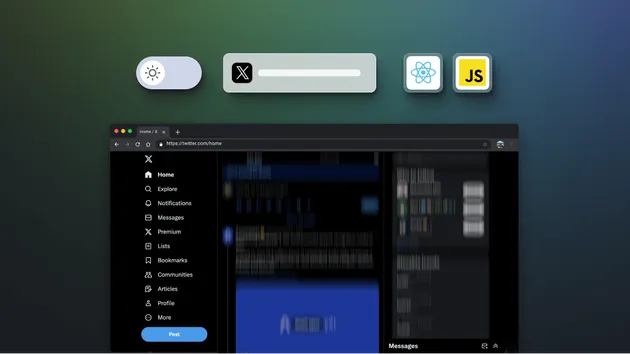
GIF Scroll Animation
Pricing
from $1.00 / 1,000 results
Pricing
from $1.00 / 1,000 results
Rating
0.0
(0)
Developer

Crawler Bros
Maintained by CommunityActor stats
0
Bookmarked
6
Total users
0
Monthly active users
5 months ago
Last modified
Categories
Share
Generate an animated GIF that scrolls down a webpage. The actor opens the URL in a headless Chromium browser, captures one frame per scroll step, then assembles the frames into a GIF using Pillow. The GIF is saved to the run's key-value store; a companion record with metadata + a public GIF URL is pushed to the dataset.
What it does
You provide a webpage URL; the actor:
- Renders the page in headless Chromium at the configured viewport size.
- Scrolls the page in
scrollStepPx-sized increments, capturing a screenshot per step (up tomaxFrames). - Optionally downscales each frame, then encodes them as a single GIF with Pillow.
- Writes the GIF binary to the key-value store under
output.gif. - Pushes one dataset record with
{url, gifUrl, frameCount, width, height, fileSizeBytes, frameDelayMs, scrapedAt}.
Input
| Field | Type | Default | Description |
|---|---|---|---|
url | string (required) | https://apify.com | Page to capture. Must start with http:// or https://. |
viewportWidth | integer | 1280 (320–2560) | Browser viewport width in pixels. |
viewportHeight | integer | 720 (240–1440) | Browser viewport height in pixels. |
scrollStepPx | integer | 250 (50–2000) | Pixels to scroll between captured frames. Smaller values → smoother animation but more frames. |
frameDelayMs | integer | 200 (50–5000) | Per-frame delay encoded into the GIF. |
maxFrames | integer | 60 (2–300) | Hard cap on captured frames so very tall pages don't run forever. |
downscaleFactor | integer | 2 (1–8) | Resize each frame down by this integer factor before encoding. 1 = full resolution, 2 = half, 4 = quarter. Lower = sharper but bigger GIF. |
cookieWindowSelector | string (optional) | – | CSS selector of a cookie-consent dismiss button (e.g. button#accept-all). Clicked after page load so the consent banner doesn't appear in every frame. |
waitToLoadPageMs | integer | 0 (0–30000) | Extra wait (ms) after networkidle for async-loaded content (lazy images, animations) to settle before capture starts. |
Example input
Output
The dataset receives a single record per run:
The GIF binary itself is stored under key output.gif in the run's default key-value store and is reachable at the public gifUrl shown above.
Output fields
url— the source URL captured.gifUrl— public URL pointing to the rendered GIF in the key-value store.frameCount— how many frames were captured before reaching the bottom ormaxFrames.width/height— final GIF dimensions in pixels (afterdownscaleFactor).aspectRatio— derived:width / heightrounded to 3 decimal places.fileSizeBytes— encoded GIF size in bytes.frameDelayMs— per-frame delay used in the GIF.durationMs— derived:frameDelayMs * frameCount— total GIF duration in milliseconds.scrapedAt— ISO-8601 UTC timestamp.
Use cases
- Marketing previews — generate a quick animated preview of a landing page for social media, slack messages, or PR demos.
- Scroll-test recording — visualise long pages for accessibility / visual-regression review.
- Documentation screenshots — capture a page-tour as a single embeddable GIF instead of multiple stills.
- Visual diffs — re-run on the same URL across deploys to compare scroll appearance over time.
FAQ
Does it need a proxy? No — the actor uses the run's default network. If you need to capture a page that's geo- or IP-restricted, configure proxy at the run level via Apify's run-options panel.
How big can the GIF get?
Pillow uses optimised palette quantisation and disposal=2 to keep frames small, but a 30-frame full-1280×720 capture is still ~8–12 MB. Use downscaleFactor: 2 (default) to roughly quarter the size.
Why does the GIF stop early?
- Reached the bottom of the page (
scrollY + viewportHeight >= scrollHeight). - Hit
maxFrames. Increase the limit if you have a very tall page.
Why isn't it perfectly smooth? GIF can only encode 1×, 2×, 5×, 10× hundredths-of-a-second, and Pillow rounds to the nearest. For motion-graphics quality, render to MP4 instead (this actor doesn't do video).
How do I get just the GIF without the dataset record?
Run the actor and download output.gif from the run's key-value store (the URL is in the dataset record's gifUrl).
The page didn't render — what happened?
Some pages block headless Chromium with bot challenges. The actor emits a sentinel record {type: "gif_scroll_error", reason: "capture_failed", ...} rather than crashing. Try the page in a normal browser first to confirm it isn't paywalled or geo-blocked.