

HuggingFace Papers Scraper
Pricing
$20.00 / 1,000 results
HuggingFace Papers Scraper
Scrape trending HuggingFace Papers by day, week, or month. Get titles, dates, submitters, organizations, upvotes, abstracts, summaries, PDFs, project links, and agent-ready commands for AI agents, RAG pipelines, research monitoring, and automation.
Pricing
$20.00 / 1,000 results
Rating
0.0
(0)
Developer

Marco Rodrigues
Maintained by CommunityActor stats
0
Bookmarked
3
Total users
2
Monthly active users
2 days ago
Last modified
Share
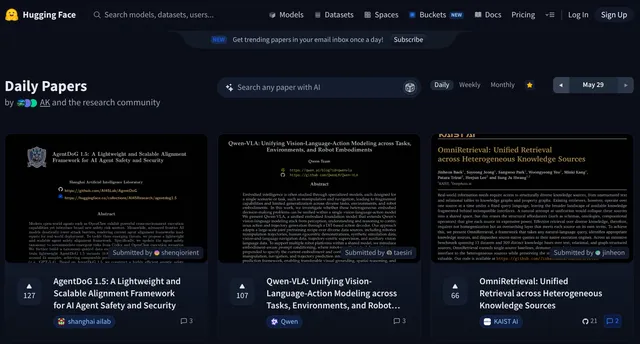
Scrape trending AI research papers from HuggingFace Papers. Choose Daily, Weekly, or Monthly, pick an end date, and collect titles, abstracts, summaries, PDF links, and upvotes, up to 200 papers per run. It reads https://huggingface.co/papers.
Choose a period (Daily, Weekly, or Monthly), pick an end date, and scrape up to 200 papers with titles, abstracts, summaries, upvotes, PDF links, and more.
Output example
Output fields
| Field | Description |
|---|---|
title | Title from the page. |
url | Public page. |
published_date | Publication time. |
submitted_date | Date from the page. |
submitted_by | Submitted by. |
submitted_by_url | Link from the page. |
organization | Organization. |
organization_url | Link from the page. |
upvotes | Upvotes. |
abstract | Abstract. |
summary | Summary. |
pdf_url | Link from the page. |
project_url | Link from the page. |
agent_command | Agent command. |
Input example
Input parameters
| Parameter | Type | Required | Default | Description |
|---|---|---|---|---|
period | string | No | Daily | Daily, Weekly, or Monthly. Default: Daily. |
end_date | string | No | none | Latest date to start from (YYYY-MM-DD). Empty/future today. |
max_papers | integer | No | 100 | How many papers to collect. Min 10, max 200, default 100. |
🔧 Custom scrapers and agents
If you need a custom web scraper, or custom AI agents and workflows, contact me through tuik.ai. We help businesses cut costs and time by up to 10x.


