
Payhip Marketplace Scraper
Pricing
from $8.00 / 1,000 results
Payhip Marketplace Scraper
Your ultimate Payhip market research tool. Scrape up to 200 digital products per run from any search or category page. Instantly export titles, seller details, pricing strategies, and full customer reviews into clean, structured datasets for competitor analysis.
Pricing
from $8.00 / 1,000 results
Rating
0.0
(0)
Developer

Marco Rodrigues
Maintained by CommunityActor stats
0
Bookmarked
7
Total users
1
Monthly active users
3 months ago
Last modified
Categories
Share
🛒 Payhip Marketplace Scraper
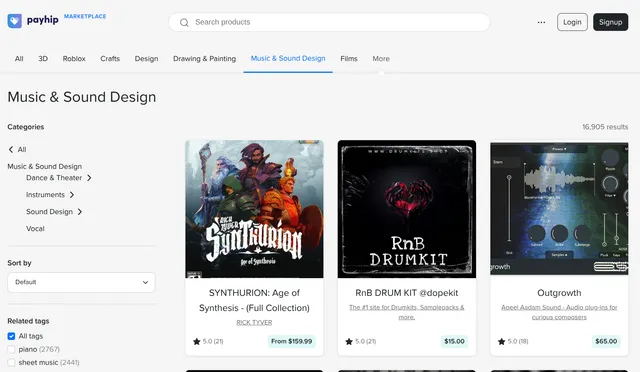
Want to find digital products on the Payhip Marketplace or analyze creator pricing and reviews? This scraper makes it easy!
Set filters (category, keywords, price, sort, rating) or paste an Input URL from your browser. When an Input URL is set, it overrides the filters. Collect up to 200 products with prices, sellers, descriptions, and customer reviews into CSV or JSON.
💡 Perfect for…
- Competitor analysis: Track pricing, sellers, and customer sentiment in your niche
- Market research: See which categories and ratings are trending
- Lead generation: Find successful creators and their store URLs
- Sentiment / NLP: Extract full customer reviews with star ratings
✨ Why you'll love this scraper
- 🔗 URL or filters: Paste a marketplace / category / search URL, or fill the filters — URL wins when set
- 🎯 Structured filters: Category, subcategory, keywords, price band, sort, and minimum rating
- 💬 Rich reviews: Individual customer reviews with titles, messages, and ratings
- 🔁 Pagination handled: Collects the number of products you ask for (up to 200)
📦 What’s inside the data?
| Field | Description |
|---|---|
item_url | Product detail URL |
title | Product title |
seller / seller_url | Seller name and storefront |
price / currency | Numeric price and currency symbol |
rating / number_of_reviews | Overall rating and review count |
image_url | Main product image |
item_description | Full product description |
customer_reviews | Array of review objects |
🚀 Quick start
Option A — Input URL
- Open Payhip Marketplace, apply filters in the browser, copy the URL
- Paste it into Input URL
- Set Max items and click Start
Option B — Filters
- Leave Input URL empty
- Pick a category, optional subcategory, keywords, price, sort, and rating
- Set Max items and click Start
Export JSON, CSV, or Excel when done.
Input & output examples
Filters:
URL override:
Input reference
| Parameter | Type | Required | Default | Description |
|---|---|---|---|---|
input_url | string | No | — | Paste a marketplace / category / search URL; overrides filters when set. |
category | string | No | roblox | Marketplace category (or All categories). |
subcategory | string | No | — | Optional subcategory under the category. |
query | string | No | — | Free-text search. |
price | string | No | all | Price band filter. |
sort_by | string | No | Default | How to sort results. |
rating | string | No | All ratings | Minimum star rating. |
max_items | integer | No | 100 | How many products to collect (10–200). |