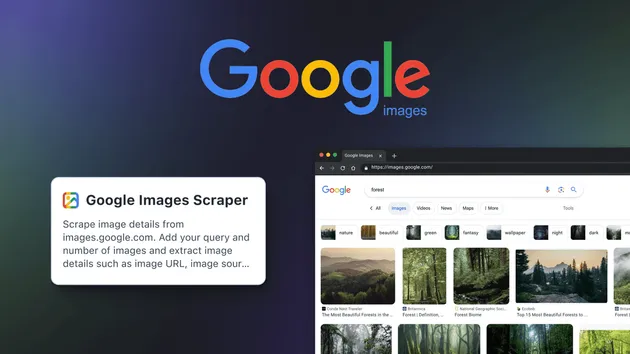
Google Images Scraper (Cheap)
Pricing
from $3.99 / 1,000 results
Google Images Scraper (Cheap)
Google Image Downloader scrapes Google Images for any keyword and returns full-size image URLs, thumbnails, source pages, and dimensions, so you can build datasets, run SEO audits, or collect images without writing a single line of code.
Pricing
from $3.99 / 1,000 results
Rating
0.0
(0)
Developer

Data API
Maintained by CommunityActor stats
0
Bookmarked
2
Total users
2
Monthly active users
2 months ago
Last modified
Categories
Share
Google Images Scraper
Saving images off Google one right-click at a time gets old fast, and it never gives you the data underneath each picture. This scraper takes a keyword, runs the Google Images search for you, and hands back a clean row per image with the direct file link, a thumbnail, the page that hosts it, the domain, and the pixel size. Feed it one keyword or a long list and let it page through the results on its own.

What you get
One row per image, all keys in a fixed order so the data drops straight into a sheet or database. Each record carries:
- Where it ranked —
resultRank(position within its keyword) andsearchTerm(the keyword that found it) - The image itself —
imageLink(full-size file) andpreviewLink(Google-hosted thumbnail) - The source —
pageUrl(page hosting the image) andpageDomain(that page's domain) - Size —
pixelWidthandpixelHeightin pixels
Quick start
- Press Try for free and open the input form.
- Add your keywords under Keywords — one search runs per keyword.
- Set Images per keyword to cap each search, and flip on the Family-safe filter if you want adult content screened out.
- Hit Start, then export to JSON, CSV, Excel, or XML once the run finishes.

Use cases
- SEO and visual search audits — see which domains own the image results for a keyword and where you could rank.
- Design and moodboard research — pull reference shots for a brief without saving each file by hand.
- Training data collection — gather labelled image links with dimensions for a vision model or dataset.
- Product and market research — check which styles, brands, and looks dominate a category before you launch.
- Brand monitoring — re-run a keyword on a schedule and watch how the image results shift over time.
Input
| Field | Type | Required | Description |
|---|---|---|---|
searchTerms | array of strings | Yes | Keywords to look up on Google Images. Each one runs as a separate search. Example: ["vintage travel poster", "ceramic coffee mug"]. |
resultsLimit | integer | No | Most images to return per keyword (1–500). Default 100. |
familyFilter | boolean | No | Turn on Google SafeSearch to screen out adult imagery. Default false. |
timeoutSeconds | integer | No | Seconds to wait on each page request before giving up. Default 180. |
Example input
Output
Every image becomes one row, with the keyword and rank attached so you can tell which search produced what. Fields that Google does not expose for a given image come back empty rather than missing, so your columns line up.
Example output
Output fields
| Field | Type | Description |
|---|---|---|
resultRank | integer | Where the image sits in the results for its keyword, counting from 1 |
searchTerm | string | The keyword that produced this image |
imageLink | string | Direct link to the full-resolution image file |
previewLink | string | Google-hosted thumbnail link for a quick preview |
pageUrl | string | Web page that publishes the image |
pageDomain | string | Host domain of that page |
pixelWidth | integer | Width of the full image in pixels |
pixelHeight | integer | Height of the full image in pixels |
Tips for best results
- Start with one keyword. Run a single search first to confirm the output fits your pipeline before queuing a long list.
- Google caps each search near 200 images. Setting
resultsLimithigher than that returns as many as Google serves, not more. - Raise
timeoutSecondsif you see fetch errors on a slow connection or during a heavy batch. - Use
familyFilterfor safe content. Turn it on when results feed a public-facing or client project. - Plan dataset size. Total rows land near
number of keywords × resultsLimit, so size your run before you start.
How can I use Google Images data?
How can I use the Google Images Scraper to build an image training set?
Add the keywords that describe your classes, set resultsLimit per keyword, and run it. Each image comes back with a direct imageLink, its pixelWidth and pixelHeight, and the pageDomain it came from, which gives you labelled links and size metadata ready to feed a download script or a vision model.
How can I scrape Google Images results to see who ranks for a keyword?
Run the keyword and read the pageDomain and pageUrl on each row. Sorting by resultRank shows which sites Google surfaces first for that visual query, which is useful for spotting competitors and finding image sources worth reaching out to.
How can I collect reference images for a design brief without saving each one?
Drop your moodboard keywords into searchTerms and export the run as CSV or JSON. You get a tidy list of imageLink and previewLink values plus dimensions, so you can scan and share references instead of right-clicking through a results page.
How can I track how Google Images results change over time?
Schedule the same keywords on a recurring run. Compare resultRank and pageDomain between runs and you can see when new sites show up in the results or old ones drop off, which is handy for keeping an eye on a visual niche.
Is it legal to scrape data?
Our actors are ethical and do not extract any private user data, such as email addresses or private contact information. They only extract what the user has chosen to share publicly. We therefore believe that our actors, when used for ethical purposes by Apify users, are safe.
However, you should be aware that your results could contain personal data. Personal data is protected by the GDPR in the European Union and by other regulations around the world. You should not scrape personal data unless you have a legitimate reason to do so. If you're unsure whether your reason is legitimate, consult your lawyers.
You can also read Apify's blog post on the legality of web scraping.
Support
Questions, feature requests, or a field you'd like added? Reach out at data.apify@proton.me and we'll get back to you.