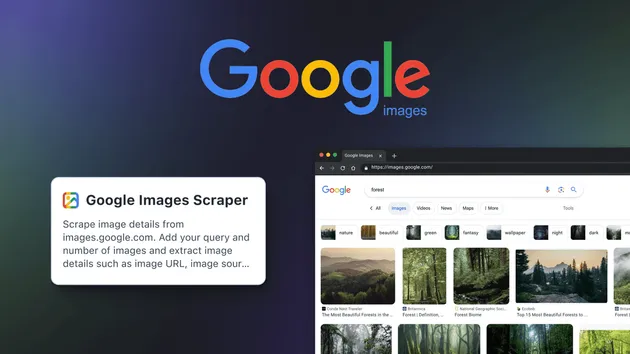
Google Images Scraper - up to 100K per Keyword
Pricing
from $1.50 / 1,000 unique image scrapeds
Google Images Scraper - up to 100K per Keyword
Google Images scraper tool and Google Image Search API alternative: up to 100,000 full-size image URLs per keyword with pixel dimensions and source pages. No API key.
Pricing
from $1.50 / 1,000 unique image scrapeds
Rating
0.0
(0)
Developer

Thodor
Maintained by CommunityActor stats
1
Bookmarked
28
Total users
1
Monthly active users
a month ago
Last modified
Categories
Share
A Google Images scraper tool that returns full-size image URLs with width, height, source page and page title, up to 100,000 images per keyword, where a normal Google Images scraper stops at the first hundred thumbnails. Type a keyword, get every image's original URL and its metadata, then load them into a spreadsheet as CSV, Excel, or JSON. No API key, no browser, no Google Cloud project.
There is no official Google Image Search API to call, and the SERP APIs that stand in for it return roughly the first 100 results per query. This actor is the Google Image Search API alternative for volume work: AI training image datasets, computer vision sourcing, e-commerce image research, and brand monitoring across countries. Scraping Bing instead? The Bing Image Search API Scraper does the same job on Bing.
📋 How to scrape Google Images
- Type a keyword in Search Query.
- Set Max Results to the number of images you want. It caps the run and the bill.
- Click Start.
- Open the Output tab and click Export for CSV, Excel, JSON, or HTML.
A 250-image sample finishes in seconds.
🎁 So what do you get?
| 🖼️ Full-resolution image URL | 📐 Width and height of the original | 🔗 Source page URL |
|---|---|---|
| 🏷️ Caption, the source page's title | 🌍 Which Google market surfaced it | 🧭 Found by search or via related images |
| ⚡ Google's thumbnail URL | 🔍 Link to the visually similar images | 🔁 Deduplicated across paths |
⚖️ Compared to SerpApi and other Google Images scrapers
| SerpApi, Zenserp, typical scrapers | This actor | |
|---|---|---|
| 🖼️ Images per keyword | ❌ ~100, first page only | ✅ up to ~100,000 |
| 🔍 Related images | ❌ Never opened | ✅ Opened for every result |
| 🌍 Markets | ❌ One | ✅ 15 |
| 🔗 Image URL | ❌ gstatic thumbnail, ~250px | ✅ Full-resolution original |
| 📐 Width and height | ❌ The thumbnail's | ✅ The original's |
| 🔑 Access | ❌ API key, per-request plans | ✅ Register on Apify, $5 free monthly credit |
| 💵 Billing | Per request | ✅ Per unique result |
Why they stop early. Google's pagination dies around 250 images. Getting past it means opening the "visually similar" page behind each result, which normally needs a browser. Its address turns out to be computable, so this actor fetches it over plain HTTP instead.
Why the URLs are full-resolution. The original is never in the <img> tag, only in a JSON blob behind it, one array after the thumbnail. Anything reading rendered HTML sees the thumbnail and stops.
🎯 Three things people run this for
| How | |
|---|---|
| 🧠 AI training image datasets | One keyword per class label, then the resolution filter below keeps only images big enough to train on, before you download a single file. |
| 🛍️ E-commerce image research | Batch product keywords and export one spreadsheet of full-size images with the page each one came from. |
| 📈 Brand monitoring across countries | Run the same keyword with a fixed country to see what really ranks there, so an image that only ranks in Brazil stays out of your German report. |
📥 Input
search_query: the keyword. Required.max_results: default200. Hard cap on images and on billing.get_related_images: defaulttrue. Also collects the visually similar images behind every result.country: defaultUS. The Google market to rank for, 50 supported. Always searched first.expand_markets: defaulttrue. Sweeps the other 14 markets oncecountryis exhausted. Setfalseto keep every result ranked forcountry.language: defaulten. Interface language.
There is no fixed cap. Both switches are on by default, so the one number that decides your run is max_results:
| What you want | Images | Switch on |
|---|---|---|
| 🌍 As many as possible, anywhere | ~100,000 | Related images + Expand markets ✅ |
| 📍 Everything for one country | ~20,000 | Related images ✅, Expand markets ❌ |
| ⚡ A quick sample | ~250 | Leave max_results at 250 |
Measured on cat: 19,874 from one market, 28,986 once a second market is added. The 100,000 is the theoretical maximum across all fifteen markets. Your own country is always searched first and supplies ~250 on its own, the same set you'd see typing the query into Google Images, so a low cap gives you a quick look at the output shape before a large run.
🌍 As many as possible, don't care where from
Sweeps all fifteen markets and stops at max_results. Every row records its market, so you can still filter later. The output no longer represents any single market, which is right for datasets and wrong when local ranking is the point.
📍 Everything for one country
Results stay ranked for one market, for SEO checks and brand monitoring.
📤 Output
One flat row per image, deduplicated.
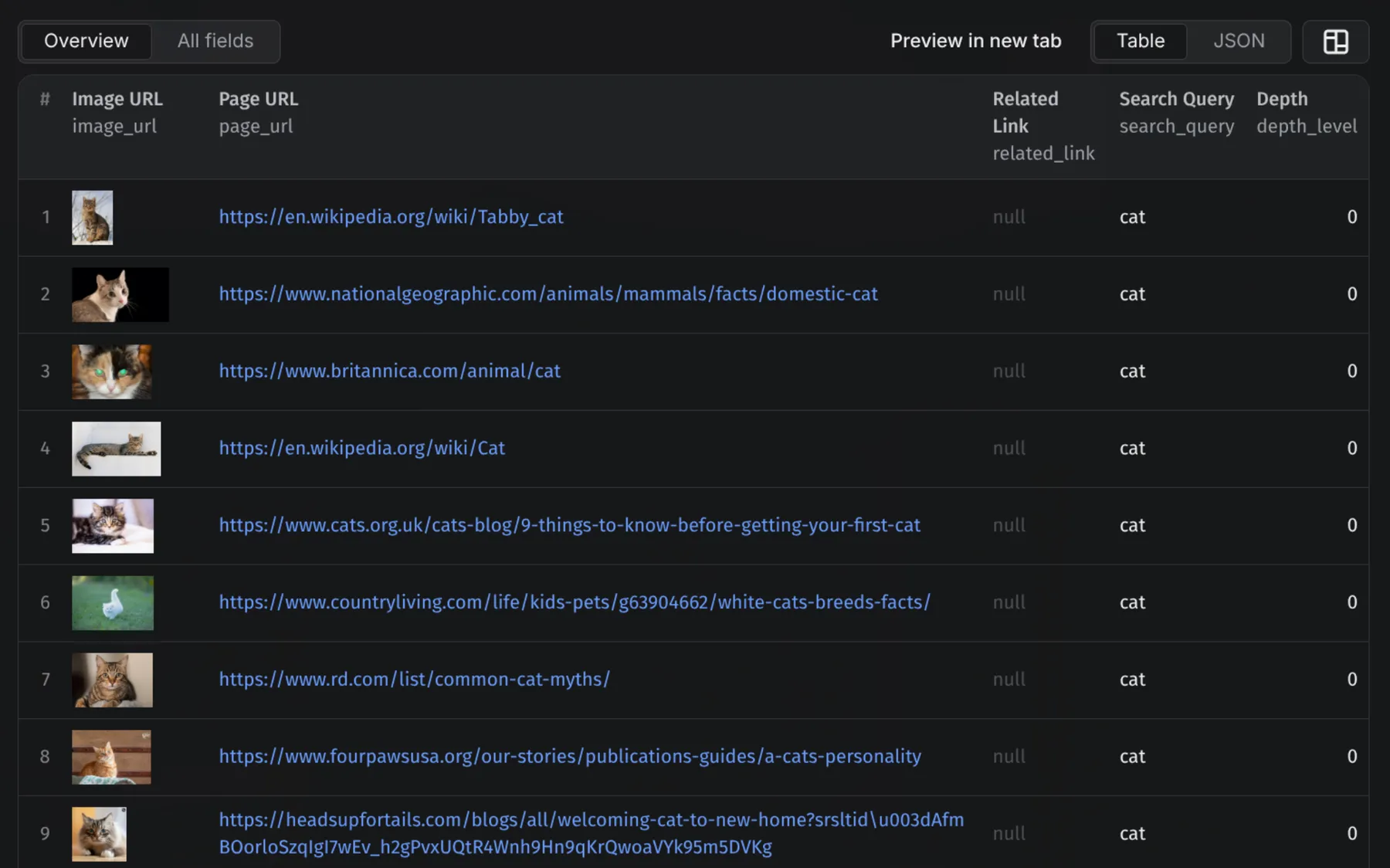
⚠️
titleis the source page's title, not alt text. Google doesn't ship thealtattribute in this payload; fetchpage_urlif you need it. Present on 100% of direct results and 87% of related-image results.
Fields
| Field | Description |
|---|---|
image_url | Full-resolution original on the origin server |
thumbnail_url | Google's gstatic thumbnail |
width, height | Pixel dimensions of the original |
page_url | Page hosting the image |
title | That page's title, the caption Google prints under the result |
related_link | Link to visually similar images |
search_query | Keyword used |
market | Google market that surfaced this image |
depth_level | 0 = found by the search, 1 = found via related images |
🧠 Build an AI training image dataset
Training a model needs volume plus enough metadata to filter and attribute, and a standard SERP API gives you ~100 results and a thumbnail URL, which is neither. Here the width and height are the original's, so you can keep only images big enough to train on before downloading any of them:
An image reached through many paths is emitted once, so the set doesn't over-weight popular images. depth_level and market let you balance or stratify it, and page_url plus title are what dataset documentation and licence review need.
⚙️ Use it as a Google Image Search API
Every run is an HTTP endpoint: POST the same JSON as the form and the image rows come back in the response body.
Python
Node.js
curl
Swap run-sync-get-dataset-items for runs to fire async with a webhook when a large run outlives the 5-minute sync window. The apify-client SDK works too, in Python and JavaScript, and the n8n, Make, and Zapier integrations take the same input.
💡 Tip: no need to write the JSON by hand. Fill in the form on the Input tab, switch the editor from Form to JSON, and copy the result into your code.
🤖 Use it with AI agents via MCP
The actor is a tool for any assistant that speaks the Model Context Protocol: Claude Code, Claude Desktop, Cursor, VS Code, or your own agent. Add the Apify MCP server once and the agent can search Google Images, filter the rows, and hand you the URLs.
Claude Code
Claude Desktop, Cursor, or VS Code
The client signs in to your Apify account with OAuth the first time it calls the tool.
Example prompts
- "Use thodor/google-image-scraper to get 2,000 full-size images of 'golden retriever' and keep only the ones at least 1024 pixels wide."
- "Search Google Images for 'wanderschuhe' in the German market with related images on, and list the ten source domains that appear most often."
💰 How much does it cost to scrape Google Images?
Billing is per unique result, at the rate on the price card on this page. Duplicates and rows without a resolved full-size URL are free. max_results is both the cap and the brake: a run capped at 5,000 bills at most 5,000 images, so set it to the dataset size you actually want.
❓ FAQ
Is there an official Google Image Search API? No. Google discontinued it in 2011. The nearest option, the Custom Search JSON API, returns at most 10 images per request on a 100-query daily free tier.
Can I use this Google Images scraper for free? Yes. Registering on Apify comes with $5 of free platform credit every month, no credit card needed, enough for real test runs.
Does it download the image files?
No. It returns full-resolution URLs and metadata; downloading is a loop over image_url in your own script.
Why doesn't it go deeper than one level of related images? It reaches more, but relevance drops off by the third or fourth level and you start collecting things that aren't your query. That trade shouldn't be made for you. If you need it, open a ticket on the Issues tab and I'll enable it.
Can I use the images commercially?
The actor returns URLs and metadata, not licences. Check terms per source via page_url. Nothing here grants rights to the underlying files.
What if Google rate-limits a run? Everything collected is saved and you're only billed for unique results. For very large jobs, several smaller runs beat one enormous one.
🛟 Support
Something not working, or a field missing? Message me in the Issues tab and I'll look into it quickly. I'm a solo dev, so don't hesitate.
Need to know where one image appears online, rather than every image for a keyword? That's the Reverse Image Search API.
- Thodor