
🍿 Netflix Search Scraper
Pricing
from $1.05 / 1,000 results
🍿 Netflix Search Scraper
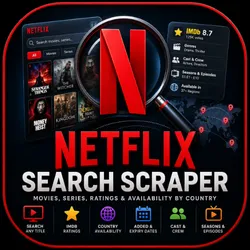
Netflix Search Scraper extracts Netflix movies and series with IMDb ratings, votes, genres, cast, episodes, posters, plot details, and full country-by-country streaming availability, including added and expiry dates. Perfect for streaming research, licensing, and AI pipelines.
Pricing
from $1.05 / 1,000 results
Rating
0.0
(0)
Developer

Data Minds
Maintained by CommunityActor stats
0
Bookmarked
4
Total users
1
Monthly active users
11 days ago
Last modified
Categories
Security
Limited permissionsShare
What is Netflix Search Scraper?
Netflix Search Scraper extracts Netflix movies and series from search terms, search links or title links, and returns IMDb ratings, region-by-region availability, genres, cast and episodes for each title. Enter a search term, click Start, and download the dataset as JSON, CSV or Excel. On the Gold plan it costs $1.05 per 1,000 titles, with platform usage billed in addition.
Use it for movie and series data extraction, streaming content research and Netflix catalog comparison by country:
- 🌍 Netflix catalog comparison by country: see every region where a title streams, with added and expiry dates, audio and subtitle languages.
- ⏳ Track Netflix titles leaving soon: list titles about to expire, or titles added in the last 24 hours, and schedule the run to monitor new Netflix releases.
- 📈 Content licensing research and entertainment market research: filter by type, release year, IMDb rating and region, then analyse the whole library in a spreadsheet.
- 🤖 Feed streaming data into AI pipelines: send titles, plots, genres, cast and ratings to your own models, or build a movie recommendation dataset.
- 🔗 Look up one title: paste a Netflix title link and get its ratings, ids and links in one row.
The Apify platform adds an API, scheduling, webhooks, integrations and export to JSON, CSV, Excel, XML or HTML. Visit the Netflix homepage to see the catalogue you are searching.
What can Netflix Search Scraper do?
- 🔎 Mix inputs in one run: search terms, Netflix search links and title links, all in the same bulk list.
- 🎞 Filter the Netflix catalogue: movies or series, release years, IMDb rating range, 37 regions, audio and subtitle language, sort order.
- ⭐ Add IMDb ratings: rating, votes, metascore, awards and full plot for each title (Netflix movies with IMDb rating included).
- 🌍 Show availability by country: the full list of regions per title, not only the first few the search page shows.
- 🎭 Get Netflix cast and crew data and episodes by season: both are optional switches.
- 📦 Export the Netflix titles dataset as CSV, or export the Netflix catalogue to Excel, JSON, XML or HTML.
- 📊 Open ready-made views: nine dataset tables for ratings, availability, cast, episodes, artwork, links, source and errors.
Which Netflix tools can Netflix Search Scraper replace?
Netflix Search Scraper works as a Netflix catalog scraper and a Netflix catalogue scraper in one Actor. It covers a Netflix titles scraper and a Netflix title scraper job, whether you start from one link or a full search.
Set type to movie and it acts as a Netflix movies scraper or Netflix film scraper. Set type to series and it becomes a Netflix series scraper or Netflix tv shows scraper. Leave type empty for a Netflix show scraper and Netflix movies and series scraper in one run.
For data work, it serves as a Netflix data scraper and Netflix data extractor with filters and exports. Results are also available through the Apify API, so it can act as a Netflix data api for your own tools. Teams use it as a Netflix streaming data scraper and Netflix library scraper for availability checks.
Each row carries IMDb fields, so it works as a Netflix content scraper and Netflix listings scraper. It also doubles as a Netflix metadata scraper and Netflix movie database scraper in one dataset. For files, it is a Netflix titles extractor and Netflix catalog extractor that writes CSV and Excel. You can schedule it as a Netflix catalog data extractor and Netflix data collector.
What data can Netflix Search Scraper extract?
Netflix Search Scraper writes one row per title. Field names below are exactly the names in the dataset.
| Field | Description |
|---|---|
🍿 title, type, year, slug, id | Title name, movie or series, release year, URL-style name and record id |
🔎 keyword | The search term (or title name) that produced the row |
🆔 netflixId, imdbid | Netflix and IMDb identifiers |
🔗 netflixUrl, imdbUrl, catalogueUrl, guideUrl | Links to the title on Netflix, IMDb and the catalogue page; guideUrl is not present on every row |
⭐ avgrating, imdbRating, imdbVotes, imdbMetascore, tmdbScore | Catalogue average rating, IMDb rating, votes, metascore; tmdbScore is not present on every row |
🏆 top250, top250tv, imdbAwards | IMDb Top 250 positions for films and TV, and awards text |
📝 synopsis, imdbPlot | Short synopsis and full IMDb plot (Netflix synopsis and plot data) |
⏱ runtimeSeconds, runtimeMinutes, maturityRating | Runtime and maturity rating |
🖼 poster, img, largeImage | Poster and artwork image links (Netflix posters and artwork) |
🌍 availableCountries, countryCount | Per region: countryId, code, name, addedDate, expiresDate, audioLanguages, subtitleLanguages, seasonsAvailable; plus the number of regions |
📅 addedDate, lastCheckedDate, titledate | Date added to Netflix, date last checked and catalogue date |
🎭 genres, imdbGenre | Catalogue genre labels and IMDb genres |
🎬 cast | List of role and names (when Cast & crew is on) |
📺 seasons | Per season: season, episodeCount, episodes (series only, when Seasons & episodes is on) |
✅ enrichmentStatus, enrichmentErrors, source | How completely the row was filled in, notes about missing parts, and a source label for the row |
Note: Fields appear only when the matching option is on and the data exists for that title. Some rows can have fewer fields, for example no Netflix id, IMDb id or per-region dates. Such a row says so in
enrichmentErrors, and itsenrichmentStatusispartial.
Inputs that return nothing are saved as separate error rows with the fields url, input, error and note.
What data can't Netflix Search Scraper extract?
- Video files, subtitles files or any streaming content. It returns catalogue data only.
- Anything behind a Netflix login, such as viewing history or personal lists. No Netflix account is needed or used.
How to scrape Netflix titles
Netflix Search Scraper is designed for an easy start, even if you have never extracted data from the web before.
- Create a free Apify account with your email.
- Open Netflix Search Scraper in Apify Console.
- Type search terms into
keywords, paste Netflix links intourls, or use both. - Set
maxItemsto the number of titles you want per search term. - Add optional filters such as
type,startYear,minRatingorcountries. - Click Start and wait for the run to finish.
- Download your data in JSON, CSV, Excel, XML or HTML from the Output tab.
How much does it cost to scrape Netflix?
Netflix Search Scraper uses a pay-per-event model: you pay for each title saved to the dataset, and the price per title falls on higher Apify plans. Platform usage is billed in addition.
| Plan | Price per title | Price per 1,000 titles |
|---|---|---|
| Free | $0.0015 | $1.50 |
| Bronze | $0.00135 | $1.35 |
| Silver | $0.0012 | $1.20 |
| Gold | $0.00105 | $1.05 |
Each run also pays one start event of $0.00005 per GB of memory, with a minimum of one. The default memory is 1 GB (1,024 MB), so a run on defaults pays one start event, which is $0.00005.
Worked example: on the Free plan, 1,000 titles cost 1,000 × $0.0015 = $1.50, plus the $0.00005 start event, plus platform usage. On the Gold plan the same 1,000 titles cost $1.05.
Only title rows are charged as results. Rows that describe an input with no results are saved without the result charge. See the pricing tab for the current prices.
Is scraping Netflix free?
You can start without paying. The Free plan includes $5 in monthly Apify credit. At the Free price of $0.0015 per title, $5 covers about 3,333 titles ($5 ÷ $0.0015), before platform usage. A test run with the default maxItems of 10 costs a fraction of a cent in results.
Input
Netflix Search Scraper needs at least one search term or link. The schema marks urls as the required field and prefills it; you can also fill keywords and put your own links in urls. Set the input in the Actor form or send it as JSON through the API. This is the prefilled example, a search for fashion plus a search link:
See the input schema for the full description of every field.
| Field | Type | Required | Default | Description |
|---|---|---|---|---|
urls | array | Yes | none (prefilled with one search link) | Netflix title links or search links, one per line |
keywords | array | No | [] | Search terms, each searched separately |
maxItems | integer | No | 10 | Titles to collect per search term; a title link always returns one title. Values above 10,000 are reduced to 10,000 per term |
maxScanned | integer | No | 20000 | Safety cap on how deep one search digs (100 to 200000) |
type | string | No | "" | movie or series; empty means both |
startYear, endYear | integer | No | none | Release year range (1900 to 2100); a reversed range is swapped |
minRating, maxRating | number | No | none | IMDb rating range, 0 to 10 |
orderBy | string | No | Relevance | Relevance, Date, DateAsc, Rating, RatingAsc, Title, VideoType, FilmYear, FilmYearAsc, Runtime |
filterBy | string | No | "" | Expiring (leaving soon) or New last 24 hours |
countries | array | No | [] | Region codes such as US, GB, JP; empty means every region |
countryMatch | string | No | or | or, and, unique or notin |
audio, subtitle | string | No | "" | Audio or subtitle language, for example English |
audioSubtitleMatch | string | No | or | or or and |
includeImdbExtras | boolean | No | true | Add IMDb rating, votes, metascore, awards, plot, maturity rating and large artwork |
includeCountryAvailability | boolean | No | true | Add the full region-by-region availability |
includeGenres | boolean | No | true | Add genre labels |
includeCast | boolean | No | false | Add actors, directors, writers and producers |
includeEpisodes | boolean | No | false | Add seasons and episode lists for series |
genreIds | string | No | "" | Comma-separated catalogue genre ids |
personId | string | No | "" | Catalogue person id, to return titles that person worked on |
proxyConfiguration | object | No | {"useApifyProxy": false} | Proxy configuration; leave it alone unless you need your own settings |
backupCountry | string | No | US | Region code for results limited to one region |
maxConcurrency | integer | No | 2 | Titles processed at the same time (1 to 10) |
maxRequestRetries | integer | No | 8 | Attempts before a request is given up on (2 to 15) |
countries and countryMatch
Pick regions with countries, then choose how to match them with countryMatch: or returns titles in at least one region, and only titles in every region, unique titles that stream only in your picks, and notin titles that stream anywhere except your picks.
- ✅ Good:
"countries": ["US", "GB"]with"countryMatch": "and" - ❌ Bad:
"countries": ["United States"](use the two-letter codes)
Warning: An unknown region code is ignored with a warning in the log, so check the spelling if a region seems to be missing.
Title links and search links
A title link returns exactly one title and ignores maxItems.
- ✅ Good:
https://www.netflix.com/title/81002370 - ❌ Bad: a link to the Netflix home page (it has no title or search term in it)
Warning: If a title link names a film that cannot be matched, the input is reported in an error row instead of returning a different film.
Output
Results appear in the dataset on the Output or Storage tab of the run. You can view them as a table or JSON, pick only the fields you need, and download them in JSON, CSV, Excel, XML or HTML. Each title is saved as soon as it is ready, so you can open results while the run is still going. A run summary is saved to the key-value store under the key run-summary, with totalResults, movies, series, errors and durationSeconds.
JSON example
Results for the input example above (values are made up):
With includeCast on, each row also holds cast, for example [{"role": "Director", "names": ["Example Person"]}]. With includeEpisodes on, series rows also hold seasons, for example [{"season": 1, "episodeCount": 8, "episodes": []}].
An input with no results is saved as an error row:
Notes and limitations
- Fields depend on the options you switch on and on what exists for each title.
- A series with very many episodes can make a row large. Rows over the dataset size limit are trimmed and say so in
enrichmentErrors. - If you set a maximum cost for the run, the Actor stops when that limit is reached and keeps everything saved so far.
Tips and advanced usage
How many results can you scrape with Netflix Search Scraper?
Each search term can return up to 10,000 titles through maxItems. The real number depends on how many titles match your search and filters. A quick test run with the default maxItems of 10 is the best way to check a new search.
How to get faster or cheaper results
- Switch off extras you do not need (
includeImdbExtras,includeCountryAvailability,includeGenres); each one adds a look-up per title. - Keep
includeCastandincludeEpisodesoff unless you need them. - Use
type,startYear,minRatingandcountriesto return only the titles you want, since you pay per saved title. - Raise
maxScannedwhen a narrow filter puts the matches deep in the results.
Integrations and API
Can I use Netflix Search Scraper as an API?
Yes. The Apify API lets you start runs, schedule them and fetch results. Use the apify-client package for Node.js or Python. See the API tab for ready-to-use code.
How to scrape Netflix with Python
Can I integrate Netflix Search Scraper with other apps?
Yes. Connect it with Make, Zapier, Google Sheets, Slack and other tools through Apify integrations, use webhooks to trigger actions when a run finishes, and schedule runs to keep your Netflix data fresh.
Can I use Netflix Search Scraper with AI agents (MCP)?
Yes. Connect it to Claude and other MCP clients through the Apify MCP server. Open the MCP tab for setup steps.
Other Netflix scrapers
Entertainment research often needs more than a catalogue. These Actors from the same team cover video and discussion data around the shows you track:
| Actor | What it does |
|---|---|
| 🔗 Podcast Directory Scraper — Host Contacts & Emails | Search the Apple Podcasts directory by keyword, chart or link and get host emails, owner names, websites, social profiles, ratings, publishing... |
| 🔗 Google Trends : Trending Search Scraper | Scrape real-time Google Trends trending searches — search volume, growth %, categories, related queries and related news — one clean row per... |
FAQ
Is it legal to scrape Netflix?
Scraping publicly available data is generally legal, but you should respect personal data rules, intellectual property and Netflix's terms. This Actor returns catalogue data only. Read the Apify guide on web scraping legality. This is not legal advice, so check your own use case.
How does Netflix Search Scraper work?
You give it search terms or Netflix links plus optional filters. It searches the Netflix catalogue, adds the details you switched on, such as IMDb ratings, regions, cast or episodes, and saves one row per title to the dataset. You can download the results in JSON, CSV or Excel when the run ends.
Why scrape Netflix catalog data?
Teams use Netflix catalog data for content licensing research, entertainment market research and comparing catalogues across countries. Others track titles leaving soon, monitor new releases, build movie recommendation datasets or feed streaming research data into AI pipelines. Scheduling the run keeps the dataset current without manual work.
Why am I getting fewer results than expected?
Your filters may be narrow, so try a broader term or fewer filters. A search returns only titles that match, and maxItems caps each term. Raise maxScanned if matches sit deep in the results, and check the error rows for inputs that returned nothing. Region and rating filters remove the most titles.
How do I get Netflix titles into a spreadsheet?
Run the Actor, open the Output tab and choose CSV or Excel to export the Netflix titles dataset. You can also send results to Google Sheets with an Apify integration. Pick only the fields you need before downloading, so the file stays small and easy to read.
Can I see which countries have a Netflix title?
Yes. Keep includeCountryAvailability on and each row lists every region where the title streams, with added and expiry dates and the audio and subtitle languages. Use countries and countryMatch to compare regions, for example titles in the US but not in the UK.
Does Netflix Search Scraper need my Netflix account?
No. It returns catalogue data only and does not use a Netflix login, so no password, cookies or personal details are needed. You only need an Apify account to run it. It does not download or stream video, and it does not read your viewing history or personal lists.
What should I do if Netflix Search Scraper is not working?
Open the Issues tab and describe the input you used, ideally with the run link. First check that the input has at least one search term or link, and read the run log, which explains most problems in plain words. We reply to bugs and feature requests there.
Support and feedback
Found a bug or have a feature request? Please create an issue on the Issues tab.
Need a custom solution or more data? Contact hello.dataminds@gmail.com.
Built and maintained by the data_minds team on Apify. This Actor is an independent tool and is not affiliated with or endorsed by Netflix or IMDb. You are responsible for using the data in line with the law and each website's terms.


