
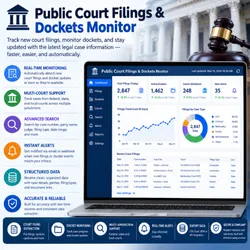
Public Court Filings & Dockets Monitor
Pricing
from $2.00 / 1,000 scraped results
Public Court Filings & Dockets Monitor
Extracts case ID, case name and parties, court, filing date, docket number, jurisdiction type, and case links. Supports automatic pagination, duplicate filtering, retry handling, and structured Apify Dataset output. Useful for legal research and court case monitoring.
Pricing
from $2.00 / 1,000 scraped results
Rating
0.0
(0)
Developer

Data Pilot
Maintained by CommunityActor stats
0
Bookmarked
1
Total users
0
Monthly active users
2 months ago
Last modified
Categories
Share
⚖️ Public Court Filings & Dockets Monitor is a powerful Apify Actor designed to discover, track, and collect U.S. court docket data directly from CourtListener's own public REST API. This tool provides comprehensive Public Court Filings & Dockets Monitor intelligence including case parties, court name, filing date, docket number, jurisdiction type, and a direct link to the official docket page for any search keyword. Whether you're building a legal research dashboard, tracking litigation involving a company or individual, or conducting court transparency research, the Public Court Filings & Dockets Monitor delivers actionable Public Court Filings & Dockets Monitor insights efficiently.
With direct CourtListener API access, cursor-based pagination, automatic proxy fallback, and reliable Apify Dataset delivery, the Public Court Filings & Dockets Monitor ensures comprehensive Public Court Filings & Dockets Monitor coverage across any search keyword. It focuses on key Public Court Filings & Dockets Monitor signals including case parties, court, and filing date, making it an essential tool for legal research and litigation monitoring.
📋 Table of Contents
- Features
- Data Source
- How It Works
- Input
- Output
- Technical Stack
- Data Fields
- Use Cases
- Quick Start
- Configuration
- Performance
- Important Notes
- License & Legal
🔥 Features
- Direct CourtListener API Access – Queries CourtListener's official REST v4 Search API directly for fast, structured Public Court Filings & Dockets Monitor data.
- Docket-Type Search – Restricts results specifically to docket records (
type=d) rather than opinions or other document types. - Cursor-Based Pagination – Follows the API's own
nextcursor URL directly, avoiding manual offset/page-number tracking. - Automatic Proxy Fallback – Retries instantly without a proxy if a proxied request times out, keeping the run resilient.
- Global Deduplication – Tracks seen case IDs to prevent duplicate docket entries in the output.
- Direct Docket Links – Builds a link to the official CourtListener docket page for every result, with a fallback URL pattern if the absolute URL is missing.
- Configurable Result Cap – Caps total results at 50 per run by default to keep runs fast and predictable.
- Incremental Dataset Push – Pushes each batch of results to the Dataset as it's collected, not just at the end.
- Graceful Empty-Response Handling – Stops cleanly when the API returns no further results, without treating it as an error.
📊 Data Source
CourtListener REST v4 Search API
- Authority: CourtListener (a project of the Free Law Project), via its official public REST v4 Search API (
courtlistener.com/api/rest/v4/search/) - Access Method: Browser-impersonated HTTP requests via
curl_cffi, run through an executor for async compatibility - Coverage: Any publicly listed U.S. court docket matching the given search keyword
- Data: Structured JSON docket records, including case name, court, filing date, and docket number
- Access: Public API, no API key required for standard search usage
- Update Frequency: Reflects CourtListener's currently indexed docket data at time of run
⚙️ How It Works
The Public Court Filings & Dockets Monitor accepts a search keyword and queries CourtListener's REST v4 Search API with the docket document type filter. The Actor follows the API's own pagination by using the next URL returned in each response, rather than manually tracking offsets, continuing until the configured maximum result count is reached or no further pages are available. Each request is attempted first without extra retry overhead; if a request fails, the Actor immediately retries once without a proxy, since proxied requests to CourtListener can otherwise hang or rate-limit. For every returned docket, the Actor extracts the case ID, party names, court, filing date, docket number, and jurisdiction type, building a direct link to the docket's official CourtListener page. A global set of seen case IDs prevents duplicates, and each batch of new dockets is pushed to the Apify Dataset as it's collected.
Key Processing Steps:
- Input Parsing – Accept a search keyword (defaults to
"Tesla"if none provided) - Request Setup – Configure headers and an impersonated HTTP session
- Initial Search Request – Query the Search API with the keyword and docket type filter
- Proxy Fallback – Instantly retry without a proxy if the initial request fails or times out
- Docket Normalization – Extract case ID, parties, court, filing date, docket number, and jurisdiction from each result
- Deduplication Check – Skip any case ID already seen in a previous page
- Incremental Push – Push each batch of new dockets to the Dataset as it's ready
- Cursor Pagination – Follow the API's
nextURL directly to fetch the following page - Result Cap Enforcement – Stop once the configured maximum result count is reached
- Rate Limiting – Apply a short delay between paginated requests
Key Benefits:
- Pull Public Court Filings & Dockets Monitor data for any keyword without manually searching CourtListener
- Track litigation involving a specific company, individual, or case name
- Get resilient results even when proxied requests to CourtListener would otherwise fail
- Feed legal research pipelines, litigation monitoring tools, or court transparency dashboards
- Automate recurring Public Court Filings & Dockets Monitor checks as new dockets are filed
📥 Input
The Actor accepts the following input parameters:
| Field | Type | Default | Description |
|---|---|---|---|
keywords / keyword | string | "Tesla" | Search term used to find matching court dockets. |
Note: This Actor caps total results at 50 per run (
MAX_RESULTS = 50), and intentionally does not route CourtListener requests through an Apify proxy, to avoid rate-limiting hangs.
Example Input:
Search a Different Party or Case Name:
📤 Output
The Actor pushes Public Court Filings & Dockets Monitor records with the following structure:
| Field | Type | Description |
|---|---|---|
search_keyword | string | The keyword used for this search |
case_id | string | The docket's unique CourtListener ID |
parties | string | The case name/parties (e.g., "Smith v. Jones"), or "Untitled Case" if unavailable |
court | string | The court name or court identifier, or "N/A" if unavailable |
filing_date | string | The docket's filing date, as returned by the API |
docket_number | string | The official docket number, if available |
jurisdiction_type | string | The jurisdiction type classification, if available |
link | string | Direct URL to the docket's official CourtListener page |
scraped_at | string | ISO 8601 timestamp of when the record was scraped |
Example Public Court Filings & Dockets Monitor Record:
🧰 Technical Stack
- HTTP Client:
curl_cffiwith Chrome impersonation for reliable access to the CourtListener API - Concurrency:
asynciowith an executor bridge for running the impersonated client asynchronously - Pagination: Direct cursor-following via the API's own
nextURL field - Date Handling:
datetimewith timezone-aware UTC timestamps - Proxy: Intentionally disabled for CourtListener requests to avoid rate-limiting hangs, with instant no-proxy retry on failure
- Logging: Apify Actor logging system
- Platform: Apify Actor serverless environment
📊 Data Fields Explained
Docket Identity
- case_id: CourtListener's unique identifier for the docket
- parties: The case name, typically formatted as "Plaintiff v. Defendant"
Case Details
- court: The court where the case was filed
- filing_date: The date the docket was filed
- docket_number: The official court-assigned docket number
- jurisdiction_type: The jurisdiction classification for the case
Access
- link: Direct link to the docket's full record on CourtListener
- search_keyword: The keyword that produced this result
🎯 Use Cases
- Litigation Monitoring – Track new court filings involving a specific company, individual, or case
- Legal Research – Search for dockets related to a particular legal matter or party name
- Corporate Due Diligence – Check a company's litigation history before a partnership or investment
- Journalism – Source primary docket data for legal and courtroom news coverage
- Academic Research – Study public litigation patterns and court activity at scale
- Compliance Monitoring – Track regulatory or legal proceedings relevant to your organization
🚀 Quick Start
1. Prepare Input
Go to Apify Console and enter:
2. Run the Actor
Click Start. The Actor will:
- Query CourtListener's Search API for dockets matching the keyword
- Follow the API's own pagination cursor to fetch further pages
- Deduplicate dockets by case ID
- Push batches to the Dataset incrementally as they're collected
3. Monitor Progress
Console shows:
4. View & Download Results
- Results Tab: All Public Court Filings & Dockets Monitor records
- Export: JSON, CSV, Excel, or HTML
- Filter: By court or filing date
- API Access: Available via the Apify API
⚙️ Configuration
Default keyword search:
Search a specific company or individual:
📈 Performance
Processing Speed
- One or more paginated requests, capped at 50 total results per run
- 0.3 second delay between paginated requests to stay within fair-use expectations
- Instant no-proxy retry on request failure, avoiding long proxy-related timeouts
Resource Usage
- Memory: Low, since no browser instance is launched
- Network: Multiple lightweight JSON requests, scaling with result volume up to the 50-record cap
- Proxy: Not used for CourtListener requests by design, to avoid rate-limiting hangs
⚠️ Important Notes
Legal & Compliance
- Fair Use: Includes a descriptive
User-Agentand applies pacing delays between paginated requests to the public CourtListener API - Public Data Only: Retrieves only publicly available U.S. court docket data already indexed by CourtListener
- Legal: Not legal advice — consult qualified professionals before using this data for legal, compliance, or business decisions
Data Quality
- Freshness: Reflects CourtListener's currently indexed docket data at time of run, which may lag behind official court systems (e.g., PACER)
- Completeness:
court,docket_number, andjurisdiction_typemay be blank or"N/A"depending on what CourtListener has indexed for a given docket - Accuracy: Sourced directly from CourtListener's own REST API, a project of the nonprofit Free Law Project
- Verification: Cross-check high-stakes legal details against the official court record (e.g., PACER) before relying on them
Best Practices
- Use specific party names, company names, or case identifiers to keep result volume relevant
- Remember this Actor caps output at 50 results per run regardless of how many matches exist
- Re-run periodically to catch newly filed dockets
- Do not rely on this data alone for time-sensitive legal deadlines — verify against official court systems
- Update the contact email in the User-Agent header before running in production
📄 License & Legal
Terms of Use:
- Use for legitimate legal research, journalism, and due diligence purposes
- Respect CourtListener's API Terms of Use
- Use Public Court Filings & Dockets Monitor data responsibly and in compliance with applicable laws
- Not a substitute for professional legal advice or official court records
Disclaimer: Public Court Filings & Dockets Monitor is provided as-is for research and monitoring purposes. Users are responsible for compliance with CourtListener's terms and all applicable laws. This is not legal advice, and this data should not be relied upon for time-sensitive legal matters without verification against official court systems.
⚖️ Public Court Filings & Dockets Monitor Excellence
This Actor is optimized for Public Court Filings & Dockets Monitor research with:
- ✅ Direct, official CourtListener API access — no HTML scraping fragility
- ✅ Cursor-based pagination following the API's own next-page links
- ✅ Automatic proxy fallback for resilient requests
- ✅ Global deduplication across paginated results
- ✅ Incremental Dataset push
- ✅ Production-ready code


