

RSS Feed Reader & Scraper - RSS/Atom to JSON, Only New Items
Pricing
$0.54 / 1,000 feed items
RSS Feed Reader & Scraper - RSS/Atom to JSON, Only New Items
Read RSS 2.0, Atom and RDF feeds in bulk into clean JSON: title, link, ISO dates, summary text, categories, podcast enclosures. Finds the feed from a site URL and can return only items new since the last run. $0.00054 per item; failed feeds free.
Pricing
$0.54 / 1,000 feed items
Rating
0.0
(0)
Developer

DigiVibeTech
Maintained by CommunityActor stats
0
Bookmarked
2
Total users
1
Monthly active users
19 hours ago
Last modified
Categories
Share
Read RSS 2.0, Atom and RSS 1.0 (RDF) feeds in bulk and get clean, consistent JSON: title, link, publishedAt/updatedAt (ISO 8601, UTC), plain-text summary, categories, podcast enclosure (audio URL, type, size) and durationItunes, plus the feed's title and link.
$0.00054 per item delivered (1,000 items = $0.54), no start fee. Feeds that fail, are not feeds or are disallowed by robots.txt are free.
Why this one
- RSS, Atom and RDF in one format with ISO UTC dates, podcast enclosures and feed autodiscovery from a website URL.
- Only-new-items mode across runs for monitoring.
- $0.00054 per item with no start fee. For comparison (checked 27 Oct 2026): automation-lab RSS Feed Reader charges $0.035 per start + $0.00115 per item (free plan, 191 users) and technicaldost RSS Feed Scraper $0.008 per item (99 users). Failed or robots-disallowed feeds are free.
Screenshots
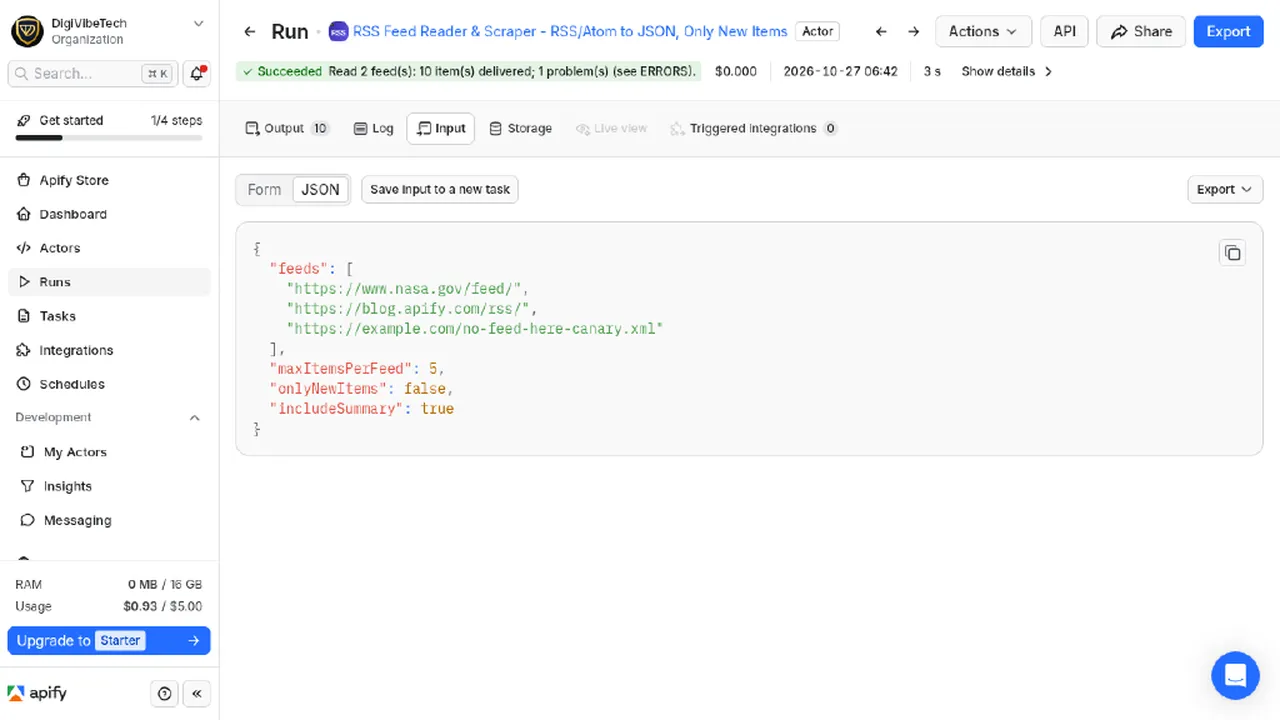
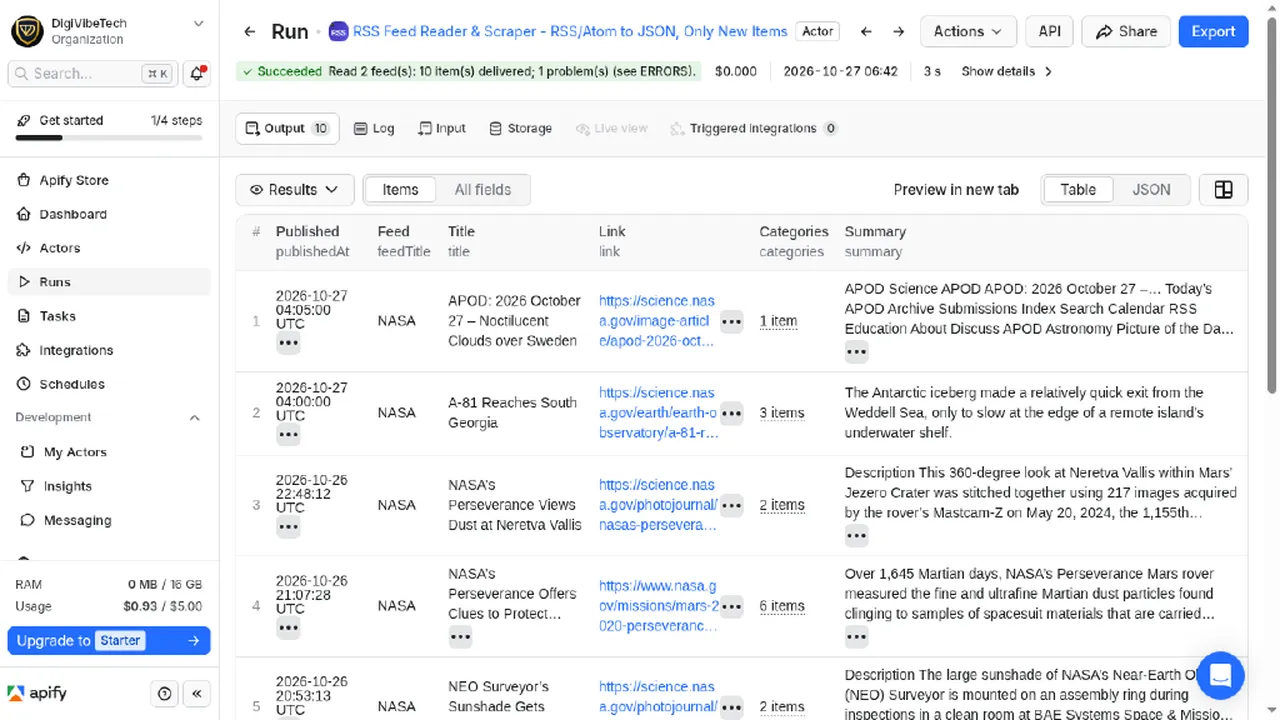
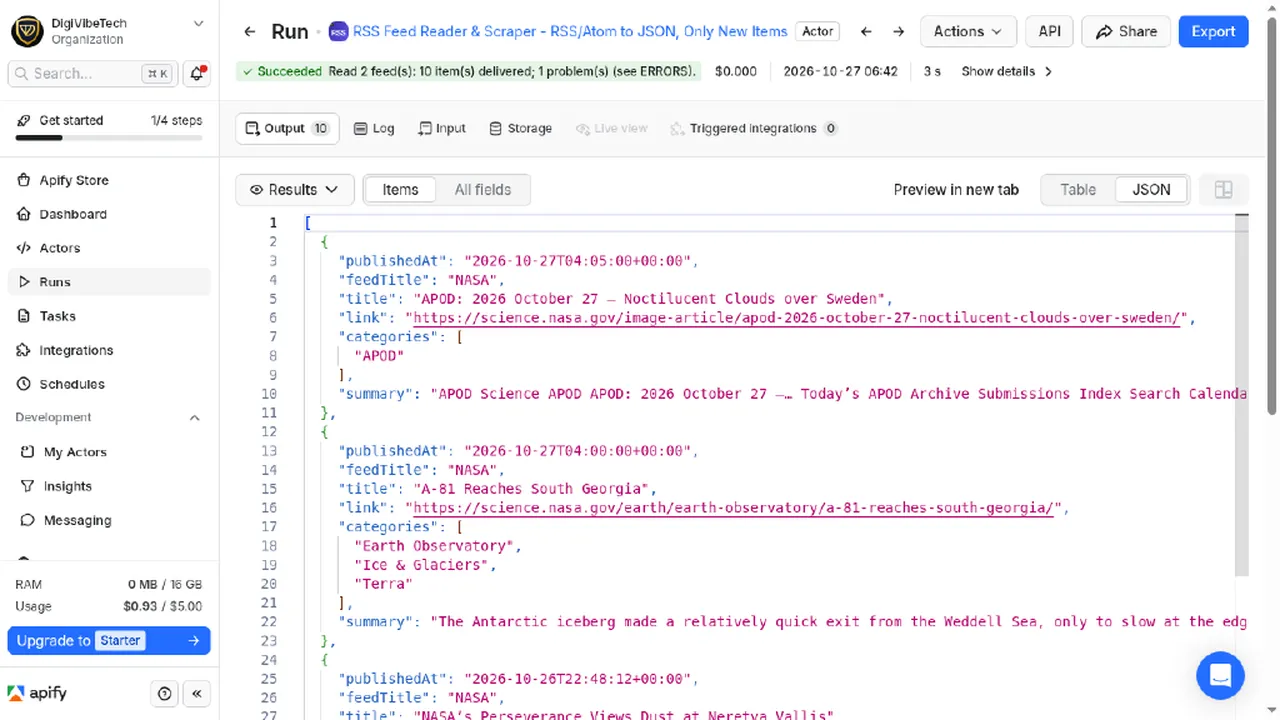
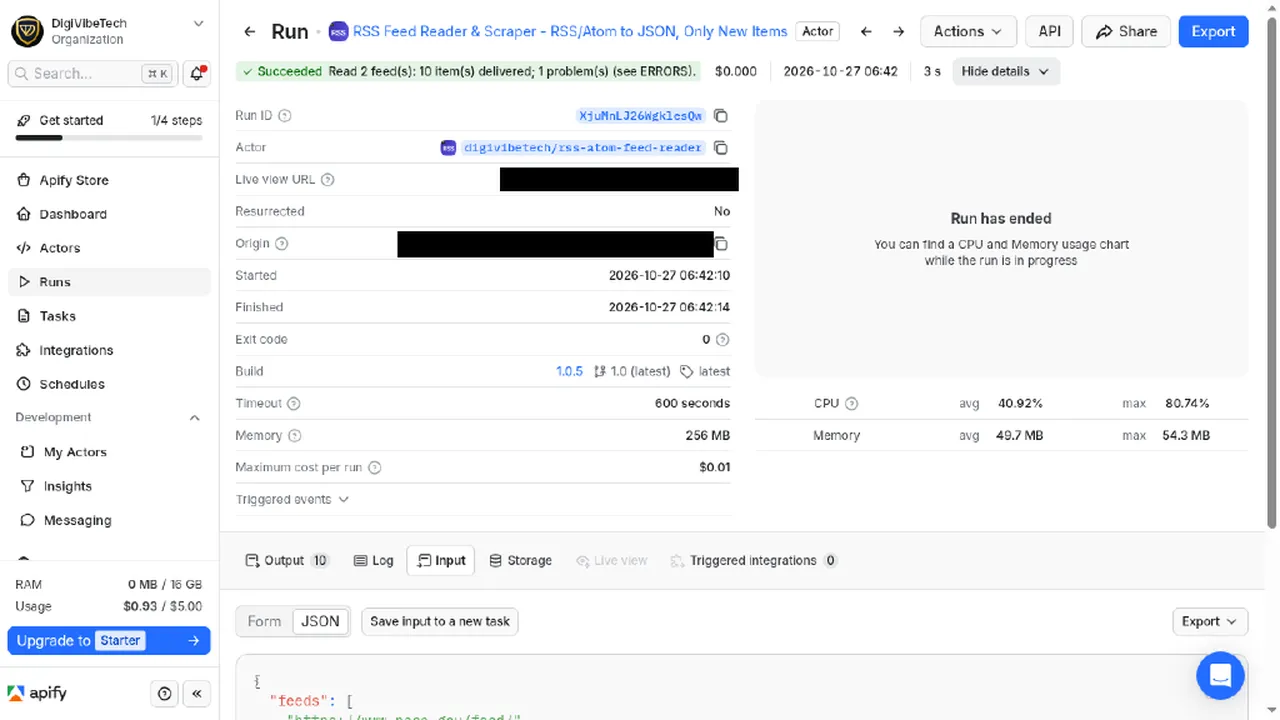
From a real Console run, 27 Oct 2026 (run XjuMnLJ26WgklesQw): public NASA and Apify Blog RSS feeds, 10 items (5 per feed); 1 deliberately invalid example.com feed URL reported as failed.
Quick start: example input, output and cost
Bulk RSS/Atom/RDF to JSON with feed autodiscovery, only-new-items monitoring, podcast enclosures and ISO dates. $0.54 per 1,000 items, failed feeds free.
Example input
Cost example: 50 feeds with 20 items each = 1,000 items x $0.00054 = $0.54.
Highlights
- Give it a website, it finds the feed (
<link rel="alternate">autodiscovery). - Only new items (
onlyNewItemsormonitorName): schedule the actor hourly or daily and receive, and pay for, only items you have not seen yet. Ideal for Slack/email/Sheets alerts via Apify integrations. sinceDatefilter,maxItemsPerFeed, dates normalised to ISO UTC whatever the feed uses.- Safe XML parsing (protection against XML bombs and external entities).
Input
feeds (required), maxItemsPerFeed (default 50), sinceDate, onlyNewItems, monitorName, includeSummary.
Output (one item per feed entry)
feedUrl, feedTitle, feedLink, feedFormat, title, link, guid, itemKey, publishedAt, updatedAt, summary, categories[], enclosure{url,type,length}, durationItunes, fetchedAt
Failed feeds and reasons are in ERRORS; totals in SUMMARY.
Limits
- Sites without an RSS or Atom feed are not covered; it does not scrape article pages.
- Items contain what the feed publishes. Many feeds carry only a summary, not the full text.
onlyNewItemsremembers items per monitor; a newmonitorNamestarts from scratch.
Use it in n8n, Make or Zapier (no code)
This actor works with Apify's official integrations, so you can send results to Google Sheets, Slack, Notion, a CRM or any of thousands of other apps.
n8n: n8n.io
- In the Nodes panel, search Apify and install the verified node. Add your Apify API token.
- Choose Actors > Run actor and get dataset, Actor source Apify Store, Actor URL
https://apify.com/digivibetech/rss-atom-feed-reader. - Paste the input below into Input JSON. Each result item becomes an n8n item.
Make: make.com
- Add the Apify > Run an Actor module, select this actor, turn on Run synchronously.
- Add Apify > Get Dataset Items and map the
defaultDatasetIdfrom step 1. - Connect any app (Google Sheets > Add a Row, Slack > Create a Message, ...).
Zapier: use the Apify app, action Run Actor (pick this actor, paste the input), then Fetch Dataset Items.
Example input
API (any language): POST https://api.apify.com/v2/acts/digivibetech~rss-atom-feed-reader/run-sync-get-dataset-items with header Authorization: Bearer <APIFY_TOKEN> and the input above as the JSON body.
Responsible use
Feeds are published by sites for automated reading. We still check each site's robots.txt, send at most about one request per second per site with an honest User-Agent (FeedReader/1.0), never log in and never bypass bot protection. Author names are not included in the output. Summaries are short excerpts; respect the publishers' copyright when you reuse content.
Pricing
| Event | Price |
|---|---|
| Feed item delivered | $0.00054 |
Maintained by DigiVibeTech. Questions or bugs: use the Issues tab or digivibetech.com/support; we reply within 2–5 business days.


