

Youtube Transcript Scraper
Pricing
from $1.50 / 1,000 results
Youtube Transcript Scraper
YouTube Transcript Scraper automates extraction of video transcripts and subtitles in multiple languages. Efficiently collect spoken content data from YouTube videos for content analysis, SEO research, accessibility services, and multilingual video intelligence.
Pricing
from $1.50 / 1,000 results
Rating
0.0
(0)
Developer

ecomscrape
Maintained by CommunityActor stats
0
Bookmarked
4
Total users
2
Monthly active users
7 months ago
Last modified
Categories
Share
Contact
If you encounter any issues or need to exchange information, please feel free to contact us through the following link: My profile
YouTube Transcript Scraper: Extract Video Transcripts & Subtitles for Content Analysis
Introduction
YouTube stands as the world's largest video-sharing platform, hosting billions of videos across countless topics, languages, and formats. With over 500 hours of video uploaded every minute, YouTube has become an invaluable repository of spoken content, educational materials, interviews, presentations, tutorials, and entertainment. Many of these videos include transcripts—either manually created by content creators or automatically generated by YouTube's speech recognition technology.
For content creators, researchers, marketers, accessibility specialists, and data analysts, accessing these transcripts at scale is tremendously valuable. Transcripts enable content analysis, keyword research, competitive intelligence, translation services, accessibility improvements, and content repurposing. However, manually copying transcripts from individual videos is extraordinarily time-consuming, especially when analyzing hundreds or thousands of videos for research, SEO optimization, or content strategy development.
The YouTube Transcript Scraper solves this challenge by automating the extraction of video transcripts across multiple languages. Whether you're analyzing educational content for research, extracting interview transcripts for journalism, gathering competitive intelligence from marketing videos, building datasets for language processing, or providing accessibility services, this scraper enables systematic transcript collection that would otherwise require countless hours of manual effort.
Scraper Overview
The YouTube Transcript Scraper is a specialized data extraction tool designed to systematically retrieve video transcripts and subtitle data from YouTube videos. This scraper leverages YouTube's transcript API to access both manually-created and automatically-generated transcripts in multiple languages efficiently and reliably.
The tool offers several key advantages including multi-language transcript support with automatic fallback to English, the ability to process multiple videos simultaneously, error handling for videos without transcripts, and identification of transcript types (manual vs. auto-generated). It's particularly valuable for content researchers analyzing video content at scale, SEO specialists extracting keyword data from video content, accessibility services providers creating or improving subtitles, educators and students collecting learning materials, market researchers analyzing competitor video content, and data scientists building language processing datasets.
The scraper is designed to handle various YouTube video formats and can extract transcripts in dozens of languages when available. It maintains high data accuracy while respecting YouTube's terms of service and implementing best practices for API usage. Users can specify target languages and configure error handling to ensure smooth operation even when some videos lack transcripts in the requested language.
Input and Output Format Details
Example url 1: https://www.youtube.com/watch?v=DEofhN7oun0
Example url 2: https://www.youtube.com/watch?v=li04Fgz-tPE
Example url 3: https://www.youtube.com/watch?v=ZIEAdzOKOAg
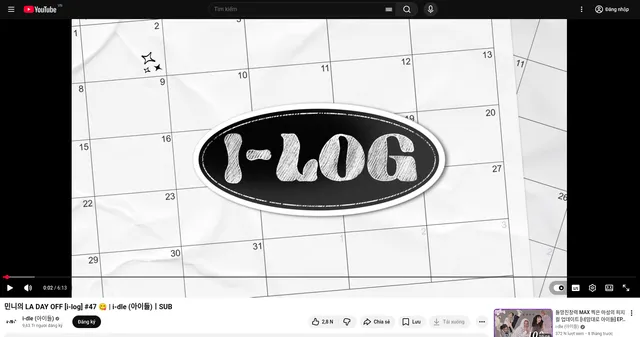
Example Screenshot of property information page:
Input Format
The scraper accepts a JSON configuration focused on extracting transcripts from specific YouTube videos with language preferences.
The urls parameter: Add the URLs of specific YouTube videos you want to extract transcripts from. You can paste URLs one by one, or use the Bulk edit section to add a prepared list. Supports standard YouTube URLs (youtube.com/watch?v=...) and shortened URLs (youtu.be/...).
The language parameter: Language code of the transcript you want to scrape. Use standard language codes (e.g., "en" for English, "es" for Spanish, "fr" for French, "de" for German, "ja" for Japanese, "th" for Thai, "pt" for Portuguese, "zh" for Chinese). If a transcript with the specified language is not found, the scraper will automatically fallback to English ("en") transcripts when available. Default is "en" if not specified.
The ignore_url_failures parameter: If set to true, the scraper will continue processing remaining URLs even if some videos fail to load or don't have transcripts available. This ensures that one problematic video doesn't stop your entire extraction job, which is crucial for large-scale transcript collection projects.
Output Format
The scraper returns structured transcript data with each field providing specific value for content analysis and research:
-
Video ID: YouTube's unique video identifier extracted from the URL. Critical for tracking videos, creating references, and programmatically accessing video data through YouTube's API.
-
Language: Full language name of the extracted transcript (e.g., "English", "Spanish", "Thai"). Provides human-readable language identification for organizing and categorizing transcript data.
-
Language Code: ISO language code of the transcript (e.g., "en", "es", "th"). Essential for multilingual processing, language-specific analysis, and programmatic language filtering.
-
Is Generated: Boolean indicating whether the transcript was automatically generated by YouTube or manually created by the video owner. Critical quality indicator—manually created transcripts are typically more accurate, while auto-generated transcripts may contain errors but still provide valuable content data.
-
Transcript: Complete text transcript of the video with timestamps. Core data containing the full spoken content of the video, enabling text analysis, keyword extraction, content summarization, translation, and accessibility applications.
Each field serves specific purposes in content analysis workflows, SEO research, accessibility improvement projects, competitive intelligence gathering, and multilingual content strategy development.
Example Output
Usage Guide
Setting Up Transcript Extraction
Step 1: Identify Target YouTube Videos
Collect the URLs of YouTube videos whose transcripts you want to extract. This could be:
- Educational videos for research or learning materials
- Tutorial videos for content repurposing
- Interview or podcast videos for transcription services
- Marketing or competitor videos for competitive intelligence
- Lecture videos for academic research
- Webinar recordings for content analysis
Copy the complete URL from your browser's address bar or from the share button on YouTube.
Step 2: Configure Language Preferences
Determine which language transcript you need:
- English ("en"): Most common, widely available on English-language videos
- Spanish ("es"): Second most common language on YouTube
- Portuguese ("pt"): Popular for Brazilian and Portuguese content
- French ("fr"): Common for French-speaking markets
- German ("de"): Popular for German-language content
- Japanese ("ja"): Widely available for Japanese videos
- Chinese ("zh"): Available for Mandarin content
- Thai ("th"): Example shown, available for Thai-language videos
- And many more: The scraper supports dozens of ISO language codes
Step 3: Build Your Video URL List
Create a list of YouTube video URLs:
- Add URLs one by one for targeted extraction
- Use bulk edit to paste a prepared list from spreadsheets
- Combine videos from different channels for comprehensive analysis
- Include both long-form and short-form content based on needs
Step 4: Configure Error Handling
Set ignore_url_failures to true (recommended) to:
- Continue processing if some videos lack transcripts
- Handle age-restricted or private videos gracefully
- Process large batches without interruption
- Automatically skip videos without the requested language
Best Practices
Language Selection Strategy:
For Multilingual Content:
- Request the primary language of the video first
- Be aware that auto-translated subtitles may have quality issues
- Verify that the language code matches available transcripts
- Consider extracting multiple language versions when available
For International Research:
- Use language codes matching the video's primary spoken language
- Leverage automatic fallback to English for maximum coverage
- Test language availability on sample videos before bulk extraction
- Document which videos returned requested vs. fallback languages
URL Collection and Management:
Systematic Collection:
- Extract URLs from YouTube search results pages first
- Organize URLs by channel, topic, or campaign for analysis
- Verify URLs are accessible and not private/restricted
- Keep metadata about video context for later reference
Quality Assurance:
- Test extraction on sample videos before processing large batches
- Verify transcript quality by checking
is_generatedfield - Review sample transcripts for accuracy and completeness
- Cross-reference with actual video content when critical
Processing Strategy:
For Large-Scale Extraction:
- Process videos in manageable batches (50-100 at a time)
- Monitor for videos without transcripts in your target language
- Track which videos returned auto-generated vs. manual transcripts
- Implement post-processing for timestamp formatting if needed
For Critical Content:
- Prioritize videos with manual transcripts (is_generated: false)
- Verify auto-generated transcripts against actual spoken content
- Consider human review for important or sensitive content
- Use auto-generated transcripts as starting points for editing
Common Troubleshooting
Transcript Availability Issues:
Video Has No Transcripts:
- Some videos simply don't have any transcripts or subtitles
- Older videos may lack auto-generated captions
- Private or unlisted videos may have restrictions
- Age-restricted content may require authentication
Wrong Language Returned:
- Verify the language code is correct (ISO standard)
- Check if video actually has transcripts in that language
- Remember that fallback to English ("en") occurs automatically
- Review YouTube video directly to see available subtitle languages
URL Processing Problems:
Invalid or Expired URLs:
- Verify URLs are complete and properly formatted
- Check if videos have been deleted or made private
- Ensure URLs aren't truncated during copying
- Test URLs in browser before scraping
Access Restrictions:
- Age-restricted videos may not return transcripts
- Private videos require appropriate permissions
- Region-locked content may be inaccessible
- Live streams may not have transcripts yet
Advanced Use Cases
Content Analysis Applications:
SEO and Keyword Research:
- Extract transcripts from competitor videos to identify keyword strategies
- Analyze trending video content for topic and keyword patterns
- Build keyword databases from educational or tutorial content
- Identify content gaps in your niche through transcript analysis
Competitive Intelligence:
- Monitor competitor video messaging and positioning
- Track changes in competitor content strategy over time
- Analyze webinar and presentation content for insights
- Identify successful content formats and topics
Educational and Research Applications:
Academic Research:
- Collect lecture transcripts for educational analysis
- Build corpora for linguistic research
- Analyze educational content effectiveness
- Create searchable databases of learning materials
Content Repurposing:
- Convert video content into blog posts or articles
- Extract quotes and insights for social media
- Create summary documents from long-form videos
- Translate transcripts for international audiences
Accessibility Services:
Subtitle Creation:
- Use auto-generated transcripts as starting points for editing
- Create improved, manually-edited subtitles from transcript data
- Translate transcripts for multilingual subtitle creation
- Provide accessibility for deaf or hard-of-hearing audiences
Quality Improvement:
- Identify auto-generated transcripts needing human review
- Compare transcript accuracy across different content types
- Prioritize manual transcript creation for important content
- Track transcript quality improvements over time
Language and Translation Work:
Multilingual Content Strategy:
- Extract transcripts in multiple languages for comparison
- Identify videos needing additional language versions
- Analyze how messages translate across languages
- Build multilingual content databases
Translation Verification:
- Compare original and translated subtitle quality
- Verify auto-translations against manual transcripts
- Identify common translation issues or errors
- Improve translation workflows with transcript data
Benefits and Applications
The YouTube Transcript Scraper delivers significant time savings and enables applications that would be impractical with manual transcript collection.
Primary Applications:
Content Creation and Marketing: Repurpose video content into blog posts, social media content, and marketing materials, extract key quotes and insights for promotional use, analyze successful video content for content strategy, identify trending topics and messaging approaches, and create searchable content libraries from video archives.
SEO and Digital Marketing: Extract keyword data from top-ranking YouTube videos, analyze competitor video content and messaging, identify content gaps and opportunities in your niche, build keyword databases for content planning, and optimize your own video content based on successful transcripts.
Research and Academia: Collect lecture and presentation transcripts for analysis, build research corpora from educational videos, conduct linguistic analysis on spoken content, analyze communication patterns and rhetoric, and create accessible learning materials from video content.
Accessibility Services: Create improved subtitles from auto-generated transcripts, provide text alternatives for video content, translate transcripts for multilingual accessibility, ensure compliance with accessibility regulations, and improve content accessibility for diverse audiences.
Business Intelligence: Monitor competitor webinars and presentations, track industry thought leadership content, analyze customer testimonials and case study videos, extract insights from conference talks and panels, and build knowledge bases from training videos.
Media and Journalism: Transcribe interviews and video statements for articles, verify quotes and statements from video sources, analyze political speeches and public statements, create searchable archives of news content, and conduct content analysis for investigative reporting.
The scraper provides competitive advantages through:
- Multi-language support enabling global content analysis
- Automatic fallback ensuring maximum transcript availability
- Quality indicators (is_generated) for assessing transcript accuracy
- Bulk processing capabilities for large-scale analysis
- Timestamp preservation for precise content referencing
- Support for both manual and auto-generated transcripts
The structured output integrates seamlessly with content management systems, translation platforms, text analysis tools, and research databases, enabling immediate activation for content creation, SEO optimization, accessibility improvement, and competitive intelligence gathering.
Conclusion
The YouTube Transcript Scraper transforms time-consuming manual transcript collection into efficient automated data extraction. By providing structured access to video transcripts across multiple languages, it empowers content creators, researchers, marketers, and accessibility specialists to unlock the value of YouTube's vast repository of spoken content.
Whether you're repurposing video content for blogs, conducting competitive intelligence on marketing videos, building accessibility features, performing academic research, or analyzing content trends, this scraper provides the systematic extraction capabilities needed to work with video transcripts at scale.
Ready to unlock insights from YouTube video content? Start extracting transcripts today and transform your content analysis, research, and accessibility capabilities.
Your feedback
We are always working to improve Actors' performance. So, if you have any technical feedback about Youtube Transcript Scraper or simply found a bug, please create an issue on the Actor's Issues tab in Apify Console.


