
SEC Insider Trading Scraper & Form 4 API: Insider Buying Data
Pricing
from $2.50 / 1,000 insider trade saveds
SEC Insider Trading Scraper & Form 4 API: Insider Buying Data
Every insider buy and sell from SEC Form 4 filings on EDGAR: ticker, insider name and title, shares, price, trade value, shares owned after, % change in holding and 10b5-1 plan flag. Daily feed, any ticker or insider, history back to 2003. No API key.
Pricing
from $2.50 / 1,000 insider trade saveds
Rating
0.0
(0)
Developer

Epic Scrapers
Maintained by CommunityActor stats
0
Bookmarked
2
Total users
1
Monthly active users
17 days ago
Last modified
Categories
Features
Share
SEC Insider Trading Scraper & Form 4 API: every insider buy and sell from EDGAR, as a daily feed or a full history
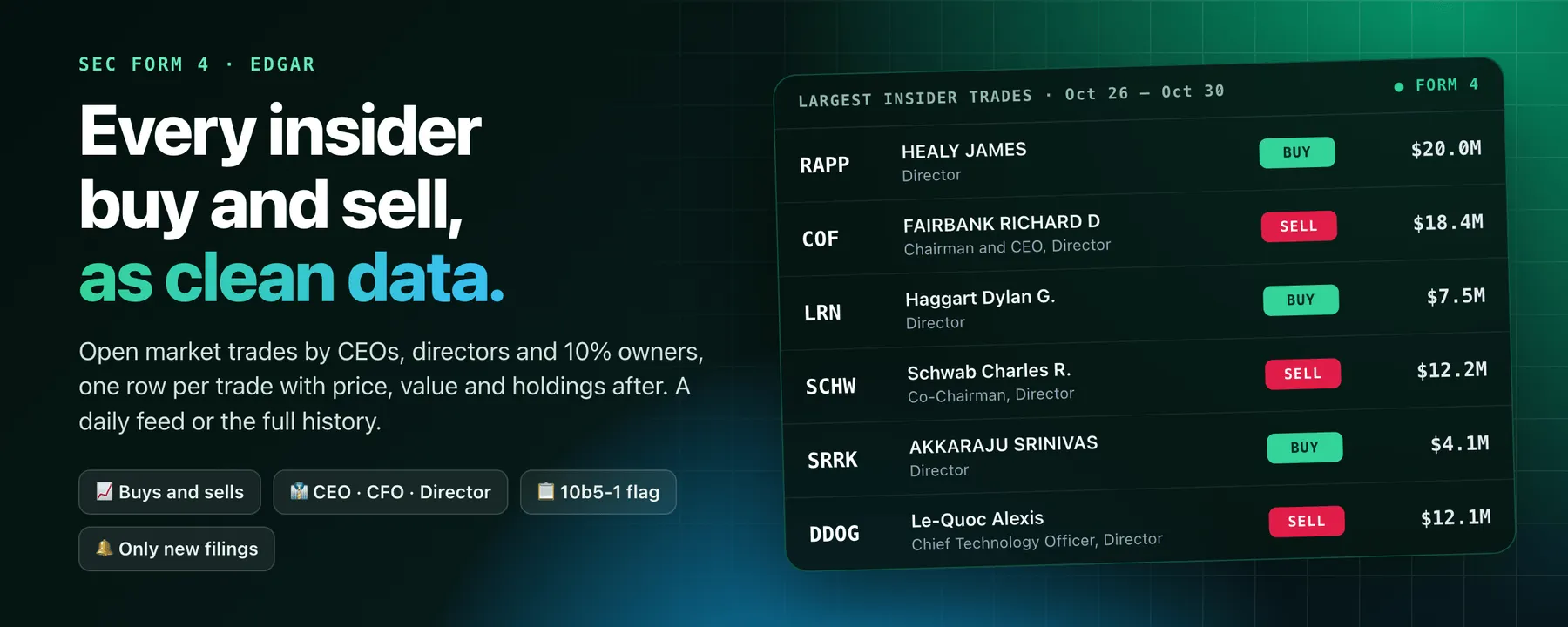
SEC Insider Trading Scraper turns SEC Form 4 filings into a spreadsheet of insider trades. Every time a CEO, CFO, director or 10% owner buys or sells their company's stock, they must file a Form 4 with the SEC within two business days. This Actor reads those filings straight from EDGAR and gives you one clean row per trade: ticker, insider name and title, shares, price, trade value, shares owned after the trade, the % change in their holding, and whether it was a pre-planned 10b5-1 trade.
Use it as an insider trading tracker for the whole market, for a watchlist of tickers, or for specific insiders and funds. It works like OpenInsider or secform4, but as raw data you can filter, schedule and feed into your own tools, and it's a simpler alternative to the SEC EDGAR API, which gives you the XML filings but not a table of trades.
- Insider buying and selling, without the noise. By default you get open market purchases (P) and sales (S), the trades insiders make with their own money. Option grants, RSU vesting and tax withholding, about two thirds of all Form 4 lines, are left out unless you ask for them.
- One row per trade. A sale filled at 27 prices is one row with the total shares, the weighted average price and the price range, not 27 rows.
- Filter by role and size. Only CEOs, only CFOs, only directors or 10% owners, only trades over $100,000, only trades outside a 10b5-1 plan.
- A daily feed. Turn on Only new filings, save the input as a task and schedule it. Each run returns only the trades filed since the last one.
- History back to 2003. Every Form 4 filed electronically, for any ticker or the whole market.
- $4 per 1,000 trades, no start fee. Filings that don't match your filters are free. Official SEC data, no API key, no proxy.
What can you do with SEC Insider Trading Scraper?
| Goal | How |
|---|---|
| Find stocks insiders are buying | Run the whole market with Transaction types = Open market purchase and Minimum trade value = 100,000. Group by ticker to spot several insiders buying the same stock. |
| Track insider trading at companies you own | Put your tickers in Tickers (for example NVDA, TSLA, AAPL) and schedule a daily run with Only new filings. |
| Follow an investor or fund | Put a name or CIK in Insiders, for example Berkshire Hathaway or Musk Elon, to see every purchase and sale they report. |
| Get alerts | Send each run's new trades to Slack, email or Google Sheets with Apify integrations, Make, Zapier or n8n. |
| Backtest insider signals | Pull years of history for a ticker list and join transactionDate, pricePerShare and ownershipChangePercent with your price data. |
| Write a newsletter or screen ideas | A weekly run of the largest CEO and director purchases is a ready-made "insider buying this week" list. |
| Compliance and research | Every row links to the filing on sec.gov (filingUrl) and carries its footnotes and accession number. |
Quick start
- Click Try for free and sign in to Apify.
- Leave the defaults for a first run: open market purchases and sales filed in the last 7 days, all companies, up to 100 rows.
- Click Start. When the run finishes, open the Output tab and export to CSV, Excel or JSON.
Only insider buying by CEOs and CFOs, over $50,000, in the last 30 days:
How it compares
| What you need | SEC Insider Trading Scraper | OpenInsider, secform4 | SEC EDGAR API |
|---|---|---|---|
| Data | Every Form 4, from EDGAR | Form 4, from EDGAR | Every filing, as raw XML |
| Format | Rows in JSON, CSV, Excel, or through the API | Web pages, some CSV | XML per filing, you parse it |
| One row per trade (lots merged, weighted price) | Yes, or every line as filed | Yes | No |
| Filter by ticker, insider, role, value, type | Yes | Yes | By company or filer only |
| 10b5-1 plan flag | Yes (checkbox and footnotes) | Partly | You parse it |
| Only new trades on each run | Yes, per task | No | You track it |
| History | Back to 2003 | Varies | Back to 2003 |
| Schedules, webhooks, Sheets, Slack | Yes, built into Apify | No | You build it |
What data can you extract?
Every row is one trade, with the company and the insider on it:
| Group | Fields |
|---|---|
| Trade | transactionDate, transactionCode, transactionType, acquiredDisposed, shares, pricePerShare, priceMin, priceMax, value, transactionCount |
| Holding | sharesOwnedAfter, ownershipChangePercent, directOrIndirect, ownershipNature (for example "by Trust") |
| Plan | is10b5One (trade made under a Rule 10b5-1 trading plan) |
| Company | ticker, companyName, companyCik, sicCode |
| Insider | insiderName, insiderCik, insiderTitle, officerTitle, isDirector, isOfficer, isTenPercentOwner, reportingOwners (everyone on a joint filing) |
| Security | securityTitle, isDerivative, exercisePrice, expirationDate, underlyingSecurity, underlyingShares |
| Filing | filingDate, formType, isAmendment, accessionNumber, filingUrl, xmlUrl, footnotes, remarks, scrapedAt |
Form 4 transaction codes
Every Form 4 line has a one-letter code. Pick the ones you want in Transaction types; each row also has the code (transactionCode) and its meaning (transactionType).
| Code | Meaning | Signal |
|---|---|---|
| P | Open market or private purchase | The insider spent their own money. The one most investors watch. |
| S | Open market or private sale | Often planned (see 10b5-1) or for taxes and diversification. |
| A | Grant or award from the company | Compensation, not a decision to buy. |
| M | Exercise or conversion of an option or RSU | Often followed by an S or F line the same day. |
| F | Shares withheld to pay tax or the exercise price | Automatic. |
| G | Gift | Often to family trusts or charity. |
| D | Sale or transfer back to the company | Buybacks, forfeitures. |
| C | Conversion of a derivative security | |
| X / O | Exercise of an in-the-money / out-of-the-money derivative | |
| J | Other acquisition or disposition (explained in a footnote) | |
| I, W, L, E, H, K, U, Z | Discretionary, inheritance, small acquisition, derivative expirations, equity swap, tender, voting trust | Rare. |
What is a 10b5-1 plan, and why filter it out?
A Rule 10b5-1 plan is a trading plan an insider sets up in advance: sell 10,000 shares on the first of every month, for example. Trades under the plan happen automatically, so they say little about what the insider thinks of the stock today. Since April 2023, Form 4 has a checkbox for these trades, and many filers also name the plan in a footnote.
is10b5One is true when either is present. Turn on Exclude 10b5-1 plan trades to keep only trades the insider decided on at the time. In our test week, half of open market sales were plan trades.
Insider buying feed: get new trades every day
1. Save your input as a task
Set your filters, turn on Only new filings, then click Save as a new task. Each task keeps its own memory of the filings it has returned, so you can have one task for your watchlist and another for market-wide CEO buying.
2. Schedule it
In Apify Console, open Schedules, click Create new and add your task. Insiders file through the day and EDGAR publishes until 10 pm Eastern, so an evening or early-morning run catches each business day. See Schedules.
| Use case | Frequency | Cron expression |
|---|---|---|
| Watchlist alerts | Every 2 hours on weekdays | 0 */2 * * 1-5 |
| Daily insider buying list | Every morning | 0 7 * * * |
| Weekly newsletter | Saturday | 0 8 * * 6 |
3. Send the trades somewhere
Use the task's Integrations tab for Google Sheets, Slack, email, Make, Zapier, n8n or a webhook. A run with no new trades has an empty dataset, which is easy to filter out.
Input reference
| Field | Type | Default | Effect |
|---|---|---|---|
tickers | Array of strings | All companies | Tickers such as NVDA or BRK.B, or company CIK numbers. |
insiders | Array of strings | All insiders | Insider names as filed (last name first, for example Musk Elon) or their CIK numbers. Funds work too (Berkshire Hathaway). |
daysBack | Integer | 7 | Filing dates in the last N days, counting today. Ignored when startDate is set. |
startDate, endDate | Date | Empty | Filing date range, YYYY-MM-DD, any date from mid-2003. |
transactionTypes | Array of codes | ["P", "S"] | Form 4 transaction codes to keep (see the table above). Empty keeps every type. |
insiderRoles | Array | All | ceo, cfo, officer, director, tenPercentOwner, other. CEO and CFO are matched on the officer title (CEO, President, Principal Executive Officer; CFO, Treasurer, Principal Financial Officer). |
minValue | Integer | 0 | Only trades worth at least this many US dollars. |
excludePlannedTrades | Boolean | false | Drop trades made under a 10b5-1 plan. |
includeDerivativeTransactions | Boolean | false | Also return option, RSU and warrant lines from the derivative table. |
includeAmendments | Boolean | false | Also return Form 4/A amendments. |
combineTransactions | Boolean | true | One row per trade (same security, day, type and holding). Off returns every line as filed. |
onlyNewFilings | Boolean | false | Skip filings returned by earlier runs of the same task. |
maxResults | Integer | 100 | Maximum rows. 0 means no limit. |
Ready-to-run examples
NVDA insider trading this year
Add "transactionTypes": [] to see grants, option exercises and gifts too.
Insider trading at your watchlist, every day
Save it as a task and schedule it daily.
Large insider purchases outside 10b5-1 plans
Berkshire Hathaway purchases and sales
CEO selling over $1 million
A full year of insider trading data for backtesting
The Actor reads about 7 filings a second (the SEC's fair-access limit is 10), so a full year of the whole market takes 4 to 6 hours. Tickers and insiders are much faster: only their filings are downloaded.
For AI agents
Call epicscrapers/sec-insider-trading-scraper. With no input it returns open market purchases and sales filed in the last 7 days, market-wide:
Optional: insiders (names as filed or CIKs), insiderRoles (ceo, cfo, officer, director, tenPercentOwner), minValue (USD), excludePlannedTrades, startDate/endDate (YYYY-MM-DD), transactionTypes: [] for every Form 4 code, includeDerivativeTransactions.
One row per trade. Key fields: ticker, companyName, insiderName, insiderTitle, transactionDate, transactionCode (P buy, S sell), shares, pricePerShare, value, sharesOwnedAfter, ownershipChangePercent, is10b5One, filingDate, filingUrl. Unknown tickers are logged and skipped.
SEC EDGAR API alternative: use it from code or an MCP server
The SEC's own EDGAR API gives you each Form 4 as an XML file. This Actor does the searching, downloading, parsing and merging, and returns trades as JSON. Call it through the Apify API or the JavaScript and Python clients:
Or in one HTTP call that waits for the run and returns the trades:
AI assistants such as Claude, ChatGPT or Cursor can use it as a tool through the Apify MCP server (add epicscrapers/sec-insider-trading-scraper).
Output
Results go to the run's default dataset. The Insider trades view shows the main columns, Trade details the price range, holding type and footnotes. Export as JSON, CSV, Excel, XML or HTML.
A real row from the test week (filed 2026-10-27):
Notes on fields
filingDateis when the Form 4 reached the SEC;transactionDateis when the trade happened (up to two business days earlier, sometimes more for late filers).pricePerShareis the weighted average when lines were merged;priceMinandpriceMaxgive the range.valueis shares × price, summed over the lines.sharesOwnedAfteris what the insider holds of that security after the trade, in that form of ownership. Indirect holdings (a trust, a fund) are counted separately from direct ones, so the same insider can have several rows on one day.ownershipChangePercentcompares the trade with the holding before it:+100means the insider doubled their position,-50means they sold half.- Names are as filed with the SEC, usually last name first (
MUSK ELON). - On joint filings (a fund and its general partner, for example),
insiderNameis the first filer andreportingOwnerslists all of them. - Values are as filed. Filers make mistakes (our test week had a "purchase" of 3.1 million shares at $3,149 each, $9.9 billion), so sanity-check outliers against
filingUrlbefore acting on them. - Missing values are
null.
FAQ
How quickly do insider trades show up?
Insiders must file a Form 4 within two business days of the trade. EDGAR makes filings searchable within minutes, and the Actor reads EDGAR directly, so a scheduled run sees a trade as soon as it is filed.
How many insider trades are there?
EDGAR receives roughly 250 to 850 Form 4 filings each business day, more in the weeks after earnings, when trading windows open. In our test week (October 26 to November 1, 2026), 1,436 filings had 753 open market purchases and sales: 238 purchases and 515 sales.
Why are most Form 4 lines not returned?
Most Form 4 lines are compensation: grants (A), option and RSU exercises (M) and shares withheld for tax (F). They are on the form because insiders must report every change in their holdings, but they aren't buying or selling decisions. Add those codes in Transaction types, or leave the field empty, to get everything.
Can I search by ticker or by person?
Yes. Tickers takes symbols (or company CIKs) and Insiders takes names as filed or CIKs. Both can be combined: "tickers": ["TSLA"], "insiders": ["Musk Elon"] returns only Elon Musk's Tesla trades.
What is insider trading, and is this illegal insider trading?
In this context, insider trading means the legal, reported trades of company officers, directors and large shareholders in their own company's stock. Form 4 filings exist so these trades are public. Illegal insider trading, trading on material non-public information, is a different thing and doesn't show up as a labeled filing.
Does it include Form 3, Form 5 and Form 144?
No, only Form 4 and, optionally, Form 4/A. Form 3 is a new insider's first holdings report, Form 5 an annual catch-up, and Form 144 a notice of a planned sale.
Do I need an SEC API key?
No. EDGAR is public and needs no key. The Actor follows the SEC's fair-access rules (a named user agent and under 10 requests a second).
How do "Only new filings" and schedules work together?
The Actor remembers the accession numbers it has returned, per task, in a key-value store in your account (sec-insider-trading-scraper-seen). The next run of the same task skips those filings, so each trade reaches you once. A filing is only remembered once all of its rows were saved, so a run stopped by your spending limit picks up the rest next time.
Why did my run stop before reaching the limit?
If the log says the charge limit was reached, the run hit its maximum cost or your account's spending limit. Everything collected before that is saved.
Cost
Pay per trade saved. Searching, downloading and filtering filings is free, so a narrow filter over a long period costs only what it returns.
| Event | Price | Per 1,000 | Charged when |
|---|---|---|---|
| Insider trade saved | $0.004 | $4 | A trade that matched your filters is saved. Higher Apify plans pay less (down to $0.0025). |
| Run | Rows | Cost |
|---|---|---|
| Default input: last 7 days, purchases and sales, first 100 | 100 | $0.40 |
| A full week market-wide, purchases and sales | 753 | $3.01 |
| A full week market-wide, purchases only | 238 | $0.95 |
| CEO purchases in a week | 35 | $0.14 |
Prices are for the Free plan. The test week was October 26 to November 1, 2026; it took about 3.5 minutes.


