

Airbnb Occupancy Scraper
Pricing
from $2.99 / 1,000 results
Airbnb Occupancy Scraper
Airbnb Occupancy Scraper — Extract Airbnb listing availability and occupancy data, including booking calendars, nightly prices, locations, guest capacity, and listing details. Useful for rental market research, occupancy analysis, revenue estimation, and short-term rental investment insights.
Pricing
from $2.99 / 1,000 results
Rating
0.0
(0)
Developer

Fast Data API
Maintained by CommunityActor stats
0
Bookmarked
2
Total users
1
Monthly active users
5 days ago
Last modified
Categories
Share
Airbnb Occupancy Scraper — Extract Availability, Calendar & Status
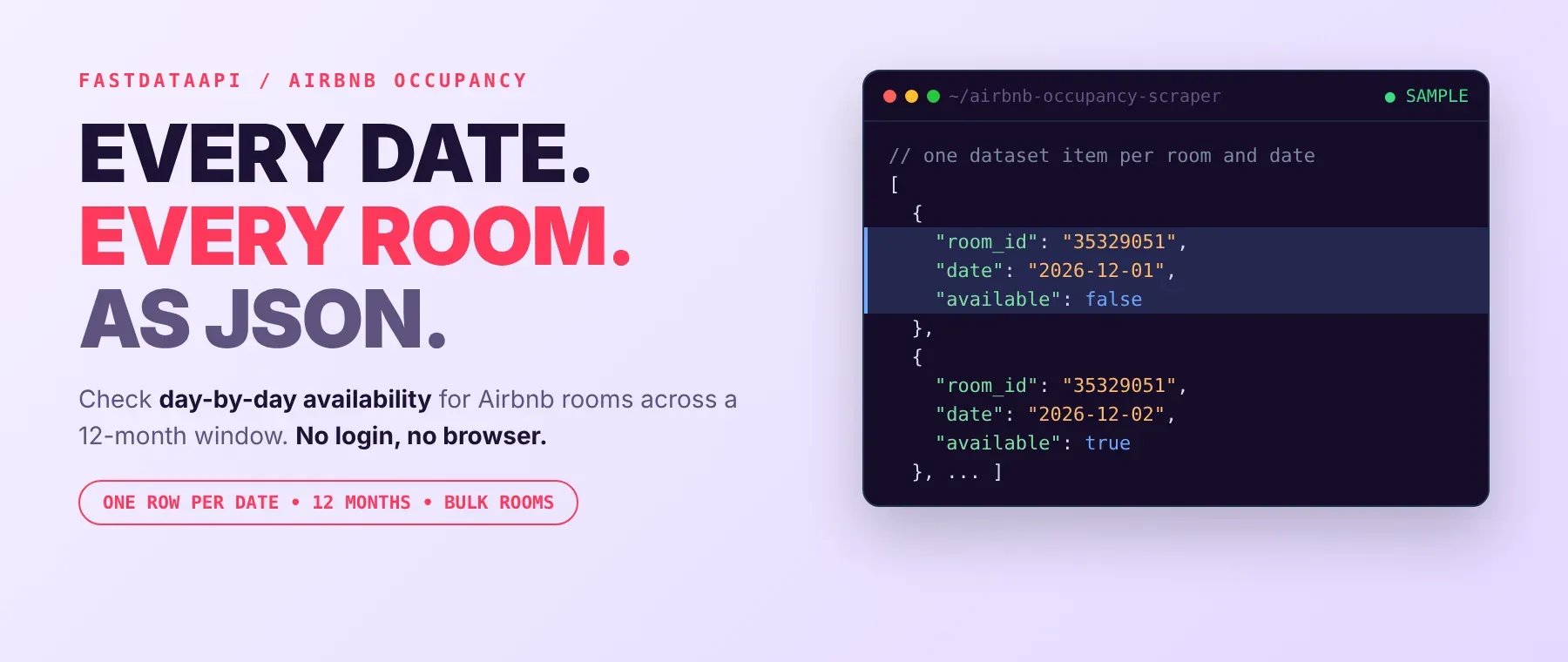
Airbnb Occupancy Scraper extracts the day-by-day availability calendar for any Airbnb listing, returning one JSON row per calendar date with its booking status. Give it one or more Airbnb room IDs and it returns a 12-month window of per-date data: room ID, calendar date, and availability status. Every response is structured JSON — ready to pass directly to an LLM, index into a vector store, or feed an occupancy-monitoring pipeline. No Airbnb account or login is needed. Start with one listing, then scale to a full portfolio of units.
What data can I extract with Airbnb Occupancy Scraper?
Using this Airbnb occupancy scraper, you will be able to extract the following Airbnb availability data:
| 🆔 Room ID | 📅 Calendar date (YYYY-MM-DD) | ✅ Availability status (true / false / null) |
|---|
How to use Airbnb Occupancy Scraper
Property managers, researchers and AI agent builders use it the same way: give it one or more Airbnb room IDs and get Airbnb occupancy data back in one run, one JSON row per calendar date.
Copy to your AI assistant:
Airbnb Occupancy Scraper MCP Server: use these Actors from ChatGPT, Claude or Cursor
Point your AI assistant at Apify's MCP server and it can find and call Airbnb Occupancy Scraper on its own — no glue code, no scraping logic in your prompts.
Step by step
- Create a free Apify account.
- Open Airbnb Occupancy Scraper in the Apify Store (or find it already added in your Apify Console).
- Enter one or more Airbnb room IDs.
- Click Start (or send your API request).
- Download or stream your results in JSON, CSV or Excel.
How to scale Airbnb Occupancy Scraper to bulk
The room ID list accepts an array, so the most common way to scale is to list every room ID you track in one run — a portfolio of 5 units or 500 runs the same way, processed one room at a time with the results streaming into the same table as they're ready. For a recurring occupancy check, schedule the same input on a daily or weekly Apify schedule instead of triggering runs manually. There is no documented cap on how many room IDs one run can hold.
✨ Features
Airbnb Occupancy Scraper fetches clean, structured occupancy data straight from Airbnb's own calendar ⚡ for one or many listings at once — an Airbnb occupancy rate scraper and an Airbnb booking stats API rolled into one Actor. It's ideal for portfolio occupancy tracking, demand research, booking-status alerts, and feeding an occupancy-monitoring pipeline.
It extracts, per date:
- Room ID – which Airbnb listing the row belongs to
- Calendar date – the specific day inside the 12-month window
- Availability status – whether that date is bookable, blocked, or unreported
⚡ Escalates automatically from a direct connection to a proxy when Airbnb blocks a request, so you don't maintain retry logic yourself.
Use cases 💡
- Property manager — compare Airbnb booking status across every unit to spot calendar gaps.
- Market researcher — run it as an Airbnb occupancy tracker and an Airbnb vacancy data scraper.
- Data engineer — refresh an Airbnb room availability data dashboard every scheduled run.
- AI agent builder — feed the calendar date and availability status into a RAG pipeline.
Building an AI agent? Connect Airbnb Occupancy Scraper over MCP and let it call the actor on its own.
Why choose this actor?
- A full 12-month calendar in one call per room. Give it a room ID and it returns every date in a 12-month window — no pagination and no follow-up requests on your side.
- Three clean facts per date, nothing to parse. Each row carries the room ID, the exact calendar date, and whether that date is available, blocked, or unreported — ready to use as-is.
- One Actor for any number of listings. Pass 1 room ID or 100 in the same room ID list; the Actor works through each one and keeps streaming rows into the same table.
⬇️ Input
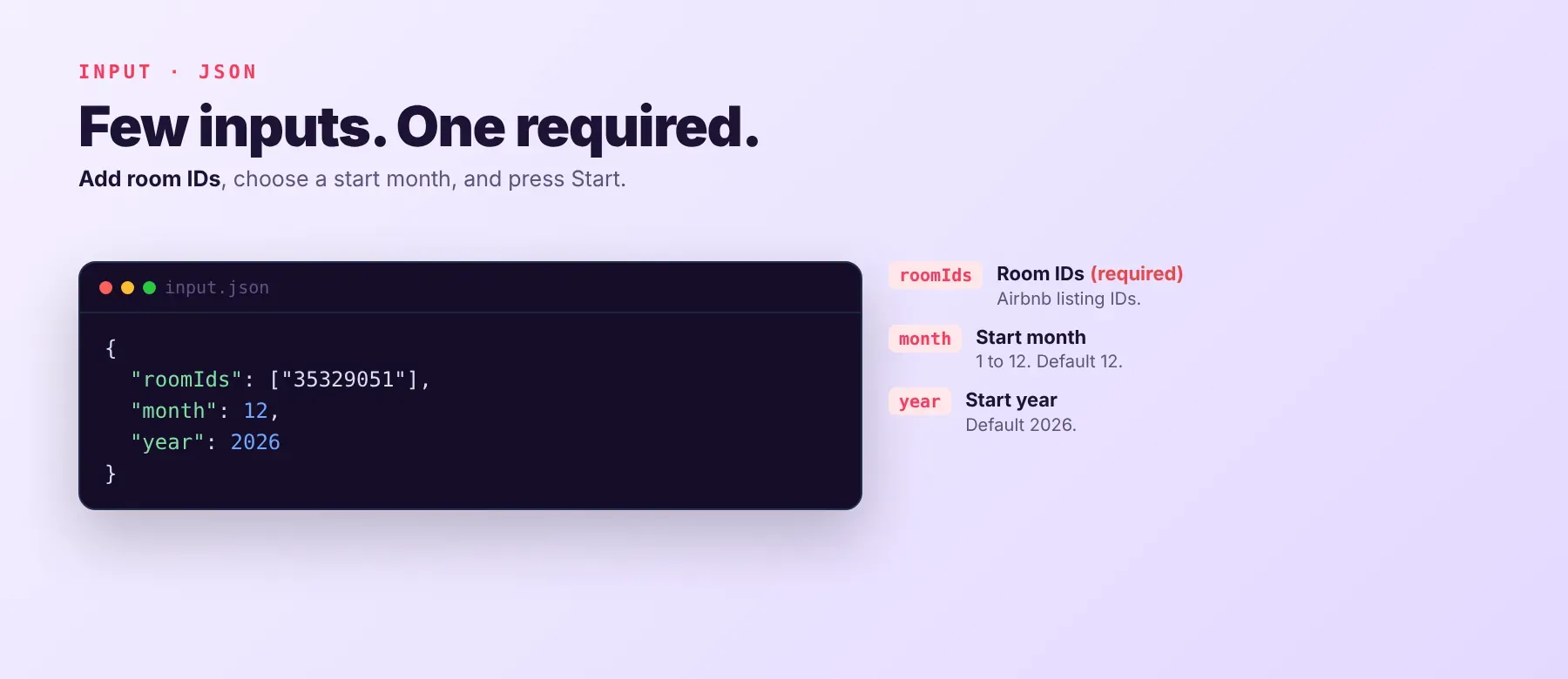
Airbnb Occupancy Scraper accepts a list of Airbnb room IDs — the room ID list is the only required field.
| Parameter | Required | Type | Description | Example Value |
|---|---|---|---|---|
roomIds | Yes | array of strings | List one or more Airbnb room IDs to scrape occupancy data for (e.g., 35329051, 769824007018240779). | ["35329051", "769824007018240779"] |
month | No (default 12) | integer (1–12) | Month to fetch occupancy data for (1-12). | 12 |
year | No (default 2026) | integer | Year to fetch occupancy data for. | 2026 |
proxyConfiguration | No | object | Choose which proxies to use. If Airbnb rejects the proxy, fallback to residential proxy will be used automatically. | {"useApifyProxy": true, "apifyProxyGroups": ["RESIDENTIAL"]} |
Example input
Free plan limits
Free plan: up to 20 calendar dates per run (all rooms together) and 200 per month; paid plans have no limit.
⬆️ Output
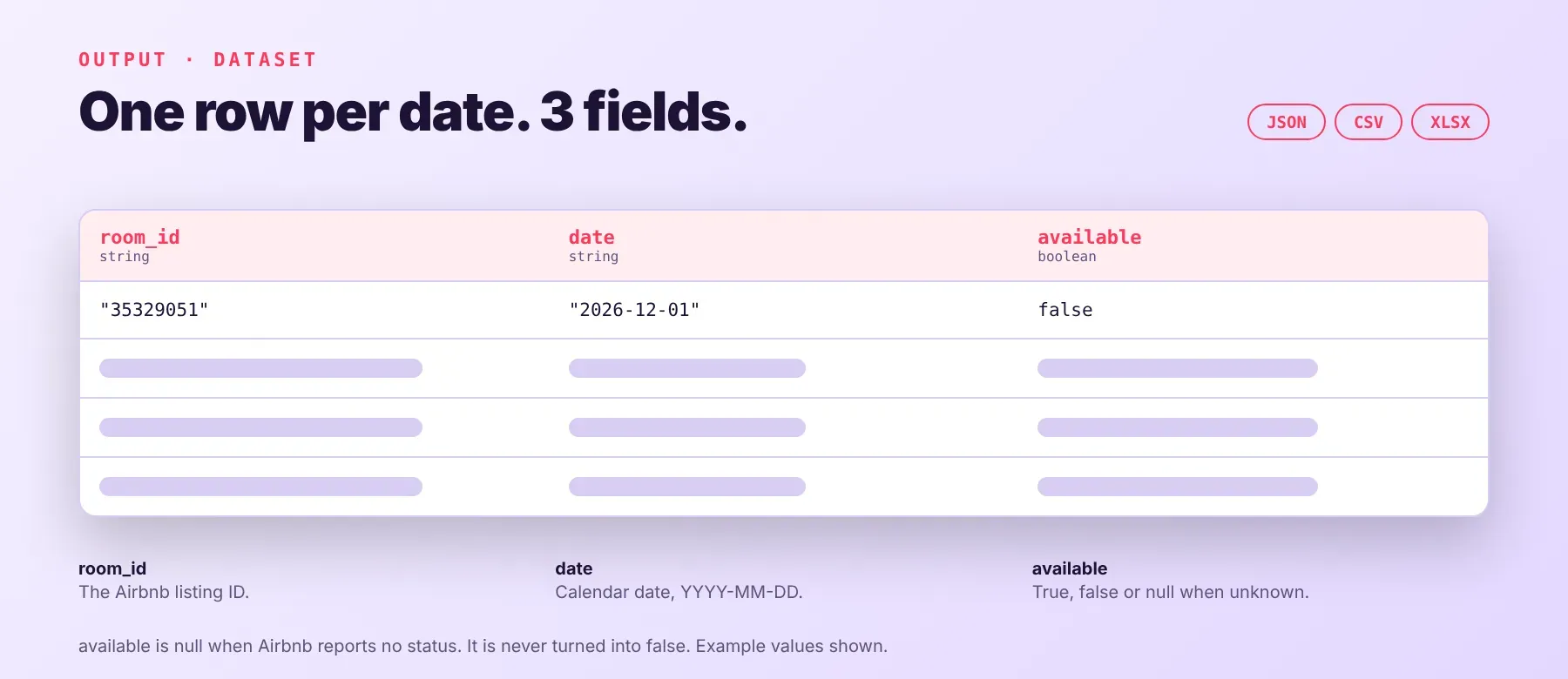
Each run writes one typed, normalized JSON row per calendar date, with the same three-field schema on every run. Export formats: JSON (default), CSV, or Excel.
Example output
Availability status is passed through exactly as Airbnb reports it: true for bookable, false for blocked, and null when Airbnb does not report a status for that date — null is never coerced into false.
How does it work?
Airbnb Occupancy Scraper gets public Airbnb listing availability data without needing an Airbnb account. It reads the same public calendar data any visitor sees on a listing page — plain HTTP requests, no browser. When Airbnb starts blocking a connection, requests escalate automatically: direct first, then a datacenter proxy, then a residential proxy, sticking with whichever one keeps working. Retries use exponential backoff so one slow response doesn't fail a whole room. The output schema — room ID, calendar date, and availability status — stays stable even when Airbnb changes details on its side, so your integration doesn't need to change when that happens.
How do you integrate Airbnb Occupancy Scraper into your stack?
Airbnb Occupancy Scraper works with what you already use: a REST API from any language, MCP for AI agents, and no-code automation tools.
MCP integration for AI agents
This registers Apify's MCP server as a tool your agent can call directly, instead of writing scraping logic into your prompts. Once added, the agent finds Airbnb Occupancy Scraper on its own through the server's search, add and call-actor tools, so there is no actor ID to hardcode. The same server exposes every other Apify Actor you add, so this one setup step covers this scraper and anything else you connect later. Compatible with Claude Code, Cursor, and Windsurf.
No-code tools (n8n, Make, LangChain)
In n8n, add the Apify node, select Run Actor, and choose Airbnb Occupancy Scraper from your added Actors, passing your room IDs (plus optional month and year) as the run input. In Make, use the Apify app's "Run an Actor" module the same way, then "Get Dataset Items" to pull the rows into the rest of your scenario. LangChain integrates through the langchain-apify package, wrapping this Actor as a callable tool once you've added it to your account.
Is it legal to scrape Airbnb data?
Yes, scraping publicly available Airbnb availability data is generally permitted. Airbnb Occupancy Scraper returns only publicly available data — what any visitor sees on a listing's page without logging in; it does not access login-gated data, guest information, or personal data such as host or reviewer names. Scraping public data is generally permissible, but storing and using it must comply with local data-protection law (GDPR, CCPA). Consult legal counsel if your use case involves bulk storage of personal data.
Frequently asked questions
What fields does Airbnb Occupancy Scraper return?
Every row carries three fields: the room ID, the calendar date, and the availability status (bookable, blocked, or unreported) — enough to check Airbnb availability by date for any room ID you track. See the data fields section above.
Does Airbnb Occupancy Scraper require an Airbnb account or login?
No. Only public calendar data is extracted. No credentials needed.
What happens if a room ID is invalid, delisted, or the request fails?
The Actor logs the error for that specific room ID, lists it as failed in the run summary, and continues processing the remaining room IDs. No dataset rows are written for a room that fails, and delisted or access-restricted listings will not return availability data.
Can I scrape multiple Airbnb room IDs at once?
Yes. Pass an array of room IDs and the Actor processes them one at a time, continuing past any room ID that fails rather than stopping the whole run.
Does Airbnb Occupancy Scraper work with Claude, ChatGPT, and other AI agent tools?
Yes — Airbnb Occupancy Scraper is available as a tool through Apify's MCP server. Run claude mcp add --transport http apify "https://mcp.apify.com?tools=fastdataapi/airbnb-occupancy-scraper" to register it in Claude Code, Cursor, or Windsurf. Any agent that can call an HTTP endpoint can use the REST API directly.
Does Airbnb Occupancy Scraper return data in a format LLMs can use directly?
Yes. Output is typed, normalized JSON with stable field names: room ID, calendar date, and availability status — no HTML, no selectors, no parsing step needed before passing it into an LLM context window or vector store.
What happens when Airbnb changes its layout or updates its anti-bot system?
Airbnb Occupancy Scraper is maintained. When Airbnb changes its layout or detection, the Actor is updated — your calls keep returning the same room ID, calendar date and availability status JSON schema with no changes on your end. No specific fix turnaround time is promised.
Can I use Airbnb Occupancy Scraper without managing proxies or browser infrastructure?
Yes. By default it connects directly with no proxy, and automatically escalates to a datacenter proxy and then a residential proxy on its own if Airbnb starts blocking requests. You send one run request and get structured JSON back — no proxy accounts and no browser setup to maintain.
Which Airbnb Occupancy Scraper fields work best for AI training data and RAG indexing?
For RAG indexing: the calendar date paired with the availability status gives an agent a direct, queryable answer to "is this listing free on this date." For training data: availability status is a clean boolean (or null) signal and calendar date is a consistent ISO string — both typed primitives with no normalization needed.
Your feedback
Found a bug or missing a field? We want to know. Leave feedback or report an issue directly from the Actor's page in Apify Console, or open an issue on the Actor's issue tracker if one is linked there — it helps keep this scraper maintained and accurate.


