

Alibaba Scraper
Pricing
from $3.34 / 1,000 results
Alibaba Scraper
Alibaba Scraper — Extract Alibaba product data including product names, prices, suppliers, minimum order quantities, ratings, reviews, images, specifications, locations, and product URLs. Useful for supplier research, product sourcing, price comparison, competitor analysis, and e-commerce insights.
Pricing
from $3.34 / 1,000 results
Rating
0.0
(0)
Developer

Fast Data API
Maintained by CommunityActor stats
0
Bookmarked
2
Total users
1
Monthly active users
2 days ago
Last modified
Categories
Share
Alibaba Scraper — Product Titles, Prices, MOQ and Supplier Data
Alibaba Scraper pulls product cards straight from Alibaba.com search results for any keyword or category link. Each row carries the product title, price, minimum order, supplier name and country, Gold Supplier years, review score and units sold. Every response is structured JSON — ready to pass directly to an LLM, index into a vector store, or feed a supplier comparison pipeline. No Alibaba account or cookies are needed to run it. Start with one search link, then add the rest of your sourcing list.
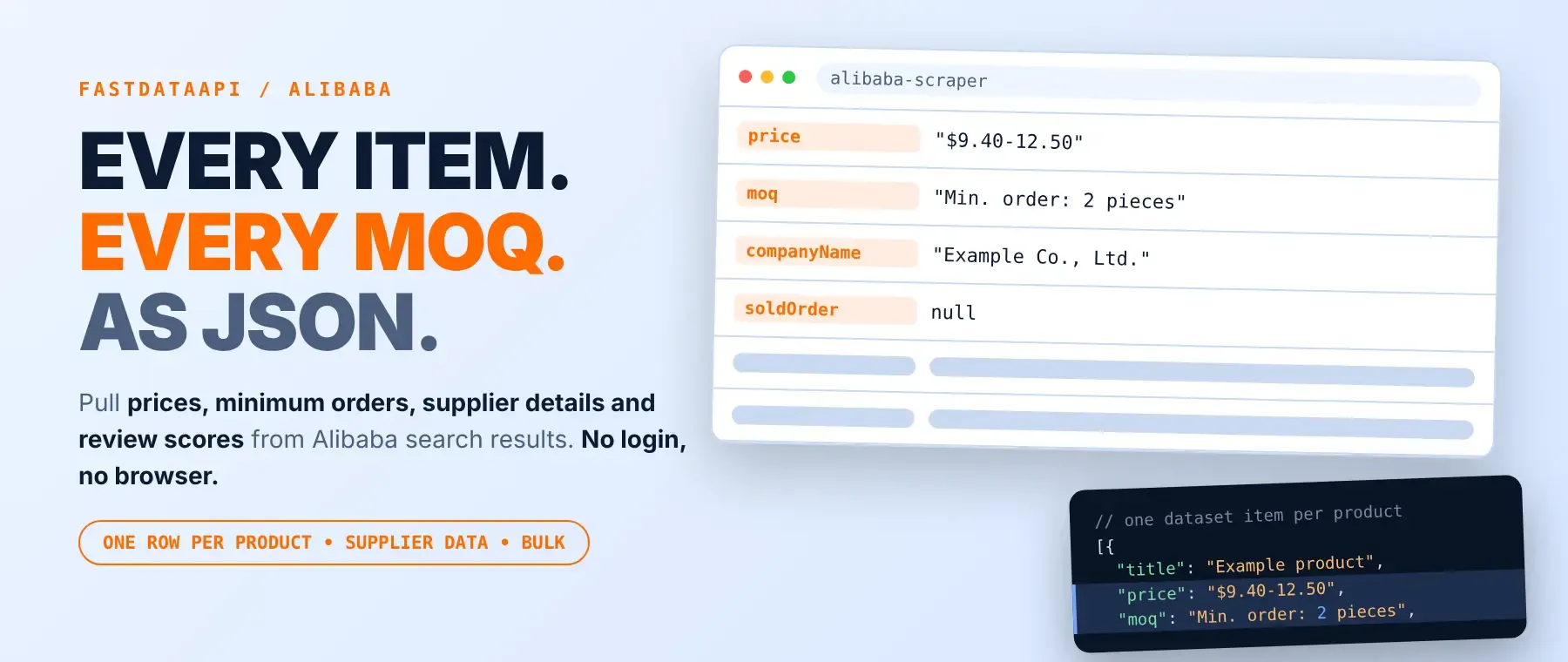
What data can I extract with Alibaba Scraper?
Using this Alibaba product search API, you will be able to extract the following Alibaba product data:
| 🏷️ Product title | 💲 Price (range) | 📦 Minimum order quantity | 🔗 Product page link |
| 🖼️ Main product image | 🎞️ Extra product images | 🏢 Supplier company name | 🌍 Supplier country |
| 🥇 Gold Supplier years | 🌟 Supplier star level | 🧭 Supplier profile link | 🏪 Supplier storefront link |
| ⭐ Average review score | 💬 Review count | 📊 Product score | 🚚 Shipping score |
| 🤝 Supplier service rating | 🔢 Supplier service score | 🛒 Units sold | 🎖️ Certifications |
| 🏅 Badges | 💡 Selling points | 👑 Crown (top-ranked) mark | 📣 Sponsored listing flag |
How to use Alibaba Scraper
Anyone sourcing products on Alibaba can run this actor to pull structured product data from one or many search links in a single call.
Copy to your AI assistant:
Alibaba Scraper MCP Server: use these Actors from ChatGPT, Claude or Cursor
Point your AI assistant at Apify's MCP server and it can call this actor directly from Claude, Cursor or any MCP-aware client, with no scraping logic written into your prompts. The server starts with this actor already registered as a tool, so there is no search-and-add step. Register the server once, and every compatible client on that machine can call it like any other tool, right alongside your other automations.
Step by step
- Create a free Apify account.
- Open the actor in the Apify Store.
- Paste your Alibaba search link or links, and set how many products to collect per link.
- Click Start.
- Download or stream your results in JSON, CSV or Excel.
How to scale Alibaba Scraper to bulk
Paste every Alibaba search link you want covered into the same run, one per line, and set Max Items once — it applies separately to each link, not to the whole run. A sourcing list of fifty keywords becomes one run with fifty search links, each with its own entry in the run summary and its own product count. A product that shows up under more than one link is only ever saved and charged once. For a recurring sourcing watch, schedule the same input on a timer, or call the Apify API from a script that swaps in a fresh batch of search links each time it runs.
✨ Features
Alibaba Scraper is an alibaba product scraper that fetches clean, structured product cards from Alibaba.com search results ⚡ and returns the same alibaba wholesale product data on every run. It's ideal for supplier vetting, price monitoring across a sourcing list, market research on a product category, and building a shortlist before reaching out to suppliers.
It extracts, per product:
- Title – the product name as shown in the search results
- Price – the price or price range Alibaba shows for your connection's country
- Minimum order quantity – the smallest order size the supplier accepts
- Supplier name and country – who sells it and where they are based
- Gold Supplier years and star level – how long and how well-rated the supplier is
- Review score, review count and units sold – a sense of demand and trust
- Main and extra images – every product photo shown on the card
⚡ Opens only the result pages a search actually needs to reach your target, so a small request finishes in seconds.
Use cases 💡
- Sourcing agent — runs it as an alibaba supplier scraper to shortlist by Gold Supplier years.
- E-commerce seller — compare minimum order quantity and price across near-identical listings.
- Price analyst — uses it as an alibaba price scraper to track ranges over time.
- Dropshipper — pull product images and pricing straight into a catalog feed.
- AI agent builder — feed product cards into a RAG pipeline that ranks suppliers automatically.
Building an AI agent? Connect over MCP and let it call the actor on its own.
Why choose this actor?
- Nothing invented when Alibaba leaves a field out. A live check of 48 real product cards found 32 with no units-sold figure at all; this actor returns
nullfor every one of them instead of a fake zero or empty string. - Only the pages a search actually needs. The first result page reports the real page count before any other page is opened, and a live check today found Alibaba capping a broad search at 100 result pages, so the actor never opens pages that do not exist.
- 38 product fields, one Actor. Title, price, minimum order, supplier identity and ratings, images, badges and certifications all come back on the same row, in the same shape, every run.
⬇️ Input
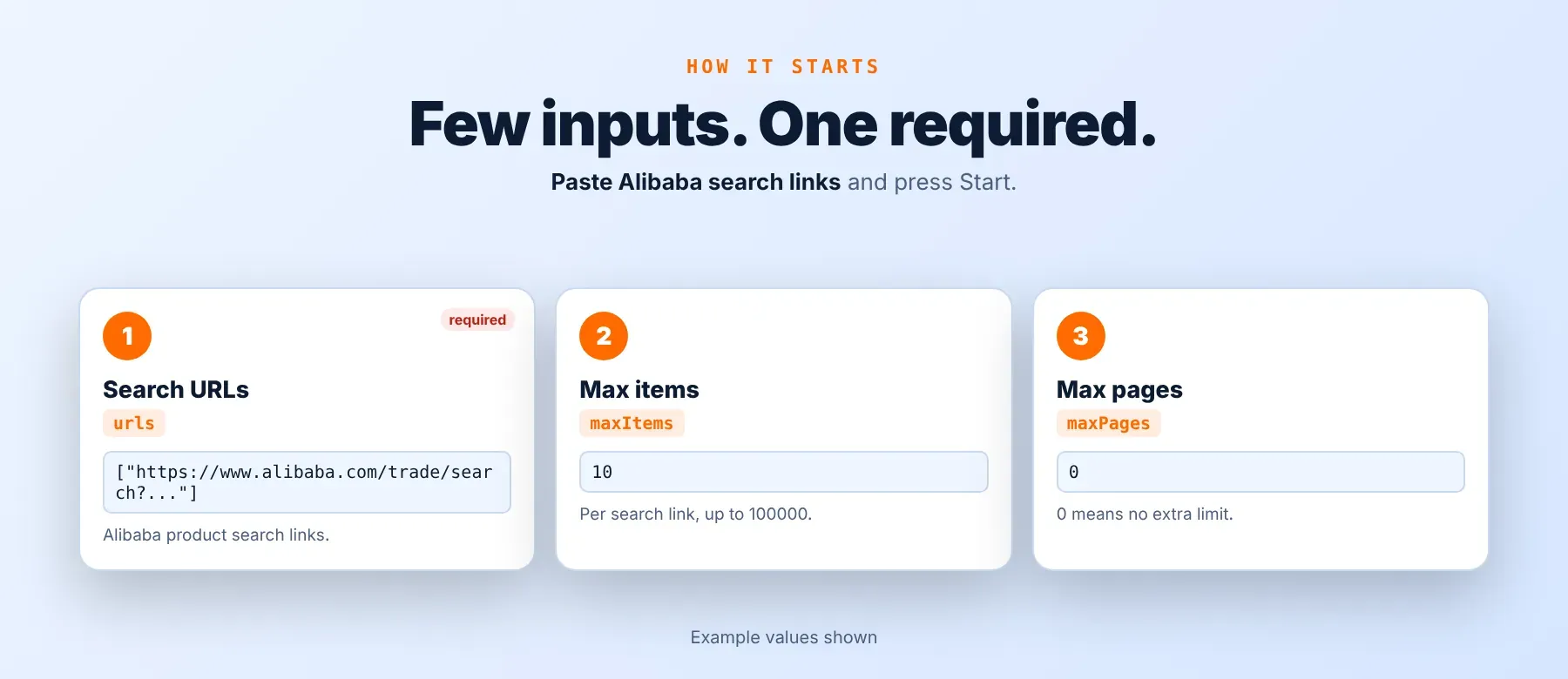
This actor works as a bulk alibaba listings scraper: it accepts one or more Alibaba search result links, and urls is the only required field.
| Parameter | Required | Type | Description | Example value |
|---|---|---|---|---|
urls | Yes | array | Alibaba search result links (keyword or category), one per line. Plain strings or {"url": "..."} objects. | "https://www.alibaba.com/trade/search?keywords=bluetooth+speaker" |
maxItems | No | integer | Products to collect per search link. 1–100000, default 10. | 50 |
maxPages | No | integer | Page cap per search link. 0 = no extra limit (default), 1–5000 otherwise. | 0 |
proxyConfiguration | No | object | Apify Proxy configuration. Residential is prefilled and recommended. | {"useApifyProxy": true, "apifyProxyGroups": ["RESIDENTIAL"]} |
Free plan limits
Users on the Apify free plan can fetch up to 20 products per run (all search URLs together) and 200 products per month. When the limit is reached, the run finishes successfully with a status message explaining the limit. Upgrade to any paid Apify plan to remove these limits.
Example input
⬆️ Output
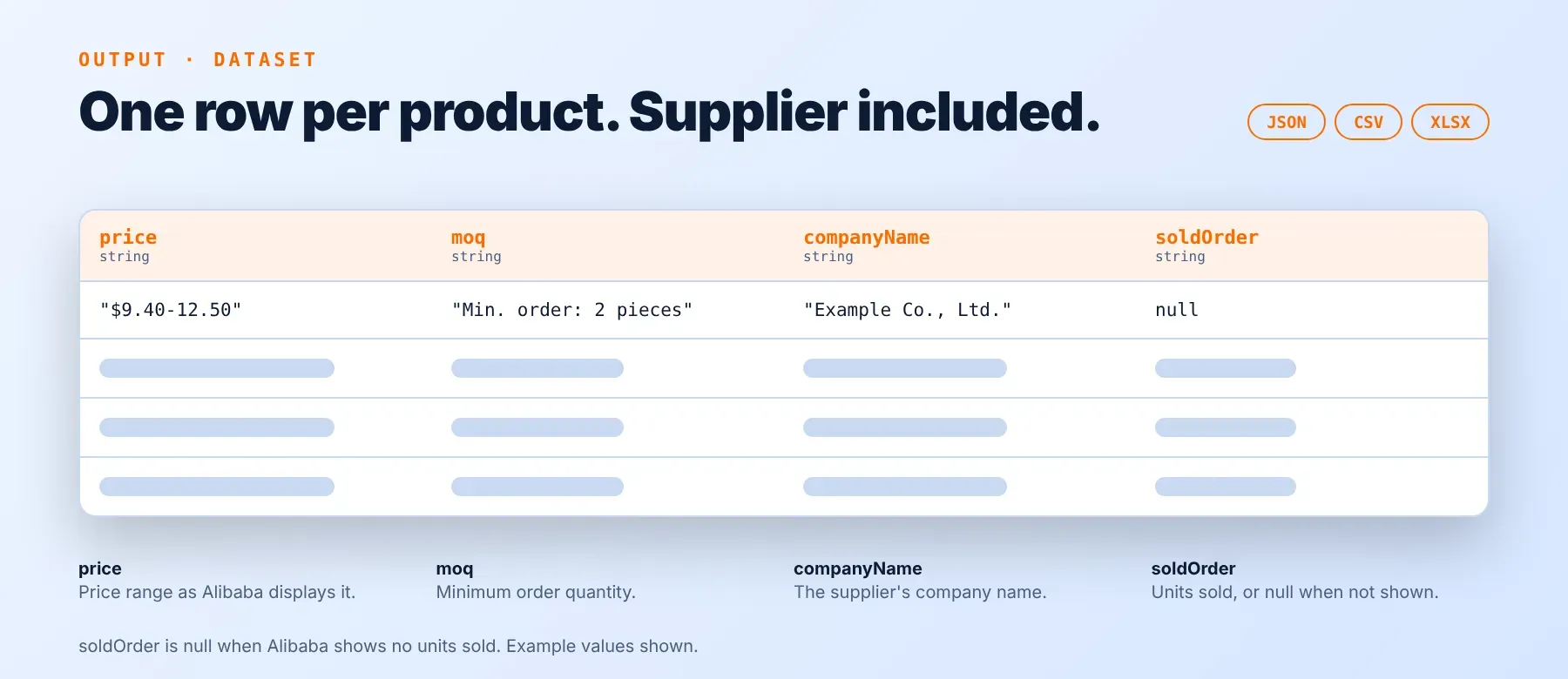
Every product is one typed, normalized JSON item with the same field names on every run. Download or export alibaba products to CSV, or pull them as JSON or Excel, directly from the dataset. Each run also writes a short per-link run summary (status, result count, pages fetched, products saved) to the key-value store.
Example output
How does it work?
As an alibaba search results scraper, Alibaba Scraper opens Alibaba's public search pages the same way a visitor's own browser would, without logging in or needing your account. It connects directly first, and switches to a residential proxy automatically if Alibaba starts blocking the connection, so a run keeps going instead of failing outright. The first result page tells the actor the real page count and result count, so it only opens the extra pages it actually needs to reach your target, and it stops as soon as it has collected enough. Every product card is mapped into the same normalized output fields on every run, so the schema stays stable even after Alibaba changes its page layout. The actor returns only what is publicly visible on the search results page — nothing that needs a login or a private account to see.
How do you integrate Alibaba Scraper into your stack?
Alibaba Scraper works with what you already use: a REST API from any language, MCP for AI agents, and no-code automation tools.
MCP integration for AI agents
Register Apify's MCP server once and any compatible AI agent can call it directly, without scraping code in your prompts:
This registers the actor as a tool your agent can call directly, right alongside your other Apify Actors. Claude Code, Cursor and Windsurf all support this transport out of the box, so the same command works across tools. Point your agent at a sourcing task and let it decide when to call the actor and with which search link.
No-code tools (n8n, Make, LangChain)
In n8n, use the Apify node's "Run an Actor" operation, or an HTTP Request node pointed at the run-sync endpoint with your Apify token. In Make, the Apify app's "Run an Actor" module followed by "Get Dataset Items" does the same job without code. In LangChain, the langchain-apify package wraps any Apify Actor, including this one, as a callable tool.
Is it legal to scrape Alibaba data?
Teams that scrape alibaba products for sourcing or price research are generally on solid legal ground: scraping publicly available web data is lawful in most jurisdictions when no login or account access is required to view it. This actor returns only publicly available data — the same product cards any visitor sees on a search results page without logging in. Under GDPR and similar laws, scraping public data is generally permissible, but storing and using any personal data within it must still comply with local data-protection law. Consult legal counsel if your use case involves bulk storage of personal data.
Frequently asked questions
What fields does Alibaba Scraper return?
As an alibaba product data extractor, it returns the product title, price, minimum order quantity, supplier name and country, and review score, plus 30+ other fields. See the data fields section above for the full list.
Does Alibaba Scraper require an Alibaba account or login?
No. Only public product search data is extracted, and no credentials are needed to run it.
What happens if a product is private or doesn't exist?
Alibaba's search results never link to private listings, so this does not come up for product data itself. A link that is not an Alibaba product search link (a product page, a storefront, or any other page) is skipped before any request is made, logged with the reason, and never counted or charged.
Can I scrape multiple Alibaba search results at once?
Yes. The urls input takes an array, so you can paste as many Alibaba search links as you want into one run; each one collects its own Max Items products, tracked separately in the run summary.
Does Alibaba Scraper work with Claude, ChatGPT, and other AI agent tools?
Yes — Alibaba Scraper is available as an MCP tool. Run claude mcp add --transport http apify "https://mcp.apify.com?tools=fastdataapi/alibaba-scraper" to register it in Claude Code, Cursor or Windsurf. Any agent that can call an HTTP endpoint can also use the REST API directly.
Does Alibaba Scraper return data in a format LLMs can use directly?
Yes. Every response is typed, normalized JSON with consistent field names. There is no HTML to parse and no selectors to maintain — pass the response straight to an LLM, index it into a vector store, or feed it to an agent tool with no transformation step.
What happens when Alibaba changes its layout or updates its anti-bot system?
This actor is maintained to track that. When Alibaba changes its page layout or tightens its anti-bot checks, the actor is updated to match — your calls keep returning the same JSON schema with no changes required on your end.
Can I use Alibaba Scraper without managing proxies or browser infrastructure?
Yes. Proxy rotation and the browser session used to reach Alibaba both run on the actor's side. You send one request and get structured JSON back — no proxy accounts, no headless browser setup, no maintenance on your end.
Which Alibaba product fields work best for AI training data and RAG indexing?
For RAG indexing, the product title, supplier name and selling points give the richest text context. For training data, price, review score, review count and units sold are the most consistent numeric fields across listings. All fields are typed primitives — strings, numbers, booleans — so no extra normalization is needed.
Your feedback
Found a bug or a field that is missing data it should have? Open an issue on the actor's Issues tab in Apify Console with the search link you used and what you expected back. Every report gets read, and fixes ship as updates to this same actor, so your existing input and automations keep working.


![Alibaba.com Products Scraper [💰$1.5/1000 results] avatar](https://images.apifyusercontent.com/nzztoRmKqATUab--tQUE9I9Dv9qmexNqSYEiG3v650E/rs:fill:76:76/cb:1/aHR0cHM6Ly9hcGlmeS1pbWFnZS11cGxvYWRzLXByb2QuczMudXMtZWFzdC0xLmFtYXpvbmF3cy5jb20vTlRHNDN6Nm5MUmZNcHNma2gtYWN0b3ItNU1JU01UaDBISThiaWN1RGgtTVRNS1JQNXR5cy1HZW1pbmlfR2VuZXJhdGVkX0ltYWdlXzdwenJpdTdwenJpdTdwenIuanBlZw.webp)


