
Google News Scraper
Pricing
from $2.19 / 1,000 results
Google News Scraper
Google News Scraper — Extract Google News articles, including headlines, summaries, publishers, publication dates, article URLs, and related topics. Useful for news monitoring, trend discovery, competitor research, content curation, and media analysis.
Pricing
from $2.19 / 1,000 results
Rating
0.0
(0)
Developer

Fast Data API
Maintained by CommunityActor stats
0
Bookmarked
3
Total users
2
Monthly active users
5 days ago
Last modified
Categories
Share
Google News Scraper — Headlines, Real Article Links, Thumbnails
Google News Scraper searches Google News for any query in any country and language edition and returns every article as a row: headline, publisher, publish time, Google News link, the publisher's own article link, real domain and thumbnail. Hundreds of articles per query, collected date range by date range, newest first. Every response is structured JSON — ready to pass directly to an LLM, index into a vector store, or feed a media monitoring pipeline. No Google account or API key needed. Type a query and start tracking coverage.
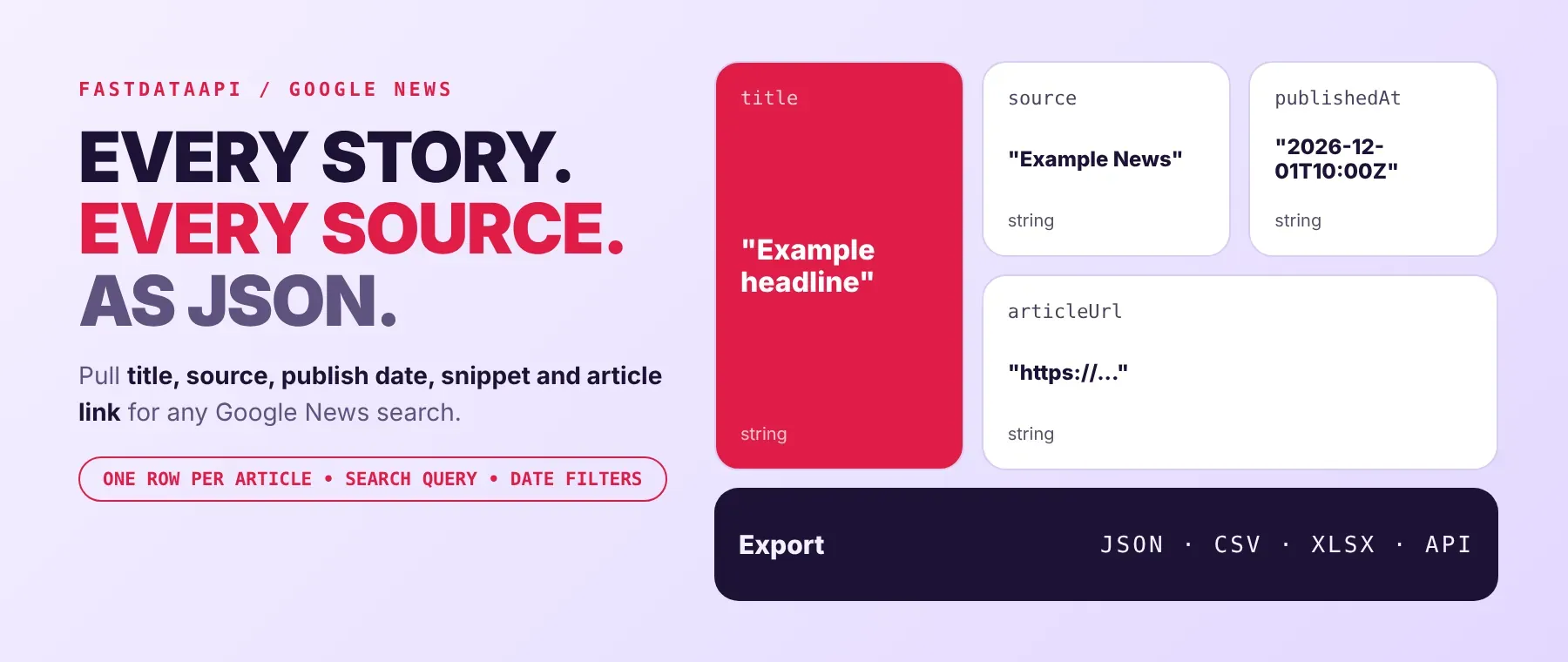
What data can I extract with Google News Scraper?
Using this Google News API, you will be able to extract the following Google News article data:
| 📰 Headline | 🏢 Publisher name | 🌐 Real publisher domain | 🔗 Publisher's article link |
|---|---|---|---|
| 🖼️ Thumbnail link | 🧩 Thumbnail image (optional, base64) | 🕒 Publish time (UTC) | ⏳ Article age |
| 📎 Google News link | 🆔 Article ID | 🏠 Publisher home page | 📝 Description text |
| 🔍 Search query | 🔢 Position | 🏷️ Row type | ⚠️ Error reason for empty runs |
How to use Google News Scraper
Built for PR teams, analysts and AI builders who need news coverage as data: this Google News search scraper turns one query into a dated list of articles with real links, publishers and images.
Copy to your AI assistant:
Google News Scraper MCP Server: use these Actors from ChatGPT, Claude or Cursor
Point your AI assistant at Apify and it can read Google News on its own: articles for any query, country, language and date range, with real publisher links and images. No glue code, no scraping logic in your prompts.
Step by step
- Create a free Apify account.
- Open Google News Scraper in the Apify Store.
- Type your Google News search query, then pick the country, language and time period.
- Click Start (or send your API request).
- Download or stream your results in JSON, CSV or Excel.
How to scale Google News Scraper to bulk
Raise the maximum articles. A plain Google News search stops at about 100 articles per search; above that the actor repeats your search over earlier date ranges, newest first, and keeps going until it reaches your number or Google News has nothing more. A recorded run returned 500 articles in 4.1 seconds with link resolution off. For many topics, start one run per query from the API or a schedule in Apify Console. Rows are saved as each article is finished, so you can read the dataset while a run is still going.
✨ Features
Google News Scraper fetches clean, structured news articles from Google News ⚡. It's ideal for media monitoring, brand and competitor tracking, research by date range and feeding news context to AI agents — a news monitoring scraper you can schedule. It extracts, per article:
- Headline and publisher – the headline without the publisher suffix, and the publisher's name
- Real article link – the Google News publisher URL: the publisher's own article address, not only the Google News link
- Real domain – the publisher's web domain, taken from the article link
- Thumbnail – the article's main image link, or the image itself as base64 when you turn it on
- Publish time – raw, UTC ISO 8601 and a relative age like "5 days ago"
- Any date range – last hour to last year, or your own From and To dates
⚡ No Google account or API key needed. 245 country and 135 language editions.
Use cases 💡
- PR and communications — collect every article that mentions your brand this week.
- Market analyst — use it as a Google News headlines scraper for a company over a custom date range.
- Researcher — run Google News by date range for a topic and export the results.
- Newsroom or agency — monitor competitors' coverage by publisher domain.
- AI engineer — feed fresh, dated articles with real links into a RAG index.
Building an AI agent? Connect Google News Scraper over MCP and let it call the actor on its own.
Why choose this actor?
- Past the 100-article limit. One Google News search shows about 100 articles. In recorded runs this actor returned 500 articles for one query in 4.1 seconds and 300 articles from the last 7 days in 3.7 seconds.
- The publisher's own link and image. In a recorded run of 200 articles from the last 7 days, all 200 came back with the publisher's own article link and real domain, and 155 with a thumbnail, in 46.7 seconds.
- Date filters that hold. Last hour, day, week, month, year or your own dates; articles dated outside the range are left out and counted in the run log.
⬇️ Input
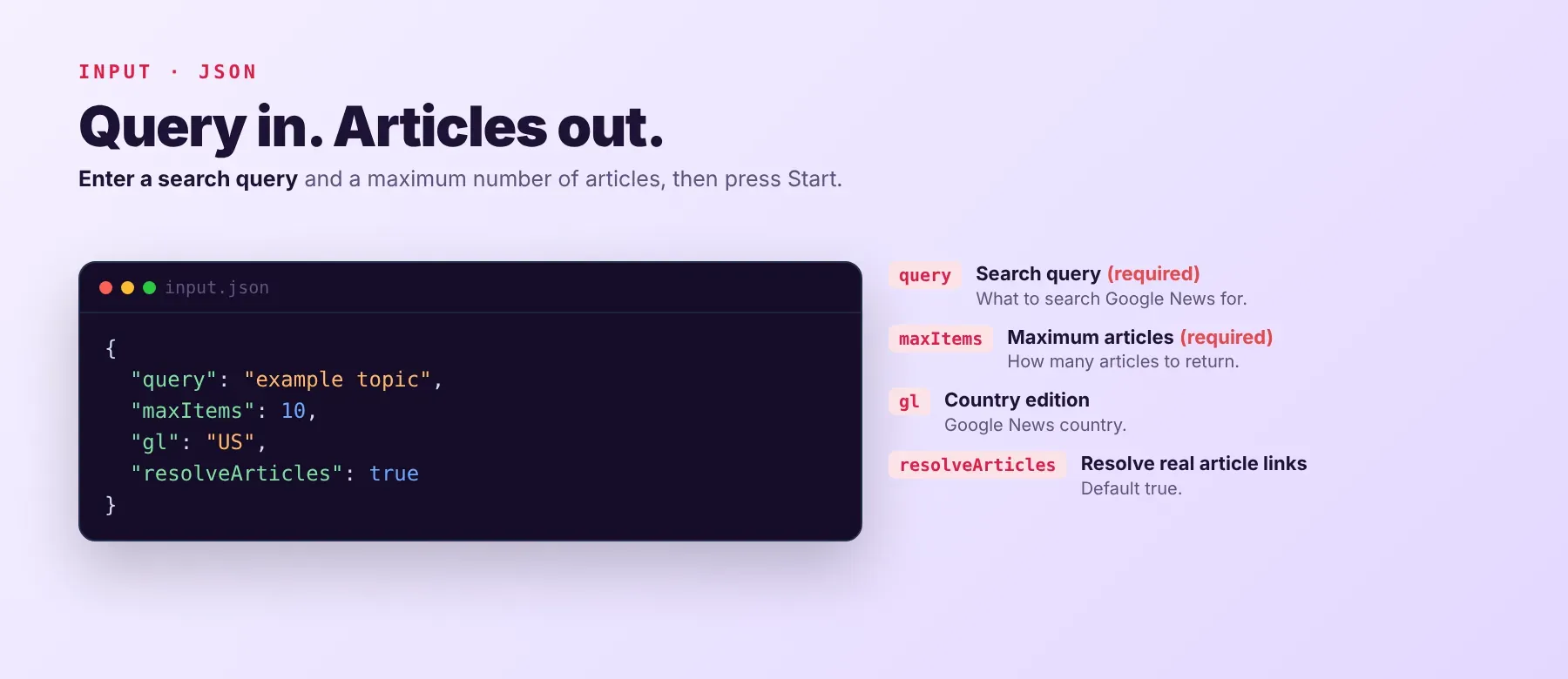
Only the query is needed; the maximum articles defaults to 10.
| Parameter | Required | Type | Description | Example value |
|---|---|---|---|---|
query | Yes | string | What to search for. Google search operators work: "exact phrase", intitle:, -excluded, OR, site:example.com. | "artificial intelligence" |
maxItems | Yes | integer | Articles to save, 1-50000. Above about 100 the actor searches earlier date ranges. Default 10. | 200 |
gl | No | string | Country edition, by name (245 options) or two-letter code. Default United States. | United Kingdom |
hl | No | string | Language edition, by name (135 options) or code. Default English. | English |
time_period | No | string | last_hour, last_day, last_week, last_month, last_year or custom. Empty = any time, newest first. | last_week |
time_period_min | No | string | From date, MM/DD/YYYY. One date is enough. | 09/01/2026 |
time_period_max | No | string | To date (included), MM/DD/YYYY. | 09/30/2026 |
resolveArticles | No | boolean | Add the publisher's own article link, real domain and thumbnail link. About 18 seconds per 100 articles. Default true. | true |
embedThumbnails | No | boolean | Also embed the thumbnail image as base64 (about 140 KB per row). Default false. | false |
proxyConfiguration | No | object | Optional. Without it the actor switches to Apify residential proxies on its own when Google blocks a request. | {"useApifyProxy": false} |
lr, cr, nfpr, filter | No | string / integer | Kept so older saved inputs keep working; Google News results do not change with them. | — |
Free plan limits
Free plan: up to 20 articles per run and 200 per month; paid plans have no limit.
Example input
A custom date range in another edition:
⬆️ Output
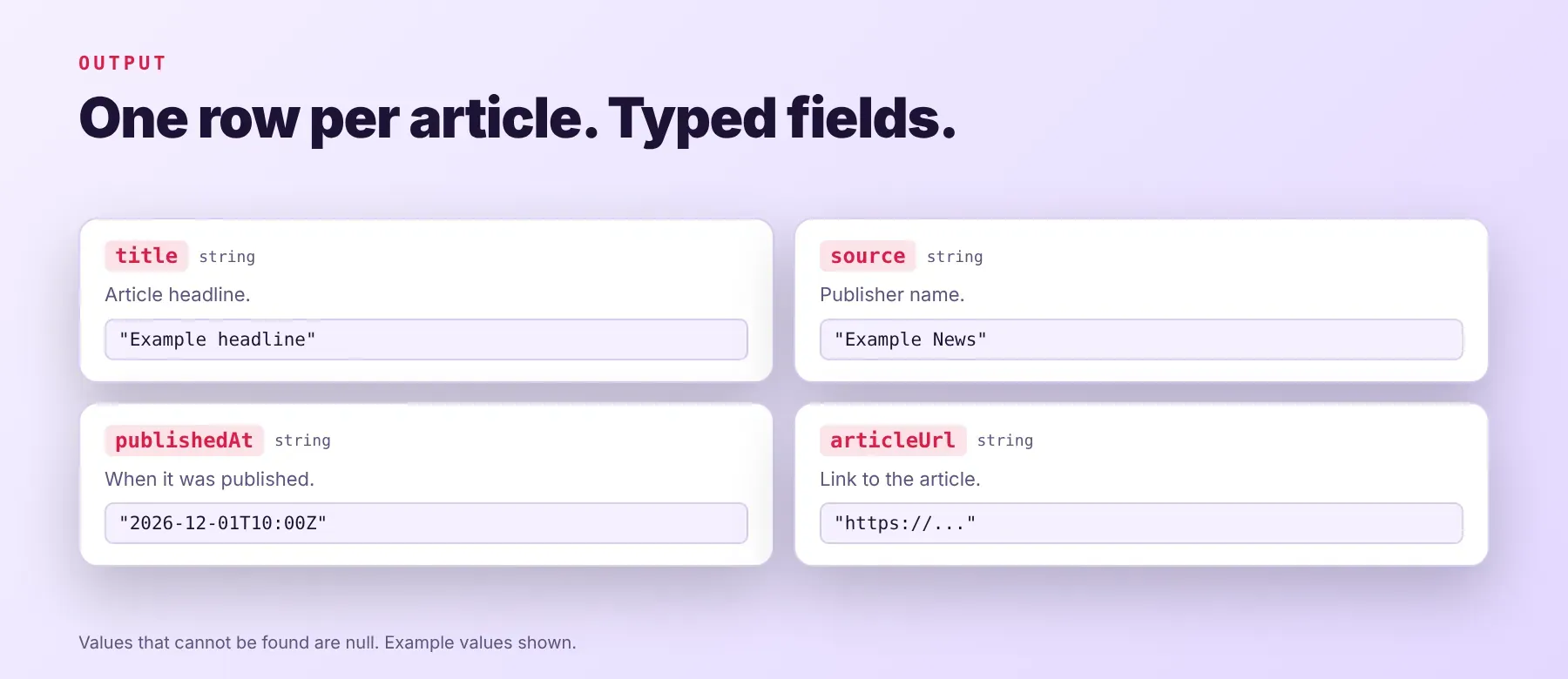
Every article is one typed, normalized JSON item with the same fields on every run; values that cannot be found are null. Export the dataset as JSON (default), CSV or Excel. When a run finds nothing (no articles for the query, none inside the date range, or Google News does not answer), it saves one free accounting row that explains why.
Example output
A recorded row from a last_week run for "artificial intelligence", followed by the accounting row a search with no results gets:
The accounting row carries every field of an article row (shortened here, all null); it is not charged.
How does it work?
The actor reads Google News search results, the same ones any visitor sees, without a Google account. When you ask for more articles than one search shows, it repeats the search over earlier date ranges, newest first: busy days are searched one by one and quiet periods in wider ranges, and repeats are removed. For each article it then follows the Google News link to the publisher's own page to get the real article link, domain and main image. If Google starts blocking requests, the actor retries and switches to rotating residential proxies on its own. It returns only publicly visible data — what any visitor sees without logging in. The output fields stay the same from run to run, so your code and spreadsheets keep working when Google News changes its pages.
How do you integrate Google News Scraper into your stack?
It works with what you already use: the REST API from any language, MCP for AI agents, and no-code tools.
Using Google News Scraper with the Apify API
Works in Go, Ruby, Node.js, cURL — any language that can make an HTTP request.
MCP integration for AI agents
Add the Apify MCP server to your AI client with one command:
This registers Google News Scraper as a tool your agent can call directly: the agent finds it through the server's search, adds it and runs it, then reads the article rows back as JSON. Ask for "this week's news about our competitor" and it does the rest. It works in Claude Code, Cursor and Windsurf.
No-code tools (n8n, Make, LangChain)
n8n: add the Apify node and choose "Run an Actor", or use the HTTP Request node pointed at the run-sync endpoint with your token. Send the Google News articles export to a Google Sheet, Slack or your CRM in the next node.
Make: use the Apify app's "Run an Actor" module, then "Get Dataset Items" to pull the article rows into the rest of your scenario.
LangChain: install langchain-apify and wrap the actor with ApifyActorsTool("google-news-scraper") so your agent can search Google News by query and date.
Is it legal to scrape Google News data?
Collecting publicly available data from Google News is generally lawful, as long as you stay out of logged-in areas and private information. This actor returns only publicly available data — what any visitor sees without logging in: headlines, publishers, publish times, links and images. Articles and images are copyrighted by their publishers, so store and reuse the content within copyright and fair-use rules, and make sure any personal data you keep complies with local data-protection law such as GDPR. Consult legal counsel if your use case involves republishing articles or bulk storage of personal data.
Frequently asked questions
What fields does Google News Scraper return?
It returns each article's headline, publisher, real domain, publish time, Google News link, article ID and description, plus by default the publisher's own article link and the thumbnail link. See the data fields section for the full list.
Does Google News Scraper require a Google account or login?
No. Only public Google News data is extracted, and no credentials are needed.
How fast does Google News Scraper run?
With link resolution off, a recorded run saved 500 articles in 4.1 seconds. With it on, a recorded run of 200 articles saved its first row after 3.1 seconds and finished in 46.7 seconds, because each article's publisher page is opened. Every run reads live data, not a cache.
What happens if my query returns no articles or a publisher page can't be read?
If Google News has no articles for your query and time range, the run saves one free accounting row with the reason and nothing is charged. If a publisher page can't be read (some block automated visits or need a subscription), the article is still saved with its headline, publisher, domain and Google News link, and the article link or thumbnail is left null.
Can I scrape more than 100 Google News articles at once?
Yes. Set maximum articles above 100 and the actor searches earlier date ranges until it reaches your number or Google News has nothing more for the query.
Does Google News Scraper work with Claude, ChatGPT, and other AI agent tools?
Yes — Google News Scraper is available as an MCP tool. Register it in Claude Code, Cursor or Windsurf with claude mcp add --transport http apify "https://mcp.apify.com?tools=fastdataapi/google-news-scraper". Any agent that can call an HTTP endpoint can use the REST API directly.
Does Google News Scraper return data in a format LLMs can use directly?
Yes. Each article is typed, normalized JSON with consistent field names, so there is no HTML parsing and no selectors. Pass it straight to an LLM, index it into a vector store, or feed it to an agent tool — no transformation step.
What happens when Google News changes its layout or updates its anti-bot system?
The actor is maintained, and when Google News changes, it is updated so your calls keep returning the same JSON fields with no changes on your end.
Can I use Google News Scraper without managing proxies or browser infrastructure?
Yes. Retries and the switch to rotating residential proxies when Google blocks requests run on the actor's side, and no browser is needed. You send one request and get structured JSON back, with no proxy accounts and no maintenance.
Which Google News fields work best for AI training data and RAG indexing?
For RAG, use the headline, publisher, real article link and publish time, and fetch the article text from the article link if you need full bodies. For training data and analytics, use the publish time, real domain, publisher and query. All fields are plain strings, numbers and nulls, so no normalization is needed.
Your feedback
Found a bug or missing a field? Let us know in the actor's Issues tab. Every report is read, and fixes ship as new versions of the actor.


![Google News Scraper [only $0.7/1K] avatar](https://images.apifyusercontent.com/Twu1TG04ITI_hwjby-GKjS3ch9YgJ3AaSAGKR67WRFo/rs:fill:76:76/cb:1/aHR0cHM6Ly9hcGlmeS1pbWFnZS11cGxvYWRzLXByb2QuczMudXMtZWFzdC0xLmFtYXpvbmF3cy5jb20vUmVkNnNHSEFOa0x6b3NzdkUtYWN0b3ItemVOd3Z2dk5VNnpWMWFra1MtMTBnTFVnUzdoSS1nb29nbGVfbmV3c19zY3JhcGVyX2Zhc3QucG5n.webp)


