
App Store Keywords Scraper
Pricing
from $0.67 / 1,000 results
App Store Keywords Scraper
App Store Keywords Scraper gets App Store search suggestions in bulk for 115 countries: a-z expansion, deeper levels, rank and source of every long-tail keyword, plus top apps and the top free chart. Export JSON, CSV or Excel, or use the API.
Pricing
from $0.67 / 1,000 results
Rating
0.0
(0)
Developer

Fast Data API
Maintained by CommunityActor stats
0
Bookmarked
2
Total users
1
Monthly active users
11 days ago
Last modified
Categories
Features
Share
App Store Keywords Scraper — Search Suggestions, Rank and Top Apps
App Store Keywords Scraper returns the search suggestions the Apple App Store shows while people type, for your seed keywords in 115 countries. You get every long-tail keyword with its rank and source, plus optional top apps and the top free chart. Every response is structured JSON — ready to pass directly to an LLM, index into a vector store, or feed an App Store optimization (ASO) keyword pipeline. No Apple account or cookies needed. Start with one seed keyword, then scale to every market you publish in.
What data can I extract with App Store Keywords Scraper?
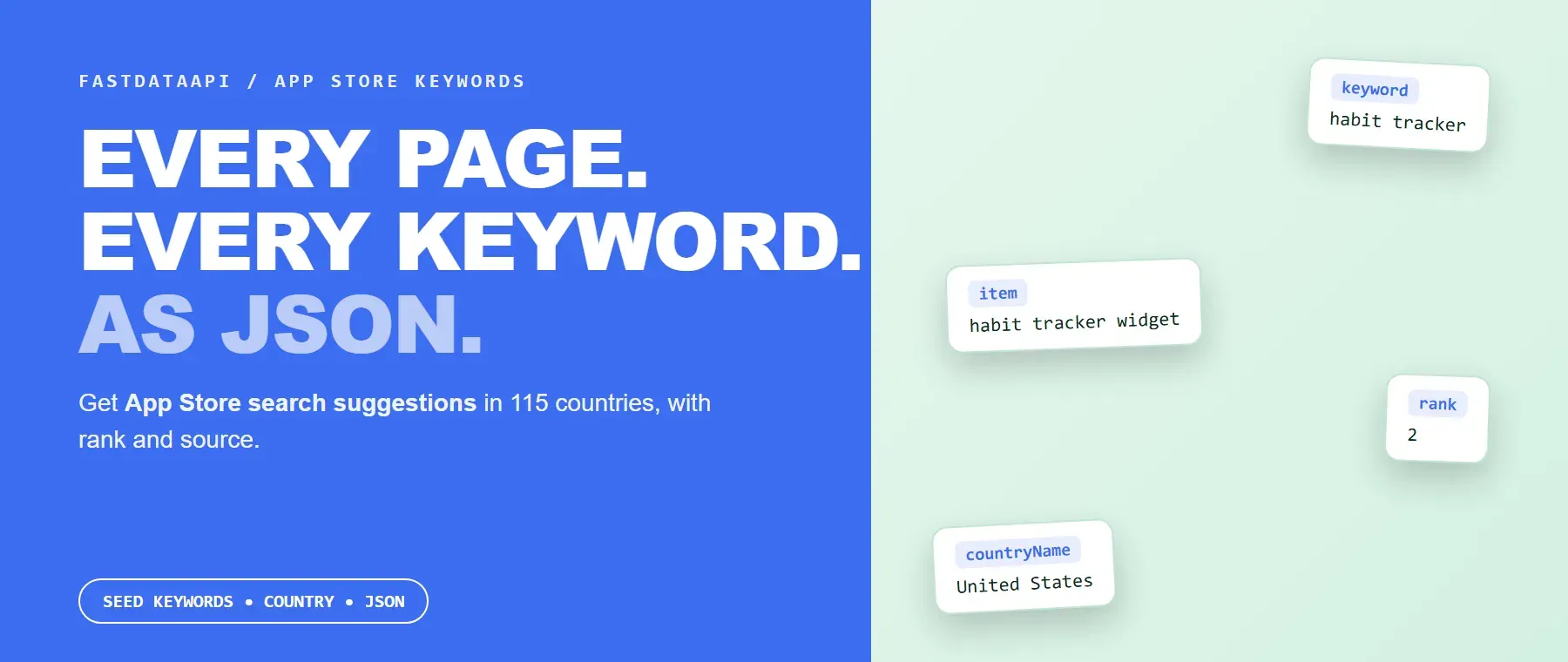
Using this App Store Keywords API, you will be able to extract the following App Store keyword and app data:
| 🔎 Seed keyword | 💡 Search suggestion | 🏅 Rank in the suggestion list | 🧭 How it was found (direct, a-z, deeper level) |
|---|---|---|---|
| 🔢 Suggestions found for the seed | 📍 Country code and name | 🏷️ Row type (suggestion, top app, chart app) | 📱 App name (app rows) |
| 🆔 App ID and bundle ID | 👩💻 Developer | ⭐ Average star rating (top apps) | 🗳️ Rating count (top apps) |
| 💲 Price and currency | 🗂️ Genre | 🖼️ App icon | 🔗 App Store link |
| 🕒 Time scraped |
How to use App Store Keywords Scraper
App marketers, ASO specialists and app developers use it to get every search suggestion for their keywords, in the countries they care about, from one run.
Copy to your AI assistant:
App Store Keywords Scraper MCP Server: use these Actors from ChatGPT, Claude or Cursor
Point your AI assistant at this actor and it can research App Store keywords on its own: search suggestions with rank and source, top apps per keyword and the top free chart for 115 countries. No glue code, no scraping logic in your prompts.
Step by step
- Create a free Apify account.
- Open App Store Keywords Scraper in the Apify Store.
- Type your seed keywords and pick the App Store country.
- Click Start (or send your API request).
- Download or stream your results in JSON, CSV or Excel.
How to scale App Store Keywords Scraper to bulk
The seed keywords field takes a list: add as many seed keywords as you need in one run, and each one is expanded on its own (duplicates in any letter case are skipped). To cover several countries, start one run per country through the API or save one Apify task per country and schedule them. Use the max suggestions setting to cap the suggestions per keyword, and an expansion depth of 2–5 to go deeper into the long tail.
✨ Features
App Store Keywords Scraper fetches clean, structured keyword suggestions from the Apple App Store. It's ideal for ASO keyword research, finding long-tail app search phrases, checking which apps rank for a keyword and watching the top free chart per country.
It extracts, per suggestion:
- Suggestion – the keyword the App Store suggests to searchers
- Rank – its position in the suggestion list it came from
- Source – found directly, through an a-z variation (suffix or prefix letter) or at a deeper level
- Suggestions found – how many suggestions the seed keyword produced in total
- Country – the App Store country code and name
- Top apps (optional) – app name, developer, star rating, rating count, price, genre, icon and link
⚡ No Apple account, cookies or browser needed; the actor connects directly and switches to a proxy by itself only when it gets blocked.
Use cases 💡
- ASO specialist — collect every long-tail suggestion for a seed keyword per country.
- App marketer — compare the suggestion lists of two countries before a launch.
- Developer — see the top apps, ratings and genres ranking for a target keyword.
- Market analyst — track the top free chart of any App Store country.
- AI agent builder — feed suggestions and ranks into an LLM to cluster keyword themes.
Building an AI agent? Connect App Store Keywords Scraper over MCP and let it call the actor on its own.
Why choose this actor?
- Hundreds of suggestions per keyword in seconds. A recorded run for the seed keyword "light" in the US returned 299 suggestions, 5 top apps and the 25-app top free chart (329 rows) in about 5 seconds.
- The context behind each keyword. Every suggestion carries its rank and how it was found, for example "light app" ranked 1 from the "light a" variation, and every top app carries its rating, rating count, price and genre ("Flashlight Ⓞ": 4.5 stars from 30,771 ratings).
- 115 countries, 3 row types, one actor. Search suggestions, top apps per keyword and the top free chart, with a-z expansion, up to 5 levels of depth and a per-keyword cap.
⬇️ Input
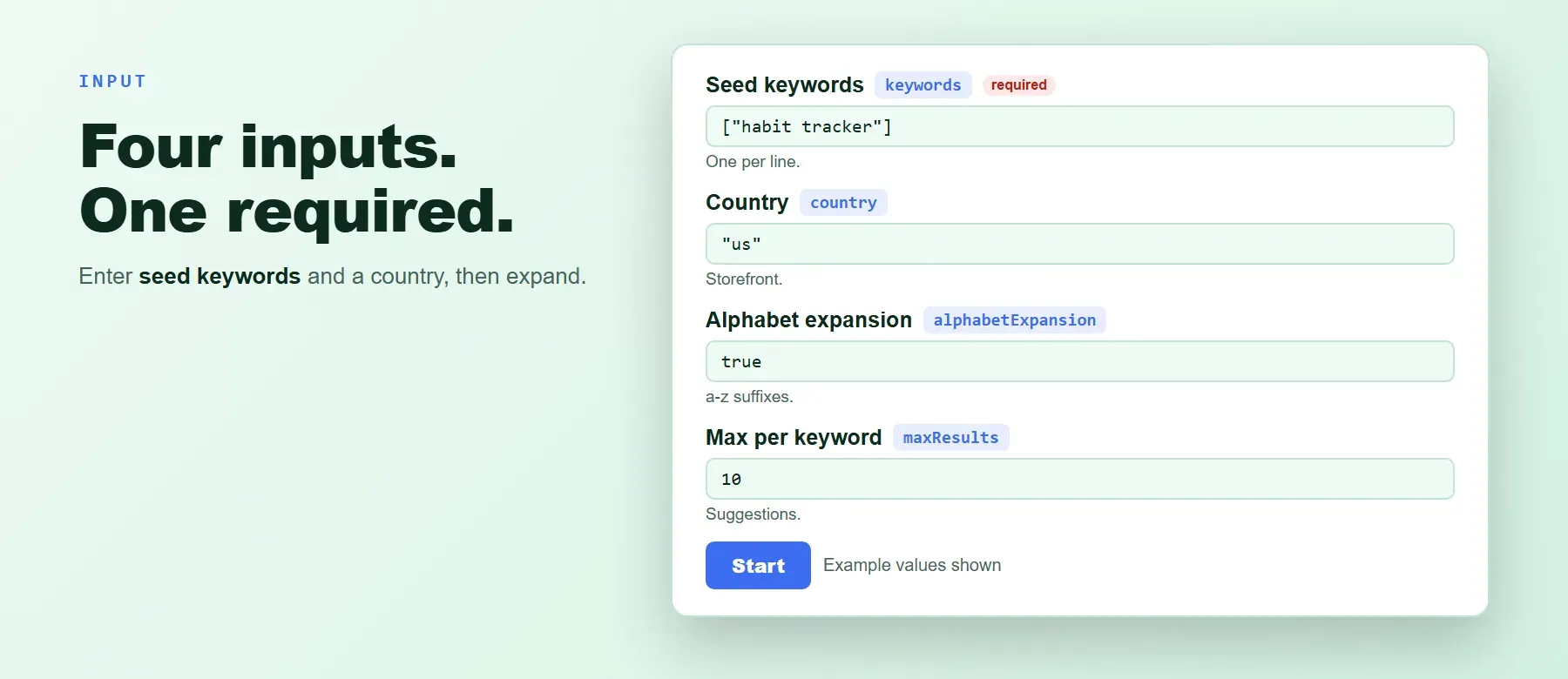
The actor takes a list of seed keywords (required) and an App Store country; everything else is optional.
| Parameter | Required | Type | Description | Example value |
|---|---|---|---|---|
keywords | Yes | array | Seed keywords to expand into App Store search suggestions; duplicates (any letter case) are skipped. | ["light", "photo editor"] |
country | No | string | Two-letter App Store country code, one of 115 countries. Default us. | "de" |
alphabetExpansion | No | boolean | Also look up "keyword a".."keyword z" and "a keyword".."z keyword". Default true. | true |
maxDepth | No | integer | 1 = the seed only; 2–5 = also expand the top 10 new suggestions of the previous level. Default 1. | 2 |
maxResults | No | integer | Most suggestions saved per seed keyword; 0 = all. Default 10. | 100 |
includeApps | No | boolean | Also save the top apps for each seed keyword. Default false. | true |
maxAppsPerKeyword | No | integer | Top apps per seed keyword, 1–200. Default 5. | 10 |
includeTrending | No | boolean | Also save the country's top 25 free apps chart, once per run. Default false. | true |
maxConcurrency | No | integer | Lookups running at the same time, 1–50. Default 8. | 8 |
delayBetweenRequestsMs | No | integer | Pause before each lookup in milliseconds. Default 0. | 0 |
maxRetries | No | integer | Tries per failed lookup, 1–10. Default 3. | 3 |
proxyConfiguration | No | object | Optional proxy to start with. Default: no proxy. | {"useApifyProxy": false} |
Free plan limits
Users on the Apify free plan can fetch up to 20 rows per run (all keywords together) and 200 rows per month. When the limit is reached the run finishes successfully with a status message explaining the limit. Upgrade to any paid Apify plan to remove these limits.
Example input
⬆️ Output
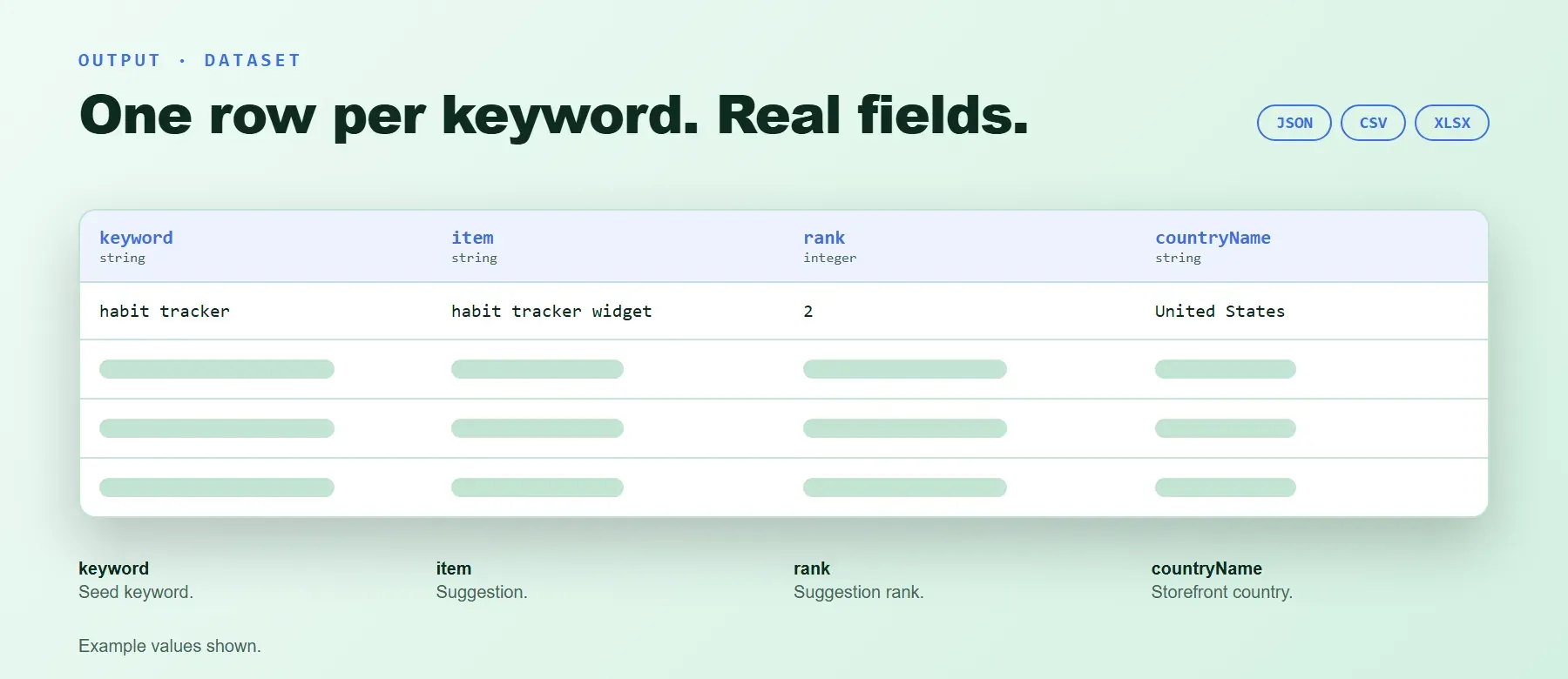
Every row is one typed JSON item with the same field names on every run; export it as JSON (default), CSV or Excel. A row-type field tells the rows apart: suggestion rows are keyword suggestions, top_app rows are the top apps for a seed keyword, and trending_app rows are the country's top free chart (seed keyword empty).
Example output
How does it work?
App Store Keywords Scraper reads the same public search suggestions the App Store shows to anyone typing in its search box, for the country you pick, so no Apple account, cookies or browser are needed. For each seed keyword it collects the direct suggestions and, when alphabet expansion is on, the suggestions for every a-z variation, then removes duplicates and keeps the rank and source of each one. Rows are saved as soon as each keyword is done, so the table fills while the run goes. Requests run in parallel with retries; if the App Store blocks a request, the actor switches to a proxy by itself and carries on. It returns only publicly visible data, in a normalized schema that stays the same from run to run.
How do you integrate App Store Keywords Scraper into your stack?
It works with what you already use: the REST API from any language, MCP for AI agents, and no-code tools.
Using App Store Keywords Scraper with the Apify API
Works in Go, Ruby, Node.js, cURL — any language that can make an HTTP request.
MCP integration for AI agents
Register the actor once and your agent can look up App Store keyword suggestions, top apps and the top free chart whenever a conversation needs them.
This registers App Store Keywords Scraper as a tool your agent can call directly. It works with Claude Code, Cursor and Windsurf. The agent sends seed keywords and a country, and gets back the same typed JSON rows as a run, so it can compare markets or pick ASO keywords without extra code.
No-code tools (n8n, Make, LangChain)
- n8n — use the Apify node ("Run an Actor") with
fastdataapi/app-store-keywords-scraper, or the HTTP Request node pointed at the run-sync endpoint with your token. Each returned row becomes one n8n item, ready to filter or send on to a sheet. - Make — add the Apify app's "Run an Actor" module, then "Get Dataset Items" to pass the rows to the next step. Schedule the scenario to track the same seed keywords every week.
- LangChain — install
langchain-apifyand useApifyActorsTool("fastdataapi/app-store-keywords-scraper")as an agent tool. The agent can then fetch keyword suggestions on its own while it answers a question.
Is it legal to scrape App Store data?
Collecting publicly available App Store data, such as search suggestions and public app listings, is generally legal. App Store Keywords Scraper returns only publicly available data — what any user sees without logging in. Under GDPR and similar laws, scraping public data is generally permissible, but storing and using it must comply with local data-protection law. Consult legal counsel if your use case involves bulk storage of personal data.
Frequently asked questions
What fields does App Store Keywords Scraper return?
Each suggestion comes with the seed keyword, the suggestion itself, its rank, how it was found and the number of suggestions found for the seed; app rows add the app name, developer, star rating, price and link. See the data fields section.
Does App Store Keywords Scraper require an Apple account or login?
No. Only public App Store data is extracted, and no credentials are needed.
How fast does App Store Keywords Scraper run?
A recorded run for "light" in the US returned 299 suggestions, 5 top apps and 25 chart apps in about 5 seconds; a run for "photo" with depth 3 returned 377 suggestions in about 10 seconds. The data is live, not cached.
What happens if a keyword has no suggestions?
The run continues with the next keyword and the log marks that keyword as having no suggestions in the chosen country; no suggestion rows are saved for it (top apps are still saved when you asked for them). An unknown country code stops the run at the start with a clear status message.
Can I scrape multiple App Store keywords at once?
Yes. Put all your seed keywords in the seed keywords list; each one is expanded on its own in the same run.
Does App Store Keywords Scraper work with Claude, ChatGPT, and other AI agent tools?
Yes — App Store Keywords Scraper is available as an MCP tool. Register it in Claude Code, Cursor or Windsurf with:
Any agent that can call an HTTP endpoint can use the REST API directly.
Does App Store Keywords Scraper return data in a format LLMs can use directly?
Yes. Rows are typed, normalized JSON with consistent field names. No HTML parsing, no selectors: pass them straight to an LLM, index them into a vector store, or feed them to an agent tool.
What happens when the App Store changes?
This actor is maintained and updated. When the App Store changes, the actor is updated so your calls keep returning the same JSON schema with no changes on your end.
Can I use App Store Keywords Scraper without managing proxies or browser infrastructure?
Yes. The actor connects directly and switches to a proxy on its own side when a request is blocked. You send one request and get structured JSON back — no proxy accounts, no headless browser setup, no maintenance.
Which App Store keyword fields work best for AI training data and RAG indexing?
For RAG, use the suggestion text, app names and genres. For training data, use the rank, the number of suggestions found, star ratings and rating counts. All fields are typed primitives — strings, integers, numbers — no normalization needed.
Your feedback
Found a bug or missing a field? Let us know through the actor's Issues tab. This actor is maintained and updated, and every report is read.


