

Duckduckgo Scraper
Pricing
from $0.67 / 1,000 results
Duckduckgo Scraper
Duckduckgo Scraper searches DuckDuckGo by keyword across web, images, videos and news modes in one run: title, URL, description and hostname, plus !bang suggestions. No login or API key.
Pricing
from $0.67 / 1,000 results
Rating
0.0
(0)
Developer

Fast Data API
Maintained by CommunityActor stats
0
Bookmarked
2
Total users
1
Monthly active users
2 days ago
Last modified
Categories
Features
Share
Duckduckgo Scraper — Web, Image, Video and News Results
Duckduckgo Scraper pulls DuckDuckGo search results for any keyword — web pages, images, videos and news, in one run. Each result comes back as structured JSON with the title, URL, description, and mode-specific fields like image size, video view count or news publish time, plus DuckDuckGo's own !bang shortcut suggestions. Every response is ready to pass straight to an LLM, index into a vector store, or feed a SEO/research pipeline. No DuckDuckGo account, login or cookies are needed. Start with one keyword and one mode, then scale to dozens of queries across all four modes in a single run.
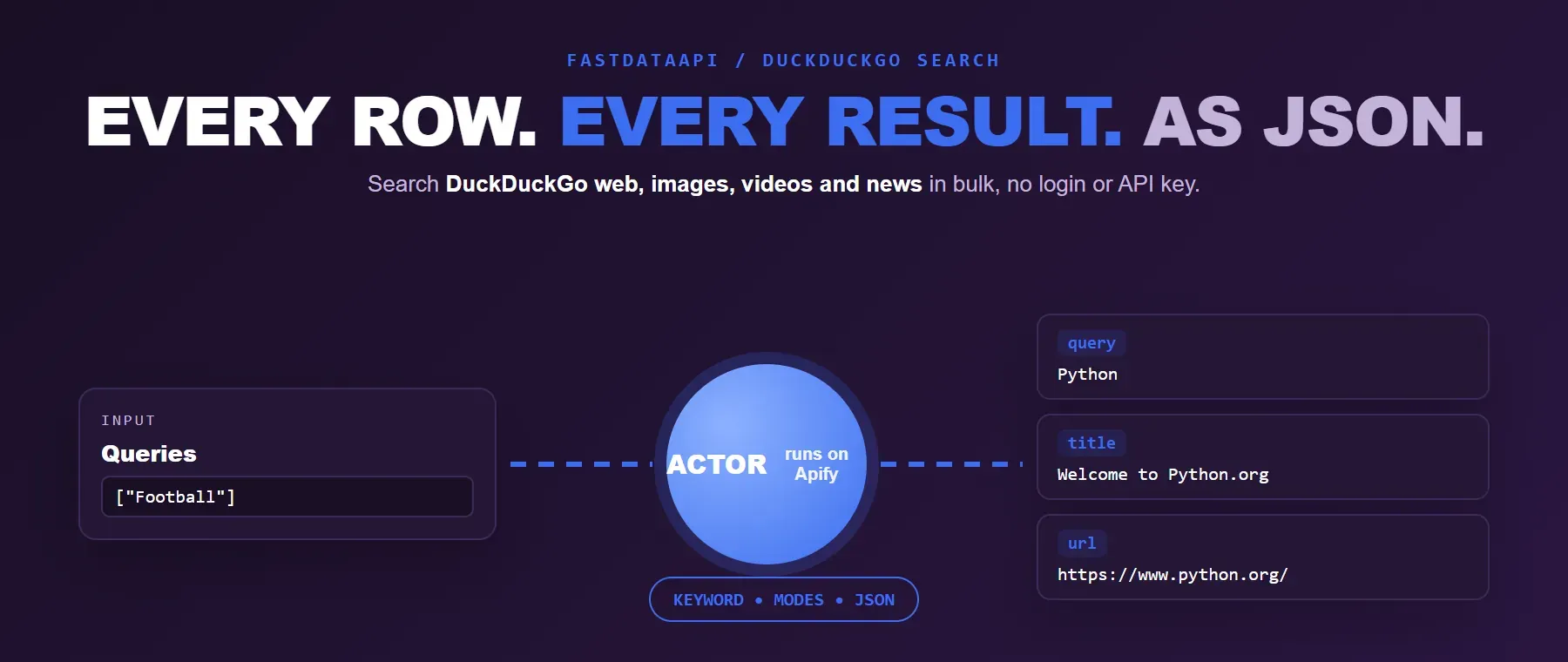
What data can I extract with Duckduckgo Scraper?
Using this DuckDuckGo Search API, you will be able to extract the following DuckDuckGo search data:
| 🔎 Query & mode | 📝 Title & URL | 🧾 Description (web/video) | 🔗 !bang shortcut (web) |
|---|---|---|---|
| 🖼️ Image URL, thumbnail, size | 🎬 Video duration, publisher, view count | 📰 News excerpt, publish time, syndicate source | 🌐 Hostname & favicon (web) |
How to use Duckduckgo Scraper
Anyone who needs live DuckDuckGo results — without scraping HTML themselves or paying for the official DuckDuckGo API (there isn't one) — can run this and get normalized JSON back in seconds.
Copy to your AI assistant:
Duckduckgo Scraper MCP Server: use these Actors from ChatGPT, Claude or Cursor
Point your AI assistant at fastdataapi and it can read DuckDuckGo on its own: web, image, video and news results. No glue code, no scraping logic in your prompts.
Step by step
- Create a free Apify account.
- Open Duckduckgo Scraper in the Apify Store.
- Enter your search keyword(s) and pick a search mode.
- Click Start.
- Download or stream your results in JSON, CSV or Excel.
How to scale Duckduckgo Scraper to bulk
Add more entries to the "Search queries" list and/or select more than one search mode — each (query, mode) pair gets its own "Max results" allowance, independent of the others. 10 queries × 2 modes × 20 results = up to 400 results in one run.
✨ Features
Duckduckgo Scraper fetches clean, structured DuckDuckGo results ⚡ at low cost 💸. It's ideal for keyword-rank checks, building a research/RAG corpus, monitoring news coverage of a topic, and sourcing royalty-free-search images. It extracts, per result:
- Title & URL – the result's headline and destination link
- Description – the web snippet (plus the untouched raw-HTML version) or a video's description
- !bang shortcut – DuckDuckGo's own shortcut suggestion (keyword, target site) when one is attached
- Image data – full-size and thumbnail URLs, pixel dimensions, source site (images mode)
- Video data – duration, publisher, publish date, view count (videos mode)
- News data – excerpt, publish date, relative time, syndication source (news mode)
⚡ No login, no API key, no browser — plain HTTP requests to DuckDuckGo's own search endpoints.
Use cases 💡
- SEO analyst — track keyword rankings across web, image and news results in one run.
- Researcher — pull DuckDuckGo results into a RAG pipeline as a privacy-respecting alternative to Google.
- News monitor — track news-mode results for a brand or topic by publish time.
- Growth marketer — mine
!bangsuggestions to see which sites DuckDuckGo treats as canonical for a keyword. - AI agent builder — give an agent live web search as a tool call instead of a stale training cutoff.
Building an AI agent? Connect Duckduckgo Scraper over MCP and let it call the actor on its own.
Why choose this actor?
- Four result types, one actor. Web, images, videos and news all come from the same run — no separate actor per mode.
- Bulk queries and modes together. Every query and every selected mode gets its own result allowance, so a 10-keyword × 4-mode run returns up to 40 independent result sets without re-running the actor.
- The raw and the cleaned description, both kept. Web-mode results carry a cleaned
descriptionand arawDescriptionthat keeps DuckDuckGo's own<b>highlight markup — useful for showing matched terms.
⬇️ Input
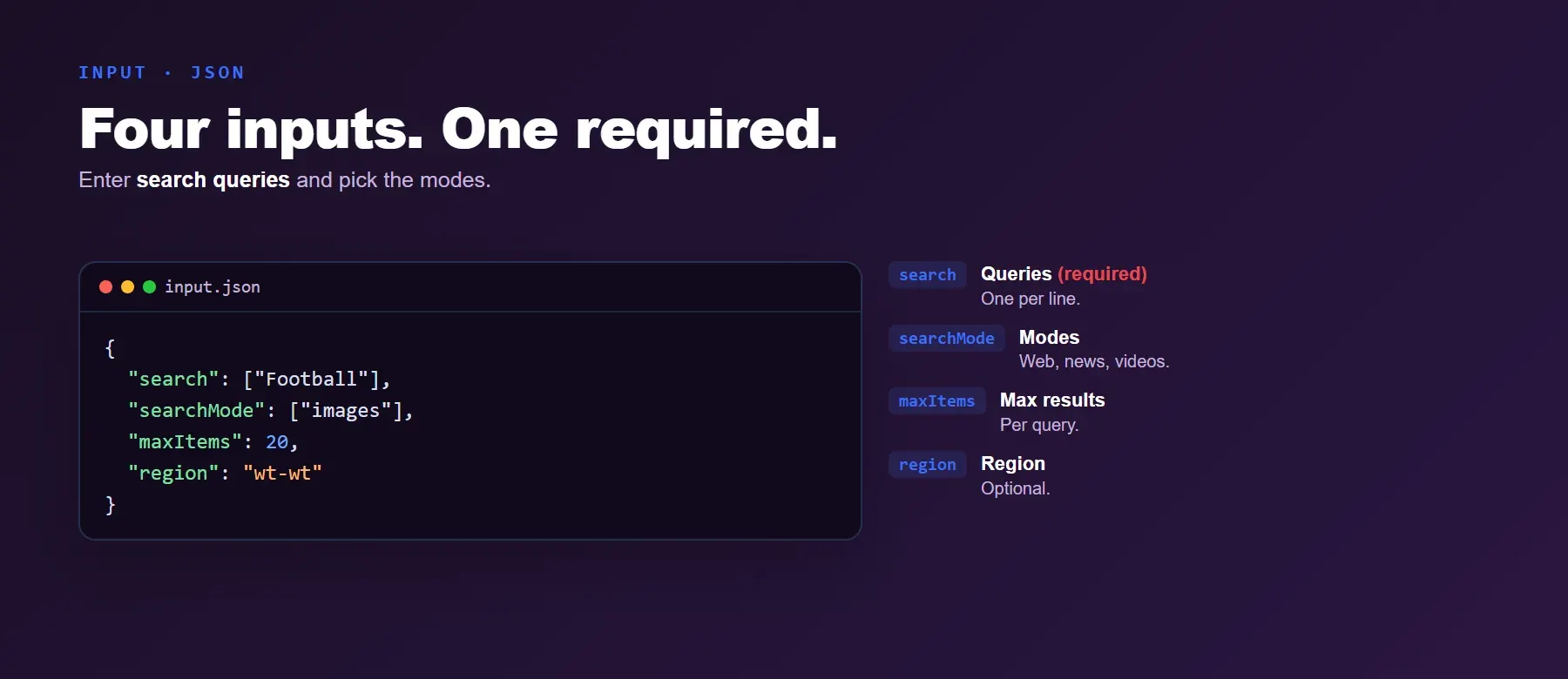
Enter one or more search keywords in Search queries (required) and pick one or more Search mode(s). Every other field is optional and has a working default.
| Parameter | Required | Type | Description | Example value |
|---|---|---|---|---|
search | Yes | array | Keywords to search; each is its own input | ["Python", "javascript"] |
searchMode | No | array | One or more of "default" (web) | "images" | "videos" | "news"; default ["default"] | ["default", "news"] |
maxItems | No | integer | Results per query per mode; default 20 | 20 |
endPage | No | integer | Continuation-page cap per query per mode; default 1 (follow pages until maxItems) | 1 |
region | No | string | DuckDuckGo region code; default "wt-wt" (all regions) | "us-en" |
safeSearch | No | string | "OFF" | "MODERATE" | "STRICT"; default "OFF" | "OFF" |
proxyConfiguration | No | object | Optional starting proxy; the actor escalates on its own if blocked | {"useApifyProxy": false} |
Free plan limits
Users on the Apify free plan can fetch up to 20 results per run (all queries and search modes together) and 200 results per month. When the limit is reached the run finishes successfully with a status message explaining the limit. Upgrade to any paid Apify plan to remove these limits.
Example input
⬆️ Output
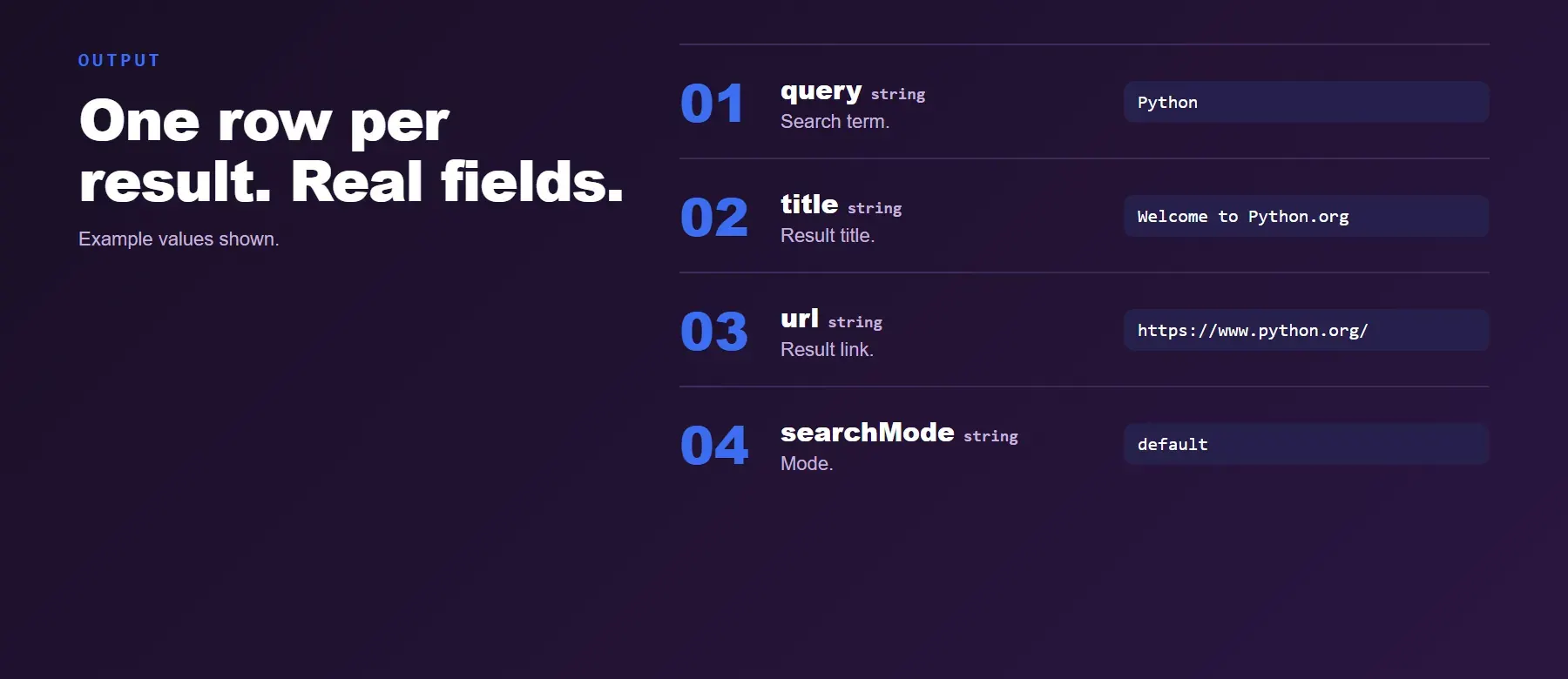
Every result is one typed, normalized JSON item with the same schema on every run — fields outside a result's own mode come back as null. Export in JSON (default), CSV or Excel.
Example output
How does it work?
Duckduckgo Scraper sends the same requests DuckDuckGo's own search pages send when you type a keyword — no DuckDuckGo account needed, because the results are public to any visitor. It starts with a direct connection and switches to a datacenter, then a residential proxy on its own if a request is refused, so you don't need to manage proxies yourself. It returns only what DuckDuckGo shows any visitor; the JSON schema stays the same across runs even if DuckDuckGo changes how its pages look.
How do you integrate Duckduckgo Scraper into your stack?
Duckduckgo Scraper works with what you already use: a REST API from any language, MCP for AI agents, and no-code tools.
Using Duckduckgo Scraper with the Apify API
Works in Go, Ruby, Node.js, cURL — any language that can make an HTTP request.
MCP integration for AI agents
Register Duckduckgo Scraper as a tool your agent can call directly:
Works the same way in Cursor and Windsurf.
No-code tools (n8n, Make, LangChain)
In n8n, use the Apify node's "Run an Actor" action with fastdataapi/duckduckgo-scraper. In Make, use the Apify app's "Run an Actor" module, then "Get Dataset Items". In LangChain, langchain-apify's ApifyActorsTool("fastdataapi/duckduckgo-scraper") gives an agent the same results as a tool call.
Is it legal to scrape DuckDuckGo data?
Scraping publicly available search-result data is generally permissible in most jurisdictions. Duckduckgo Scraper returns only publicly available data — the same results any visitor sees without logging in. Under GDPR and similar laws, scraping public data is generally permissible, but storing and using it must comply with local data-protection law. Consult legal counsel if your use case involves bulk storage of personal data.
Frequently asked questions
What fields does Duckduckgo Scraper return?
Title, URL, description, hostname and (in web mode) a !bang shortcut suggestion, plus mode-specific fields for images, videos and news. See the data fields section.
Does Duckduckgo Scraper require a DuckDuckGo account or login?
No. Only public search-result data is extracted; no credentials are needed.
What happens if a query returns no results?
The query is skipped with 0 rows for that query/mode pair; the run log and status message say how many results were saved overall.
Can I search multiple keywords at once?
Yes — add more entries to the "Search queries" list; each query gets its own "Max results" allowance for every selected search mode.
Does Duckduckgo Scraper work with Claude, ChatGPT, and other AI agent tools?
Yes — Duckduckgo Scraper is available as an MCP tool. Use claude mcp add --transport http apify "https://mcp.apify.com/?tools=fastdataapi/duckduckgo-scraper" to register it in Claude Code, Cursor or Windsurf. Any agent that can call an HTTP endpoint can use the REST API directly.
Does Duckduckgo Scraper return data in a format LLMs can use directly?
Yes. Typed, normalized JSON with consistent field names. No HTML parsing, no selectors — pass it straight to an LLM, index it into a vector store, or feed it to an agent tool.
Can I use Duckduckgo Scraper without managing proxies or browser infrastructure?
Yes. Proxy escalation runs on the actor's side — it starts with a direct connection and only moves to a stronger proxy if a request is refused. You send one request and get structured JSON back.
Which fields work best for AI training data and RAG indexing?
For RAG: the description, raw description and excerpt fields. For structured filtering: the view count, publish date and image dimension fields — all typed primitives, no normalization needed.
Your feedback
Found a bug or missing a field? Let us know through the actor's Issues tab. The fastdataapi team reads every report and ships fixes.


