

Google Flights Scraper
Pricing
from $1.49 / 1,000 results
Google Flights Scraper
Google Flights Scraper — Extract Google Flights data including airlines, routes, departure and arrival times, prices, flight durations, stops, airports, baggage details, and booking URLs. Useful for flight research, fare comparison, travel planning, and market analysis.
Pricing
from $1.49 / 1,000 results
Rating
0.0
(0)
Developer

Fast Data API
Maintained by CommunityActor stats
0
Bookmarked
2
Total users
1
Monthly active users
20 hours ago
Last modified
Categories
Share
Google Flights Scraper — Prices, Legs, Times and Emissions
Google Flights Scraper searches Google Flights for one or many routes and returns every flight with its price, total duration, stops, each leg's airports, times, airline, flight number, aircraft and legroom, carbon emissions and Google's booking token. Every response is structured JSON — ready to pass directly to an LLM, index into a vector store, or feed a fare-tracking pipeline. No Google account or cookies needed. Start with one route, then compare several destinations, cabins and dates in a single run.
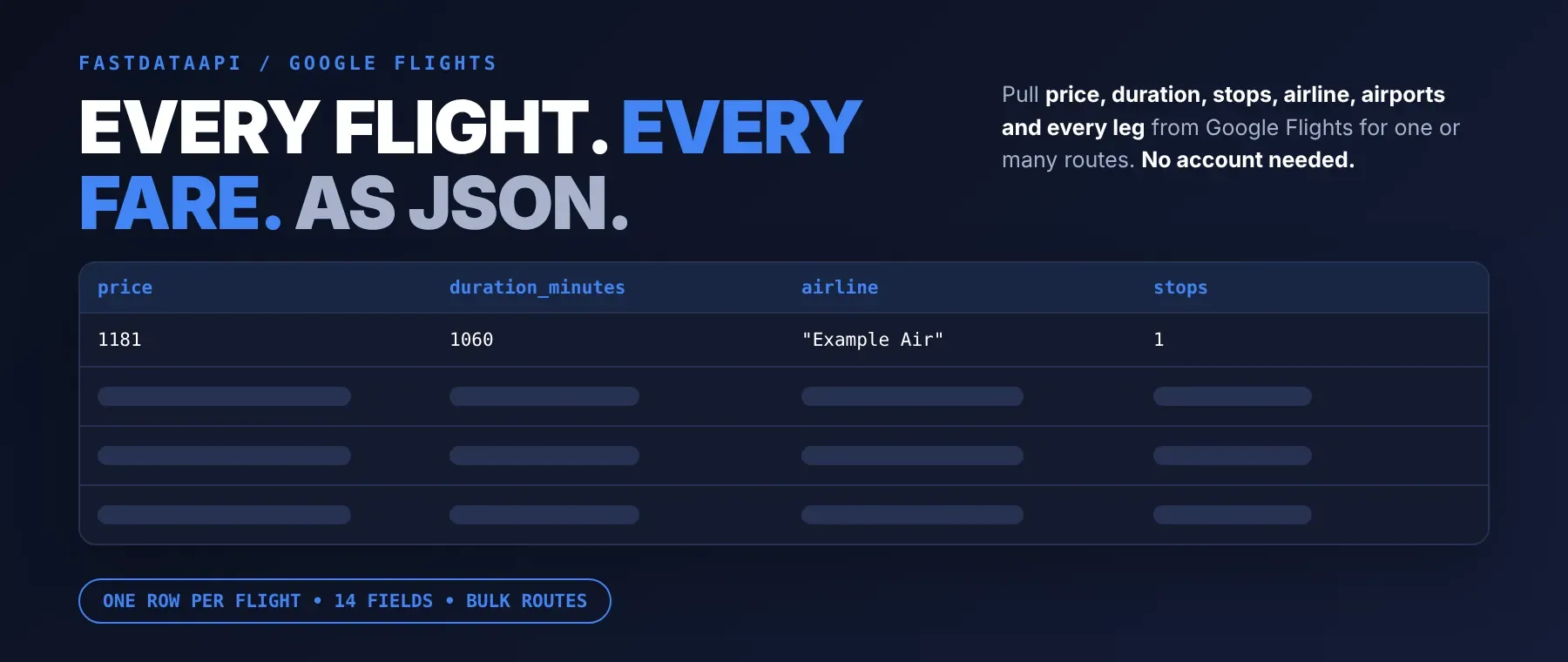
What data can I extract with Google Flights Scraper?
Using this Google Flights API, you will be able to extract the following flight data:
| 💵 Price for all passengers | ⭐ Best-flight flag | ⏳ Total duration | 🛑 Number of stops |
|---|---|---|---|
| 🛫 Departure airport, name and time | 🛬 Arrival airport, name and time | ✈️ Airline per leg | 🔢 Flight number per leg |
| 🛩️ Aircraft type | 💺 Legroom and cabin | 🔁 "Also sold as" codeshares | 🌱 Carbon emissions vs. typical |
| 🖼️ Airline logo | 🎫 Google booking token | 🗺️ Route and dates searched | 🧾 Full search result per route |
How to use Google Flights Scraper
Built for travel startups, analysts and AI builders: one run turns a list of routes into a table of flights with prices, legs and emissions.
Copy to your AI assistant:
Google Flights Scraper MCP Server: use these Actors from ChatGPT, Claude or Cursor
Point your AI assistant at Apify and it can search flights on its own: prices, schedules and legs for any route Google Flights covers. No glue code, no scraping logic in your prompts.
Step by step
- Create a free Apify account.
- Open Google Flights Scraper in the Apify Store.
- Enter the departure and destination airport codes and the travel date.
- Click Start (or send your API request).
- Download or stream your results in JSON, CSV or Excel.
How to scale Google Flights Scraper to bulk
Put several airport codes in each field: every departure is searched against every destination, four routes at a time, and each route's flights are saved as soon as that route is ready. A recorded run from Dhaka to London, Paris and Frankfurt with at most one stop saved 60 flights, 20 per route, in 5.9 seconds. To track the same routes over time, schedule the run daily or weekly in Apify Console and compare the prices.
✨ Features
Google Flights Scraper fetches clean, structured flight results from Google Flights ⚡. Use it as a flight price scraper or airfare data extractor, a Google Flights price tracker, a cheap flight finder, or the flight search API behind your own app — scrape Google Flights for round trip flight prices next to one-way and multi-city fares, all in one flight data API. It extracts, per flight:
- Price – fare in the currency you choose, for all passengers and the whole trip
- Every leg – departure and arrival airport with full name, local time, airline, flight number, aircraft, legroom and cabin
- Schedule – total duration with layovers and the number of stops
- Emissions – this flight's carbon emissions, the typical amount for the route and the difference in percent
- Booking token – Google's own token for the flight, plus the airline logo and codeshare flight numbers
- Search context – route, dates really searched and whether Google lists the flight under Best flights
⚡ Filters for stops, budget, airlines and alliances are applied before saving, and routes without matching flights cost nothing.
Use cases 💡
- Travel startup — compare fares from one city to many destinations in a single run.
- Revenue analyst — track a route's prices daily for each cabin class.
- Travel blogger — collect non-stop options and prices for a destination guide.
- Sustainability team — compare flight emissions with the route's typical amount.
- AI engineer — let an agent answer "cheapest non-stop to Paris next month" with live data.
Building an AI agent? Connect Google Flights Scraper over MCP and let it call the actor on its own.
Why choose this actor?
- Many routes in seconds. A recorded run from Dhaka to London, Paris and Frankfurt saved 60 flights in 5.9 seconds.
- Every leg, not just the route. A recorded Dhaka–London round trip came back as two legs via Doha with flight numbers QR 643 and QR 11, a Boeing 777 and an Airbus A380, and 745 kg of carbon emissions, 14% above the route's typical amount.
- Filters that hold. Stops, budget, airlines and alliances are checked on every flight; a recorded round-trip run with all four filters saved 27 flights that all passed them.
⬇️ Input
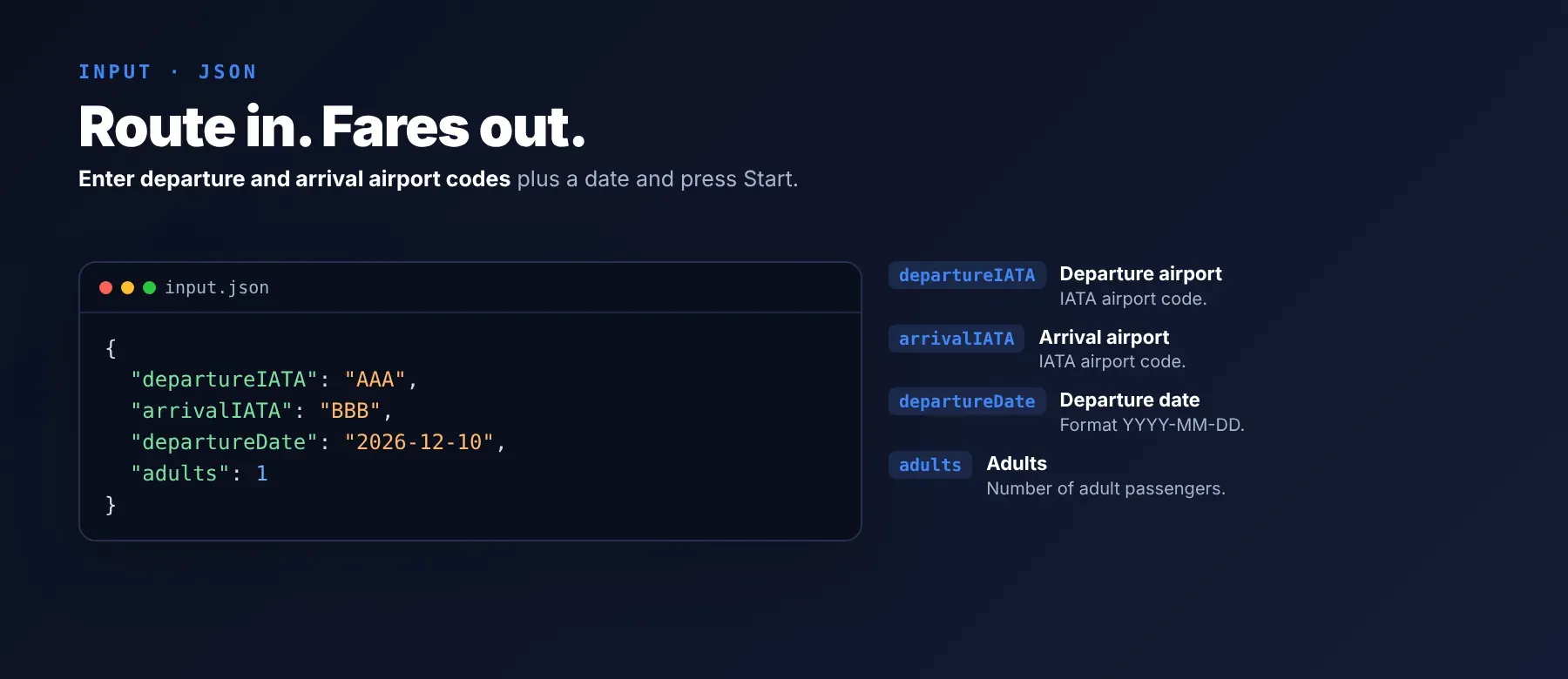
Enter the departure airport, the destination airport and the travel date. Every other setting is optional.
| Parameter | Required | Type | Description | Example value |
|---|---|---|---|---|
departureIATA | No (default LAX) | string | 3-letter airport code(s), comma-separated. Every departure is searched against every destination. | "DAC" |
arrivalIATA | No (default JFK) | string | 3-letter airport code(s), comma-separated. | "LHR, CDG, FRA" |
departureDate | No | string | Travel date (YYYY-MM-DD). A date in the past or less than 2 days away is moved to 21 days from today, and the row's note says so. | "2026-12-10" |
arrivalDate | No | string | Return date for a round trip; empty for one way. | "2026-12-20" |
multi_city_json | No | string | JSON list of two or more legs with departure_id, arrival_id and date; replaces the airports and dates above. | "[{\"departure_id\":\"SAN\",\"arrival_id\":\"LAX\",\"date\":\"2026-11-15\"},{\"departure_id\":\"LAX\",\"arrival_id\":\"MAD\",\"date\":\"2026-11-17\"}]" |
adults / children / infants | No | integer | Passengers (at most 9; one adult per infant on lap). Default 1 / 0 / 0. | 2 |
seatclass | No | string | "1" Economy, "2" Premium Economy, "3" Business, "4" First Class. Default "1". | "3" |
stops | No | string | "0" non-stop only, "1" at most 1 stop, "2" at most 2 stops. Default "2". | "0" |
alliances | No | string | STAR, SKYTEAM, ONEWORLD (comma-separated) or ALL. | "ONEWORLD" |
airlines | No | string | 2-character airline codes (comma-separated) or ALL. A flight is kept when every leg is flown by a chosen airline or alliance member. | "EK, QR" |
maxPrice | No | integer | Highest price in the chosen currency; 0 = no limit. | 1500 |
currency | No | string | 3-letter currency. Default USD. | "EUR" |
hl / gl | No | string | Language of names and country searched from. Default en / us. | "de" / "de" |
maximum | No | integer | Most flights saved per route (1-100), best flights first. Default 10. | 20 |
proxyConfiguration | No | object | Default: Apify residential proxy, new exit address on every retry. | {"useApifyProxy": true, "apifyProxyGroups": ["RESIDENTIAL"]} |
departureDateRng, arrivalDateRng and max_pages are accepted but not used at the moment.
Free plan limits
Free plan: up to 20 flights per run (all routes together) and 200 per month; paid plans have no limit.
Example input
⬆️ Output
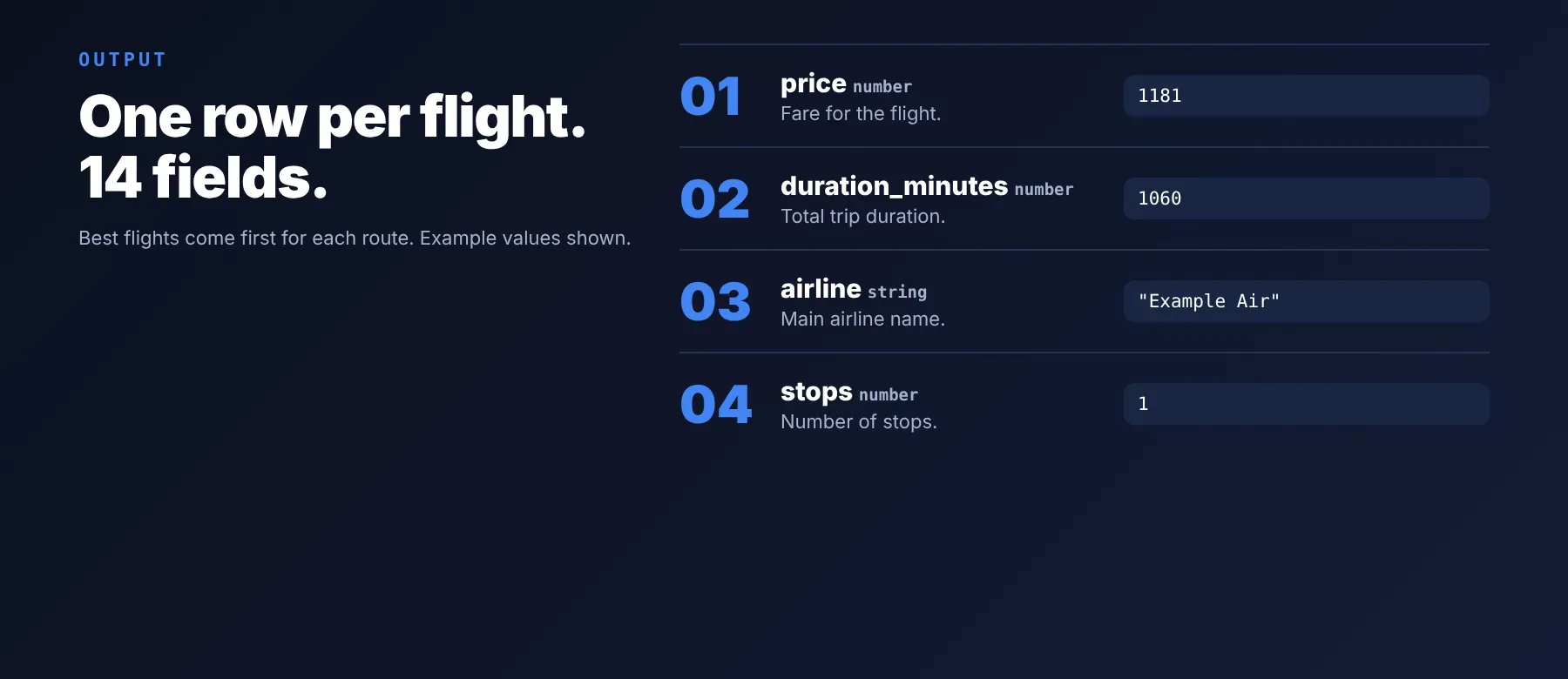
Every flight is one typed, normalized JSON item with the same 14 fields on every run, best flights first for each route. The full search result for every route — search parameters, counts, best and other flights and airport names — is also stored in the run's key-value store under OUTPUT. Export the dataset as JSON (default), CSV or Excel.
Example output
A recorded round-trip flight from Dhaka to London (all legs shown):
Round trips list the outbound flights with the price of the whole trip, as Google shows them first; multi-city trips list the options for the first flight with the price of the whole trip. Carbon emissions are in grams. A price of 0 means Google showed no price for that flight.
How does it work?
The actor reads the same flight results the Google Flights website shows any visitor, with plain web requests and no browser. For each route it runs one Google Flights search with your passengers, cabin, stop limit, currency, language and country, reads every flight with all its legs, keeps the ones that pass your stop, budget and airline filters, and saves up to your maximum, best flights first. Requests go through Apify residential proxies by default, and every retry uses a fresh exit address; when Google limits a request, the actor waits, switches address and tries again. It returns only publicly visible data — what any visitor sees without logging in — and the output fields stay the same from run to run, so your code and spreadsheets keep working when Google changes its pages.
How do you integrate Google Flights Scraper into your stack?
It works with what you already use: the REST API from any language, MCP for AI agents, and no-code tools.
Using Google Flights Scraper with the Apify API
Works in Go, Ruby, Node.js, cURL — any language that can make an HTTP request.
MCP integration for AI agents
Add the Apify MCP server to your AI client with one command:
This registers Google Flights Scraper as a tool your agent can call directly: the agent finds it through the server's search, adds it and runs it, then reads the flights back as JSON. Ask for "the cheapest non-stop flights from LAX to New York on November 20" and it does the rest. It works in Claude Code, Cursor and Windsurf.
No-code tools (n8n, Make, LangChain)
n8n: add the Apify node and choose "Run an Actor", or use the HTTP Request node pointed at the run-sync endpoint with your token. Send the cheapest flight per route to Slack or a Google Sheet in the next node.
Make: use the Apify app's "Run an Actor" module, then "Get Dataset Items" to pull the flights into the rest of your scenario.
LangChain: install langchain-apify and wrap the actor with ApifyActorsTool("google-flights-scraper") so your agent can search flights on demand.
Is it legal to scrape Google Flights data?
Collecting public flight results is generally lawful: prices, schedules and airlines are shown to every visitor without an account. This actor returns only publicly available data — what any visitor sees without logging in. GDPR: scraping public data is generally permissible, but storing and using it must comply with local data-protection law. Flight results contain no personal data. Consult legal counsel if you plan to republish fares commercially.
Frequently asked questions
What fields does Google Flights Scraper return?
It returns each flight's price, total duration, stops and every leg with airports, times, airline, flight number, aircraft and legroom, plus carbon emissions and Google's booking token. See the data fields section for the full list.
Does Google Flights Scraper require a Google account or login?
No. Only public Google Flights results are extracted, and no credentials are needed.
How fast does Google Flights Scraper run?
A recorded run with three routes saved 60 flights in 5.9 seconds, and the first flight was saved after 3.4 seconds. Four routes are searched at the same time, and every run reads live prices, not a cache.
What happens if a route has no flights?
The route gives no rows and costs nothing; the log and the run's status message say why, for example that Google has no fares on that date or that none of the flights match your stop, budget or airline filters.
Can I scrape multiple routes at once?
Yes. Put several codes in the departure and destination fields, such as "LHR, CDG, FRA": every departure is searched against every destination, each pair as its own route, with up to your maximum flights per route.
Does Google Flights Scraper work with Claude, ChatGPT, and other AI agent tools?
Yes — Google Flights Scraper is available as an MCP tool. Register it in Claude Code, Cursor or Windsurf with claude mcp add --transport http apify "https://mcp.apify.com?tools=fastdataapi/google-flights-scraper". Any agent that can call an HTTP endpoint can use the REST API directly.
Does Google Flights Scraper return data in a format LLMs can use directly?
Yes. Each flight is typed, normalized JSON with consistent field names, so there is no HTML parsing and no selectors. Pass it straight to an LLM, index it into a vector store, or feed it to an agent tool — no transformation step.
What happens when Google changes its layout or updates its anti-bot system?
The actor is maintained, and when Google Flights changes, it is updated so your calls keep returning the same JSON fields with no changes on your end.
Can I use Google Flights Scraper without managing proxies or browser infrastructure?
Yes. Residential proxies, fresh exit addresses on every retry, pauses and retries all run on the actor's side, and no browser is needed. You send one request and get structured JSON back, with no proxy accounts and no maintenance.
Which flight fields work best for AI training data and RAG indexing?
For RAG, use the route, airline, airport names, departure and arrival times and the extensions text. For training data and analytics, use the price, duration, stops, carbon emissions and the searched dates. All fields are plain strings, numbers, booleans and short lists, so no normalization is needed.
Your feedback
Found a bug or missing a field? Let us know in the actor's Issues tab. Every report is read, and fixes ship as new versions of the actor.


