Proxy Scraper
Pricing
from $3.99 / 1,000 results
Proxy Scraper
Proxy Scraper — Extract and collect proxy server data, including IP addresses, ports, protocols, locations, anonymity levels, and response times. Useful for proxy testing, network research, IP validation, web scraping workflows, and proxy performance monitoring.
Pricing
from $3.99 / 1,000 results
Rating
0.0
(0)
Developer

Fast Data API
Maintained by CommunityActor stats
0
Bookmarked
2
Total users
1
Monthly active users
5 days ago
Last modified
Categories
Share
Proxy Scraper — HTTP, HTTPS, SOCKS4 and SOCKS5 Proxies
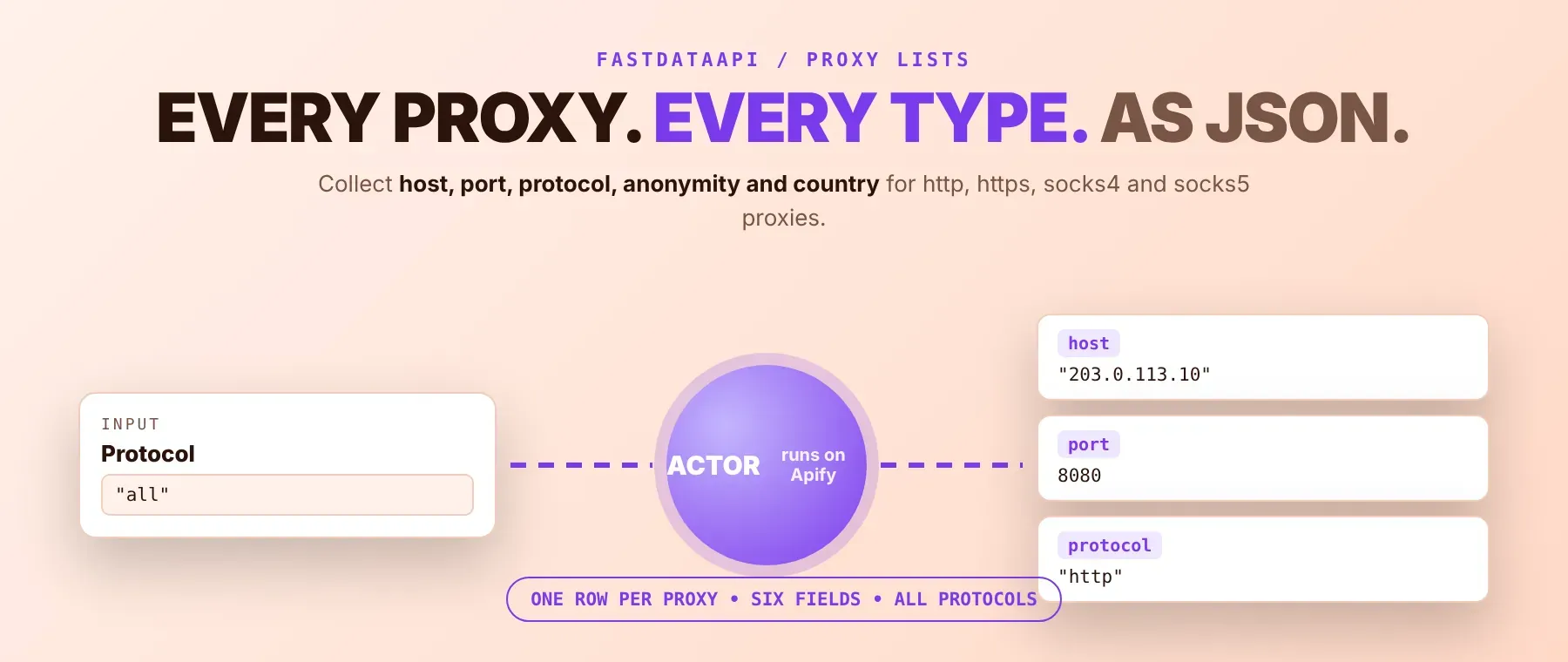
Proxy Scraper is a free proxy list aggregator that pulls fresh HTTP, HTTPS, SOCKS4 and SOCKS5 entries from public feeds and merges them into one deduplicated dataset, with host, port, protocol, anonymity and country filled in per row. Every response is structured JSON — ready to pass directly to an LLM, index into a vector store, or feed a scraping pipeline that needs a rotating proxy pool of exit IPs. No account or login is needed. Start with one protocol, then scale up once you know the mix you need.
What data can I extract with Proxy Scraper?
Using this proxy scraper, you will be able to extract the following proxy list data:
| 🔌 Host (IP address) | 🔢 Port | 🧷 ip:port (ready to use) | 📡 Protocol |
|---|---|---|---|
| 🕶️ Anonymity level (elite / anonymous / transparent / unknown) | 🗺️ Country code (ISO-2, or "Unknown") |
How to use Proxy Scraper
This actor is for anyone who wants to scrape proxy list data without maintaining their own feeds — scraping setups, QA teams checking geo-targeted content, or anyone load-testing against their own infrastructure.
Proxy Scraper MCP Server: use this Actor from ChatGPT, Claude or Cursor
Point your AI assistant at Apify's MCP server and it can find and call this actor on its own — no glue code, no scraping logic in your prompts.
Step by step
- Create a free Apify account.
- Open Proxy Scraper in the Apify Store, or find its technical name from your Apify Console.
- Choose a protocol, an optional country filter, and a maximum number of rows.
- Click Start.
- Download or stream your results in JSON, CSV or Excel.
How to scale Proxy Scraper to bulk
One run already returns as many proxies as the public feeds have for your chosen protocol(s), up to your maxItems cap. For a bulk proxy export, set maxItems to 0 to collect everything available in a single run instead of looping separate calls. To keep a pool fresh over time, schedule the actor to run on an interval (hourly or daily) from the Apify Console and read the latest dataset each time; each run re-fetches and re-deduplicates the source feeds from scratch.
✨ Features
As an http proxy scraper that also covers SOCKS in the same run, it fetches clean, deduplicated entries from dozens of public feeds ⚡ at a low per-row cost. It's ideal for building a rotating-proxy pool for scraping jobs, spot-checking which countries a given feed covers, or feeding a QA pipeline that needs disposable exit IPs for geo testing.
It extracts, per proxy:
- Host – the proxy's IP address
- Port – the port the proxy listens on
- ip:port – the host and port combined into one ready-to-use string
- Protocol – http, https, socks4 or socks5
- Anonymity level – elite, anonymous, transparent, or unknown when no source reported it
- Country – the ISO-2 country code resolved for the proxy's IP, or "Unknown"
⚡ Rows reach your dataset as they're found — a run streams proxies in as soon as they're collected (and, when a country filter is set, as soon as each batch of IP lookups resolves), instead of making you wait for the whole run to finish before seeing anything.
Use cases 💡
- Scraping engineer — build a rotating exit-IP pool without hand-maintaining a source list.
- QA / ad-verification tester — check geo-targeted pages using proxies tagged to one country.
- Security researcher — sample live public proxy inventory by protocol and anonymity level.
- Growth / automation team — keep a deduplicated proxy pool refreshed on a schedule.
- AI agent builder — let an agent pick a proxy from structured JSON automatically.
Building an AI agent? Connect Proxy Scraper over MCP and let it call the actor on its own.
Why choose this actor?
- Thousands of candidates from one run. A recorded run fetched 10 of the 11 configured HTTP feeds successfully and merged 9,298 unique host:port pairs in 2.4 seconds, before any row was trimmed to the requested count.
- Country matches without waiting for every lookup. A recorded run asking for US proxies found 957 already-tagged matches among the merged feeds and filled its first 10 rows in 1.8 seconds total — no separate geo-lookup pass was needed because real metadata, not every row, already carried a resolved country.
- Four protocols, one Actor. HTTP, HTTPS, SOCKS4 and SOCKS5 are each pulled from their own set of public feeds and merged into a single deduplicated dataset, with per-protocol views on the Output tab so you can switch between them without re-running anything.
⬇️ Input
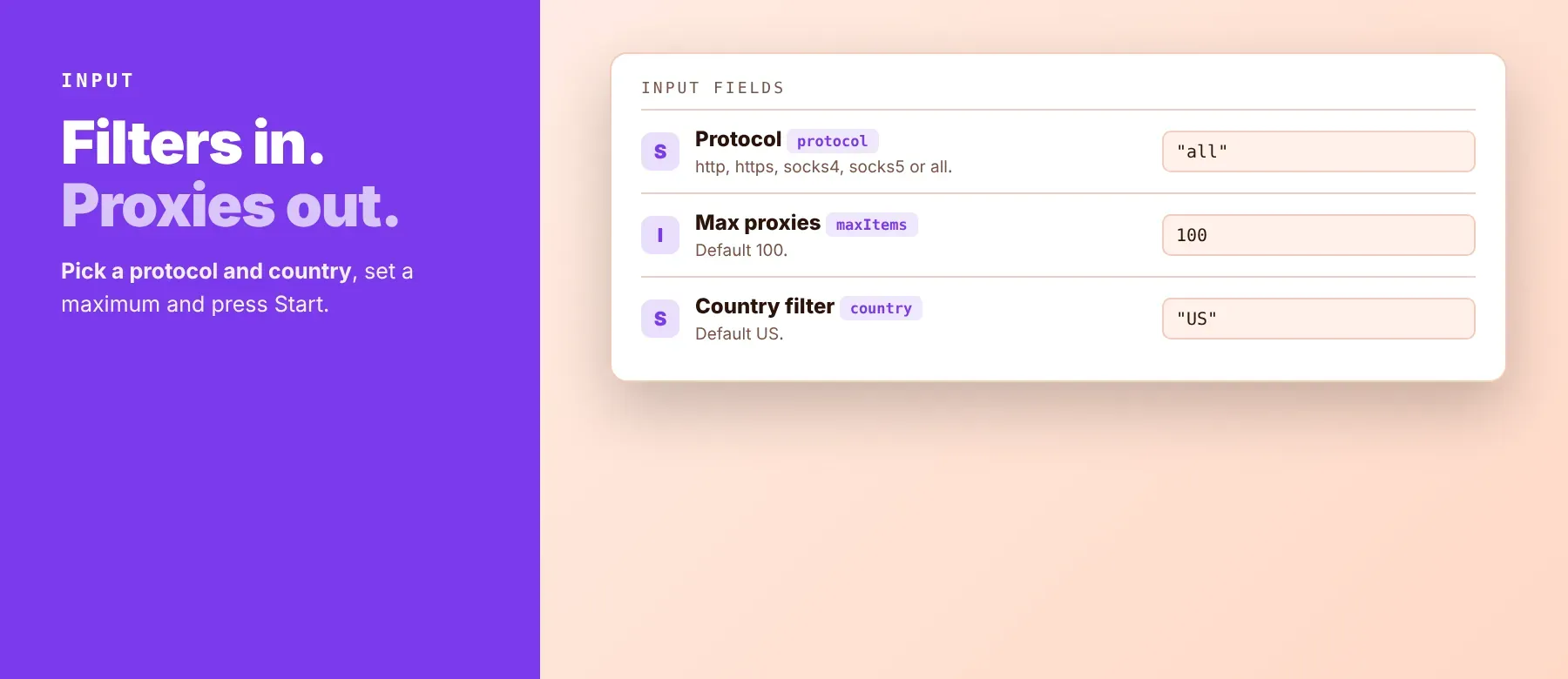
No input field is required — leave every one at its default and it collects every protocol with no country filter, capped at 100 rows. Every field below is optional.
| Parameter | Required | Type | Description | Example value |
|---|---|---|---|---|
protocol | No | String (enum) | Which protocol(s) to collect. all mixes every list together; default all. | "http" |
maxItems | No | Integer | Hard cap on dataset rows. 0 disables the cap and collects everything available. Default 100. | 100 |
country | No | String (enum) | Filter the proxy list by country using this ISO-2 code, or leave empty for no filter. Default "US". | "US" |
timeout | No | Integer | Per-source HTTP timeout in seconds before a feed is considered unresponsive. Default 10. | 10 |
retries | No | Integer | Maximum attempts per upstream request, with exponential backoff. Default 3. | 3 |
proxyConfiguration | No | Object | Apify Proxy used only as an escalating fallback if the public feeds themselves start blocking requests — not used to reach any third-party destination. | {"useApifyProxy": true} |
Free plan limits
Free plan: up to 20 proxies per run and 200 per month; paid plans have no limit.
Example input
⬆️ Output
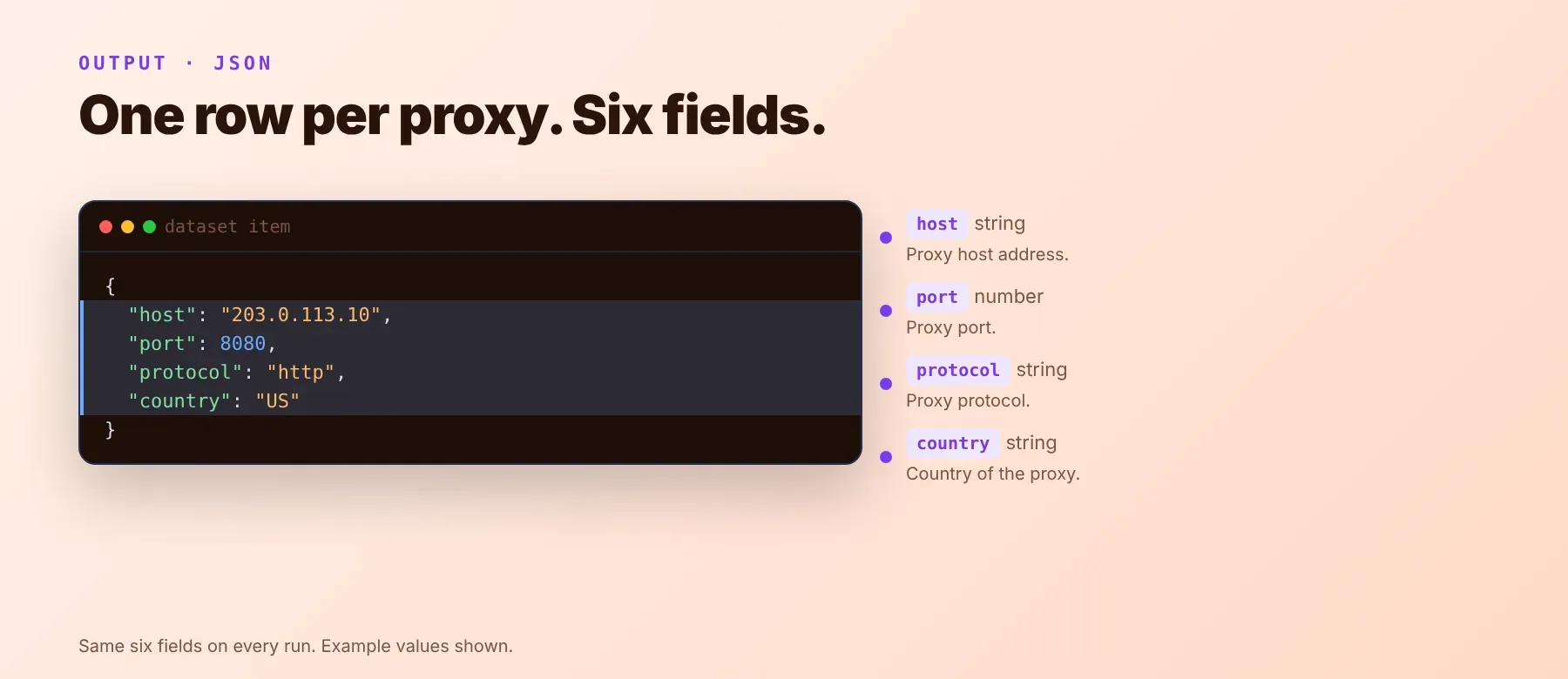
Every proxy is one typed, normalized JSON item with the same six fields on every run, covering http, https, socks4 and socks5 proxy list entries in one dataset. Rows stream into the dataset as they're collected, not only at the end of the run. Export formats: JSON (default), CSV or Excel, and the Output tab offers per-protocol views (All / HTTP / HTTPS / SOCKS4 / SOCKS5) in addition to the full list.
Example output
How does it work?
Proxy Scraper reads public proxy-list feeds — the same plain-text and JSON files that are already openly published and that anyone's browser could open directly — over plain HTTP requests, with no browser involved. It merges every feed, drops duplicate host:port pairs, and fills in anonymity and country from whichever source carries real metadata, then resolves the country for the rest through a free IP-geolocation lookup. If a feed itself starts blocking the actor's requests, it automatically switches to a backup connection method and keeps using it for the rest of the run, so a handful of blocked feeds doesn't stop the others from coming through. The output schema stays the same six fields on every run, even as individual public feeds come and go.
How do you integrate Proxy Scraper into your stack?
It works with what you already use: call the proxy scraper API from any language with the Apify API client, use MCP for AI agents, or connect a no-code automation tool. The Apify API client for Python, JavaScript, Go or any other supported language calls this actor by its technical name (shown on its Store page) and reads results back from its default dataset — works in any language that can make an HTTP request, including plain cURL.
MCP integration for AI agents
This registers it as a tool your agent can call directly, alongside every other Actor you give it access to. Compatible with Claude Code, Cursor and Windsurf.
No-code tools (n8n, Make, LangChain)
In n8n, use the Apify node's "Run an Actor" action (or the HTTP Request node pointed at the actor's run-sync endpoint with your token) to pull a fresh proxy list into your workflow. In Make, use the Apify app's "Run an Actor" module followed by "Get Dataset Items". In LangChain, use langchain-apify's ApifyActorsTool, pointed at this actor's technical name from its Store page.
Is it legal to scrape public proxy lists?
Aggregating proxy entries that are already published in open, publicly-accessible lists is generally permissible. As a public proxy list scraper, it does not log into anything, does not bypass any access control, and returns only entries the original list publishers already made public. Storing and reusing that data still needs to comply with your local data-protection law: an IP address can be treated as personal data in some jurisdictions (for example under GDPR), so keep retention and reuse reasonable for your use case. This information is provided for general guidance and is not legal advice. Consult legal counsel if your use case involves bulk storage of personal data.
Frequently asked questions
What fields does Proxy Scraper return?
Every proxy comes back with its host, port, a ready-to-use ip:port string, protocol, anonymity level and country. See the data fields section for details.
Does Proxy Scraper require an account or login?
No. It collects only proxy entries from lists that are already public, and no credentials are needed to run it.
How fast does Proxy Scraper run?
A recorded run collecting HTTP proxies merged 9,298 unique candidates from the public feeds in 2.4 seconds and streamed 15 rows to the dataset in 1.4 seconds total. Data is fetched live on every run, never served from a cache.
What happens if a public feed is down or blocked?
The actor skips that one feed and still returns proxies merged from every other feed that responded — a recorded run got real data back from 10 of 11 configured HTTP feeds. If a feed starts blocking requests specifically, the actor automatically retries through a backup connection method.
Can I collect proxies for more than one protocol at once?
Yes — leave protocol at its default all to collect HTTP, HTTPS, SOCKS4 and SOCKS5 in a single run, or set maxItems to 0 to remove the row cap entirely.
Does Proxy Scraper work with Claude, ChatGPT and other AI agent tools?
Yes — it is available as an MCP tool. Run claude mcp add --transport http apify "https://mcp.apify.com?tools=fastdataapi/proxy-scraper" to register it in Claude Code, Cursor or Windsurf. Any agent that can call an HTTP endpoint can use the REST API directly.
Does Proxy Scraper return data in a format LLMs can use directly?
Yes. Typed, normalized JSON with consistent field names — no HTML parsing, no selectors. Pass it straight to an LLM, index it into a vector store, or feed it to an agent tool with no transformation step.
What happens when a public proxy feed changes shape or goes offline?
The actor is actively maintained: when a feed's format changes or a source goes offline, it gets updated so a run keeps returning the same six fields with no changes on your end.
Can I use Proxy Scraper without managing proxies or browser infrastructure myself?
Yes. The actor handles its own retries and backup connection switching when a public feed blocks it — you send one request and get structured JSON back, with no proxy accounts or browser setup of your own to maintain.
Which Proxy Scraper fields work well for filtering and automation?
For filtering by reach, use country and protocol — both are typed strings with a fixed, documented set of values. For reliability scoring, use anonymity, which is one of four fixed values. All fields are plain strings — no normalization needed before you use them.
Your feedback
Found a bug, or a public feed that's no longer returning data? Let us know through the actor's Apify Store page. Every report gets read, and fixes ship as the actor's source feeds change.