

Realtor.com Agents by Zip Code Scraper
Pricing
from $1.49 / 1,000 results
Realtor.com Agents by Zip Code Scraper
Realtor.com Agents by ZIP Code Scraper — Find real estate agents by ZIP code and extract names, contact details, brokerages, locations, ratings, specialties, profile URLs, and listing information. Useful for lead generation, agent research, recruiting, and real estate prospecting.
Pricing
from $1.49 / 1,000 results
Rating
0.0
(0)
Developer

Fast Data API
Maintained by CommunityActor stats
0
Bookmarked
2
Total users
1
Monthly active users
5 days ago
Last modified
Categories
Share
Realtor.com Agents by Zip Code Scraper — Phones, Ratings, Price Ranges
Realtor.com Agents by Zip Code Scraper collects the real estate agents Realtor.com lists for any US ZIP code. Each agent comes back with name, phone numbers, brokerage, service areas, star rating, reviews, recommendations, homes for sale and sold, price ranges and services offered. Every response is structured JSON — ready to pass directly to an LLM, index into a vector store, or feed a lead generation pipeline. Each agent appears once, even across neighbouring ZIP codes. Start with one ZIP code, then add every market you cover.
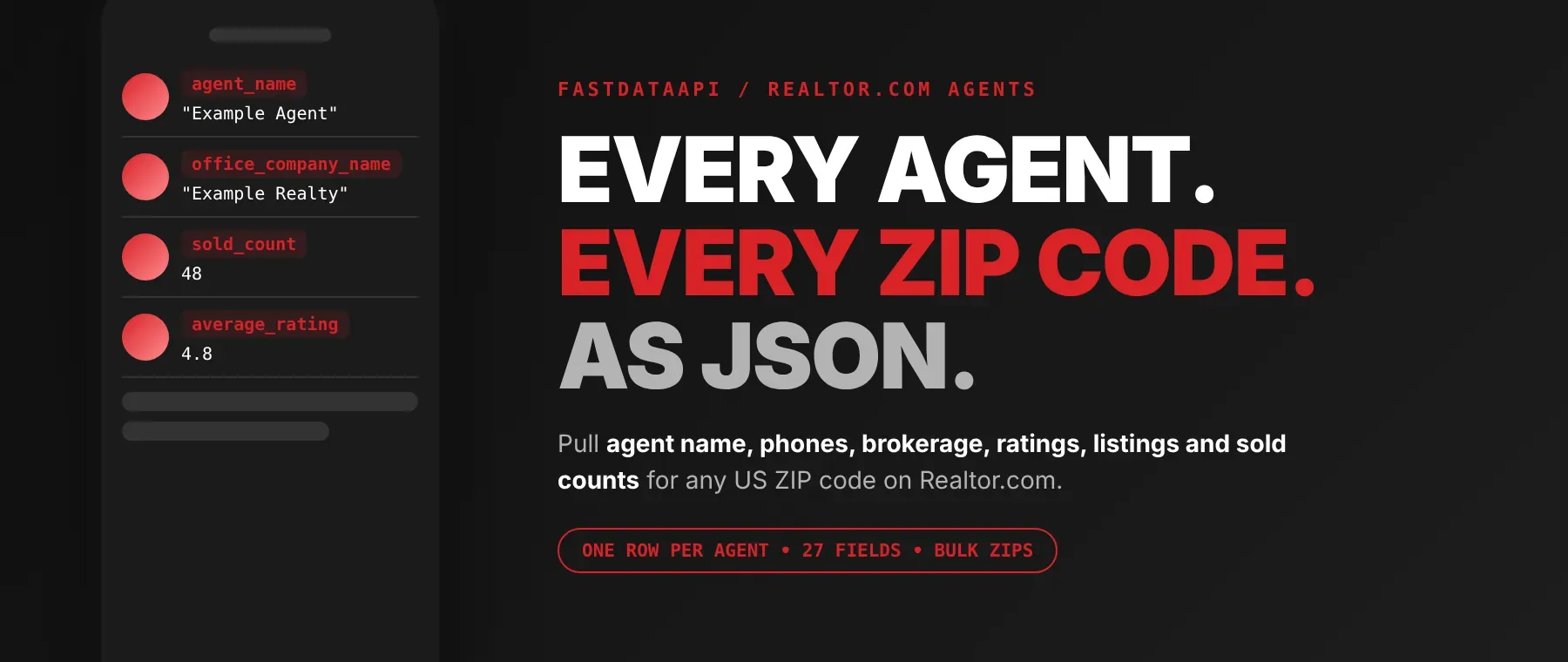
What data can I extract with Realtor.com Agents by Zip Code Scraper?
Using this Realtor.com Agents by Zip Code API, you will be able to extract the following Realtor.com agent data by zip code:
| 👤 Agent name and role | 🔗 Realtor.com profile link | ☎️ Office phone | 📱 Mobile phone numbers |
|---|---|---|---|
| 🏢 Brokerage name | 🌐 Brokerage website | 🏘️ Service areas (towns and cities) | ⭐ Average star rating |
| 📝 Review count | 👍 Recommendation count | 🏠 Homes for sale | ✅ Homes sold in the last year |
| 💰 Price range, last 12 months | 🏷️ Lowest and highest asking price | 📅 Latest listing date | 🛠️ Services for buyers and sellers (if listed) |
| 💳 Featured (paid) agent flag | 📶 Realtor.com ranking score | 🖼️ Photo and initials | 📍 ZIP code searched |
| 🕒 Collection time | 📧 Email (if listed) | 🗺️ ZIP codes served (not published by Realtor.com, always empty) |
How to use Realtor.com Agents by Zip Code Scraper
Built for anyone who needs to find real estate agents by zip code: one run turns a list of ZIP codes into a de-duplicated sheet of local agents with phones, ratings and sales activity.
Copy to your AI assistant:
Realtor.com Agents by Zip Code Scraper MCP Server: use these Actors from ChatGPT, Claude or Cursor
Point your AI assistant at Apify and it can read Realtor.com on its own: realtor agents by zip code with their phones, ratings, reviews, price ranges and sales activity. No glue code, no scraping logic in your prompts.
Step by step
- Create a free Apify account.
- Open Realtor.com Agents by Zip Code Scraper in the Apify Store.
- Enter the Realtor.com ZIP codes you want agents for, one per line.
- Click Start (or send your API request).
- Download or stream your results in JSON, CSV or Excel.
How to scale Realtor.com Agents by Zip Code Scraper to bulk
Put every ZIP code of your territory into the ZIP codes list. One run works through them one after another, and an agent who serves several of those ZIPs is saved once, under the first ZIP where it appears, so a whole metro area becomes a clean real estate agent database by zip code without duplicate rows or duplicate charges. Rows are saved as each page of agents is read, so you can read the dataset while the run is still going. For recurring lists, schedule the run in Apify Console or trigger it from your own code through the API.
✨ Features
Realtor.com Agents by Zip Code Scraper is a zip code agent finder that fetches clean, structured agent data from Realtor.com ⚡. It's ideal for building a real estate agent list by zip code, ranking local agents, recruiting to a brokerage and keeping a real estate CRM current.
It extracts, per agent:
- Phone numbers – the office phone and every mobile number on the agent's profile
- Ratings – average star rating, review count and recommendation count, so it doubles as a Realtor.com agent ratings scraper
- Realtor.com agent sales data – homes for sale, homes sold in the last year and the price ranges behind them
- Brokerage – the brokerage name and its website
- Service areas and services – the towns the agent covers and the services they list for buyers and sellers
- Profile link, photo and initials – the agent's Realtor.com page and headshot
⚡ An agent already saved for an earlier ZIP code is skipped, so neighbouring ZIPs never produce duplicate rows or duplicate charges.
Use cases 💡
- Lead generation team — pull agents with mobile numbers for every ZIP in a territory.
- Brokerage recruiter — shortlist top real estate agents by zip code on homes sold.
- Mortgage loan officer — find highly rated agents with recent listings near you.
- Market analyst — compare agent price ranges and sales across neighbouring ZIP codes.
- AI agent builder — let an LLM answer "who are the highest-rated agents in 07102?".
Building an AI agent? Connect Realtor.com Agents by Zip Code Scraper over MCP and let it call the actor on its own.
Why choose this actor?
- No duplicates across neighbouring ZIPs. A recorded run over ZIP codes 07101 and 07102 (30 agents each) saved 30 different agents for each ZIP, skipping 25 under 07102 that had already been saved for 07101, with the first agent saved 2.4 seconds after the start.
- The detail behind each agent. A recorded agent in ZIP 07101 came back with a 5-star rating, 2 recommendations, 3 homes for sale priced $695,000 to $1,300,000, 8 buyer services, 7 seller services, an office phone and a mobile phone.
- 27 fields on every row. Every row has the same 27 fields, with agents taken in Realtor.com's most-relevant order.
⬇️ Input
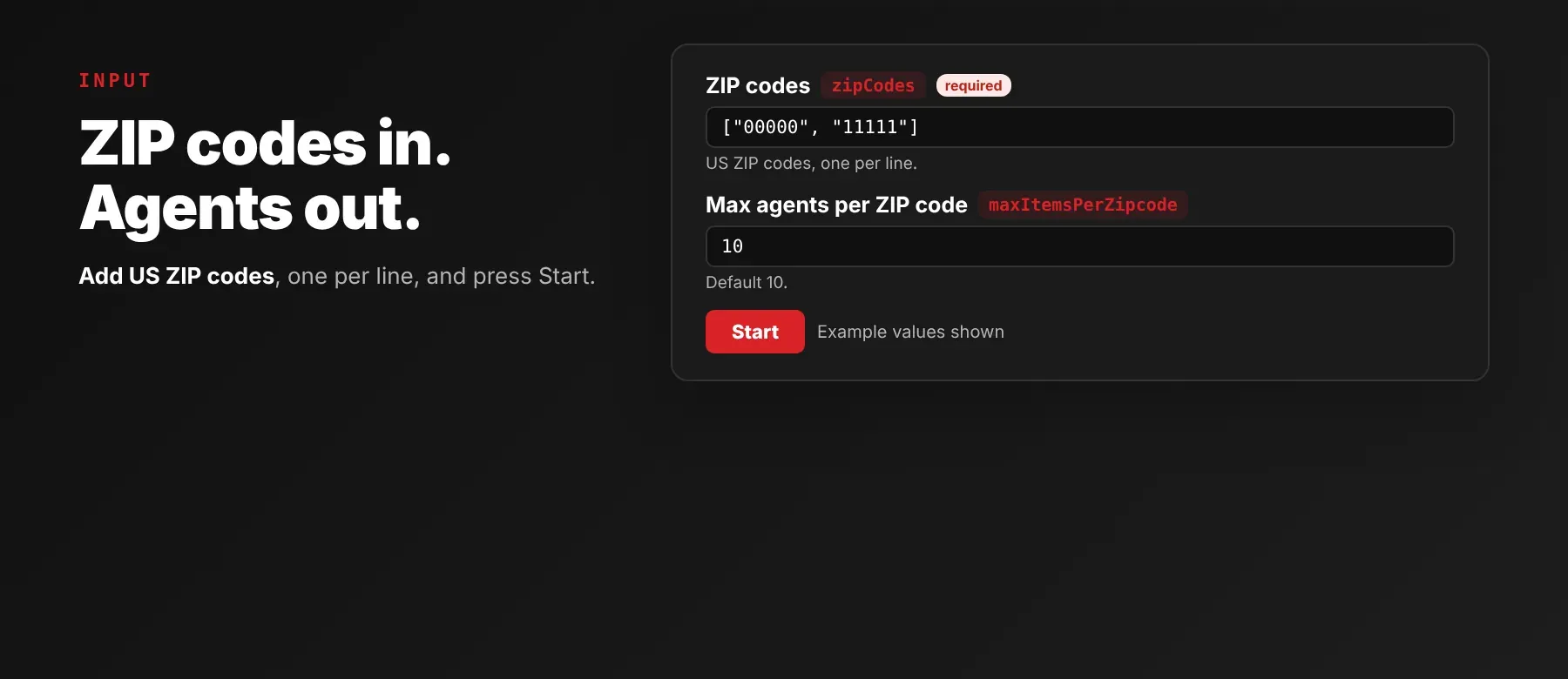
The actor takes a list of US ZIP codes; the ZIP codes list is the only required field.
| Parameter | Required | Type | Description | Example value |
|---|---|---|---|---|
zipCodes | Yes | array | US ZIP codes to collect agents for, processed one after another. An agent already saved for an earlier ZIP is skipped. | ["07101", "07102"] |
maxItemsPerZipcode | No | integer | Maximum agents to collect per ZIP code, 1 to 100000. Agents already saved for an earlier ZIP don't count toward it. Default 10. | 30 |
proxyConfiguration | No | object | Optional Apify Proxy settings. Default is no proxy; the actor switches to a proxy by itself when it gets blocked. | {"useApifyProxy": false} |
Free plan limits
Free plan: up to 20 agents per run (all ZIP codes together) and 200 per month; paid plans have no limit.
Example input
⬆️ Output
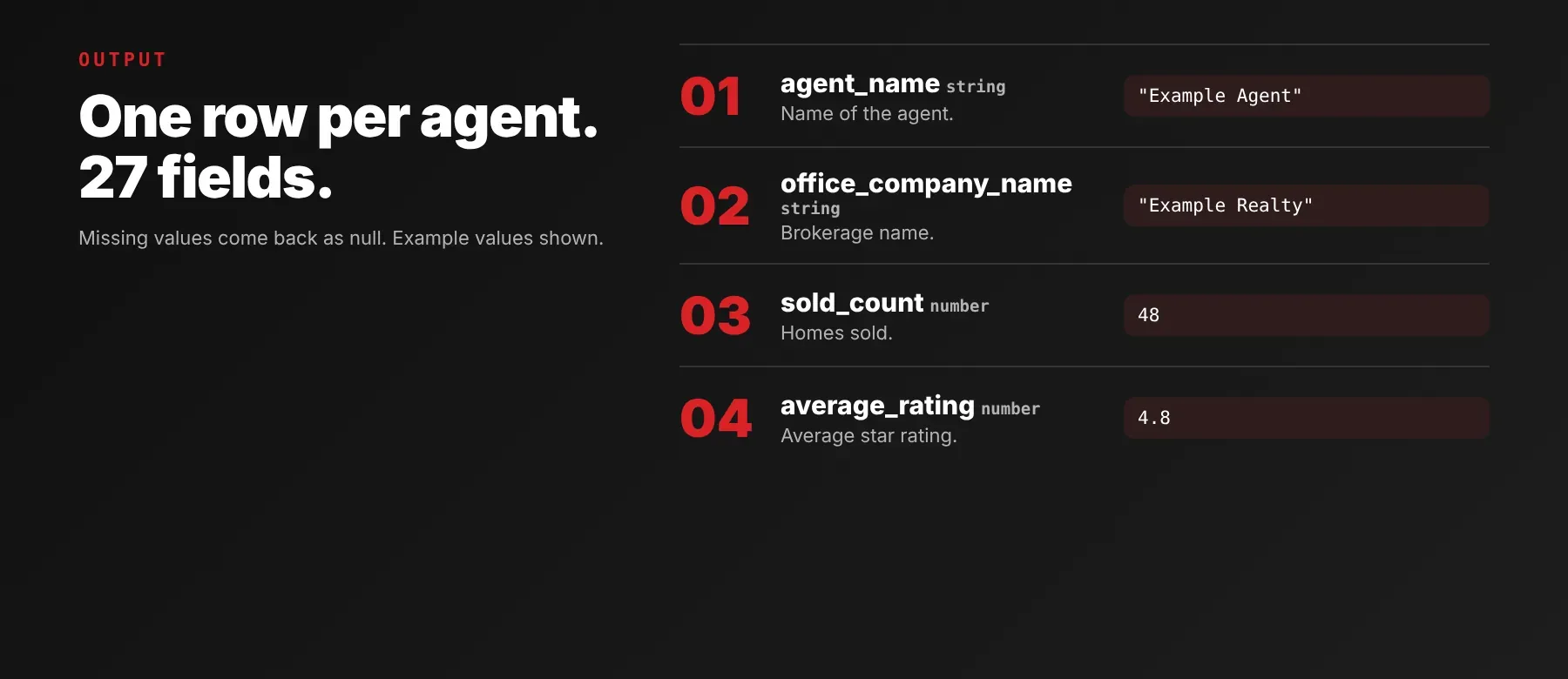
Every agent is one typed, normalized JSON item with the same 27 fields on every run, and a value Realtor.com does not provide is null. Export the dataset as JSON (default), CSV or Excel.
Example output
This agent came from a recorded run; the service areas are shortened here. Services for buyers and sellers are filled only when the agent lists them (5 of 41 agents in that run); otherwise they are null.
How does it work?
The actor reads the same public agent directory any visitor sees on Realtor.com, without a Realtor.com account. For each ZIP code it pages through the agent list in Realtor.com's most-relevant order, then opens each agent's public profile to collect the phone numbers, brokerage and service areas, and combines them with the ratings and price ranges shown in the list. It works over plain web requests, with no browser. If Realtor.com starts blocking requests, the actor retries and switches to rotating proxies on its own. It returns only publicly visible data — what any visitor sees without logging in. The output fields stay the same from run to run, so your code and spreadsheets keep working when Realtor.com changes its pages.
How do you integrate Realtor.com Agents by Zip Code Scraper into your stack?
It works with what you already use: the REST API from any language, MCP for AI agents, and no-code tools.
Using Realtor.com Agents by Zip Code Scraper with the Apify API
Works in Go, Ruby, Node.js, cURL — any language that can make an HTTP request.
MCP integration for AI agents
Add the Apify MCP server to your AI client with one command:
This registers Realtor.com Agents by Zip Code Scraper as a tool your agent can call directly. Ask your agent for the agents in a set of ZIP codes and it runs the actor and reads the JSON back. It works in Claude Code, Cursor and Windsurf.
No-code tools (n8n, Make, LangChain)
n8n: add the Apify node and choose "Run an Actor", or use the HTTP Request node pointed at the run-sync endpoint with your token. Map the agent rows into your CRM or a Google Sheet in the next node.
Make: use the Apify app's "Run an Actor" module, then "Get Dataset Items" to pull the agents into the rest of your scenario.
LangChain: install langchain-apify and wrap the actor with ApifyActorsTool("realtor-com-agents-by-zip-code-scraper") so your agent can request agents by ZIP code.
Is it legal to scrape Realtor.com data?
Collecting publicly available data from Realtor.com is generally lawful, as long as you stay out of logged-in areas and private information. This actor returns only publicly available data — what any visitor sees without logging in. Agent names and phone numbers are personal data under laws such as GDPR, so scraping public data is generally permissible, but storing and using it must comply with local data-protection law, and outreach calls or messages must follow the rules that apply to you. Consult legal counsel if your use case involves bulk storage of personal data.
Frequently asked questions
What fields does Realtor.com Agents by Zip Code Scraper return?
It returns each agent's name, phone numbers, brokerage, average star rating, review count, homes for sale and sold, and price ranges, plus service areas, services offered, profile link and photo. See the data fields section for the full list.
Does Realtor.com Agents by Zip Code Scraper require a Realtor.com account or login?
No. Only public agent data is extracted, and no credentials are needed.
How fast does Realtor.com Agents by Zip Code Scraper run?
In a recorded run over 2 ZIP codes, the first agent was saved 2.4 seconds after the start and the whole run finished in about 17 seconds with 60 agents. Every run reads live data from Realtor.com, not a cache, so slow responses from Realtor.com add to the run time.
What happens if an agent's profile can't be read or a ZIP code doesn't exist?
An agent whose profile can't be read after the retries is skipped and not charged, and the run log says so. If a ZIP code's agent list can't be loaded at all, the actor logs it and moves on to the next ZIP code. Realtor.com can return a nearby agent list for a ZIP code it doesn't recognise, so check the ZIP codes you enter.
Can I scrape multiple Realtor.com agents at once?
Yes. Add as many ZIP codes as you need to the ZIP codes list; one run collects them all and saves each agent once.
Does Realtor.com Agents by Zip Code Scraper work with Claude, ChatGPT, and other AI agent tools?
Yes — Realtor.com Agents by Zip Code Scraper is available as an MCP tool. Register it in Claude Code, Cursor or Windsurf with claude mcp add --transport http apify "https://mcp.apify.com?tools=fastdataapi/realtor-com-agents-by-zip-code-scraper". Any agent that can call an HTTP endpoint can use the REST API directly.
Does Realtor.com Agents by Zip Code Scraper return data in a format LLMs can use directly?
Yes. Each agent is typed, normalized JSON with consistent field names, so there is no HTML parsing and no selectors. Pass it straight to an LLM, index it into a vector store, or feed it to an agent tool — no transformation step.
What happens when Realtor.com changes its layout or updates its anti-bot system?
The actor is maintained, and when Realtor.com changes, it is updated so your calls keep returning the same JSON fields with no changes on your end.
Can I use Realtor.com Agents by Zip Code Scraper without managing proxies or browser infrastructure?
Yes. Retries and the switch to rotating proxies when Realtor.com blocks requests run on the actor's side. You send one request and get structured JSON back, with no proxy accounts, no headless browser setup and no maintenance.
Which Realtor.com agent fields work best for AI training data and RAG indexing?
For RAG, use the text fields: agent name, brokerage name, service areas and services offered. For training data, use the numbers and flags: star rating, review and recommendation counts, homes for sale and sold, price ranges and the featured-agent flag. All fields are plain strings, numbers, booleans and string lists, so no normalization is needed.
Your feedback
Found a bug or missing a field? Let us know in the actor's Issues tab. Every report is read, and fixes ship as new versions of the actor.


