

Uber Eats Scraper
Pricing
from $1.80 / 1,000 results
Uber Eats Scraper
Uber Eats Scraper scrapes Uber Eats stores by delivery address or store URL: restaurants, grocery and convenience, with menus, hours, ratings, delivery fee and ETA.
Pricing
from $1.80 / 1,000 results
Rating
0.0
(0)
Developer

Fast Data API
Maintained by CommunityActor stats
0
Bookmarked
2
Total users
1
Monthly active users
2 days ago
Last modified
Categories
Features
Share
Uber Eats Scraper — Stores, Menus, Hours and Delivery Info
Uber Eats Scraper pulls full store records from Uber Eats by delivery address or by direct store link — no login needed. It returns, per store, the name, rating, price tier, open/orderable status, hours, delivery ETA and fee, address and coordinates, the full menu (every section and item, price, description and tags), reviews and more. Every response is structured JSON — ready to pass directly to an LLM, a price-monitoring job or a restaurant-data pipeline. No Uber Eats account, login or cookies needed. Start with one address or store link, then run as many as you need in one job.
What data can I extract with Uber Eats Scraper?
Using this Uber Eats API, you will be able to extract the following store data:
| 🏬 Name, rating & price tier | 🕒 Hours, ETA & open/orderable status | 📍 Address, coordinates & distance | 🍔 Full menu: sections, items, prices |
|---|---|---|---|
| 💰 Delivery fee & fare badge | 🏷️ Categories & cuisines | ⭐ Store & featured reviews | 🛒 Raw grocery aisles (optional) |
How to use Uber Eats Scraper
Food-delivery researchers, price-monitoring teams and AI-agent builders get one clean JSON row per store, for as many addresses or store links as they list in one run.
Copy to your AI assistant:
Uber Eats Scraper MCP Server: use this Actor from ChatGPT, Claude or Cursor
Point your AI assistant at this actor and it can read Uber Eats stores on its own: no glue code, no scraping logic in your prompts.
Step by step
- Create a free Apify account.
- Open Uber Eats Scraper in the Apify Store.
- Enter a delivery address, a "lat,lng" pair, or a store URL.
- Click Start (or send your API request).
- Download or stream your results in JSON, CSV or Excel.
How to scale Uber Eats Scraper to bulk
Put every address you need into Delivery addresses and every store link into Store URLs: each address is searched separately, with its own maxItems stores, and each URL always returns exactly one row. 10 addresses x 15 stores each = up to 150 rows, and every entry runs independently so a slow or empty one never holds up the rest. For daily price tracking, save your list as an Apify task and schedule it. Every stored row is billed as its own row_result event.
✨ Features
Uber Eats Scraper fetches clean, structured Uber Eats store and menu data ⚡ at low cost 💸. It's ideal for price monitoring, market research and restaurant-data pipelines.
It extracts, per store:
- Identity and standing — name, rating, review count, price tier, open/orderable/closed-flag status.
- Delivery info — ETA range and midpoint, delivery fee, fare badge, supported dining modes.
- Location — full address, city, postal code, coordinates, distance from the search address.
- Full menu — every section and item with price, description, tags, customization/allergen badges and (optionally) the full customization tree.
- Reviews and extras — store and featured review snippets, categories, cuisines, logo and banner images.
⚡ Works from an address (searches nearby stores) or a direct store link (one row, no search needed).
Use cases 💡
- Price-monitoring team — track menu prices and delivery fees for competitor restaurants over time.
- Market researcher — survey store density, categories and ratings across neighborhoods.
- Restaurant owner — check how your own listing and menu appear on Uber Eats.
- AI-agent builder — feed store/menu data into a RAG pipeline or ordering assistant.
Building an AI agent? Connect Uber Eats Scraper over MCP and let it call the actor on its own.
Why choose this actor?
- Every address gets its own quota, run independently.
maxItemsapplies to each address separately — 3 addresses never compete for one shared pool of rows, so one busy area can't starve another. - Two ways in, one output shape. Search by address or jump straight to a known store by URL — both return the same full record, so you never need two pipelines.
- Full menu, not a summary. Every section and item is returned with its real price, description and tags — the same menu a customer sees, structured as JSON.
⬇️ Input
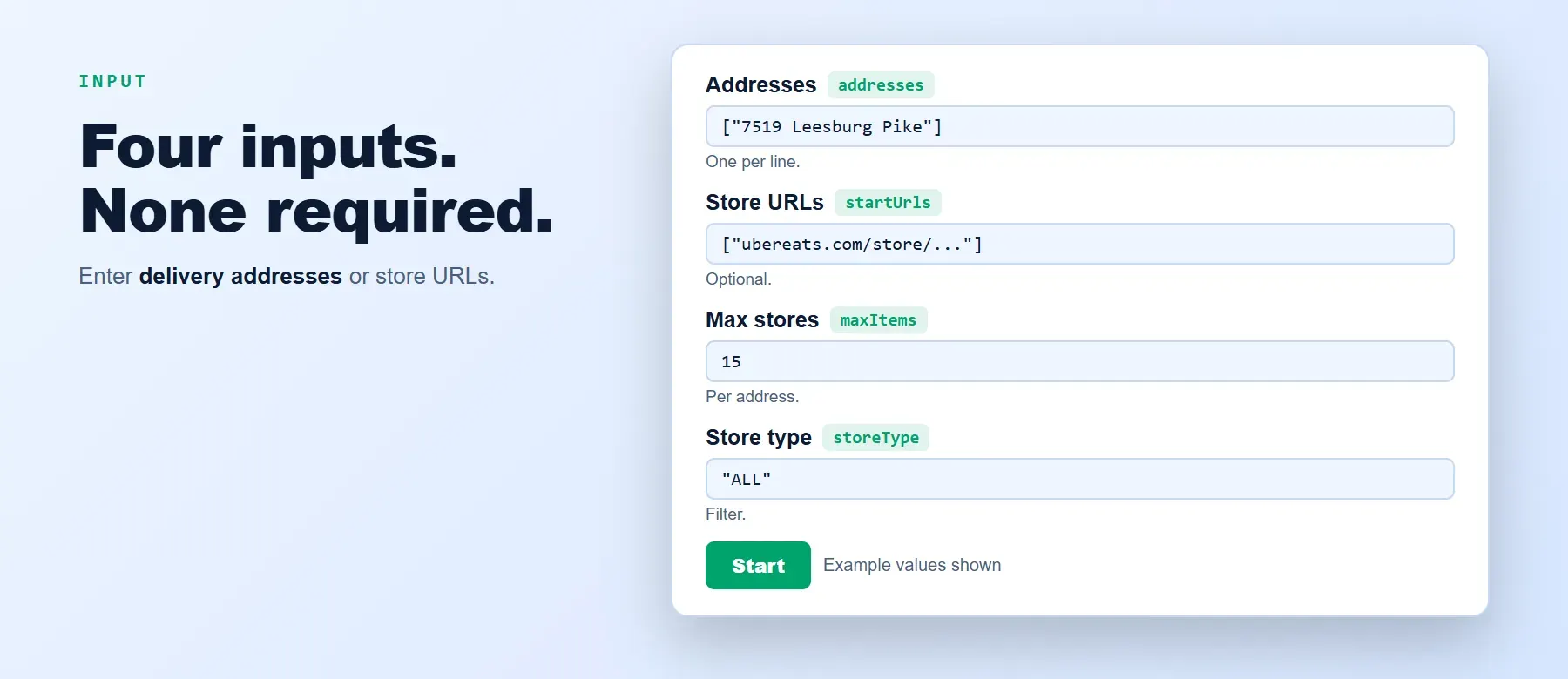
The actor takes Delivery addresses, Store URLs, or both (at least one is required).
| Parameter | Required | Type | Description | Example value |
|---|---|---|---|---|
addresses | No* | array | Delivery address or "lat,lng" per line; each gets its own maxItems. | ["7519 Leesburg Pike, Falls Church, VA"] |
startUrls | No* | array | Direct store links; one row each, no maxItems cap. | [] |
maxItems | No | integer | Maximum stores returned per address. Default 15. | 15 |
query | No | string | Optional keyword filter, applied to every address. | "pizza" |
storeType | No | string | Store category: ALL, RESTAURANTS, GROCERY, CONVENIENCE, ALCOHOL, PHARMACY, PRESCRIPTIONS, PERSONAL_CARE, BABY, SPECIALITY_FOODS, PET_SUPPLIES, FLOWERS, RETAIL, BEAUTY, ELECTRONICS, SHOP. Default "ALL". | "RESTAURANTS" |
diningMode | No | string | "DELIVERY" or "PICKUP". Default "DELIVERY". | "DELIVERY" |
addressCountry | No | string | Country hint appended to each address lookup. | "US" |
excludeStores | No | array | Store URLs/IDs to skip when searching by address. | [] |
groceryCatalog | No | boolean | Include the store's raw grocery aisles list. Default false. | false |
getMenuCustomizations | No | boolean | Fetch each menu item's full customization/option tree (slower). Default false. | false |
proxyConfiguration | No | object | Optional proxy to start with. Default: direct connection; the actor switches to a proxy by itself when blocked. | {"useApifyProxy": false} |
* At least one of addresses or startUrls must be set.
Free plan limits
Users on the Apify free plan can get up to 20 stores per run (all entries together) and 200 stores per month. When the limit is reached the run finishes successfully with a status message explaining the limit. Upgrade to any paid Apify plan to remove these limits.
Example input
⬆️ Output
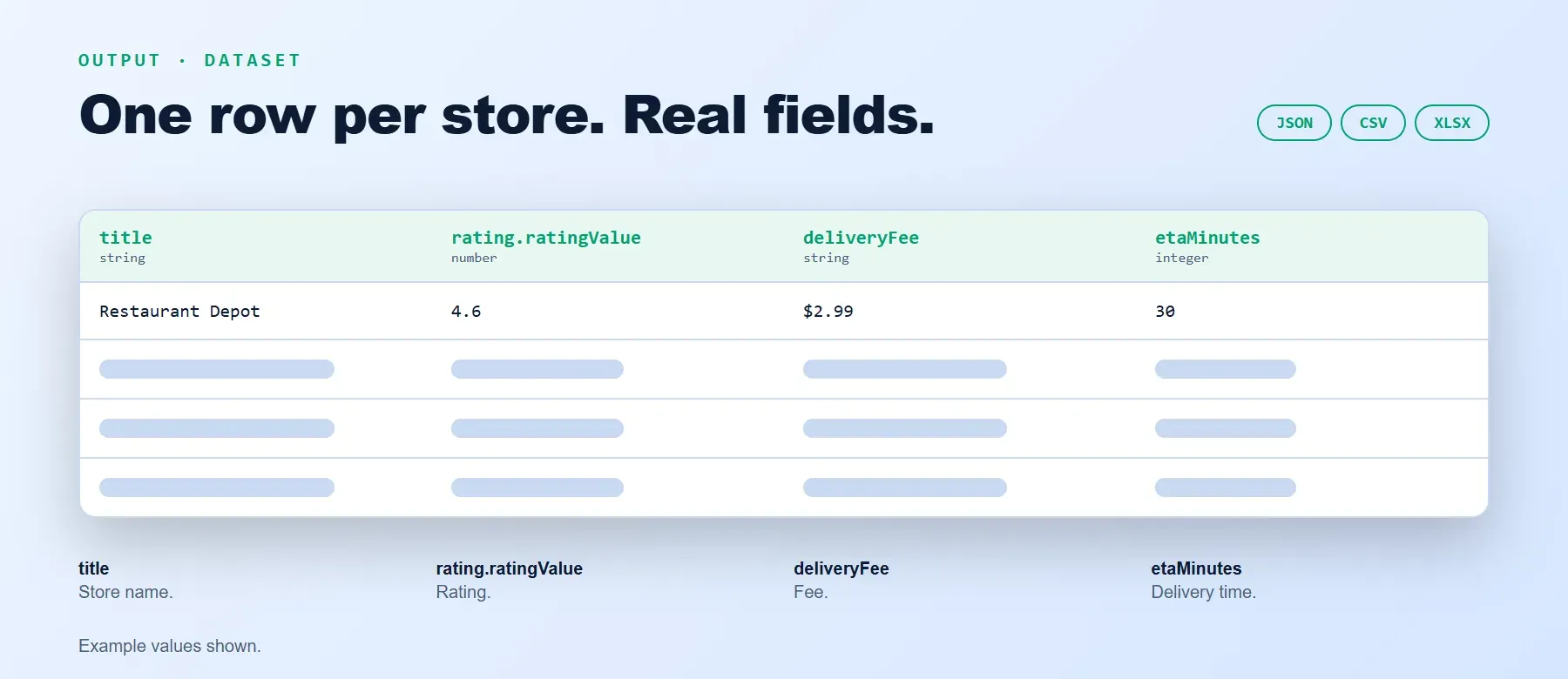
Every matching store becomes its own row, with its full menu nested inside. Export the results as JSON (default), CSV or Excel, or open the Overview, Location, Menu and Reviews & details views in the Output tab.
Example output
A field Uber Eats does not expose for a given store (e.g. deliveryFee, priceBucket on some stores) comes back null or empty — never a guessed value.
How does it work?
Uber Eats Scraper reads only public data — what any visitor sees without logging in. It resolves a delivery location from your address (or coordinates), searches nearby stores, then reads each store page and its full menu directly, the same data any visitor sees. If a request is refused, it retries and switches to a proxy by itself. Matching stores are saved the moment they're ready. The output schema stays stable even when Uber Eats changes the look of its pages.
How do you integrate Uber Eats Scraper into your stack?
It works with what you already use: the REST API from any language, MCP for AI agents, and no-code tools.
Using Uber Eats Scraper with the Apify API
Works in Go, Ruby, Node.js, cURL — any language that can make an HTTP request.
MCP integration for AI agents
Add the actor to your agent with one command:
This registers Uber Eats Scraper as a tool your agent can call directly. It works in Claude Code, Cursor, Windsurf and any other MCP client: ask for stores near an address and the agent runs the actor and reads the JSON it returns.
No-code tools (n8n, Make, LangChain)
- n8n — use the Apify node with "Run an Actor" and pick
fastdataapi/uber-eats-scraper, or point the HTTP Request node at the run-sync endpoint with your token. - Make — add the Apify app's "Run an Actor" module, then "Get Dataset Items" to map stores into your sheet or CRM.
- LangChain — install
langchain-apifyand useApifyActorsTool("fastdataapi/uber-eats-scraper")as a tool in your agent.
Is it legal to scrape Uber Eats data?
Scraping publicly available Uber Eats data is generally legal when you collect only what any visitor can see. Uber Eats Scraper returns only public store and menu data — what any user sees without logging in. Under GDPR, scraping public data is generally permissible, but storing and using it must comply with your local data-protection law. Consult legal counsel if your use case involves bulk storage of personal data.
Frequently asked questions
What fields does Uber Eats Scraper return?
It returns the store's name, rating, price tier, hours, delivery ETA and fee, address, full menu and reviews for every matching store. See the data fields section for the full list.
Does Uber Eats Scraper require an Uber Eats account or login?
No. Only public store and menu data is extracted, and no credentials are needed.
How fast does Uber Eats Scraper run?
Each store and its menu are fetched live from Uber Eats — no cached data.
Can I scrape a specific store directly instead of searching by address?
Yes. Add the store's Uber Eats link to Store URLs and it returns that one store with its full menu — no address needed.
Can I search multiple addresses at once?
Yes. Add as many addresses as you need to Delivery addresses; each one gets its own maxItems stores, searched independently.
Does Uber Eats Scraper work with Claude, ChatGPT, and other AI agent tools?
Yes — Uber Eats Scraper is available as an MCP tool. Register it in Claude Code, Cursor or Windsurf with claude mcp add --transport http apify "https://mcp.apify.com?tools=fastdataapi/uber-eats-scraper". Any agent that can call an HTTP endpoint can use the REST API directly.
Does Uber Eats Scraper return data in a format LLMs can use directly?
Yes. Typed, normalized JSON with consistent field names. No HTML parsing, no selectors. Pass it straight to an LLM, index it into a vector store, or feed it to an agent tool — no transformation step.
Can I use Uber Eats Scraper without managing proxies or browser infrastructure?
Yes. Retries and the switch to a proxy when a request is blocked run on the actor's side. You send one request and get structured JSON back. No proxy accounts, no headless browser setup, no maintenance.
Your feedback
Found a bug or missing a field? Let us know in the actor's Issues tab. Every report is read, and fixes ship as updates to this actor.


