

Upwork Job Scraper
Pricing
from $2.00 / 1,000 results
Upwork Job Scraper
Upwork Job Scraper finds Upwork job posts by keyword: title, job URL, description snippet, budget, rate type and posted date. No Upwork account or login needed.
Pricing
from $2.00 / 1,000 results
Rating
0.0
(0)
Developer

Fast Data API
Maintained by CommunityActor stats
0
Bookmarked
2
Total users
1
Monthly active users
6 days ago
Last modified
Categories
Features
Share
Upwork Job Scraper: Upwork Job Posts by Keyword
Upwork Job Scraper returns Upwork job posts that match your keywords: one row per unique job with its title, job url, a short summary of the description and, when the job shows them, the budget or hourly range, the rate type (Hourly / Fixed-Price) and when it was posted. No Upwork account, login or cookies needed.
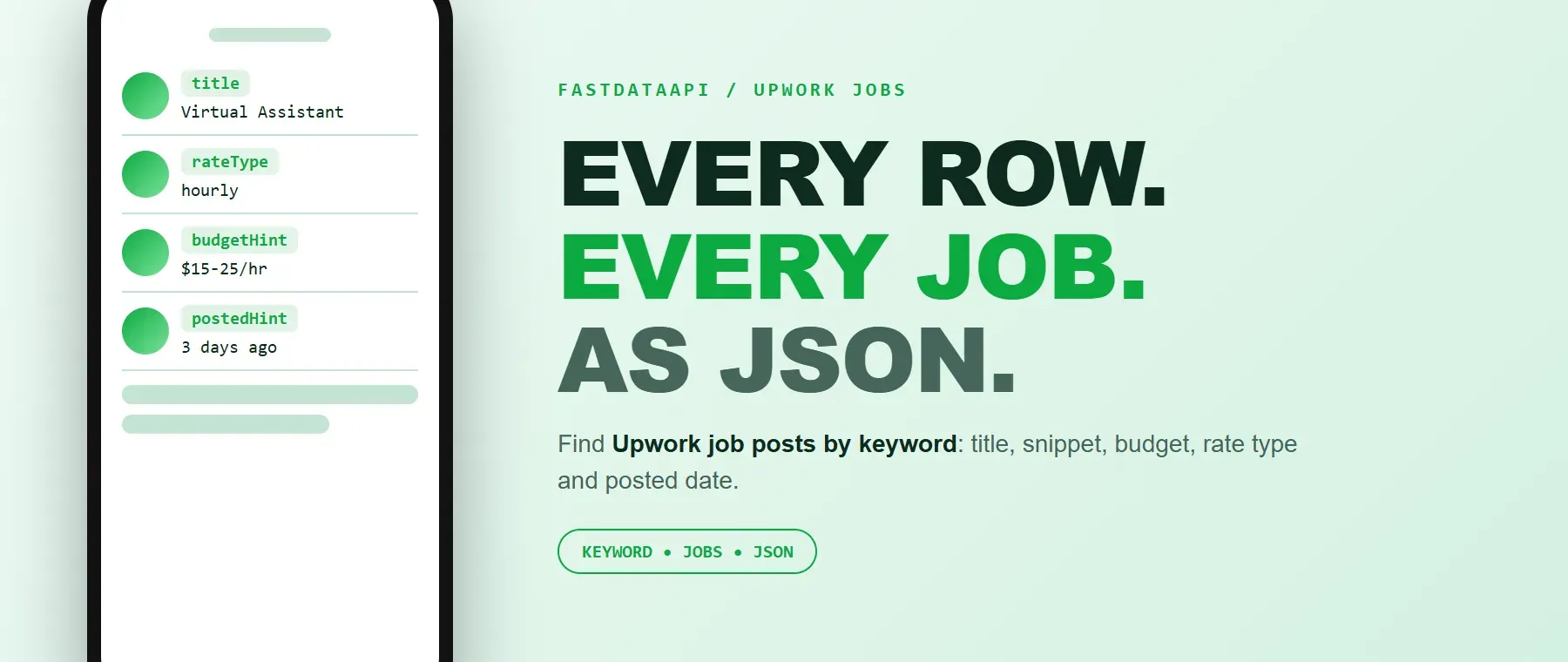
What you get
- Job title and url for every matching job post.
- Summary: the opening lines of the job description.
- Budget, rate type and posted age (
budgetHint,rateType,postedHint) when the job shows them, plus apostedDate(YYYY-MM-DD) worked out from the posted age. - No guessing: a field that isn't available for a job is
null. Nothing is invented or filled in. - Limits: results cover publicly listed job posts, mostly recent ones. Client history, proposals count and the full description are usually not included.
How to use Upwork Job Scraper
Copy to your AI assistant:
Upwork Job Scraper MCP Server: use this Actor from ChatGPT, Claude or Cursor
Step by step
- Create a free Apify account.
- Open Upwork Job Scraper in the Apify Store.
- Enter one or more keywords.
- Click Start (or send your API request).
- Download or stream your results in JSON, CSV or Excel.
How to scale Upwork Job Scraper to bulk
Put every keyword you need into Search keywords. Each one gets its own maxItems jobs, and the same job is never returned twice for one keyword. 5 keywords × 20 jobs each = up to 100 rows. For daily tracking, save your list as an Apify task and schedule it.
⬇️ Input
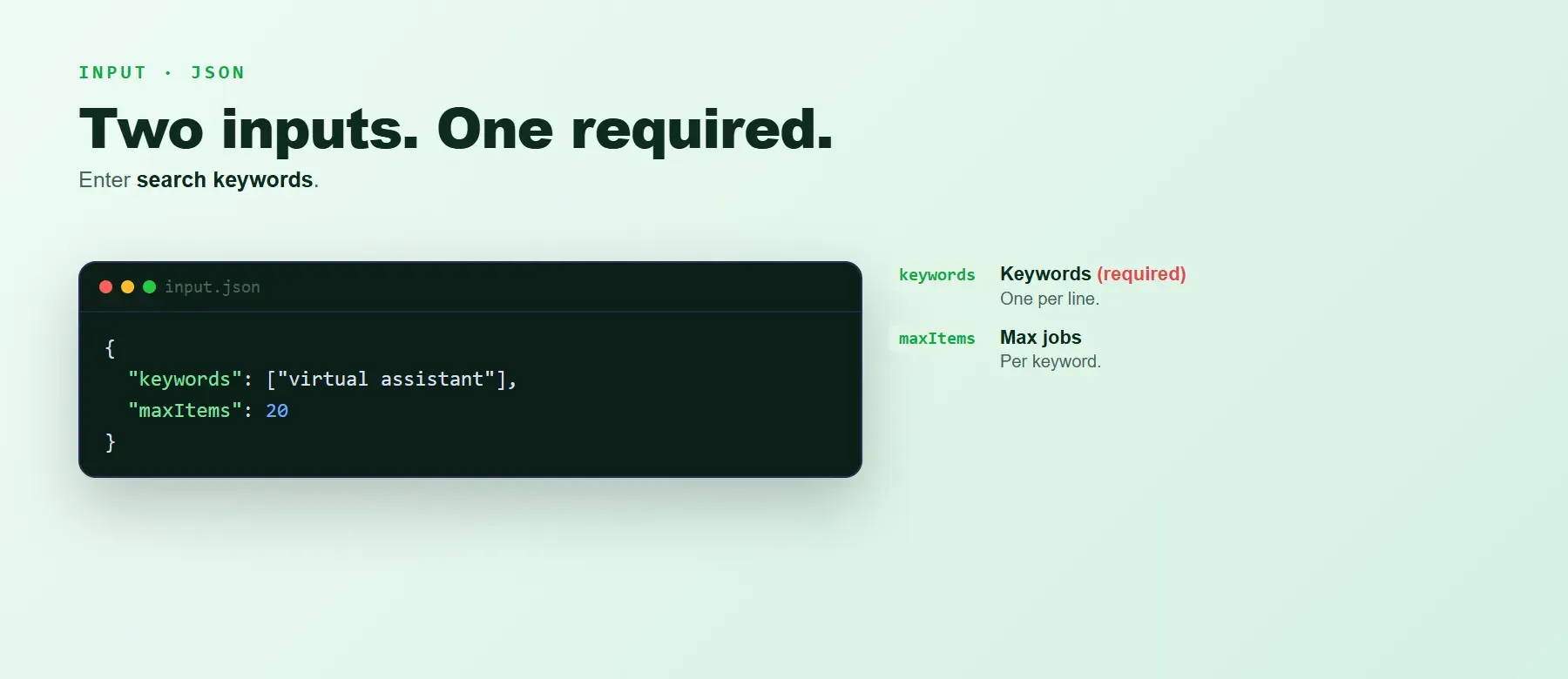
| Parameter | Required | Type | Description | Example value |
|---|---|---|---|---|
keywords | Yes | array | Keywords; each gets its own maxItems jobs. | ["virtual assistant"] |
maxItems | No | integer | Max unique jobs returned per keyword. Default 20. | 20 |
proxyConfiguration | No | object | Optional proxy settings. The actor picks a working connection by itself. | {"useApifyProxy": false} |
Free plan limits
Users on the Apify free plan can get up to 20 jobs per run (all keywords together) and 200 jobs per month. When the limit is reached, the run finishes successfully with a status message explaining the limit. Upgrade to any paid Apify plan to remove these limits.
Example input
⬆️ Output
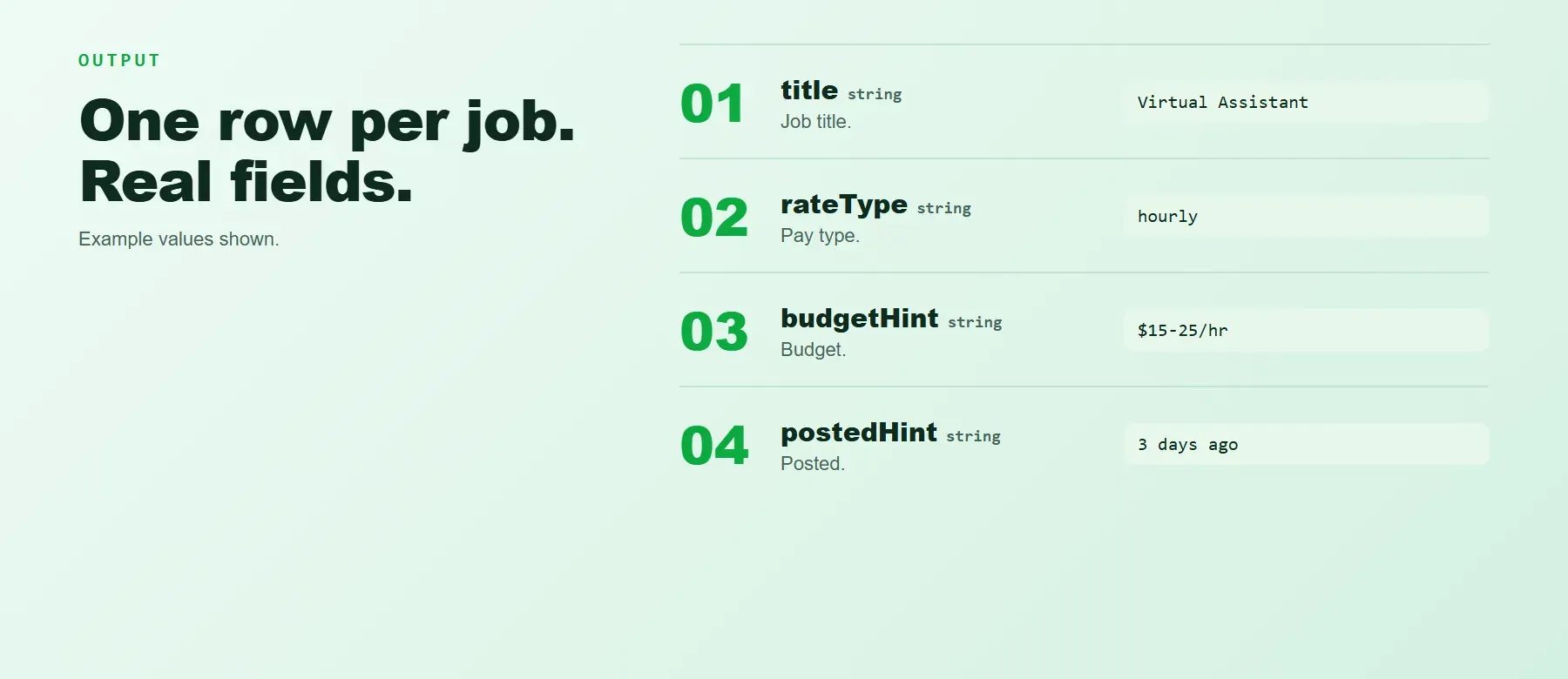
Every unique job becomes its own row.
Example output
| Field | Meaning |
|---|---|
title, url | Job title and its upwork.com url |
snippet | Short summary of the job description |
rateType | Hourly or Fixed-Price when shown |
budgetHint | Budget or hourly range when shown |
postedHint | How long ago the job was posted, e.g. "3 days ago" |
postedDate | Posting day (YYYY-MM-DD) worked out from postedHint (here "3 days ago" on 2026-11-17) |
fullDescription, employmentType, skills | Filled only when available for that job; usually null |
query | The keyword the job matched |
sourceEngines | Internal source label (primary, backup, archive) |
Jobs with the most details (posted age, budget, rate type) are listed first for each keyword.
Is it legal to use Upwork Job Scraper?
This actor collects publicly available job-post information only. Under GDPR, scraping public data is generally allowed, but storing and using it, especially details tied to real people, must follow your local data-protection law. Consult legal counsel if your use case involves bulk storage of personal data.
Frequently asked questions
Why are some fields null?
A field is filled only when the job post shows that information. Many posts don't list a budget, or show only the start of their description. The actor never guesses a value.
Is postedDate exact?
It is the day worked out from the posted age ("3 days ago" on 2026-11-17 = 2026-11-14), so it is accurate to the day.
Can I search multiple keywords at once?
Yes. Add as many keywords as you need to Search keywords; each gets its own maxItems jobs.
Does Upwork Job Scraper require an Upwork account or login?
No. No account, login or cookies are needed.
Does Upwork Job Scraper work with Claude, ChatGPT, and other AI agent tools?
Yes. It's available as an MCP tool: claude mcp add --transport http apify "https://mcp.apify.com?tools=fastdataapi/upwork-job-scraper".
Your feedback
Found a bug or missing a field? Let us know in the actor's Issues tab. Every report is read, and fixes ship as updates to this actor.


