

Website Content Crawler
Pricing
from $2.00 / 1,000 results
Website Content Crawler
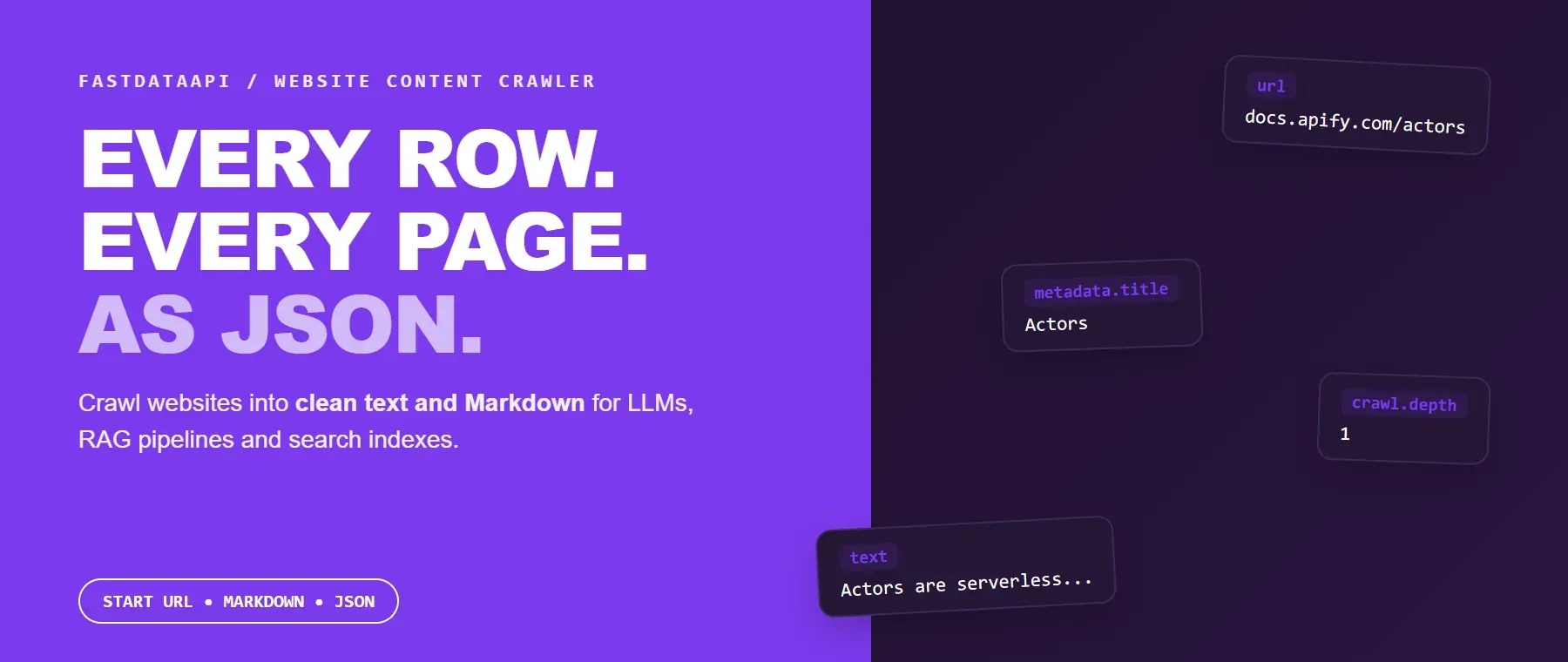
Website Content Crawler crawls websites and extracts clean text, Markdown, HTML and metadata from every page for LLMs, RAG pipelines and search indexes. Works on JavaScript sites too.
Pricing
from $2.00 / 1,000 results
Rating
0.0
(0)
Developer

Fast Data API
Maintained by CommunityActor stats
0
Bookmarked
3
Total users
2
Monthly active users
6 days ago
Last modified
Categories
Features
Share
Website Content Crawler — Text, Markdown, HTML and Page Metadata
Website Content Crawler opens a website, follows its links and saves clean text and Markdown from every page, plus the cleaned HTML, page title, description, author, keywords, language, canonical URL, Open Graph tags and structured data. Every response is structured JSON — ready to pass directly to an LLM, index into a vector store, or feed a RAG or AI search pipeline. No login or cookies needed: it reads the pages any visitor can open. Start with one documentation site, then crawl every knowledge base your assistant should know.
What data can I extract with Website Content Crawler?
Using this Website Content Crawler, you will be able to extract the following website page data:
| 🔗 Page URL | 📝 Plain text (paragraphs kept) | 📄 Markdown with absolute links | 🧾 Cleaned HTML |
|---|---|---|---|
| 🏷️ Page title | 💬 Meta description | ✍️ Author (if available) | 🔑 Keywords (if available) |
| 🌍 Language code | 🧭 Canonical URL | 🤖 Robots directives | 📣 Open Graph tags |
| 🧩 Structured data blocks | 📨 Response headers | 🔢 HTTP status code | 🪜 Link depth from the start URL |
| ↩️ Page it was found on | ⏰ Time it was loaded | 📏 Page size and content type | ⚙️ Loaded with or without JavaScript |
| 🔗 Links found on the page | 💾 HTML file link (optional) | 📸 Screenshot link (optional) |
How to use Website Content Crawler
Website Content Crawler is for teams building chatbots, AI search and knowledge bases: one run turns a whole website into page-by-page text and Markdown.
Copy to your AI assistant:
Website Content Crawler MCP Server: use these Actors from ChatGPT, Claude or Cursor
Point your AI assistant at this Actor and it can read any public website on its own: page text, Markdown, HTML and metadata, one row per page. No glue code, no scraping logic in your prompts.
Step by step
- Create a free Apify account.
- Open Website Content Crawler in the Apify Store.
- Paste the website URLs to start from, and set how many pages to save for each one.
- Click Start (or send your API request).
- Download or stream your results in JSON, CSV or Excel.
How to scale Website Content Crawler to bulk
As a website content scraper for many sites at once, put every website in the Start URLs list: each start URL gets its own page limit and its own crawl, and all of them run in one job. Use the include and exclude patterns to keep the crawl inside the part of a site you need, for example only /docs/**. To crawl entire website sections on a schedule, save the input as a task and schedule it, or call the run endpoint from your own code for each batch of sites.
✨ Features
Website Content Crawler fetches clean, structured page content from any public website: a website to Markdown converter and a web crawler for LLM projects in one run. It's ideal for RAG indexes, support chatbots, documentation search, content audits and LLM fine-tuning sets.
It extracts, per page:
- Plain text – the readable text of the page, with paragraph breaks kept
- Markdown – headings, lists, links, code blocks and images with absolute links
- Cleaned HTML – the page body without navigation, footers, scripts and pop-ups
- Title and description – the page title and its meta description
- Language and canonical address – for de-duplication and multilingual indexes
- Open Graph tags and structured data – the social preview and schema data the page publishes
- Crawl details – status code, link depth, the page it was found on and when it was loaded
⚡ Pages load over plain HTTP first; only a page that comes back almost empty is loaded again with JavaScript, so most sites crawl without a browser.
Use cases 💡
- AI engineer — use it as a documentation crawler that feeds a RAG chatbot's vector store.
- Support lead — build a knowledge base crawler run that refreshes the help-center index weekly.
- SEO specialist — export titles, descriptions and canonical URLs of every page for an audit.
- Content team — extract text from website archives before a migration or redesign.
- Researcher — turn a website to JSON for topic analysis or LLM fine-tuning data.
- Agent builder — crawl website for AI agents that answer questions about one company.
Building an AI agent? Connect Website Content Crawler over MCP and let it call the actor on its own.
Why choose this actor?
- A full documentation site in seconds. A recorded run saved 150 pages from 3 websites (50 each, crawl depth 3) in 33 seconds; a run with 2 start URLs saved 20 pages in 8.5 seconds.
- Every page comes with its context. A recorded page from the Apify docs returned its text, Markdown, cleaned HTML, title, description, language, canonical URL, 5 Open Graph tags, link depth and the 57 links found on it.
- 21 settings, one Actor. Link patterns, crawl depth, page caps, CSS cleanup, minimum text length, JavaScript loading, screenshots, HTML files, headers, retries, timeouts and proxy choice are all set from the input.
⬇️ Input
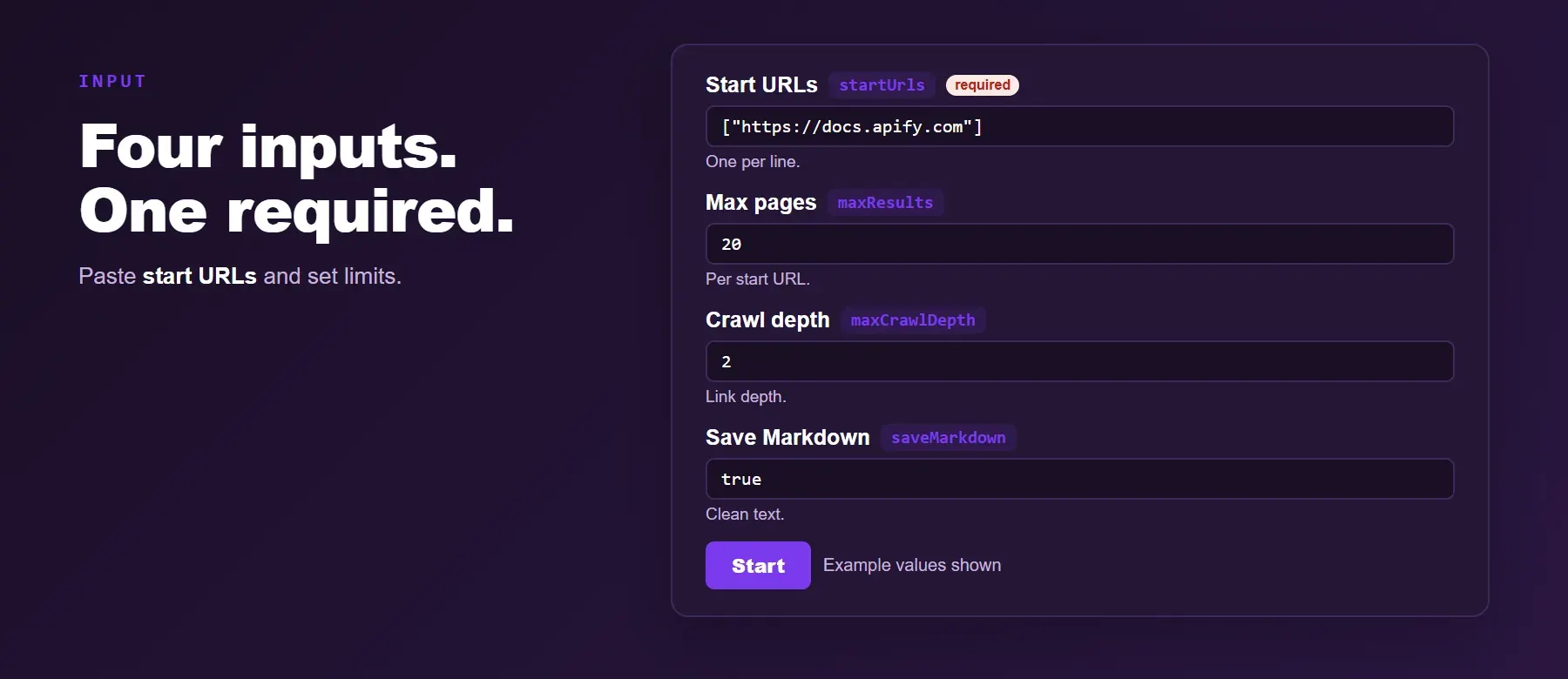
Website Content Crawler takes a list of start URLs (required); everything else has a default. It follows links on the same website (www. ignored) up to the crawl depth you set.
| Parameter | Required | Type | Description | Example value |
|---|---|---|---|---|
startUrls | Yes | array | Pages to start from; links on the same website are followed. Each start URL gets its own result limit. | ["https://docs.apify.com/academy"] |
maxResults | No | integer | Pages to save for each start URL (only pages with readable text count). 0 = no limit. Default 20, max 100,000. | 50 |
includeUrlGlobs | No | array | Follow only links matching one of these patterns. Empty = the whole website. Default []. | ["https://docs.apify.com/academy/**"] |
excludeUrlGlobs | No | array | Never follow links matching these patterns. Default []. | ["**/blog/**"] |
maxCrawlDepth | No | integer | 0 = start URLs only, 1 = also the pages they link to, and so on. Default 2, max 100. | 3 |
maxCrawlPages | No | integer | Pages opened per start URL, including pages without text or errors. Empty or 0 = no extra limit. | 200 |
keepUrlFragments | No | boolean | Treat page#a and page#b as different pages. Default false. | false |
ignoreCanonicalUrl | No | boolean | Use the loaded address instead of the canonical one. Default false. | false |
removeElementsCssSelector | No | string | CSS selectors removed before extraction. Default removes navigation, footers, scripts and pop-ups. | "nav, footer, script, style" |
readableTextCharThreshold | No | integer | Pages with less text are loaded again with JavaScript; pages with less than half of it are not saved. Default 100. | 100 |
saveMarkdown | No | boolean | Fill the Markdown field. Default true. | true |
saveHtmlAsFile | No | boolean | Save each page's cleaned HTML as a file and link it. Default false. | false |
saveScreenshots | No | boolean | Screenshot pages loaded with JavaScript. Default false. | false |
browserFallback | No | boolean | Load near-empty pages again with JavaScript. Default true. | true |
waitForSelector | No | string | Element to wait for on JavaScript pages. Default empty. | "main article" |
maxConcurrency | No | integer | Pages loaded at the same time, 1-50. Default 10. | 10 |
maxRequestRetries | No | integer | Extra tries for a page that times out or is refused, 0-10. Default 3. | 3 |
requestTimeoutSecs | No | integer | Seconds to wait for one page, 5-300. Default 30. | 30 |
customHttpHeaders | No | object | Extra headers sent with every request. Default {}. | {"Accept-Language": "de-DE"} |
debugLog | No | boolean | Log every page decision. Default false. | false |
proxyConfiguration | No | object | Optional proxy; by default the crawler connects directly and switches connection when refused. | {"useApifyProxy": false} |
Free plan limits
Users on the Apify free plan can fetch up to 20 pages per run (all start URLs together) and 200 pages per month. When the limit is reached, the run finishes successfully with a status message explaining the limit. Upgrade to any paid Apify plan to remove these limits.
Example input
⬆️ Output
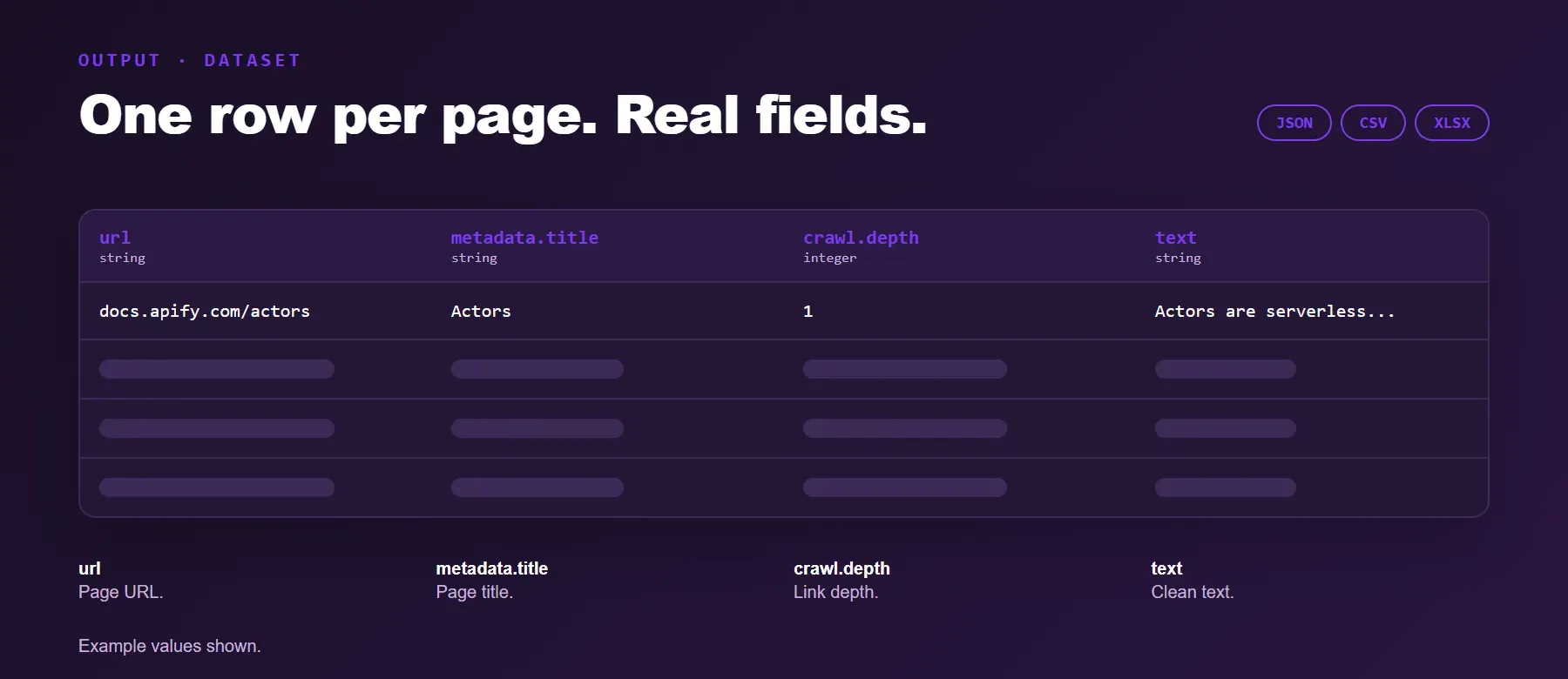
Every saved page is one typed, normalized JSON item with the same schema on every run, written to the dataset as soon as the page is processed. Export formats: JSON (default), CSV, Excel; optional HTML files and screenshots go to the run's key-value store.
Example output
Real row from a test run (text, Markdown, HTML and headers shortened):
How does it work?
Website Content Crawler starts at each of your start URLs and follows the links it finds on the same website, level by level, up to the depth and page limits you set. Each page is loaded over plain HTTP first. When a page comes back with almost no text, which usually means the site builds its content with JavaScript, the page is loaded once more in a headless browser. Navigation, footers, scripts and pop-ups are removed, then the text, Markdown and HTML are extracted together with the page's metadata. It returns only what any visitor can see without logging in. The crawler connects directly by default and switches to another connection by itself when a website refuses requests, retrying timeouts and refused pages; missing pages are skipped at once. Duplicates are dropped by canonical address, and the output schema stays the same on every site.
How do you integrate Website Content Crawler into your stack?
Website Content Crawler works with what you already use: the REST API from any language, MCP for AI agents, and no-code tools.
Using Website Content Crawler with the Apify API
Works in Go, Ruby, Node.js, cURL — any language that can make an HTTP request.
MCP integration for AI agents
Add the Actor to your AI client with one command. The agent can then crawl a site when a user asks about it and read the Markdown of each page as context.
This registers Website Content Crawler as a tool your agent can call directly. It works in Claude Code, Cursor and Windsurf.
No-code tools (n8n, Make, LangChain)
- n8n: use the Apify node with "Run an Actor" and pick this Actor, or the HTTP Request node pointed at the run-sync endpoint with your token.
- Make: add the Apify app's "Run an Actor" module, then "Get Dataset Items" to pass each page to the next step.
- LangChain: install
langchain-apifyand load the Actor withApifyActorsTool("fastdataapi/website-content-crawler"), then index the Markdown in your vector store.
Is it legal to scrape website data?
Crawling publicly available web pages is generally legal, as long as you respect the site's terms and do not collect data behind a login. Website Content Crawler returns only publicly available data — what any user sees without logging in. Under GDPR, collecting public data is generally permissible, but storing and using it, especially personal data, must comply with local data-protection law. Check the site's terms and copyright before republishing its content. Consult legal counsel if your use case involves bulk storage of personal data.
Frequently asked questions
What fields does Website Content Crawler return?
Each page comes with its address, plain text, Markdown, cleaned HTML and title, plus the description, language, canonical URL, Open Graph tags and crawl details. See the data fields section.
Does Website Content Crawler require a website account or login?
No. Only public page content is extracted, and no credentials are needed.
How fast does Website Content Crawler run?
A recorded run saved 150 pages from 3 websites in 33 seconds, and 20 pages from 2 websites in 8.5 seconds. Pages are loaded live on every run, not from a cache; sites that need JavaScript take longer per page.
What happens if a page is missing or doesn't load?
Missing pages (404 and similar) are skipped at once, timeouts and refused pages are retried, and pages without readable text are not saved but their links are still followed. None of these create a row or a charge; the log and the final status message count them.
Can I crawl multiple websites at once?
Yes. Add every website to the Start URLs list; each one gets its own page limit and crawl in the same run.
Does Website Content Crawler work with Claude, ChatGPT, and other AI agent tools?
Yes — Website Content Crawler is available as an MCP tool. Register it in Claude Code, Cursor or Windsurf with claude mcp add --transport http apify "https://mcp.apify.com?tools=fastdataapi/website-content-crawler". Any agent that can call an HTTP endpoint can use the REST API directly.
Does Website Content Crawler return data in a format LLMs can use directly?
Yes. Typed, normalized JSON with consistent field names, with ready-to-use Markdown and plain text per page. No HTML parsing, no selectors: pass it straight to an LLM, index it into a vector store, or feed it to an agent tool.
What happens when a website changes its layout or updates its anti-bot system?
The team maintains the actor. When websites change how they load or protect pages, the actor is updated and your calls keep returning the same JSON schema with no changes on your end.
Can I use Website Content Crawler without managing proxies or browser infrastructure?
Yes. Connection switching, retries and the headless browser for JavaScript pages run on the actor's side. You send one request and get structured JSON back: no proxy accounts, no browser setup, no maintenance.
Which page fields work best for AI training data and RAG indexing?
For RAG, use the Markdown or plain text with the title, description and canonical address as metadata. For training data and analysis, the language, link depth, page size, status code and links-found count are typed numbers and strings that need no cleanup.
Related scrapers
| Scraper | What it extracts |
|---|---|
| RAG Web Browser | Web search results or URLs as Markdown, HTML or text for AI agents |
| Contact Details Scraper | Emails, phone numbers and social profile links from websites |
| Website Screenshot Generator | Full-page screenshots and PDFs of web pages |
| SEO Audit Tool | On-page SEO checks for websites |
| PDF Text Extractor | Text from PDF documents |
Your feedback
Found a bug or missing a field? Let us know in the Issues tab of this Actor. The team reads every report and ships fixes.


