

Website Crawler API — Markdown for RAG
Pricing
from $2.00 / 1,000 page crawleds
Website Crawler API — Markdown for RAG
Website crawler API for public pages and clean Markdown, text, or HTML output for RAG pipelines, AI agents, documentation indexing, and monitoring. Guide: https://konabayev.com/tools/website-content-crawler/?utm_source=apify_info&utm_medium=referral&utm_campaign=website-content-crawler
Pricing
from $2.00 / 1,000 page crawleds
Rating
0.0
(0)
Developer

Tugelbay Konabayev
Maintained by CommunityActor stats
1
Bookmarked
37
Total users
3
Monthly active users
14 days ago
Last modified
Categories
Share
Website crawler API for public pages: follow bounded same-site links and return source URL, title, clean Markdown/text/HTML, status, metadata, and crawledAt for RAG, documentation indexing, monitoring, and AI agents.
Fast first run — the default input crawls a small 15-page sample. HTTP-first crawler — designed for static or mostly static public pages without browser overhead. RAG-ready output — clean Markdown, text, or HTML with metadata for AI agents and knowledge bases. Pay-per-use after — $0.003/page for extracted dataset rows.
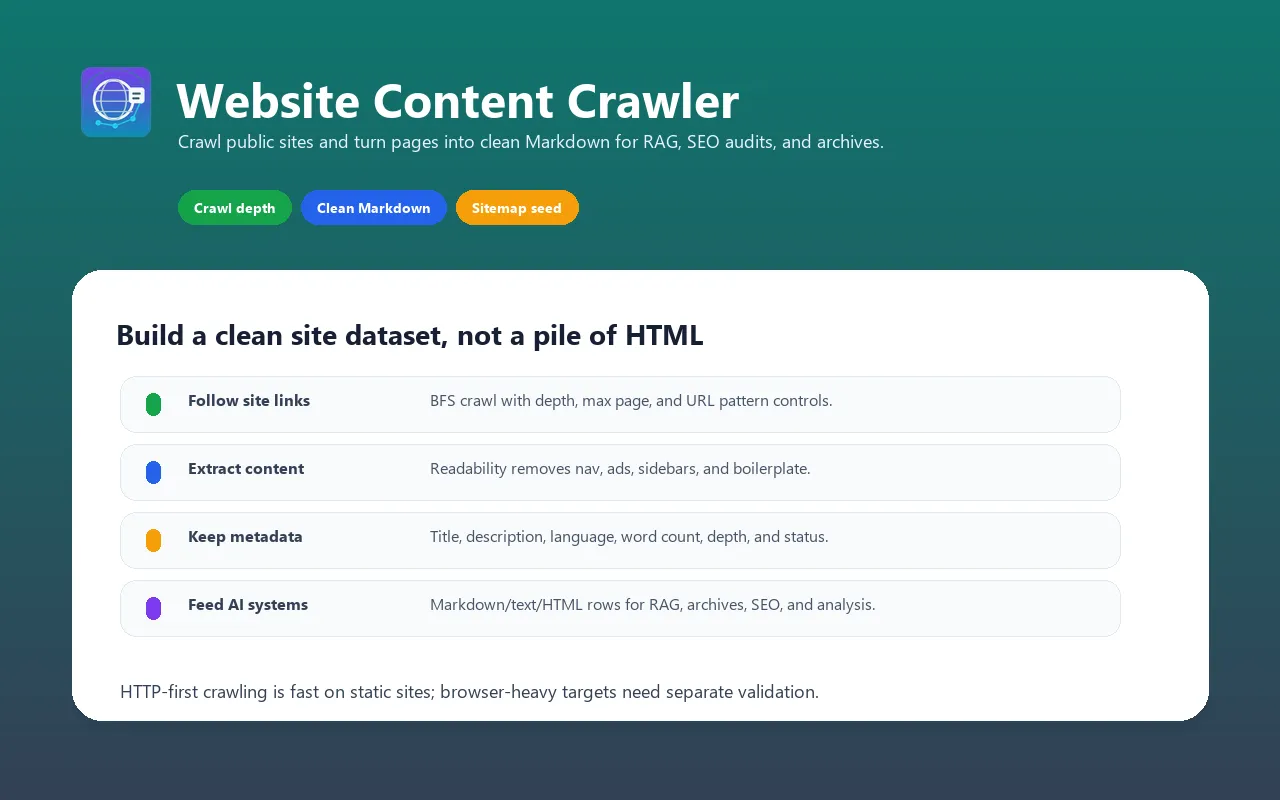
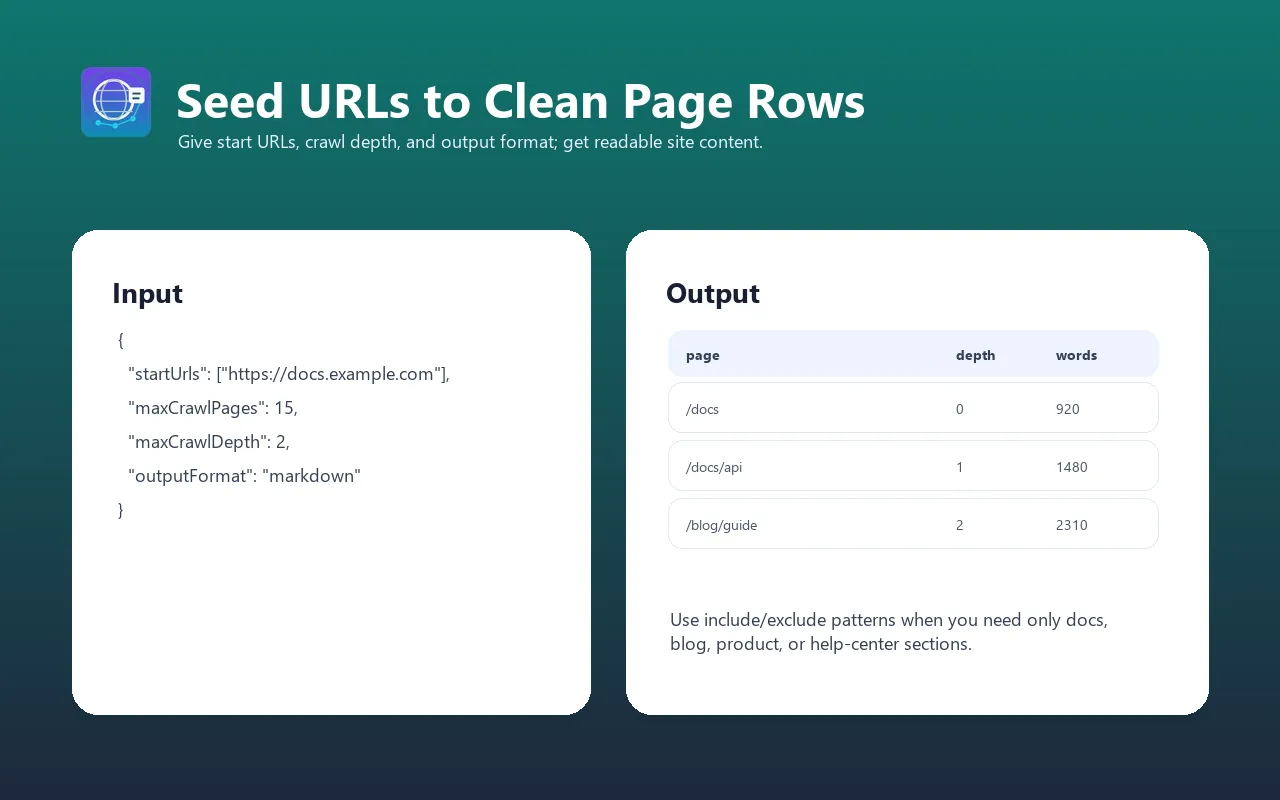
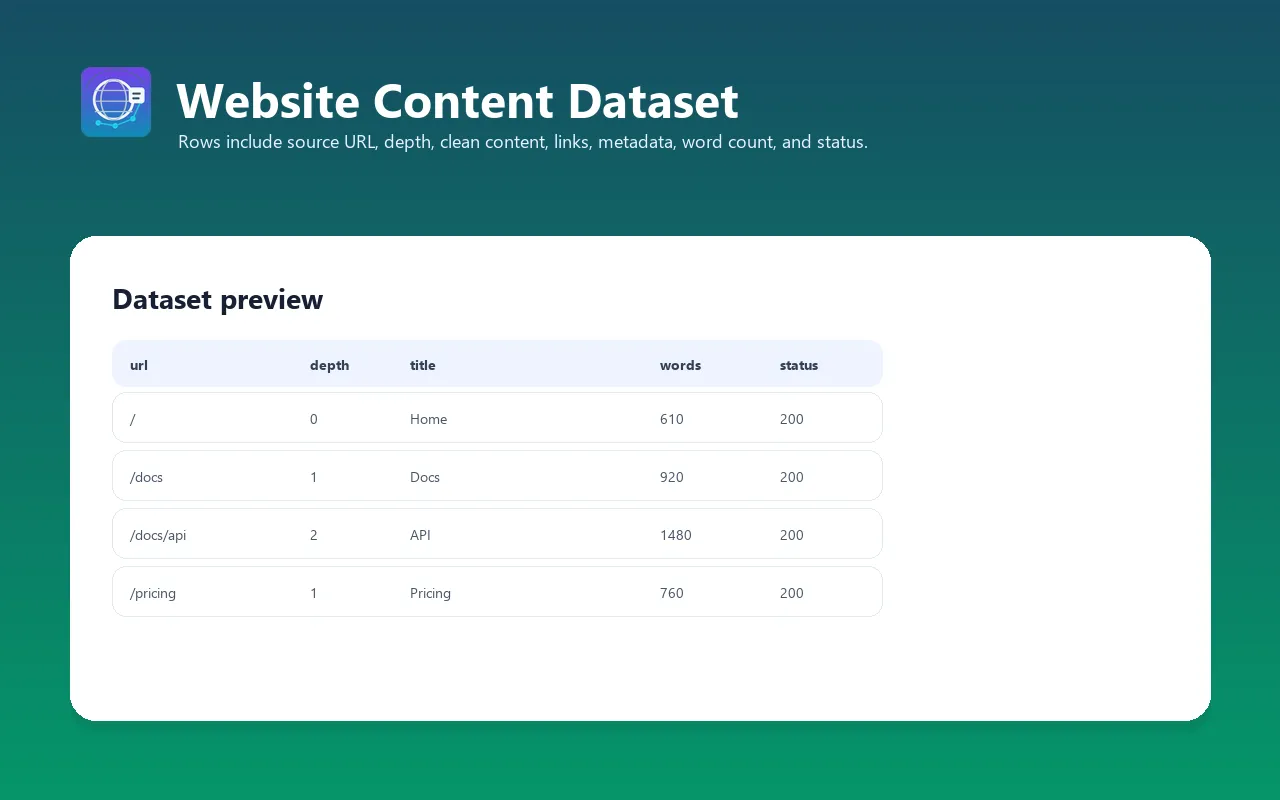
Crawl public websites following links with configurable depth and breadth-first search (BFS). Extract clean Markdown/text/HTML content from pages using Mozilla Readability. The HTTP-first architecture is best for static or mostly static sites and public documentation.
Perfect for: Building knowledge bases, RAG pipelines, AI training datasets, competitive intelligence, SEO analysis, and content archiving at scale.
For implementation recipes and production examples, see the Website Content Crawler guide on Konabayev.com.
Crawl Websites and Extract Clean Markdown
Recursively crawl public websites and extract page content as clean Markdown. HTTP-first crawling is well suited to static or mostly static pages.
Website Scraper for RAG and LLM Knowledge Bases
Ingest entire documentation sites, blogs, or knowledge bases into your AI pipeline. Clean Markdown output ready for vector embeddings.
Fast Website Content Extractor
HTTP-first crawling with depth control, link filtering, and incremental output.
What does Website Content Crawler do?
This actor starts from one or more seed URLs, follows same-domain links within the configured limits and robots rules, and stores pages with extracted content. It:
- Follows links intelligently — BFS crawling with configurable depth, max pages, and URL pattern matching (include/exclude globs)
- Extracts clean content — Uses Mozilla Readability algorithm (same tech as Firefox Reader View) to extract just the main content, removing navigation, ads, sidebars, and boilerplate
- Produces structured output — Markdown (optimized for LLMs), plain text, or clean HTML with auto-extracted metadata
- Crawls fast — HTTP-first (no browser) with up to 50 concurrent requests; throughput depends on the target site
- Extracts metadata — Title, description, author, language, word count, depth, and HTTP status
- Handles sitemaps — Optionally load URLs from XML sitemaps to seed crawling faster
- Supports proxies — Datacenter, residential, or ISP proxies for geo-restricted or IP-blocked sites
- PPE pricing — Pay per extracted dataset row
No custom CSS selectors, no per-site configuration, no browser headaches. Just add URLs and let it crawl.
Why use this instead of alternatives?
| Feature | Generic scraper | Browser-heavy crawler | Website Content Crawler |
|---|---|---|---|
| Architecture | Varies | Browser sessions | HTTP + concurrent requests |
| Content extraction | Raw HTML / CSS selectors | Whole-page extraction | Clean article text via Readability |
| Output quality | Often needs cleanup | May include page boilerplate | Clean, LLM-ready Markdown |
| Concurrent requests | Usually conservative | Limited by browser overhead | Up to 50 parallel (configurable) |
| Link following | Manual or custom logic | Varies | BFS with depth, max, glob patterns |
| Sitemap support | Usually custom | Varies | Yes |
| AI/MCP compatible | Usually custom | Varies | Yes |
| Proxy support | Varies | Varies | Apify proxy support |
When to use each:
- Use Website Content Crawler when you need clean content for LLMs, RAG, or knowledge bases
- Use a browser-heavy crawler when the target site requires JavaScript rendering
- Use a generic scraper if you need custom selectors or non-article content
Features
- Breadth-First Search (BFS) crawling with configurable depth and maximum page limits
- Same-domain link following with automatic URL normalization and deduplication
- URL pattern filtering — use separate include/exclude lists (e.g., include
**/blog/**, exclude**/admin/**) - Sitemap support — optional XML sitemap loading to seed crawling faster
- Clean content extraction using Mozilla Readability algorithm (no custom selectors needed)
- Multiple output formats — Markdown (optimized for LLMs), plain text, or clean HTML
- Automatic metadata extraction — title, description, author, language and word count when available
- Concurrent crawling — up to 50 parallel HTTP requests for speed
- Proxy support — the selected Apify proxy configuration; no automatic upgrade to a more expensive proxy group
- Explicit failure handling — skips failed or empty pages, logs the reason, and preserves useful partial results; a run with no extracted content fails
- HTTP connection pooling to reuse connections within a run
- PPE pricing — pay only for successfully extracted pages
How to run a bounded website crawl
- Start with one public URL, a shallow depth, and a 15-page limit.
- Inspect status, source URLs, extracted content, metadata, and
crawledAt; tighten include/exclude patterns before scaling. - Export the validated pages to the RAG or monitoring pipeline and recrawl only at a justified interval.
Input examples
Crawl a website and extract all content as Markdown
Crawl a blog with depth limit, exclude admin pages
Crawl with sitemap and proxy for geo-restricted content
Crawl documentation site as plain text with high concurrency
Crawl multiple domains with depth limits
Input parameters
| Parameter | Type | Default | Required | Description |
|---|---|---|---|---|
startUrls | Array | — | Yes | List of seed URLs to start crawling from (requestListSources format) |
maxCrawlDepth | Integer | 2 | No | Maximum link depth to follow (0 = seed URLs only); runtime caps values above 10 to 10 |
maxCrawlPages | Integer | 15 | No | Maximum content pages stored across all seed domains (1–10,000) |
outputFormat | String | markdown | No | Output format: "markdown", "text", or "html" |
includeUrlGlobs | Array | [] | No | Include patterns for discovered links; empty means all same-domain links. Explicit seed URLs are still processed |
excludeUrlGlobs | Array | [] | No | Glob patterns to EXCLUDE (e.g., ["**/admin/**", "*?utm_*", "*&utm_*"]). Overrides include patterns |
useSitemap | Boolean | false | No | Load /sitemap.xml for each seed domain, subject to robots policy; sitemap indexes are not recursively expanded |
maxConcurrency | Integer | 20 | No | Number of pages to process simultaneously (1–50). Higher = faster but more resource-intensive |
pageTimeout | Integer | 30 | No | Timeout per page request in seconds (5–120). Increase for slow servers. |
proxyConfiguration | Object | None | No | Proxy settings for accessing IP-blocked or geo-restricted content |
Output format
Each item in the dataset contains extracted content from one crawled page:
| Field | Type | Description |
|---|---|---|
url | String | Final page URL (after redirects) |
title | String | Page title (from <title> tag or h1) |
description | String | Description from description/og:description meta tags, or null |
author | String | Author from author/article:author meta tags, or null |
language | String | Lowercase primary code from the HTML lang attribute, or null |
content | String | Extracted page content in requested format (Markdown/text/HTML) |
wordCount | Integer | Number of words in extracted content |
depth | Integer | Link depth from seed URL (0 = seed, 1 = one link away, etc.) |
statusCode | Integer | HTTP status of the fetched content page; failed responses are skipped |
crawledAt | String | Crawling timestamp (ISO 8601) |
Missing metadata is returned as null. No description summary is generated, JSON-LD authors are not parsed, and language is not inferred from the text.
Example output
Integrations
Apify MCP Server (Claude, AI agents)
Use as a tool in Claude Desktop, Claude Code, or any MCP-compatible AI agent. PPE pricing makes it native to AI workflows.
Python integration
JavaScript/TypeScript integration
LangChain integration (RAG pipeline)
Webhooks and integrations
The actor integrates with Apify's ecosystem:
- Google Sheets — export crawled content directly to a spreadsheet
- Zapier / Make — trigger workflows when crawling completes
- Slack — notify your team with crawl summary (pages found, errors, etc.)
- Email — receive dataset as CSV/JSON attachment
- REST API — call programmatically from any application
- Apify Schedules — run crawls on a schedule (hourly, daily, weekly, custom cron)
Use cases
- Knowledge base building — crawl documentation sites, internal wikis, or company knowledge bases and feed content into a vector database for semantic search
- LLM training data — extract clean text from websites for fine-tuning datasets or pre-training
- RAG pipelines — crawl public documentation (API docs, guides, tutorials) and make it searchable via retrieval-augmented generation
- Competitive intelligence — crawl competitor websites to monitor features, pricing, and messaging changes
- SEO analysis — extract all page titles, meta descriptions, and h1/h2 headers for gap analysis and content strategy
- Content archiving — automatically archive entire website snapshots for compliance, legal holds, or historical records
- Content migration — extract content from legacy sites during CMS migrations to new platforms
- AI agent enhancement — give your AI agent the ability to read and understand entire websites, not just single pages
- News and blog aggregation — crawl news sites or blog networks to collect articles at scale
- Price monitoring — crawl e-commerce sites to extract product pages, prices, and availability (per ToS)
Cost estimation (PPE pricing)
Event: one primary dataset event for each successfully crawled and stored page. As of 2026-07-14, the price is $0.003 on FREE, $0.0027 on BRONZE, $0.0024 on SILVER, and $0.002 on GOLD+, plus a $0.005 Actor start event. The Store Pricing tab is authoritative.
Example costs:
| Scenario | Pages | Cost |
|---|---|---|
| 10-page documentation site | 10 | ~$0.03-$0.04 |
| 50-page company website | 50 | ~$0.11-$0.16 |
| 100-page blog with archives | 100 | ~$0.21-$0.31 |
| 500-page documentation + tutorials | 500 | ~$1.01-$1.51 |
| 1,000-page knowledge base | 1,000 | ~$2.01-$3.01 |
| Daily crawls (50 pages/day, 30 days) | 1,500 | ~$3.15-$4.65/month |
| Weekly competitor monitoring (10 sites, 20 pages each) | 200/week | ~$0.41-$0.61/week |
| Large-scale extraction (10,000 pages) | 10,000 | ~$20.01-$30.01 |
The weekly competitor-monitoring estimate assumes all 10 sites are crawled in one Actor run. Running one site per task would add 10 start events, for roughly $0.45-$0.65 per week at the same 200-page total.
Start with the default small sample to evaluate output quality before larger crawls.
💡 Pro tip: Exclude large file downloads (PDFs, images) and non-content pages (admin panels, login forms) via excludeUrlGlobs to reduce extraction costs and improve data quality.
FAQ
How do I convert a website to Markdown?
Add one or more public start URLs, choose markdown, and the Actor follows bounded same-site links and stores one clean Markdown record per successfully extracted page. Because it is HTTP-first, JavaScript-only pages can be incomplete; use RAG Web Browser when browser rendering is required.
How fast is the crawling?
Throughput depends on the target site's response time, page count, rate limits, and your maxConcurrency setting. HTTP-first crawling avoids browser-rendering overhead, but there is no universal pages-per-minute guarantee. Start with the default concurrency and use your own run metrics before increasing it.
What's the difference between this and apify/website-content-crawler?
- Rendering model: this Actor is HTTP-first and does not execute page JavaScript
- Output focus: this Actor uses Readability-style extraction for clean text and Markdown records
- Pricing model: this Actor uses PPE, charged per successfully extracted page
- Crawl controls: this Actor supports bounded BFS crawling, sitemap seeding, and URL filters
The official Actor's capabilities, pricing, and usage change over time, so compare its current Store documentation with this Actor's current schema. Use a small run on the same authorized site before choosing; this Actor is the better fit only when HTTP-first Markdown extraction matches the pages you need.
Does it handle JavaScript-rendered content?
No. Website Content Crawler uses HTTP requests (no browser). If a site relies on JavaScript to render content (React SPAs, Angular apps, dynamic comments), you'll get incomplete or empty content. For JS-heavy sites, use RAG Web Browser, which has Playwright fallback.
Can I crawl password-protected or paywalled sites?
No. Website Content Crawler only works with publicly accessible content. It cannot bypass login walls, paywalls, HTTP Basic Auth, or CAPTCHA-protected pages. Use a different tool for authenticated access.
What happens if a page fails to load?
The Actor logs skipped or failed URLs and continues with other queued pages. Failed responses, oversized pages and pages without extracted text are not stored or charged as page results. The dataset contains content pages only, without an error field. A mixed run retains useful results; a run with no extracted content ends FAILED. Each page is attempted once, without automatic retries.
Traversal is bounded to at most twice maxCrawlPages page attempts so empty or unavailable sites cannot create unbounded work. Robots checks, sitemap requests and redirects are additional HTTP requests. Reaching the bound may leave queued pages unprocessed; inspect the run log for the stored and attempted counts.
Can I crawl multiple domains?
Yes. Add multiple startUrls and the crawler will crawl each domain independently, following links within each domain only (not cross-domain).
How do URL glob patterns work?
includeUrlGlobs: patterns applied to discovered links and sitemap pages (default:[]= all same-domain URLs)excludeUrlGlobs: skip discovered links and sitemap pages matching these patterns; explicit seed URLs are still processed
Examples:
"**/blog/**"— include only blog URLs"**/admin/**"inexcludeUrlGlobs— exclude admin pages"**/docs/**"— include only documentation"*?utm_*", "*&utm_*"inexcludeUrlGlobs— exclude URLs with UTM tracking parameters
Both lists can be used together. Excludes override includes for discovered URLs. * matches any sequence of characters; ! is not a negation operator.
What output formats are available?
- Markdown (default) — clean, semantic, optimized for LLMs with preserved headers, lists, links, emphasis
- Plain text — raw text with minimal formatting, good for NLP/text analysis
- HTML — clean semantic HTML (not raw page HTML), good for rendering or further processing
Can I run this on a schedule?
Yes. Create a Schedule in Apify Console to run the crawler at any interval — hourly, daily, weekly, or custom cron. Perfect for monitoring website changes, tracking competitor updates, or archiving content regularly.
What's the maximum crawl size?
The enforced maximum is 10,000 stored content pages per run, across all seed domains, with at most twice the configured limit in page attempts. Split larger jobs into separate runs targeting specific sections.
How does it handle redirects and canonicals?
The Actor follows up to five HTTP redirects and checks robots rules before requesting each destination. The final url field is the fetched URL. Query strings and trailing slashes are preserved; fragments are removed for URL deduplication. HTML canonical tags do not rewrite the requested URL or merge pages.
Relative links use the first HTML base href when it resolves to a valid HTTP(S) URL, otherwise the final page URL. The base does not change the stored page identity or the original seed's crawl-domain scope. Malformed discovered links are skipped without discarding an otherwise useful page.
Troubleshooting
Empty or very short content extraction
- Cause: The page is a SPA (Single Page Application) that requires JavaScript to render
- Fix: Use RAG Web Browser instead, which falls back to browser rendering
- Workaround: Very short pages (<100 words) may not have enough content for Readability to identify. This is expected.
Crawling stops prematurely
- Cause: Hit
maxCrawlPageslimit before exploring all links - Fix: Increase
maxCrawlPagesin the run input - Alternative: Reduce
maxCrawlDepthto focus on top-level pages only
Missing links or pages not being followed
- Cause: URL glob patterns are excluding them, or links are outside the start domain
- Fix: Check
includeUrlGlobsandexcludeUrlGlobs— verify they match intended URLs - Note: Cross-domain links are never followed (same-domain only for security)
Timeout errors on slow servers
- Cause: Server is slow to respond and
pageTimeout(default 30s) is exceeded - Fix: Increase
pageTimeoutto 60–120 seconds for very slow servers - Alternative: Reduce
maxConcurrencyto avoid overwhelming the target server
Proxy-related errors (IP blocks, CAPTCHAs)
- Cause: Target site is blocking requests from datacenter IPs
- Fix: Enable Apify residential proxy in
proxyConfiguration:{"proxyConfiguration": {"useApifyProxy": true,"apifyProxyGroups": ["RESIDENTIAL"]}} - Note: Residential proxies cost more and do not guarantee access. Respect source refusals, access rules and rate limits; select a proxy group explicitly when authorized for your workload.
Validation evidence and web standards (2026-07-14)
Validation on 2026-07-14 establishes a bounded crawler contract:
- RFC 9309 defines the Robots Exclusion Protocol.
- MDN's HTTP status reference documents response statuses that downstream users should retain and interpret.
- Results preserve source URL, status, content fields, and
crawledAt; point-in-time snapshots require recrawling when freshness matters. - Strict Actor QA validates schemas, links, metadata, Docker configuration, crawl defaults, and PPE declarations before release.
Users must follow target-site terms, robots rules, copyright, privacy, rate limits, and access controls. This evidence does not grant republication rights or guarantee complete rendering, indexation, rankings, traffic, or AI citations.
Support
Send the run ID, public start URL, depth/limit, expected page, observed status, and visible error. Do not send cookies, credentials, paywalled pages, or private documents.
Limitations
- JavaScript-rendered content: Only extracts server-side rendered HTML. JS-heavy SPAs will return empty/incomplete content.
- Authentication: Cannot access login-protected or paywalled content
- Maximum page size: 5,000,000 decoded bytes per page; larger responses are skipped before extraction rather than silently truncated and billed
- Cross-domain crawling: Only follows links within the same domain (security & performance)
- Robots and pacing: Checks robots.txt for each origin and honors its Crawl-delay and Request-rate directives. Missing robots files (404/410) allow crawling; unavailable or denied robots responses prevent page requests. This does not replace reviewing site terms or obtaining access rights
- Real-time data: Extracted content is a point-in-time snapshot; dynamic or frequently updated content requires re-crawling
- Maximum concurrent requests: Limited to 50 for stability; higher concurrency may trigger IP blocks on some sites
- Storage: Dataset size depends on site size; very large crawls (10K+ pages with lots of content) may hit storage limits
Changelog
v1.0 (2026-03-29)
- Initial release
- Breadth-First Search (BFS) crawling with configurable depth and max pages
- Same-domain link following with URL normalization
- URL glob pattern filtering (include/exclude)
- XML sitemap support for faster discovery
- Mozilla Readability-based content extraction
- Multiple output formats: Markdown, plain text, clean HTML
- Metadata extraction: title, description, author, language, word count
- Concurrent crawling (up to 50 parallel requests)
- Proxy support (Apify, datacenter, residential)
- PPE pricing
- Full Apify SDK integration
Related Actors
- RAG Web Browser — Search Google + extract as Markdown for AI agents
- Article Extractor — Extract clean article text from any URL
- YouTube Transcript Extractor — Bulk extract video transcripts as SRT/VTT/Markdown
- Website Tech Stack Detector — Identify 80+ technologies on any website
- Google Maps Lead Extractor — Extract business leads with emails from Google Maps
See all actors: apify.com/tugelbay


