
PDF Part Number Splitter + Excel Report
Under maintenancePricing
from $200.00 / 1,000 results
PDF Part Number Splitter + Excel Report
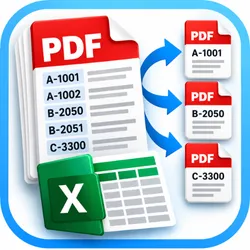
Under maintenanceAutomatically split multi-page PDFs by part, order, service or reference number. Get separate, organized PDFs in one ZIP plus an Excel tracking report. Ideal for transport companies, logistics teams, dispatchers and administrative workflows. Supports text-based PDFs; scanned files require OCR.
Pricing
from $200.00 / 1,000 results
Rating
0.0
(0)
Developer

Rafael ochogavia
Maintained by CommunityActor stats
0
Bookmarked
2
Total users
1
Monthly active users
2 days ago
Last modified
Categories
Share
PDF Part Number Splitter + Excel Audit
Turn mixed multi-page PDF reports into neatly split documents by part / service / reference number.
Upload up to 8 text-based PDFs and get a single ZIP containing separate PDFs and a beautifully formatted Excel audit workbook. Built for transport schedules, dispatch reports, work orders, service reports, logistics documents and back-office workflows.
How it works
- Upload your PDFs directly, or provide HTTPS links to downloadable PDF files.
- Pick how to handle unlabeled pages: attach to previous part (marked as inferred) or send to review.
- Run. Find
RESULT_ZIPandCONTROL_PARTES_XLSXfrom the run's Output tab (or under Storage > Key-value store). - Check Review alerts in the Excel workbook before distributing outputs.
Each identified reference becomes one PDF. Pages belonging to the same reference are reunited even when the source report is interleaved.
Input examples
Simple upload: use Upload PDF files in the input form. No coding needed.
Or submit JSON:
You can customize part-number matching. For example, when each page contains ORDER ID: ABC-123456:
Outputs
- RESULT_ZIP: PDFs grouped by reference + Excel control workbook.
- CONTROL_PARTES_XLSX: Excel workbook with sheets: Summary, Parts, Pages, Instructions (labels in Spanish).
- SUMMARY: machine-readable JSON with counts, errors, and review flags.
- Dataset: one row per successfully processed input PDF with at least one identified part/reference.
Supported formats and limitations
- Up to 8 PDFs per run, 25 MB per PDF, 200 pages per PDF, 500 pages overall.
- Digital, text-selectable PDFs only. Scanned PDFs without OCR layer are not supported.
- Pages with multiple different references are placed into a REVIEW PDF; never silently assigned.
- Unlabeled continuation pages may be inferred; this is not guaranteed, and must be manually verified.
- Two separate documents printed on the same source page cannot be split into independent pages automatically.
- User-supplied custom regex supports a first captured group or a group called
ref.
Privacy
Only upload files you have a right to process. Original PDFs and generated outputs are stored in your Apify-run-managed storage. Check privacy, retention, and access settings. PDF text is processed in the Actor process, without third-party AI APIs.
Billing note
The Actor is compatible with Apify's built-in apify-default-dataset-item pay-per-event pricing: one emitted dataset row per input PDF successfully processed with an identified part number. Input files with no detected parts can still produce review files, but no chargeable dataset row. Prices are determined by the publisher, not hard-coded here.
Version 0.1. Test with non-sensitive examples before using on critical or confidential workflows.


