
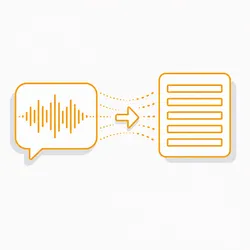
YouTube Transcript Scraper 📝 Subtitles, Timestamps & SRT
Pricing
from $1.50 / 1,000 transcripts
YouTube Transcript Scraper 📝 Subtitles, Timestamps & SRT
Quickly get the full transcript of any YouTube video as clean text, timestamped cues or an SRT file. Works on manual and auto-generated captions in any language. No cookies, no login, no API key. Accurate and reliable whilst maintaining maximum speed.
Pricing
from $1.50 / 1,000 transcripts
Rating
5.0
(1)
Developer

GatherWorks
Maintained by CommunityActor stats
0
Bookmarked
3
Total users
1
Monthly active users
a month ago
Last modified
Categories
Share
Get the full transcript of any YouTube video — as clean text, timestamped cues, or a ready-to-use SRT subtitle file. Manual and auto-generated captions, any language.
No account, no API key, no setup. Paste links and run.
🔍 What is the YouTube Transcript Scraper?
Give it YouTube links — watch URLs, youtu.be links, Shorts, or bare video IDs.
For each one it returns the transcript in whichever shape you need it:
- 📝 the whole thing as one clean block of text
- ⏱️ every line with its start time and duration, to the millisecond
- 🎬 a complete SRT file as a string, ready to save or upload
- 🏷️ the video's own context — title, channel, views, duration — on the same row
⚡ What can it do?
- 🌏 Pick the language you asked for.
preferredLanguagesis tried in order, and the language actually used is reported back on the row. - 🤖 Include or exclude machine captions. Set
allowAutoGenerated: falseto accept only human-written subtitles. - 🎬 Emit SRT directly. No post-processing, no timestamp maths — the file comes out ready to use.
- 📦 Take a list of videos and return one dataset covering all of them.
- ✅ Say which track you got on every row, so a transcript is never anonymous.
- 🔎 Filter before you pay. Keep only the rows you want — a minimum word count, a language, human-written only — and rows that do not match are never returned and never charged for.
- 🔀 Sort the results by any field, e.g. longest transcript first.
- ♻️ Reuse what you already fetched. A video you have pulled before is served from your own recent copy — same result, a fraction of the time. The add-ons work off it too, so switching on cues or SRT later needs no refetch.
- 📄 Export anywhere. JSON, CSV, Excel — the dataset is yours.
🎯 "No captions" is an answer, not a failure
A video with no caption track comes back with status: "no_captions" and a
plain-English message, and it is never charged for a transcript — only for
the lookup. The same applies when the only tracks are auto-generated and you have
switched those off.
That distinction matters downstream: an empty string cannot tell you whether the
captions do not exist or simply were not read, and you find out which at the
wrong moment. Here status and message say which, on every row.
⚡ Speed and accuracy
Speed. Measured on real runs: 10 videos in 21.5 seconds, and the same 10 in 2.5 seconds when already fetched — with timestamped cues and SRT switched on the second time, rebuilt without going back out.
Accuracy. Transcripts are the caption tracks YouTube publishes for the video, so the wording is not a machine transcription of our own. Cue timings are preserved to the millisecond and carried into the SRT output unchanged. Every row reports the language used and whether that track was human-written or auto-generated. A video whose captions cannot be read is reported as such rather than returned empty.
📊 What data does it return?
One row per video:
| Field | Notes |
|---|---|
📝 text | The whole transcript as one clean block |
⏱️ cues | (timestamps add-on) Every line with start and duration in seconds |
🎬 srt | (SRT add-on) A complete SRT subtitle file as a string |
🌏 language | The caption track actually used |
🤖 isAutoGenerated | Whether YouTube generated that track rather than a human writing it |
🗂️ availableLanguages | Every caption language the video offers, de-duplicated |
🔢 wordCount, cueCount | Size of the transcript at a glance |
🏷️ videoTitle, channelName, channelId | Video context |
📊 viewCount, durationSeconds, publishedAt | Video stats |
✅ status | ok, no_captions, transcript_unavailable or error |
⚠️ message | Why, in plain English, whenever status is not ok |
🕰️ scrapedAt | When the row was captured |
🚫 What it does not return
- A transcript for a video that has no captions. It says so instead.
- Speech recognition of our own. If YouTube has no caption track, there is nothing to return — a machine transcription would be a different product with different accuracy, and passing one off as the video's captions would be a lie.
- Captions from private, members-only or age-gated videos. They are not served publicly.
- Translated captions. You get the tracks the video actually publishes.
💰 How much does it cost?
You pay per event, for what the run actually produces — never for runtime, and never on a subscription. Every video costs a base lookup fee; a transcript is charged only when one is actually returned.
Standard rate, at $0.0025 per transcript — one charge, and only when a transcript is actually returned:
| Run | Cost |
|---|---|
| 🟩 100 transcripts, plain text | 💵 $0.25 |
| 🟨 100 transcripts + timestamped cues | 💵 $0.34 |
| 🟧 100 transcripts + cues + SRT | 💵 $0.43 |
A video with no captions is free. So is a video that fails to load. You are charged per transcript you receive, and for nothing else. A month you do not run it costs nothing at all — there is no plan to keep alive.
What you get for that
| Included here | |
|---|---|
| 🌏 The language actually used, reported per row | ✅ |
| 🤖 Human-written vs auto-generated, marked | ✅ |
| 🗂️ Every caption language the video offers | ✅ free |
| 🏷️ Video title, channel, views and duration | ✅ free |
| 💳 Minimum spend | none |
| 📅 Monthly commitment | none |
The usual alternative is a monthly credit plan, where the cheap per-transcript rate only arrives once you have prepaid for tens of thousands of them and used the lot. Here the rate is the rate, the add-ons are genuinely optional, and nothing expires at the end of the month.
🚀 How do I use it?
- Paste your video URLs into
videoUrls. - Put your preferred caption languages in order in
preferredLanguages. - Switch on
includeTimestampsorincludeSrtonly if you need them. - Run it. Rows land in the dataset as they arrive.
⚙️ Input
| Input | Type | Default | What it does |
|---|---|---|---|
🔍 videoUrls | array | — | Required. Watch URLs, youtu.be links, Shorts URLs or bare 11-character IDs |
🌏 preferredLanguages | array | ["en"] | Language codes in order of preference. First available wins |
🤖 allowAutoGenerated | boolean | true | Turn off to accept only human-written subtitles |
🔎 filter | object | — | Keep only matching rows. Unmatched rows are not returned and not charged |
🔀 sortResultsBy | string | — | e.g. wordCount:desc. Leave empty to keep input order |
♻️ useCache | boolean | true | Serve videos you have already fetched from your own recent copy |
⏳ cacheHours | integer | 168 | How long a stored result stays usable. Default one week |
⏱️ includeTimestamps | boolean | false | Adds the cues array. Add-on |
🎬 includeSrt | boolean | false | Adds the srt string. Add-on |
🔢 concurrency | integer | 5 | Videos fetched at once |
⚙️ proxyConfiguration | object | — | Optional proxy settings |
📄 Output example
A real row from a real run, trimmed for length:
Videos without captions return status: "no_captions" and are never charged for a
transcript.
❓ Frequently asked questions
Do I need a Google account or API key? No. There is nothing to sign up for and no key to manage.
What happens if a video has captions in several languages?
preferredLanguages is tried in order. If none of them match, the first available
track is used — and language on the row tells you which one you got.
Can I get a transcript for a video that has none?
No. This Actor returns the captions the video publishes; it does not transcribe
audio. Those videos come back as no_captions.
What can I filter on?
Any field in the table above. Conditions take an operator — gte, lte, eq,
ne, contains, notContains, startsWith, endsWith, matches, in,
notIn, exists, before, after — or a bare value for an exact match. Give
several and all must hold; use {"any": [...]} for or.
Am I charged for rows the filter removes? No. The filter runs before the row is returned, so you are only charged for transcripts you actually receive.
How fresh is a reused result?
scrapedAt on every row is the moment the captions were actually captured, not
the moment they were handed to you — so you can always see the real age. Set
useCache: false to force a fresh fetch, or lower cacheHours.
What about live streams? Live streams and videos with captions disabled are reported, not charged for.
🏷️ Pricing
Pay per event — you are charged for output, not for platform time.
| Event | Price | Covers |
|---|---|---|
📝 transcript — primary | 💵 $0.0025 | One transcript returned. The only charge a default run makes |
⏱️ timestamped-transcript — add-on | 💵 $0.0009 | The cues array. Only when includeTimestamps is on |
🎬 srt-export — add-on | 💵 $0.0009 | The srt string. Only when includeSrt is on |
▶️ apify-actor-start | 💵 $0.00005 | Starting one run, charged once per GB of memory |
| 📹 Videos with no captions | ✅ free | Reported, never charged |
| 🏷️ Title, channel, views and duration | ✅ free | On every row |
| 🌏 Language detection and de-duplication | ✅ free | On every row |
| 🔎 Filtering and sorting | ✅ free | Filtered-out rows are not charged for |
Both add-ons are off by default. Leave them off and you are charged the transcript rate and nothing else.
🏅 Rates by tier
The prices above are the standard rate. Higher Apify plans are billed at the discounted tiers below, automatically:
| Event | FREE | BRONZE | SILVER | GOLD |
|---|---|---|---|---|
📝 transcript | 💵 $0.0025 | 💵 $0.00217 | 💵 $0.00183 | 💵 $0.0015 |
⏱️ timestamped-transcript | 💵 $0.0009 | 💵 $0.00077 | 💵 $0.00063 | 💵 $0.0005 |
🎬 srt-export | 💵 $0.0009 | 💵 $0.00077 | 💵 $0.00063 | 💵 $0.0005 |
▶️ apify-actor-start | 💵 $0.00005 | 💵 $0.00005 | 💵 $0.00005 | 💵 $0.00005 |
🛑 You are never billed past your limit
The run watches its own charge limit and stops taking new videos when it reaches it, so a long list cannot quietly overshoot the budget you set on the run.


