

Goofish Product Details Scraper | Xianyu Price & Seller
Pricing
from $2.54 / 1,000 item details
Goofish Product Details Scraper | Xianyu Price & Seller
Get Goofish (Xianyu 闲鱼) item details by URL or id: title, price, original price, status (on sale, sold, delisted), condition, brand, attributes, images, wants and views, plus seller good-review ratio, sales, reply rate and Zhima credit. Flat rows, no login.
Pricing
from $2.54 / 1,000 item details
Rating
0.0
(0)
Developer

Flowo
Maintained by CommunityActor stats
0
Bookmarked
2
Total users
1
Monthly active users
6 days ago
Last modified
Categories
Features
Share
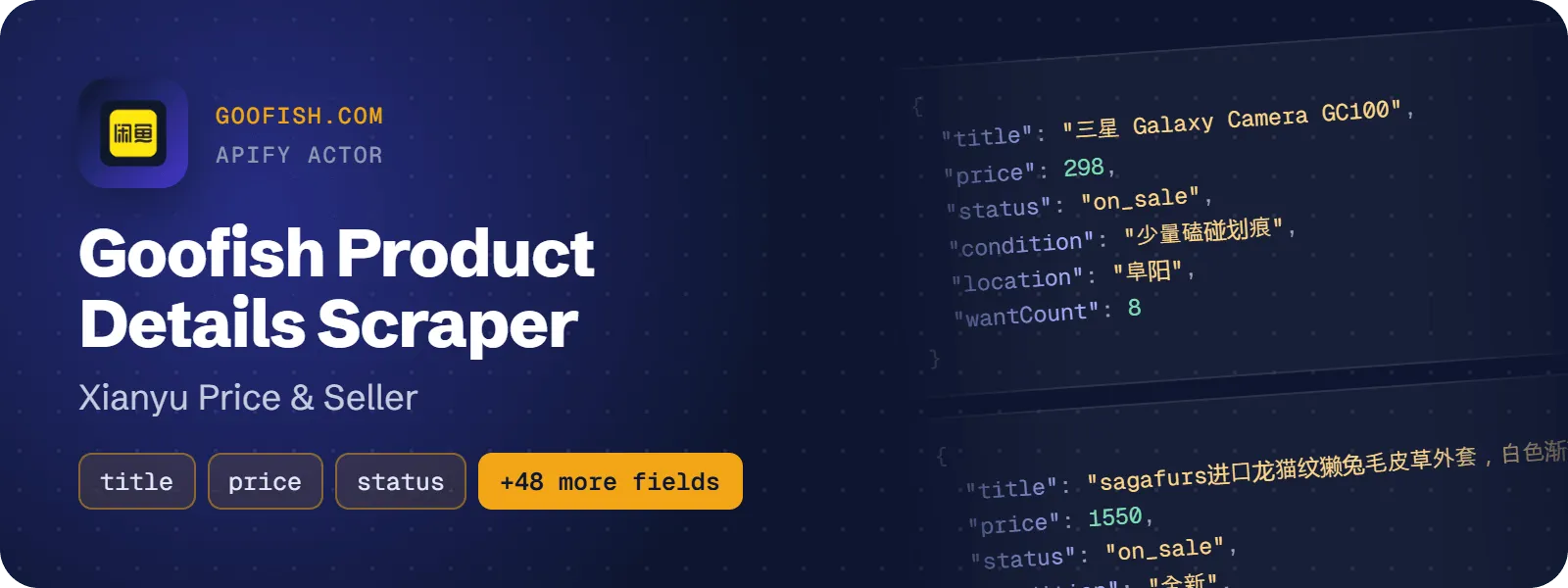
Get the full details of Goofish (闲鱼 Xianyu) second-hand listings from item URLs or item ids: title, description, price and original price in CNY, status (on sale, sold or delisted), condition, brand, attributes, images, and the want, view and favorite counts. Each row also carries the seller profile: good-review ratio, items sold, 24-hour reply rate, credit level, Zhima credit and registration date. One flat row per item, no login or cookies.
What does Goofish Product Details Scraper do?
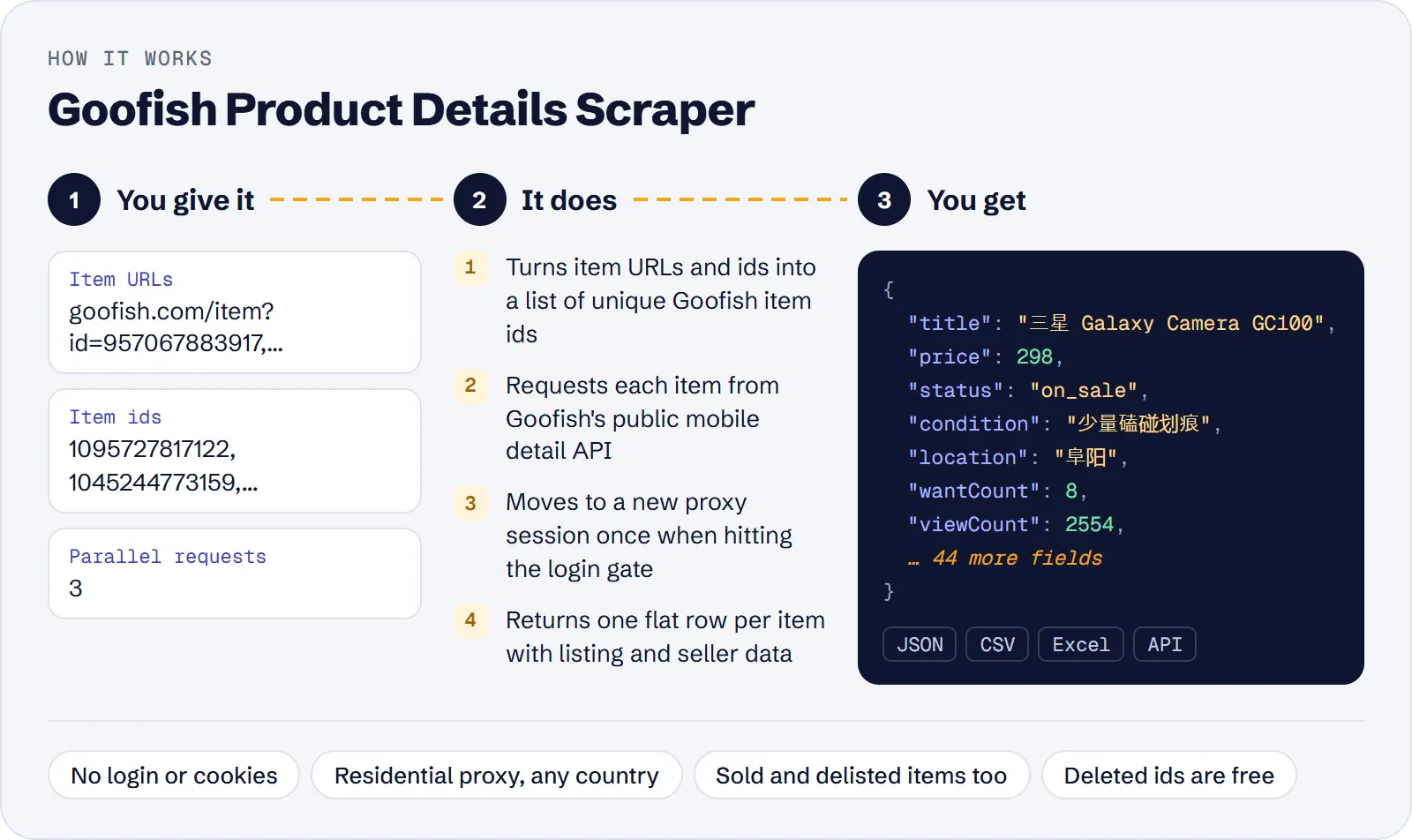
You give it Goofish item links (www.goofish.com/item?id=…, h5.m.goofish.com/item?id=…) or numeric item ids. It reads each item's public detail data and saves one flat row with 51 fields: the listing itself, its counters and a seller profile. It is made for resellers and cross-border buyers who check price, status and seller trust before buying, for teams that re-check known listings on a schedule, and for AI agents that get Goofish links and need structured data.
It does not search Goofish by keyword. Goofish made its search and home-feed data login-only in November 2026, so this actor works from item links or ids you already have.
How to scrape Goofish product details
- Open the actor in Apify Console.
- Paste Goofish item pages into Item URLs, or numeric ids into Item ids (one per line). You can use both lists at once.
- Optionally set Max results to stop after a number of saved items.
- Keep the default Proxy (Apify Residential).
- Click Start and download the dataset as JSON, CSV, Excel or HTML, or read it over the API.
How much does it cost to scrape Goofish?
Price per event by Apify plan:
| Event | Free | Bronze | Silver | Gold and above |
|---|---|---|---|---|
| Item details | $2.99 per 1,000 | $2.84 per 1,000 | $2.691 per 1,000 | $2.541 per 1,000 |
| Actor start | $0.00005 | $0.00005 | $0.00005 | $0.00005 |
A test run with the API example input below returned 6 rows in 23 s.
You pay for each item saved to the dataset (the item event), plus a small start event per run. Deleted ids, invalid inputs, items blocked by Goofish's login gate and items that failed are not saved and not charged.
| Scenario | Events | Cost on the Free plan |
|---|---|---|
| Check 50 item links from chats | 50 items + 1 start | ≈ $0.15 |
| Daily re-check of 100 watched items | 100 items + 1 start | ≈ $0.30 |
| 1,000 ids from a spreadsheet | 1,000 items + 1 start | ≈ $2.99 |
| 2,000 ids, 100 of them deleted | 1,900 items + 1 start | ≈ $5.68 |
Input
- Item URLs (
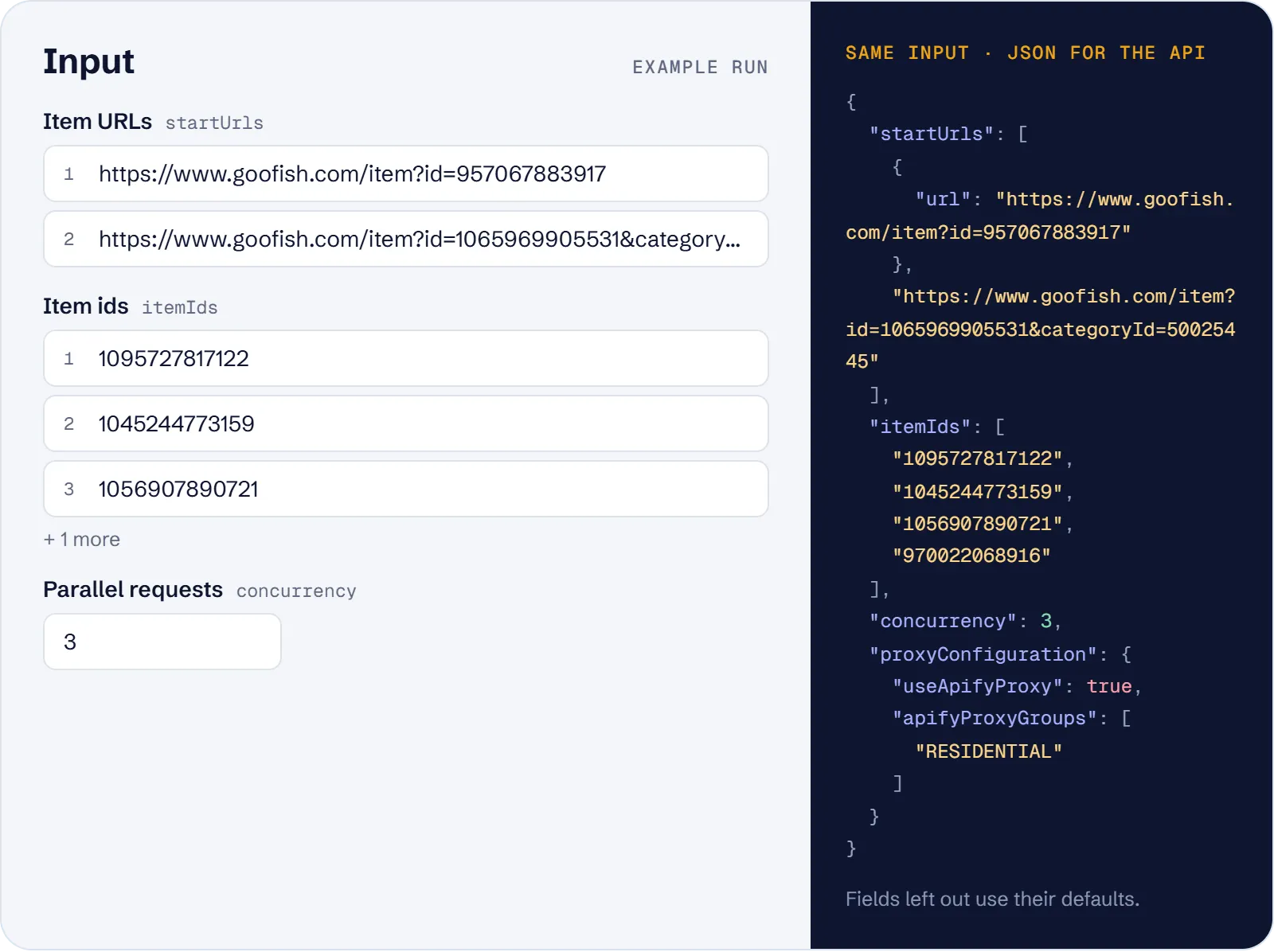
startUrls) — Goofish item pages, e.g.https://www.goofish.com/item?id=957067883917. Extra query parameters are fine, andh5.m.goofish.com/item?id=…works too. Mobile share short links (m.tb.cn) and seller or search pages are not supported and are skipped with a warning. - Item ids (
itemIds) — numeric item ids, one per line, e.g.1095727817122. An item URL also works here; non-numeric values are skipped with a warning. - Max results (
maxItems) — stop after this many saved items (minimum 1). Empty = every given item. - Parallel requests (
concurrency) — 1 to 5 items at the same time, each on its own proxy session. Default 3. - Proxy (
proxyConfiguration) — default Apify Residential, any country. Datacenter or no proxy is allowed but logs a warning.
Give at least one valid item in Item URLs or Item ids; an empty input stops the run with an error. Duplicates across both lists are fetched once.
What data can you extract from Goofish?
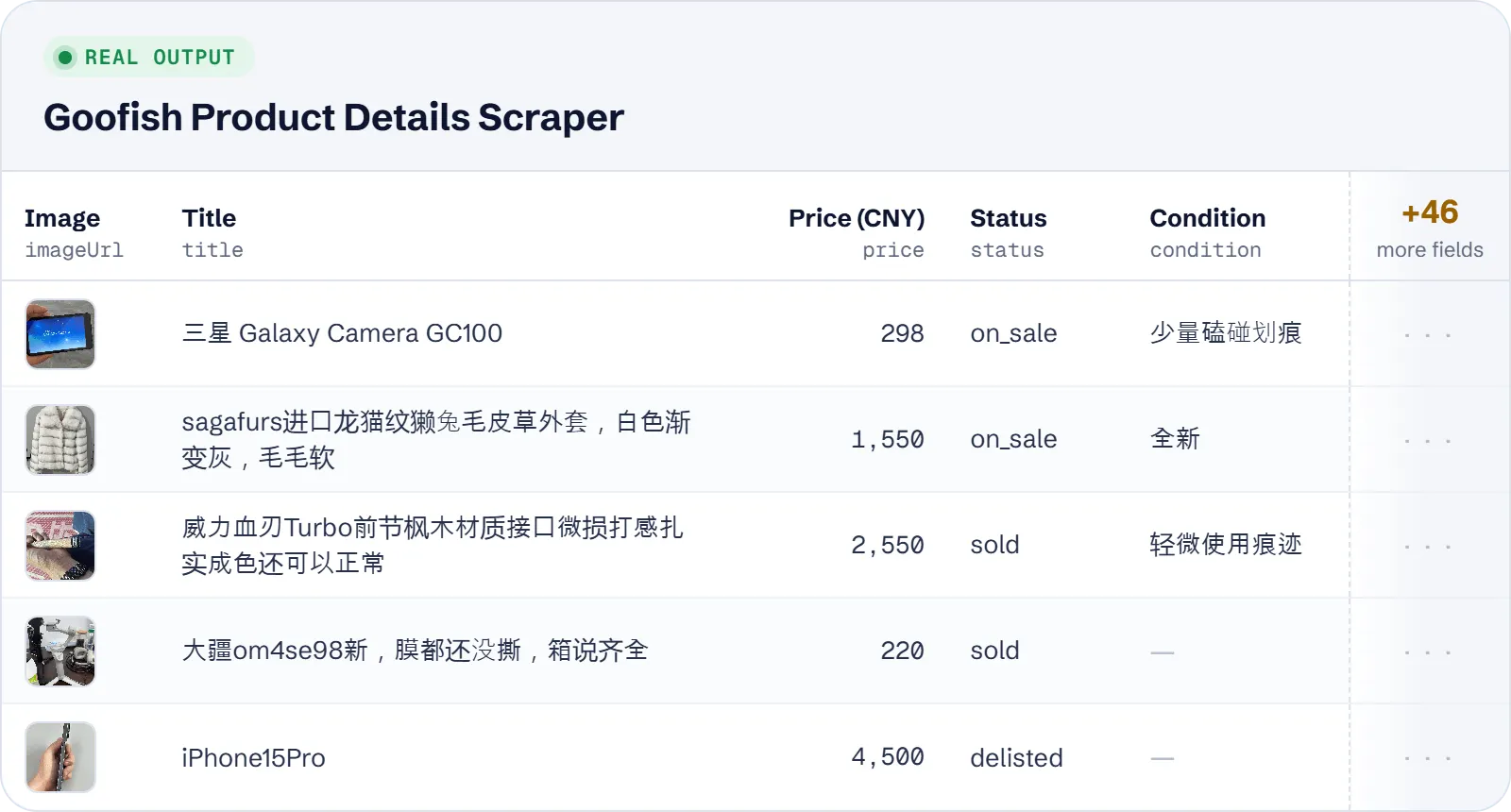
| Group | Fields |
|---|---|
| Listing | id, url, title, description, publishedAt, location (city the item was published from) |
| Price | price, originalPrice, currency (always CNY), shippingFee, freeShipping |
| Status | status (on_sale, sold, delisted), statusText (e.g. 在线 / 卖掉了 / 已下架), statusCode (0, 1, -2) |
| Item facts | condition, brand, model, attributes ("name: value" strings), category, categoryId, tags |
| Images | imageUrl, images (https URLs, some .heic), imageCount |
| Counters | wantCount, viewCount, favoriteCount, soldCount, quantity |
| Seller | author (nickname, masked by Goofish), sellerId, authorUrl, sellerCity, sellerAvatarUrl, sellerSignature, sellerRegisteredAt, sellerRegisteredDays, sellerSoldCount, sellerItemCount |
| Seller trust | sellerGoodRatio, sellerGoodReviews, sellerBadReviews, sellerReplyRate24h, sellerReplyInterval, sellerLastVisit, sellerVerified, sellerZhimaAuth, sellerZhimaLevel, sellerCreditLevel |
| Seller's other listings | sellerOtherItemUrls (other items of the same seller shown on the item page, up to 11) |
| Run | scrapedAt |
A real item (shortened):
Use cases
- Check links before buying. Paste item links from chats and see price, status, condition and seller trust in one table.
- Bulk lookup from a spreadsheet. Paste thousands of item ids and get one row per live item; deleted ids are logged and not charged.
- Price and status monitoring. Schedule the same ids daily and watch
status(on_sale→sold/delisted),price,wantCountandviewCount, joined onid. - Seller due diligence. Compare
sellerGoodRatio,sellerSoldCount,sellerCreditLevel,sellerZhimaLevelandsellerRegisteredAt, then followsellerOtherItemUrlsorauthorUrl. - AI agent lookup. An agent passes one or more item ids and gets flat JSON rows back.
Limitations
- No keyword search or category browsing: you need item links or ids.
- Texts are in Chinese as the seller and Goofish write them (titles, descriptions, attribute names, status labels, reply times).
- The seller nickname (
author) is masked by Goofish (e.g. 安***通);sellerIdandauthorUrlidentify the seller. - Only the city is available as location: no province, district or coordinates.
- No video, SKU variants, numeric condition grade, auction or bargaining flags.
- Fields that can be
null: every field exceptid,url,currency,freeShipping,attributes,tags,images,imageCount,sellerOtherItemUrlsandscrapedAt. Often empty:originalPrice,condition,brand,model,category,sellerSignature,sellerZhimaLevelandsellerCreditLevel.priceisnullfor the price-on-request placeholder (99999999);statusisnullfor an unknown status code. The arraysattributes,tagsandsellerOtherItemUrlscan be empty. soldCountis often 0 even for sold items; usestatusto see whether an item sold.sellerGoodRatioandsellerReplyRate24hare text as shown on Goofish, e.g.98%,--or低于50%.- Some images are
.heicfiles. - Goofish shows a login gate (RGV587) to datacenter and direct IPs; such items are retried once on a new session, then skipped as blocked.
Tips and troubleshooting
- Use the residential proxy. It is the default; with datacenter or no proxy Goofish gates many requests and those items are lost. The proxy country does not change the data.
- Keep Parallel requests at 3. Higher values (up to 5) make the login gate more likely.
- Fewer rows than inputs? Check the run log: deleted items are logged as not found, and unsupported inputs (short
m.tb.cnlinks, sellerpersonal?userId=pages, search pages, non-numeric ids) are skipped with a warning. The status message counts them, e.g.Done: 11 items; 1 not found; 1 invalid inputs skipped. - Share link from the app? Open it in a browser and paste the resulting
goofish.com/item?id=…URL, or just the id. - Monitoring: use
idas the key between scheduled runs; sold and delisted items still return a full row. - The run failed with a RESIDENTIAL message means Goofish gated every request; run again with the Residential proxy.
API, MCP and integrations
Run the actor from your code with the same JSON input as in Console. Your API token is in Console → Settings → API & Integrations.
Python (pip install apify-client):
Node.js (npm install apify-client):
HTTP — one request runs the actor and returns the results (runs up to 5 minutes; longer ones: run asynchronously):
AI agents (MCP). Add the actor as a tool of the Apify MCP server. Claude Code:
Claude Desktop, Cursor or VS Code: {"mcpServers": {"apify": {"url": "https://mcp.apify.com?tools=genial_candlestand/goofish-product-details-scraper"}}}. Then ask, for example:
- "Get price, status and seller good-review ratio of Goofish item 1095727817122"
- "Check whether these Goofish items are still on sale: 957067883917, 970022068916, 1045244773159"
- "Show the seller credit level, Zhima credit and items sold for https://www.goofish.com/item?id=957067883917"
Integrations. Run it on a schedule with Apify Schedules and send the results to Google Sheets, Slack, Zapier, Make, n8n or your webhook — see Apify integrations.
FAQ
Do I need a Goofish account or cookies?
No. The actor reads only public item data, without login, cookies or an API key.
Can I get sold or delisted items?
Yes. Sold and delisted items return a full row with status sold or delisted. Items Goofish has deleted return no row and are not charged.
What currency are prices in?
Chinese yuan: currency is always CNY. price is null when the seller uses the price-on-request placeholder instead of a real price.
How is it different from other Goofish detail actors?
Every column is flat (the seller profile, counters and images are plain fields, not nested objects), status is an English value next to the Chinese label, and the price is $2.99 per 1,000 items with no per-run cap on the number of ids. It does not return province, coordinates, video or SKU variants, which some other actors do.
Is it legal to scrape Goofish?
The actor collects only data that Goofish shows publicly on item pages, and the seller nickname stays masked as Goofish shows it. You are responsible for how you use the data, including privacy and consumer laws in your country and Goofish's terms.
Also useful
- Goofish Xianyu Scraper — find Goofish listings by category channel, home feed or seller shop, then fetch their full details here
- 1688 Product Details Scraper — compare second-hand prices with 1688 wholesale prices, SKUs, MOQ and 30-day sales
- 1688 Product Search Scraper — find wholesale suppliers and CNY price tiers on 1688 for the same products
- eBay Search Scraper — compare used prices on eBay: listings, condition, seller feedback and sold counts


