
1688 Product Search Scraper | Wholesale Prices & Suppliers
Pricing
from $0.76 / 1,000 products
1688 Product Search Scraper | Wholesale Prices & Suppliers
Get 1688.com wholesale product cards by keyword or category: title, CNY price, quantity price tiers, MOQ, units sold, supplier name, location and service scores, category ids and an ad flag. Price, province and city filters, sort by sales or price, exclude ads. No login.
Pricing
from $0.76 / 1,000 products
Rating
0.0
(0)
Developer

Flowo
Maintained by CommunityActor stats
0
Bookmarked
5
Total users
2
Monthly active users
4 days ago
Last modified
Categories
Features
Share
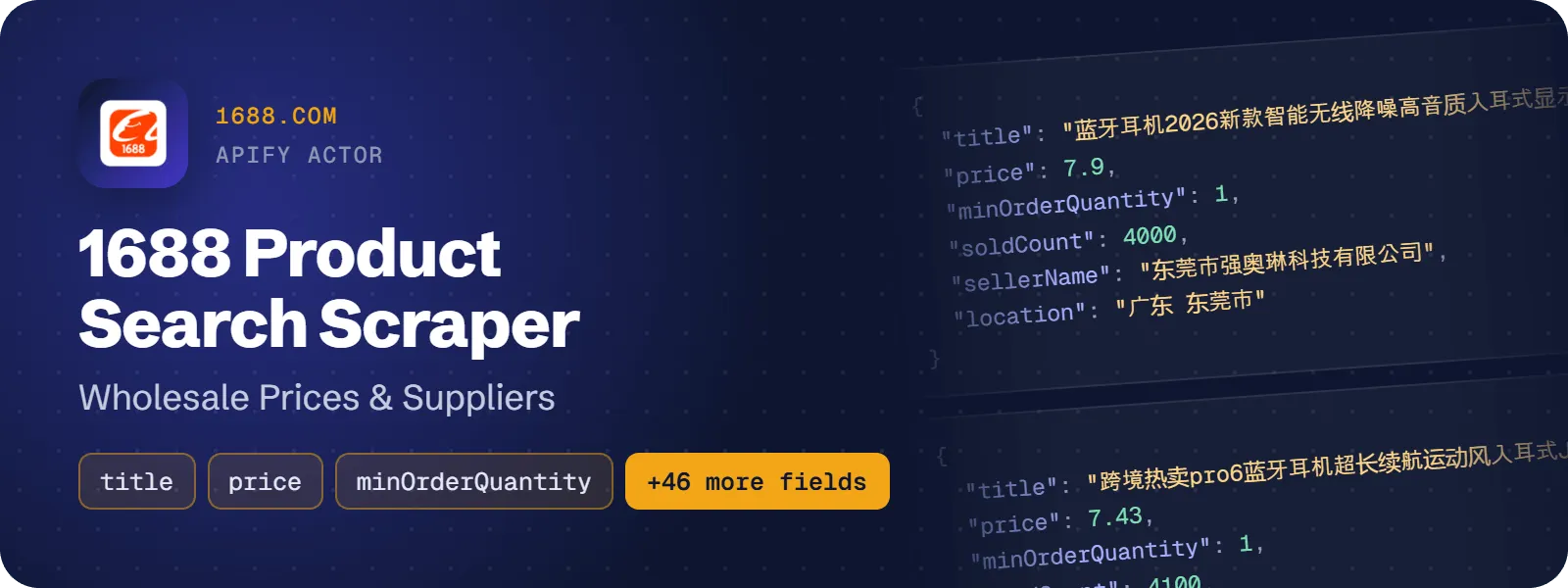
Search 1688.com, China's wholesale marketplace, by keyword or list a category, and get one row per product card: the title, unit price in CNY, quantity price tiers, minimum order quantity, units sold, the supplier's name, province and city, its trade-service scores, the category ids and a sponsored-ad flag. Filter by price, supplier province and city, sort by sales or price, and skip ads. No login needed.
What does 1688 Product Search Scraper do?
You give it keywords (Chinese or English) or numeric 1688 category ids. It runs each one as a separate 1688 search and returns the product cards of the result list in 1688's order, up to 2,000 products per search. It is built for sourcing agents, importers, dropshippers and Amazon or Shopify sellers looking for suppliers and wholesale prices, and for market researchers who track what sells on 1688 and at what price. It reads the search results only and does not open product pages, so SKUs and specs are not included; pass the urls you choose to a product-details tool for that.
How to scrape 1688 products by keyword or category
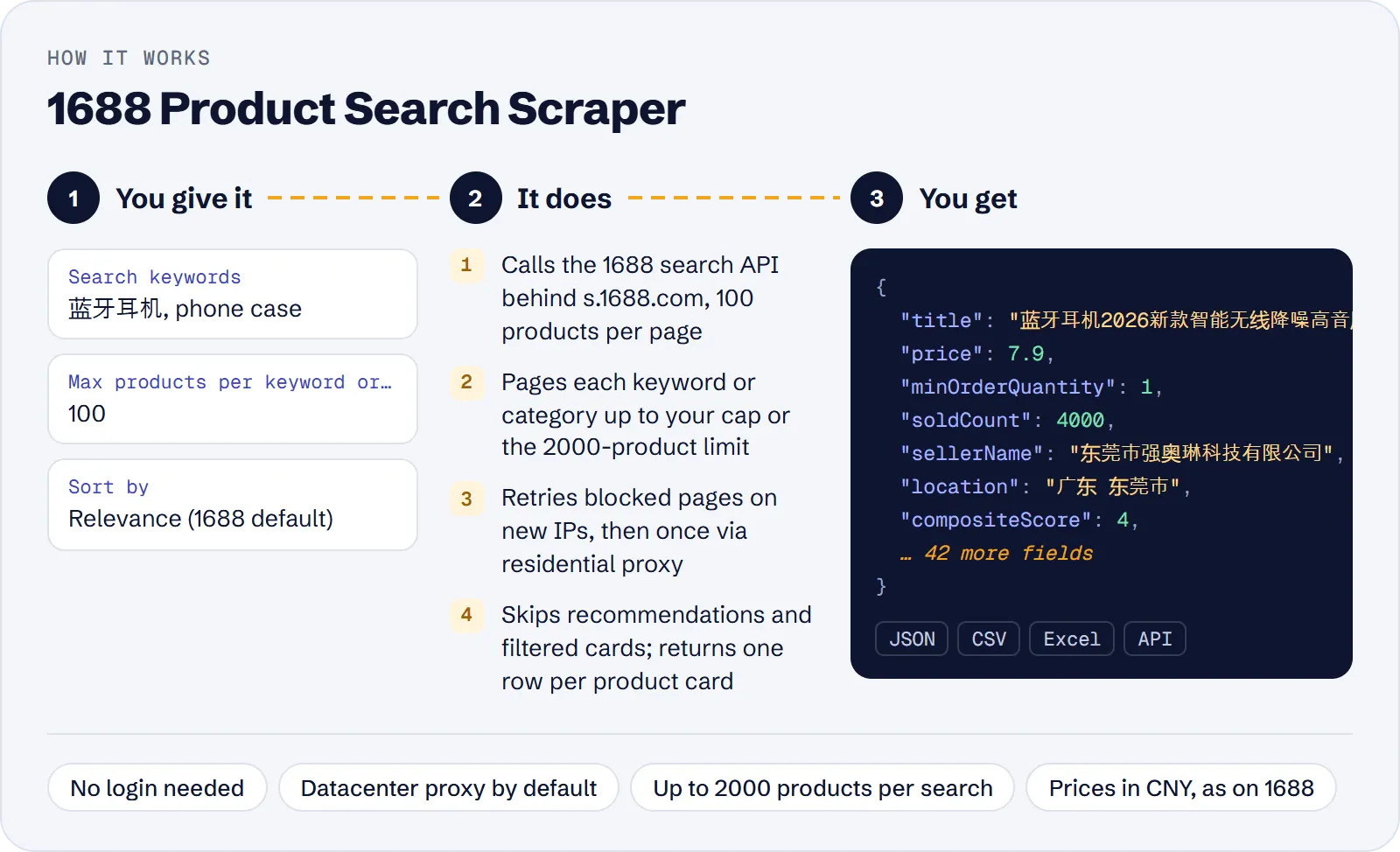
- Open the actor in Apify Console.
- Enter one or more Search keywords, e.g. 蓝牙耳机 or phone case, or one or more Category IDs, e.g. 1031910.
- Optionally set Max products per keyword or category, Sort by, a CNY price range, a supplier province or city, and Exclude ads.
- Click Start and wait for the run to finish.
- Download the results as JSON, CSV or Excel, or read them through the API.
How much does it cost to scrape 1688?
Price per event by Apify plan:
| Event | Free | Bronze | Silver | Gold and above |
|---|---|---|---|---|
| Product | $0.90 per 1,000 | $0.855 per 1,000 | $0.81 per 1,000 | $0.765 per 1,000 |
| Actor start | $0.00005 | $0.00005 | $0.00005 | $0.00005 |
A test run with the API example input below returned 200 rows in 10 s.
You pay for each product row saved to the dataset (the product event) plus a small start fee per run (the apify-actor-start event, charged per GB of memory; the default memory is 256 MB).
Not charged: the "recommended for you" items 1688 shows when a keyword has no real matches, ads skipped with Exclude ads, cards whose price or supplier location falls outside your filters, and repeats of the same product inside one search. The same product found by two different searches is two rows and two events.
Costs on the Free plan ($0.0009 per product, start fee included):
| Scenario | Product events | Cost |
|---|---|---|
20 cheapest offers for one keyword (maxItems: 20) | 20 | about $0.02 |
| 2 keywords × 100 products (the default input) | 200 | about $0.18 |
| 5 keywords × 200 products | 1,000 | about $0.90 |
| 5 keywords × 2,000 products (the 1688 maximum per search) | 10,000 | about $9.00 |
Input
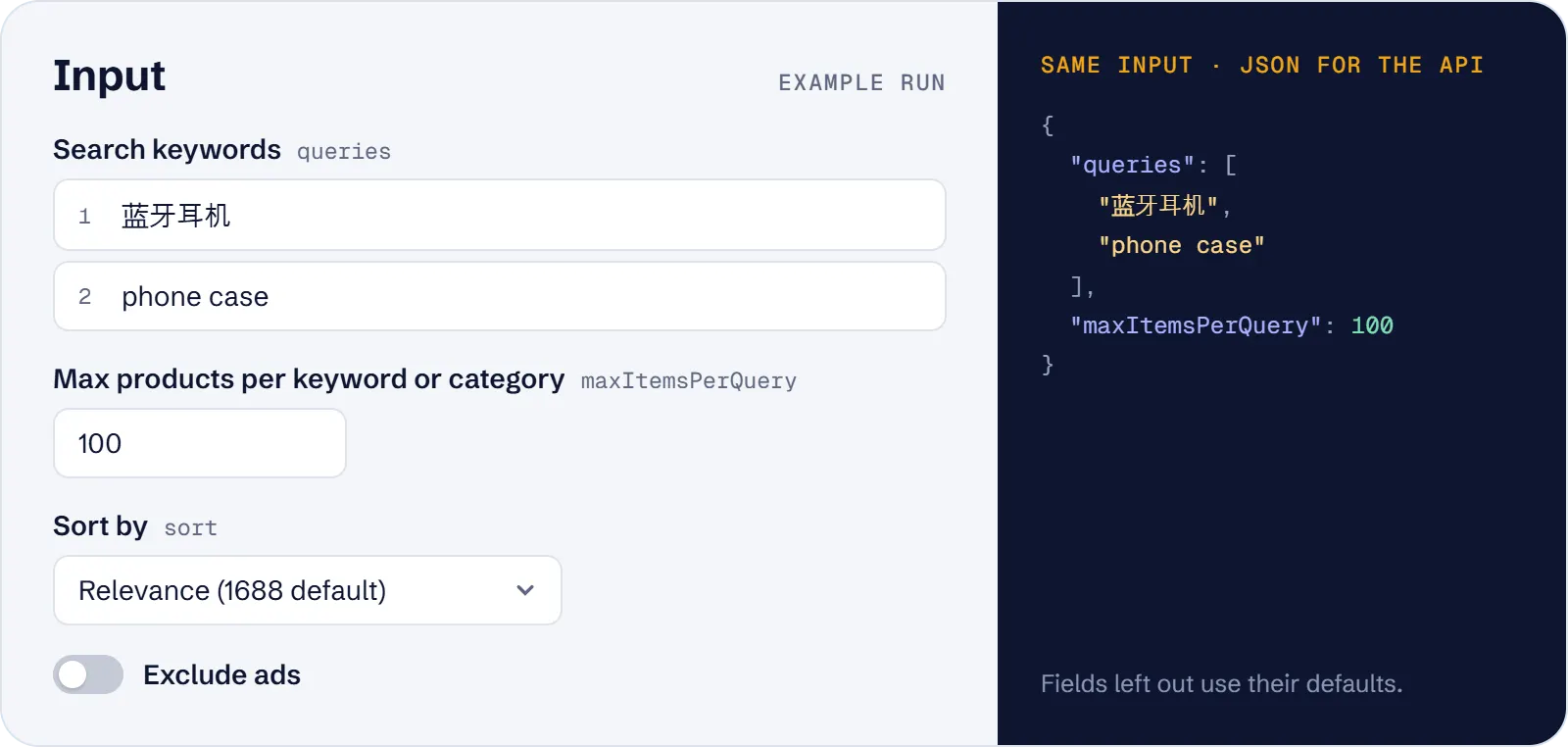
Give queries, categoryIds or both; an empty input is an input error.
- Search keywords (
queries) — one search per keyword. Chinese keywords match best; English ones return Chinese offers. - Category IDs (
categoryIds) — numeric 1688 category ids listed without a keyword, e.g. 7 (apparel), 10166 (women's clothing), 1031910 (dresses). 1688 lists only some ids (most top-level ones); an unsupported id gives a warning and no rows. Categories are never combined with a keyword: each is its own search. A non-numeric id is an input error. - Max products per keyword or category (
maxItemsPerQuery) — 1 to 2,000, default 100. Pages past the first 400 products are slower. - Max products in total (
maxItems) — optional cap for the whole run. - Sort by (
sort) —relevance(default),sales(best selling, 30 days),priceAscorpriceDesc. Applies to keyword searches only; category listings always use relevance, with a warning. - Min price / Max price (CNY) (
priceMin,priceMax) — unit price range in yuan, decimals allowed; either one alone works. Min above max is an input error. Works with keywords and categories. - Supplier province (
province) — Chinese short form as 1688 shows it, e.g. 浙江, 广东. Suffixes 省/市/自治区 are removed automatically; Latin names (Zhejiang) are an input error. - Supplier city (
city) — Chinese with 市 or 县 exactly as 1688 shows it, e.g. 义乌市, 金华市; works with or without a province. Latin names are an input error. - Exclude ads (
excludeAds) — skip sponsored (P4P) cards; off by default, when ads are kept withisAd: true. - Proxy (
proxyConfiguration) — Apify datacenter proxy by default.
Example input:
What data can you extract from 1688?
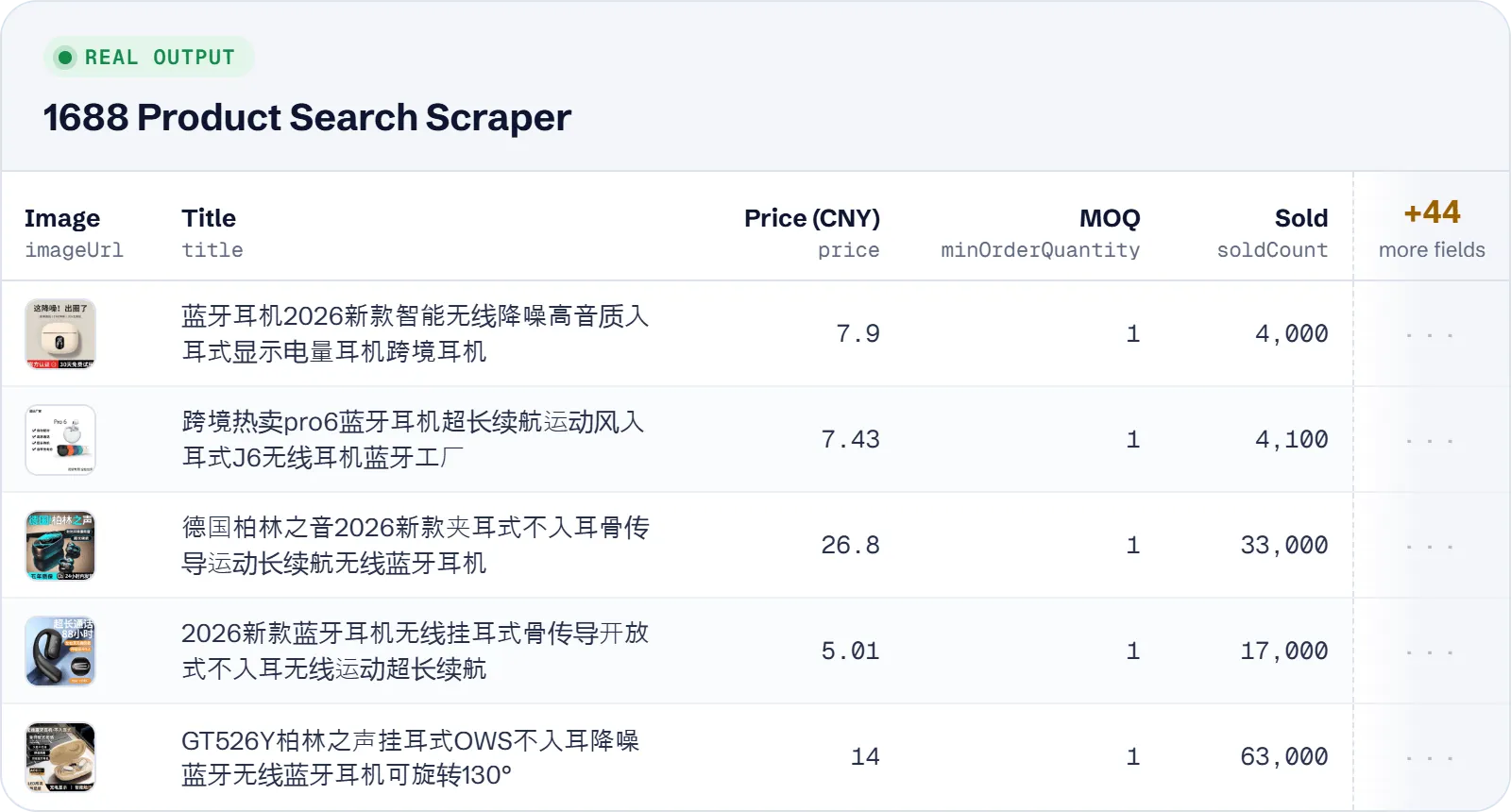
| Field | What it is |
|---|---|
offerId, url, title, imageUrl | 1688 offer id, product page, title as shown (usually Chinese), main image |
price, currency, priceType, priceLabel | unit price on the card in CNY, always CNY, the price kind (e.g. NORMAL, UMP, TTTM), the label next to a promotion price (e.g. 限时价) |
priceTiers, minOrderQuantity, unit | quantity tiers (minQuantity, maxQuantity, price), MOQ from the first tier, quantity unit (e.g. 个, 条, 套) |
soldText, soldCount, orderCount | sales text as shown, units sold as a number (lower bound, 万 = 10,000), orders reported by 1688 |
repurchaseRatePercent, shopRepeatRatePercent | offer repurchase rate and the shop's repeat-buyer rate (回头率), in percent |
sellerName, sellerLoginId, sellerMemberId, sellerUrl, sellerMobileUrl, sellerYears, businessType | supplier name (usually the registered company), member login and id, shop links, years as a paid member, business type (e.g. 生产加工, 经销批发) |
province, city, location | supplier location; location joins province and city |
isFactoryInspected, isBusinessInspected, isSuperFactory | 1688 verification flags |
compositeScore, goodsScore, logisticsScore, disputeScore, consultationScore, returnScore | supplier trade-service scores, 0–5 |
serviceTags, promotionTags, tags | badges and all tags on the card |
categoryId, topCategoryId, categoryPathIds, similarItemsUrl | leaf and top-level category ids, the id path from top to leaf, the 1688 page with similar products |
isAd | sponsored (P4P) card |
query, searchCategoryId, page, position, totalFound | the keyword or category id of the search, result page (100 per page), rank in the result list, products 1688 reports for the search (at most 2,000) |
scrapedAt | when the row was extracted |
A real row (keyword 蓝牙耳机):
Use cases
- Find suppliers for a product: search 蓝牙耳机 or phone case and compare price tiers, MOQ, units sold and supplier scores.
- Best sellers in a price band: sort 保温杯 by sales with a 5–20 CNY range to see what sells at that price.
- Suppliers from a sourcing hub: limit 连衣裙 to 浙江 / 义乌市 and skip ads to get only Yiwu suppliers.
- Browse a category: list category 1031910 (dresses) or 7 (apparel) without a keyword.
- Quick price check: the 20 cheapest 螺丝 (screw) offers with
sort: priceAscandmaxItems: 20.
Limitations
- 1688 returns at most 2,000 products per search. For more, run several price ranges yourself.
- Only search-card data: no SKU variants, specs, stock, shipping or certificates. Titles stay in Chinese (no translation), and prices are in CNY only (no USD conversion).
- Categories come as ids only (
categoryId,topCategoryId,categoryPathIds), not names. - Only some category ids can be listed (most top-level ones), and category listings cannot be sorted.
- Pages past the first 400 products are slower: 1688 often asks for a login there, and the actor retries. If a page still fails, the rows already saved are kept and that search stops with a warning.
- 1688 filters prices on its own basis; cards whose shown price is still outside your range are dropped, so a search can return fewer rows than your cap.
- Fields that can be
null:price,priceType,priceLabel,minOrderQuantity,unit,soldText,soldCount,orderCount,repurchaseRatePercent,shopRepeatRatePercent,imageUrl, allseller…fields,businessType,province,city,location, the six score fields,categoryId,topCategoryId,similarItemsUrl,query(for a category),searchCategoryId(for a keyword) andtotalFound.priceTiers,categoryPathIds,serviceTagsandpromotionTagscan be empty lists.
Tips and troubleshooting
- 0 rows for a keyword: 1688 had no real matches and showed only recommendations, which the actor skips with a warning. Try a Chinese keyword.
- 0 rows for a location: use the exact Chinese name 1688 shows, with 市 for cities (义乌市, not 义乌). A city outside the given province returns nothing.
- 0 rows for a category: 1688 does not list that id; the run log names it. Try a top-level id such as 7.
- Fewer rows than the cap: excluded ads, cards outside your price range and the 2,000-per-search limit all reduce the count.
- Many searches in one run: put keywords and category ids together; each is a separate search, and
maxItemscaps the whole run. - Proxy: the default datacenter proxy is enough; blocked requests are retried on new IPs and then once via residential proxy automatically.
API, MCP and integrations
Run the actor from your code with the same JSON input as in Console. Your API token is in Console → Settings → API & Integrations.
Python (pip install apify-client):
Node.js (npm install apify-client):
HTTP — one request runs the actor and returns the results (runs up to 5 minutes; longer ones: run asynchronously):
AI agents (MCP). Add the actor as a tool of the Apify MCP server. Claude Code:
Claude Desktop, Cursor or VS Code: {"mcpServers": {"apify": {"url": "https://mcp.apify.com?tools=genial_candlestand/1688-product-search-scraper"}}}. Then ask, for example:
- "Find 1688 suppliers of 蓝牙耳机 with price tiers, MOQ and supplier scores"
- "List best-selling 保温杯 on 1688 priced 5 to 20 CNY from suppliers in 浙江"
- "Get the 20 cheapest 螺丝 offers on 1688 without ads"
Integrations. Run it on a schedule with Apify Schedules and send the results to Google Sheets, Slack, Zapier, Make, n8n or your webhook — see Apify integrations.
FAQ
Is it legal to scrape 1688.com?
The actor collects only product and supplier data that 1688 shows publicly in its search results, without logging in. You are responsible for how you use the data and for following the laws and terms that apply to you.
Can I search in English?
Yes. English keywords return Chinese offers that match them, but Chinese keywords match best. Titles are returned as 1688 shows them, usually in Chinese.
Why is the same product in my data twice?
When two of your searches find the same product, each search gives its own row with its own query or searchCategoryId. Repeats inside one search are removed and not charged.
How do I find category ids?
Every row has categoryId, topCategoryId and categoryPathIds. Run a keyword search first and reuse the ids you see, e.g. 7 for apparel.
How is it different from other 1688 actors?
It costs $0.90 per 1,000 products on the Free plan, against $4.99 for the most used 1688 actor, and works with the datacenter proxy. It also lists categories without a keyword, marks ads with isAd and can skip them for free, gives the supplier scores as numbers and the category id path, and does not charge for recommendations or cards outside your filters.
Also useful
- AliExpress Product Scraper — compare retail prices of the same goods: SKU variants, shipping cost and sold count
- Amazon Best Sellers Scraper — find products that sell on Amazon before sourcing them: rank, price and reviews
- eBay Search Scraper — check resale prices on eBay: listing price, condition, shipping and sold count
- Etsy Search Scraper — see what similar products cost on Etsy: price, shop rating and bestseller badges


