

SEEK Job Scraper | AU & NZ Job Listings
Pricing
from $0.63 / 1,000 jobs
SEEK Job Scraper | AU & NZ Job Listings
Get SEEK job listings from seek.com.au and seek.co.nz: job title, company, location, salary, work type and listing date. Many keywords and locations per run, filters or pasted search URLs, optional full details. No login.
Pricing
from $0.63 / 1,000 jobs
Rating
0.0
(0)
Developer

Flowo
Maintained by CommunityActor stats
0
Bookmarked
2
Total users
1
Monthly active users
5 days ago
Last modified
Categories
Features
Share
SEEK Job Scraper — Australia & New Zealand Job Listings
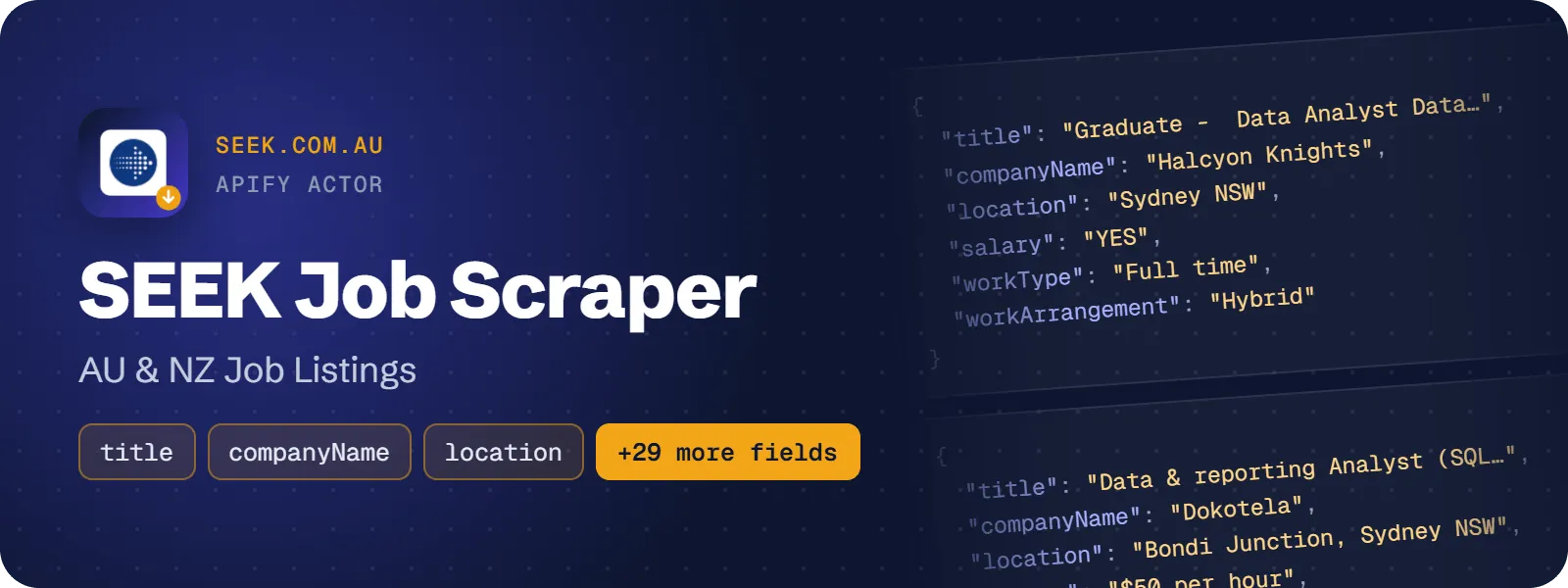
Search SEEK (seek.com.au and seek.co.nz) by keyword, location and filters, or paste SEEK search URLs. Each job comes back as one flat row with the job title, company name, location, salary text with parsed minimum and maximum, work type, work arrangement, classification and listing date. Optionally add the full description, applicant count and company profile.
What does SEEK Job Scraper do?
The actor runs every search term in every location you give, applies the filters you set (classification, work type, remote/hybrid/on-site, date posted, salary range) and saves one row per job. It also accepts SEEK search URLs copied from the browser, filters included. Recruiters, labour-market analysts, job-board builders and AI agents use it to get structured job data without a SEEK account or API key.
Each row records the search term and location that found it, so results from many searches stay traceable. A job found by several searches is saved and charged once.
How to scrape SEEK jobs
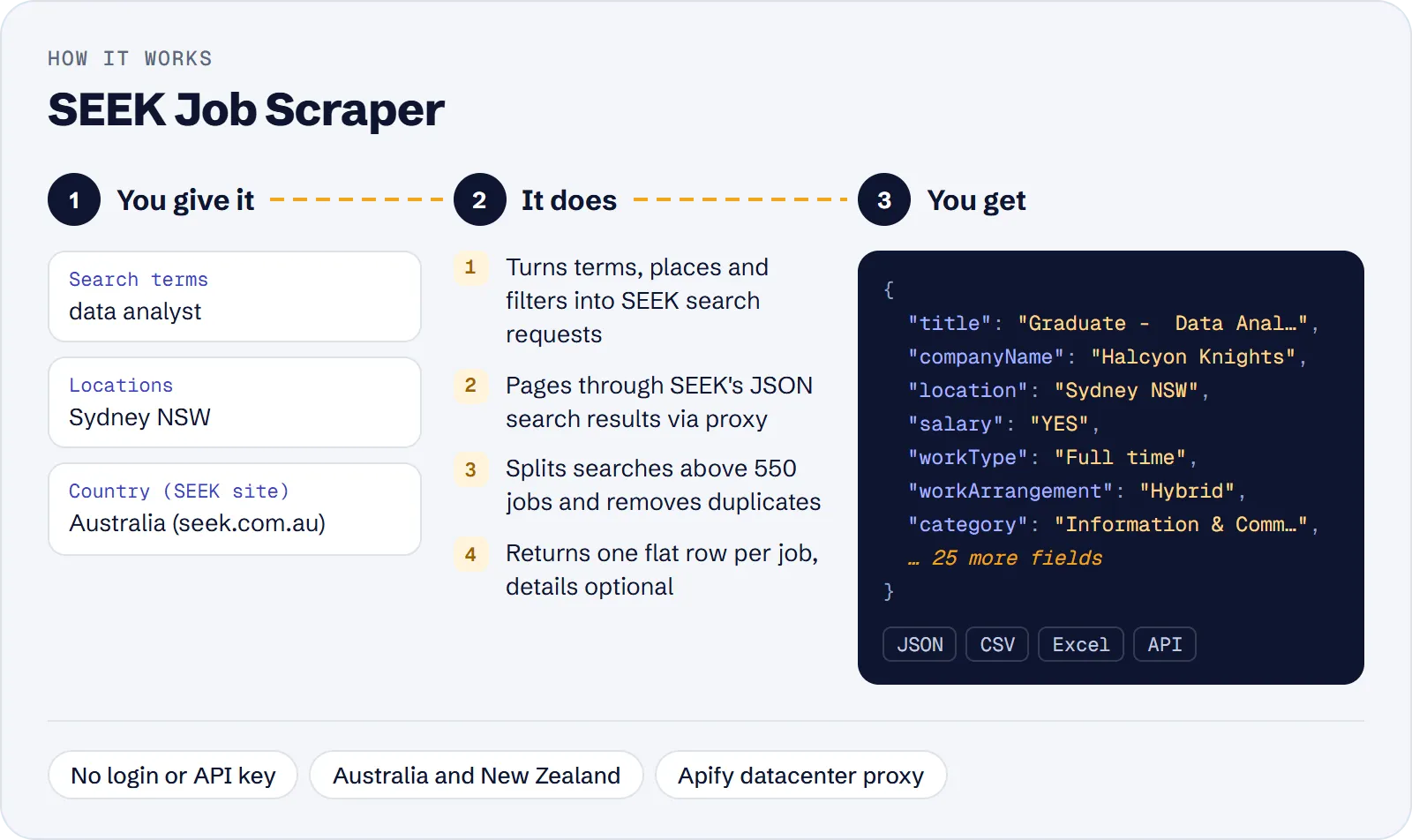
- Open the actor in Apify Console and go to Input.
- Add Search terms (for example
data analyst) and Locations (for exampleSydney NSW), or paste one or more SEEK search URLs. - Choose the country (Australia or New Zealand) and optional filters: classifications, work types, work arrangements, date posted, salary range.
- Set Max jobs in total and, if needed, Max jobs per search.
- Turn on Include job details if you need descriptions, applicant counts and company profile data.
- Click Start, then download the dataset as JSON, CSV or Excel.
How much does it cost to scrape SEEK?
Price per event by Apify plan:
| Event | Free | Bronze | Silver | Gold and above |
|---|---|---|---|---|
| Job | $0.90 per 1,000 | $0.81 per 1,000 | $0.72 per 1,000 | $0.63 per 1,000 |
| Job details | $0.60 per 1,000 | $0.54 per 1,000 | $0.48 per 1,000 | $0.42 per 1,000 |
| Actor start | $0.00005 | $0.00005 | $0.00005 | $0.00005 |
A test run with the API example input below returned 40 rows in 3 s.
You pay per saved job (the "Job" event) plus a tiny start event. If Include job details is on, each job also triggers one "Job details" event; details that cannot be fetched are not charged. Duplicate jobs across searches are charged once. Prices per plan are in the table above.
Event prices: Job $0.0009 (about $0.90 per 1,000 jobs), Job details $0.0006 (about $0.60 per 1,000). The start event is $0.00005 per GB of memory; the actor uses 256 MB, so it is a fraction of a cent.
| Scenario | Events | Cost on the Free plan |
|---|---|---|
| 100 jobs for "data analyst" in Sydney NSW | 100 jobs | about $0.09 |
| 1,000 jobs across several cities | 1,000 jobs | about $0.90 |
| 1,000 jobs with full details | 1,000 jobs + 1,000 details | about $1.50 |
| Daily feed of the 20 newest electrician jobs in Perth WA | 20 jobs | about $0.02 per run |
Input
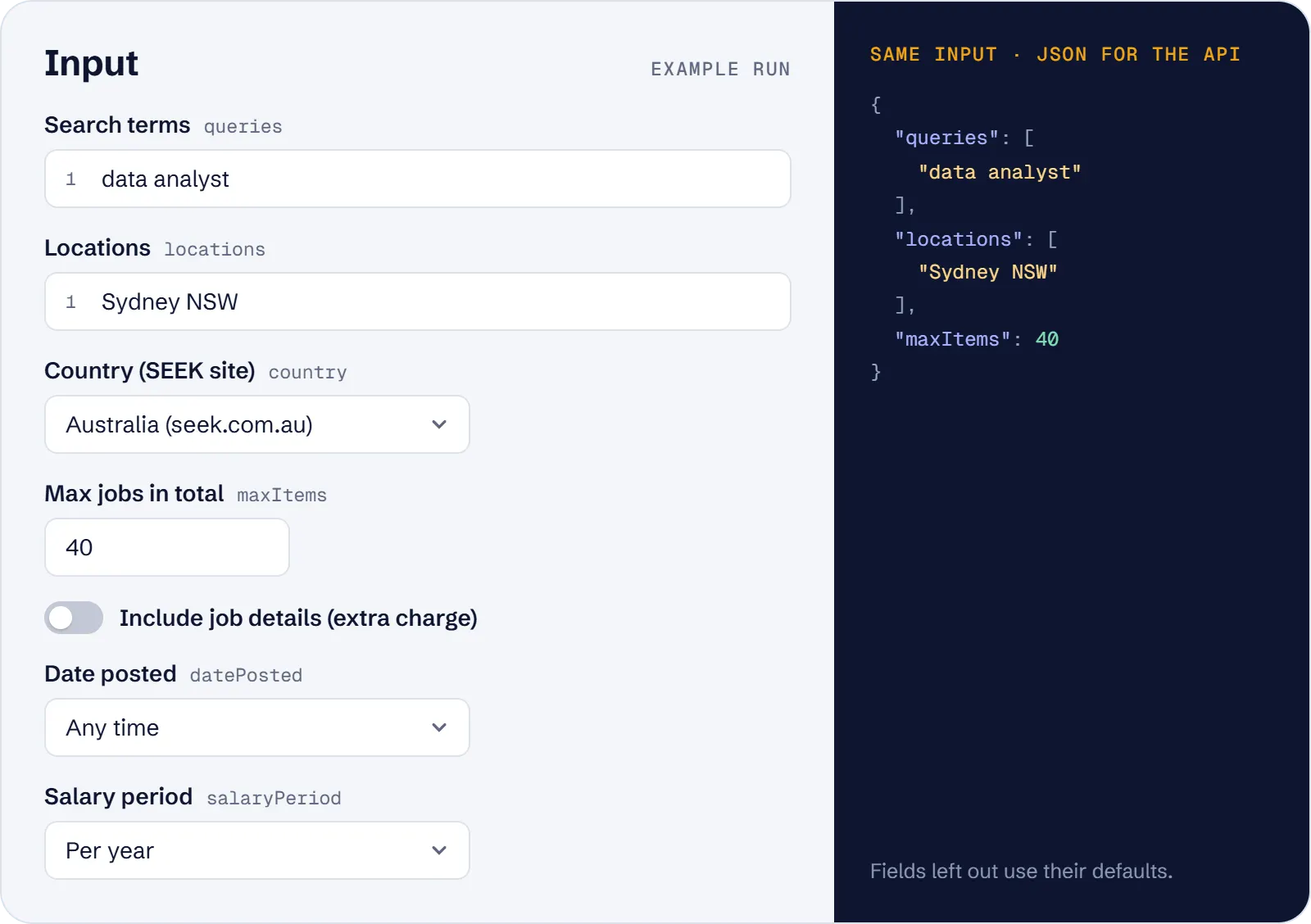
The main fields:
- SEEK search URLs (
startUrls) — search addresses from seek.com.au or seek.co.nz; each is one search with its own filters. - Search terms (
queries) and Locations (locations) — every term is searched in every location. - Country (
country) —AUorNZ. - Max jobs in total (
maxItems, default 100) and Max jobs per search (maxItemsPerSearch). - Include job details (
includeDetails) — adds description, expiry, applicant count and company profile. - Filters:
classifications,workTypes,workArrangements,datePosted,salaryMin,salaryMax,salaryPeriod,sortBy. - Split large searches (
splitLargeSearches, default on) — see Limitations. - Proxy (
proxyConfiguration) — Apify datacenter proxy by default.
You need at least one URL, search term, location or filter.
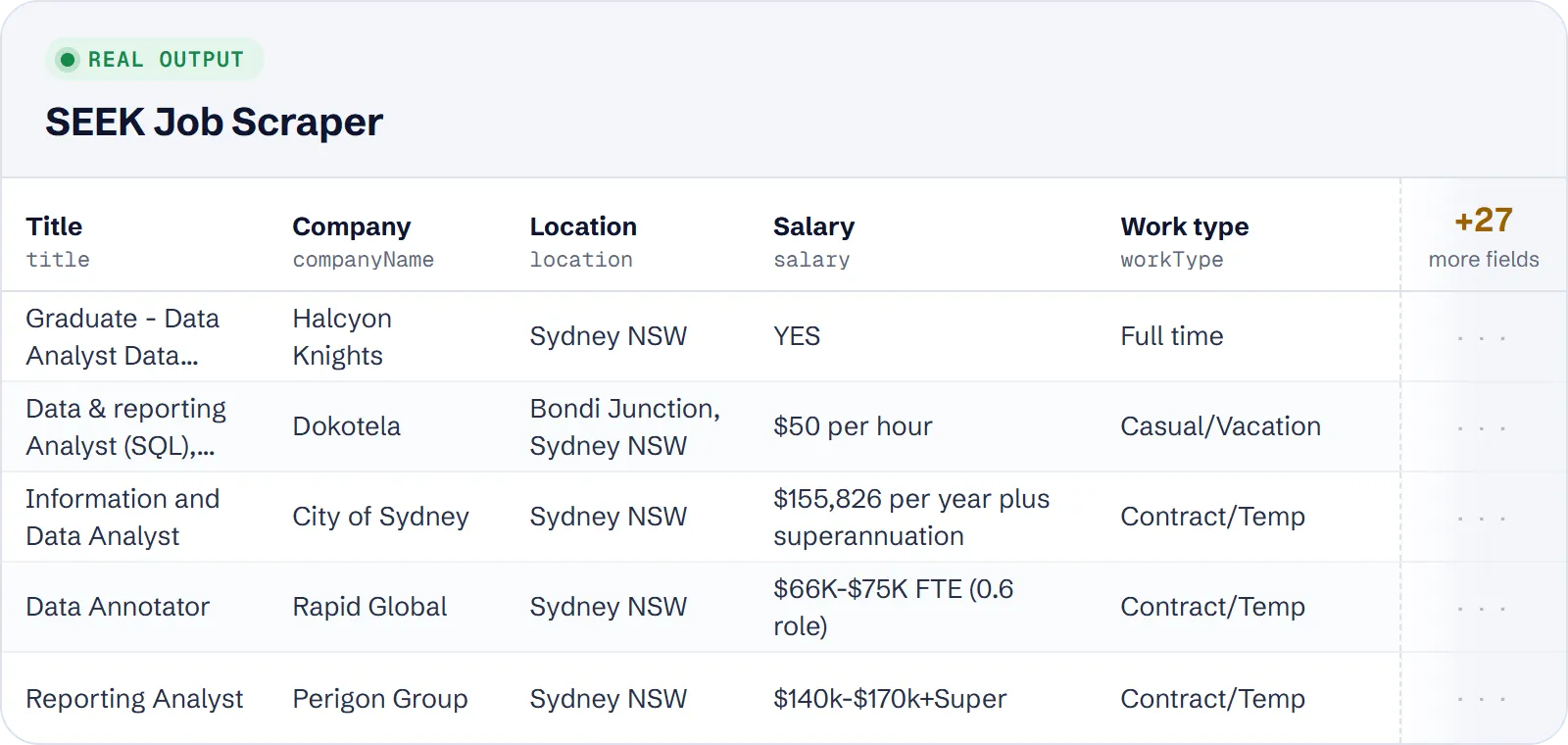
What data can you extract from SEEK?
| Field | Meaning |
|---|---|
title, id, url | Job title, SEEK job id and job page |
companyName, advertiserName, companyProfileUrl | Hiring company and advertiser |
location, area, country | Job location, wider area, country code |
salary, salaryMin, salaryMax, salaryPeriod, salaryCurrency | Salary text and parsed values |
workType, workArrangement | Full time/Part time/Contract/Casual; On-site/Hybrid/Remote |
category, subCategory, roleId | SEEK classification, subclassification, role |
publishedAt, teaser, bulletPoints, badges | Listing date and card text |
query, searchLocation, searchUrl | The search that found the job |
description, expiresAt, applicantCount, screeningQuestions, isExternalApply, companyIndustry, companySize, companyWebsite, companyRating | Only with Include job details |
Example item (shortened):
Use cases
- Recruitment lead lists — collect companies that are hiring for a role in a city, with company profile data via job details.
- Salary and market analysis — count jobs and compare parsed pay by role, city and work type.
- Daily new-jobs feed — schedule a run with Date posted "Today" and Sort by "Newest first".
- Remote and contract slices — filter by classification, arrangement, work type and minimum salary without a keyword.
- AI agents — answer "what jobs are open for X in Y" from structured rows.
Limitations
- SEEK shows at most 550 jobs per search. With Split large searches on and limits above 550, the actor re-runs the search per classification (and work type if needed) and removes duplicates. With it off, it stops at 550.
salaryand the parsed salary fields are empty when the advertiser gives no salary. Private advertisers appear as "Private Advertiser" without an advertiser id.- Applicant count and some detail fields can be missing, for example for external-apply jobs.
- Job page URLs (
/job/123) and company pages are not accepted as input; only search URLs. - SEEK blocks requests without a proxy; the actor always uses Apify Proxy.
Tips and troubleshooting
- Fewer rows than expected: check Max jobs in total and per search, and whether filters are too narrow.
- Use place names as typed on SEEK ("Sydney NSW", "All Melbourne VIC", a postcode) and names of the selected country.
- Classification names must match SEEK; an unknown name stops the run with a list of valid names.
- Form filters do not apply to pasted search URLs; the URL's own filters are used.
- Salary minimum cannot be above maximum. Salary period is used only when a salary is set.
- If you get blocked, switch the proxy group to RESIDENTIAL.
API, MCP and integrations
Run the actor from your code with the same JSON input as in Console. Your API token is in Console → Settings → API & Integrations.
Python (pip install apify-client):
Node.js (npm install apify-client):
HTTP — one request runs the actor and returns the results (runs up to 5 minutes; longer ones: run asynchronously):
AI agents (MCP). Add the actor as a tool of the Apify MCP server. Claude Code:
Claude Desktop, Cursor or VS Code: {"mcpServers": {"apify": {"url": "https://mcp.apify.com?tools=genial_candlestand/seek-job-scraper"}}}. Then ask, for example:
- "Find 50 data analyst jobs in Sydney NSW posted in the last 7 days"
- "List remote contract IT jobs in Australia paying at least 150000"
- "Get barista jobs in Auckland with descriptions and applicant counts"
Integrations. Run it on a schedule with Apify Schedules and send the results to Google Sheets, Slack, Zapier, Make, n8n or your webhook — see Apify integrations.
FAQ
Is it legal to scrape SEEK?
The actor collects job ads that SEEK shows publicly, without login. You are responsible for how you use the data and for following applicable laws and SEEK's terms. Job rows contain business information; check data-protection rules before storing any personal contact details.
Does it work for New Zealand?
Yes. Set Country to NZ or paste seek.co.nz URLs. Salaries there are in NZD.
Can I get more than 550 jobs for one search?
Yes, with Split large searches on and Max jobs in total above 550; the actor splits by classification and merges without duplicates.
How is it different from other SEEK scrapers?
It returns classification, subclassification, badges and bullet points in a flat row, accepts search URLs, and splits searches beyond 550 jobs. The Job event is $0.0009 per job, against $0.0025 per result for the leading SEEK scraper.
Also useful
- Google Jobs Scraper — compare SEEK ads with Google Jobs listings: salaries, descriptions and apply links
- Woolworths Product Scraper — track Australian retail prices, specials and stock
- Coles Product Scraper — compare Coles prices, specials and stock in Australia


