
Yelp Business Scraper | Details, Contacts & Reviews
Pricing
from $1.58 / 1,000 businesses
Yelp Business Scraper | Details, Contacts & Reviews
Get Yelp businesses with rating, reviews count, phone, website, address, coordinates, hours and amenities, plus optional reviews. Search terms × locations worldwide or Yelp URLs. Many searches per run, no login.
Pricing
from $1.58 / 1,000 businesses
Rating
0.0
(0)
Developer

Flowo
Maintained by CommunityActor stats
0
Bookmarked
2
Total users
1
Monthly active users
5 days ago
Last modified
Categories
Features
Share
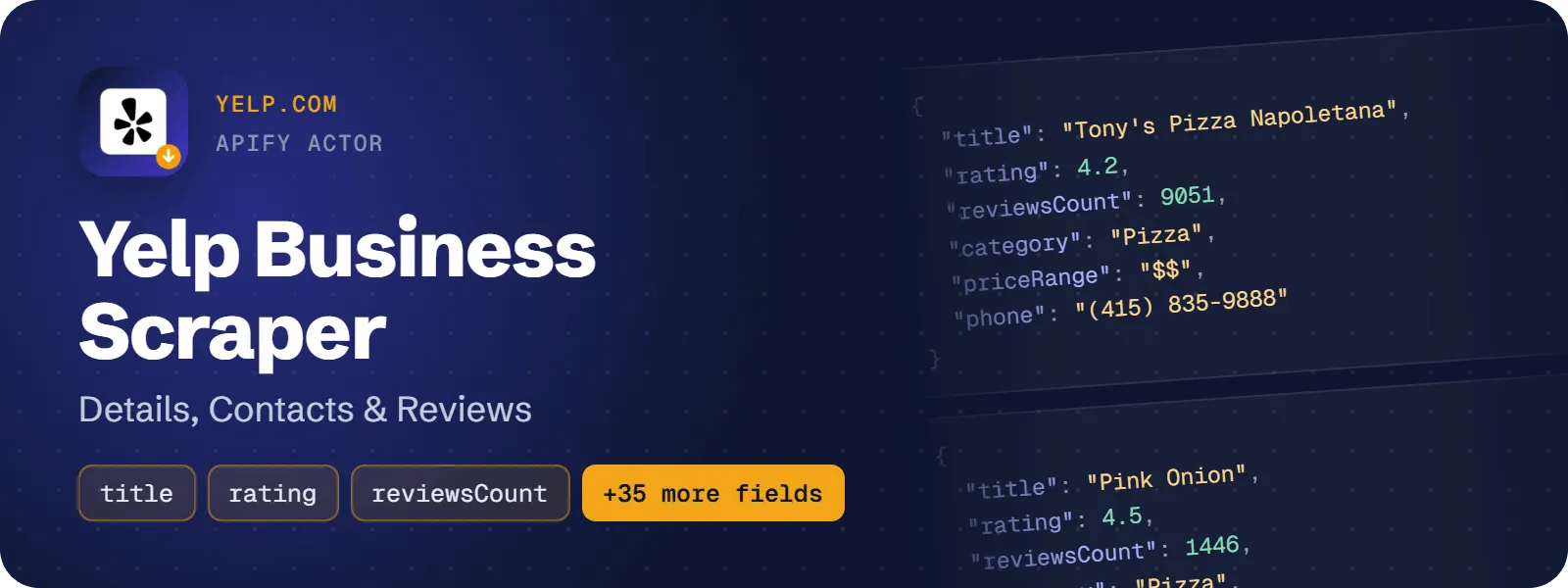
Get Yelp businesses with their star rating, number of reviews, categories, price level, phone number, website, full address with coordinates, opening hours and amenities. Search by term and location anywhere in the world, or paste Yelp business and search URLs. Optionally each row also carries the business's reviews: review text, stars, date, language, reviewer display name and owner reply.
What does Yelp Business Scraper do?
You give search terms and locations (for example "pizza" in "San Francisco, CA"), or Yelp URLs. The actor returns one flat dataset row per business with full details taken from the business page, not just the search snippet. If you set a number of reviews, each row also carries a reviews array.
It is built for lead generation teams, location and market analysts, reputation and agency teams, and AI agents that look up one business by URL or the top N for a term in a city. No Yelp login is needed, and the default Apify datacenter proxy is enough.
How to scrape Yelp businesses and reviews
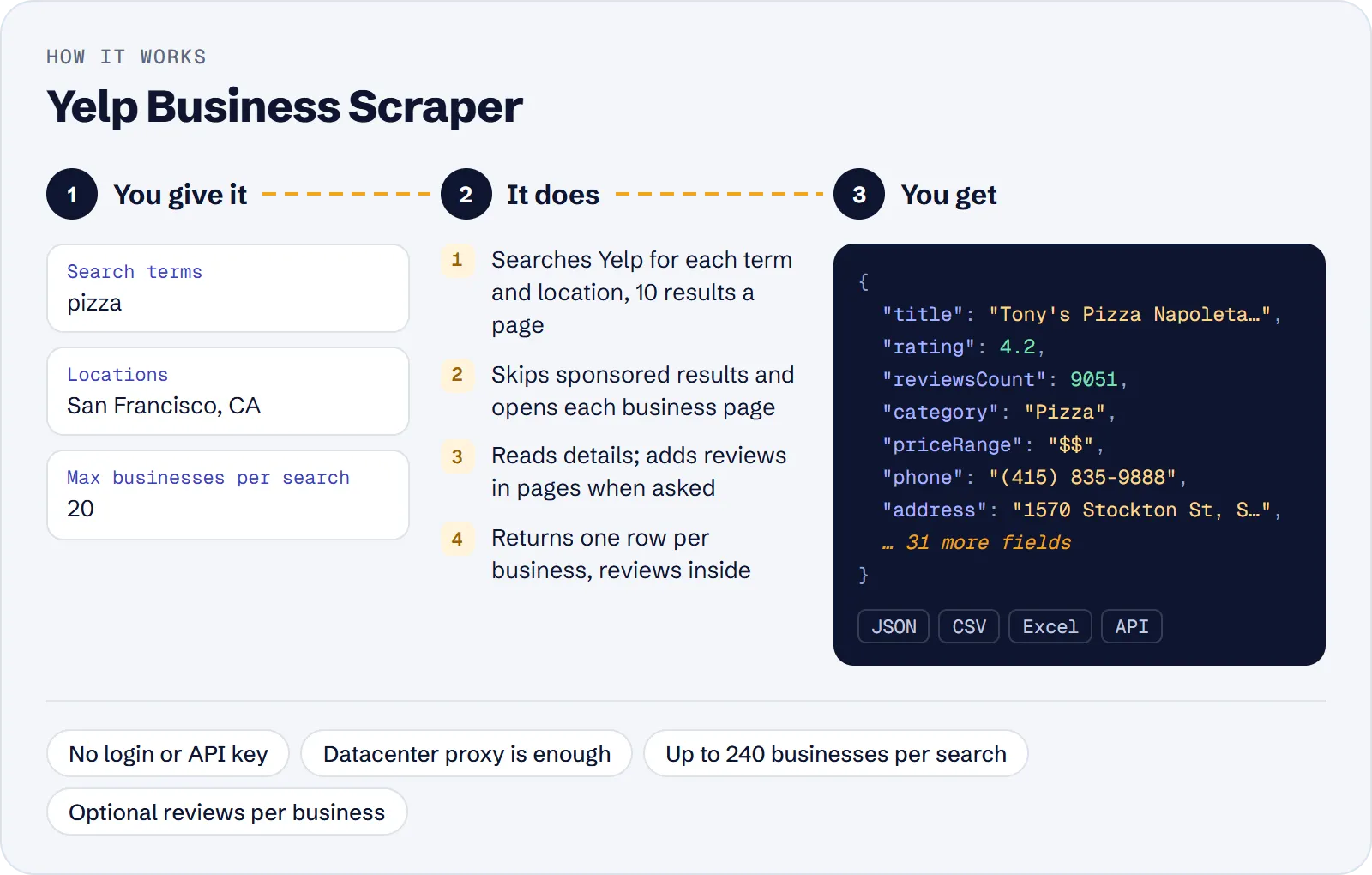
- Open the actor in Apify Console and click Try for free.
- Enter Search terms and Locations, or paste Start URLs (Yelp business or search URLs).
- Set Max businesses per search and, if you want reviews, Max reviews per business.
- Click Start and download the dataset as JSON, CSV or Excel.
How much does it cost to scrape Yelp?
Price per event by Apify plan:
| Event | Free | Bronze | Silver | Gold and above |
|---|---|---|---|---|
| Business | $2.25 per 1,000 | $2.025 per 1,000 | $1.80 per 1,000 | $1.575 per 1,000 |
| Review | $0.442 per 1,000 | $0.442 per 1,000 | $0.442 per 1,000 | $0.442 per 1,000 |
| Actor start | $0.00005 | $0.00005 | $0.00005 | $0.00005 |
A test run with the API example input below returned 20 rows in 36 s.
You pay per event. One Business event is one row with full details ($2.25 per 1,000 on the Free plan). One Review event is one review added to a business ($0.30 per 1,000), charged only when you ask for reviews. There is also a small Actor start fee. Businesses that are not found are not charged.
Examples on the Free plan, start fee included:
| Scenario | Events | Cost |
|---|---|---|
| 50 pizza places in one city, no reviews | 50 businesses | about $0.11 |
| 500 businesses, no reviews | 500 businesses | about $1.13 |
| 100 businesses with 20 reviews each | 100 businesses + 2,000 reviews | about $0.83 |
| 1,000 businesses with 10 reviews each | 1,000 businesses + 10,000 reviews | about $5.25 |
Input
| Field | What it does |
|---|---|
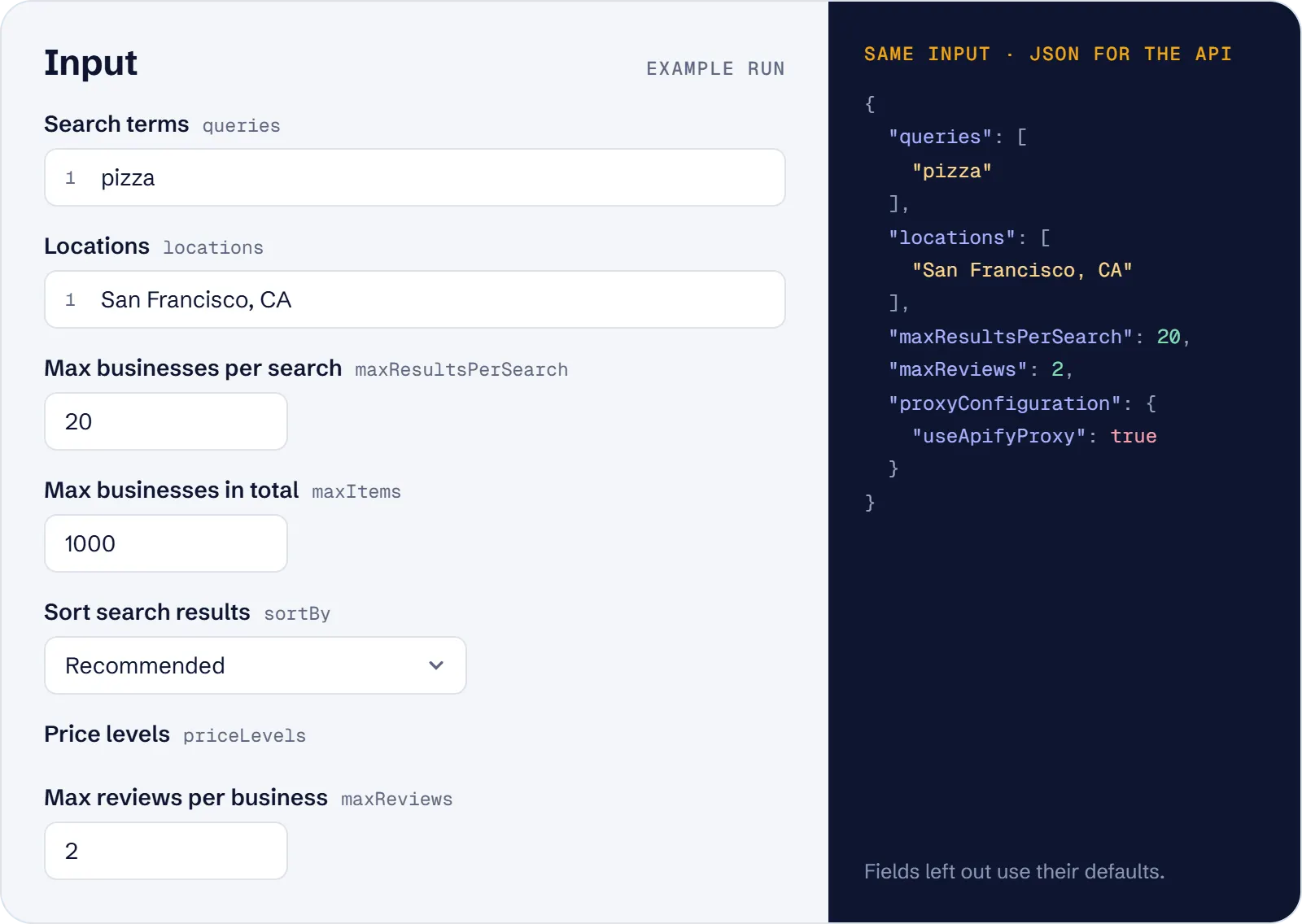
queries | Search terms, one per line. Every term is searched in every location. |
locations | City, neighbourhood or ZIP code, worldwide. Required with search terms. |
startUrls | Yelp business URLs or search URLs (must contain find_loc). |
maxResultsPerSearch | Businesses per search, 1–240 (default 50). Sponsored results are skipped. |
maxItems | Total businesses in the run (default 1000). |
sortBy | recommended, rating or review_count. |
priceLevels | Only 1–4 ($ to $$$$). |
maxReviews | Reviews per business, 0–2000 (default 0 = none). |
reviewsSort | newest, oldest, highest, lowest, relevance. |
reviewsLanguage | Two-letter code such as en, or all. |
reviewsRatings | Only reviews with these star ratings, e.g. ["1","2"]. |
What data can you extract from Yelp?
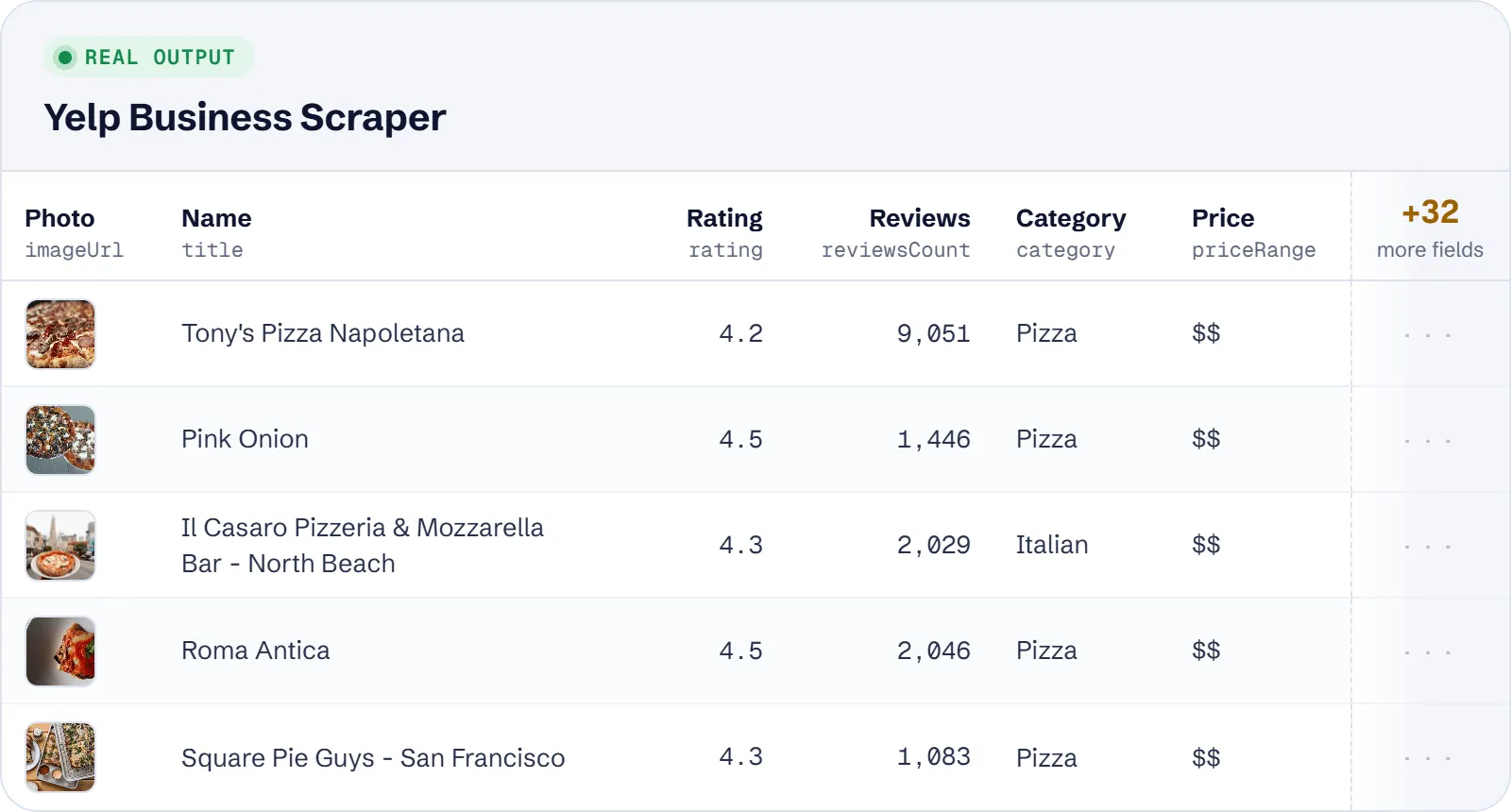
| Field | Description |
|---|---|
title, url, id, alias | Business name and identifiers |
rating, reviewsCount, priceRange | Stars, number of reviews, price level |
category, categories | Main and all categories |
phone, website, menuUrl | Contacts |
address, street, city, region, postalCode, country, latitude, longitude | Location |
hours, isClosed, isClaimed, isAdvertiser | Opening hours and status |
amenities, healthScore, yearEstablished, description | Extra details |
query, searchLocation, position | Which search found it, and its rank |
reviews | Optional array: rating, text, language, publishedAt, author, authorLocation, helpfulCount, ownerReply |
Example (shortened):
Use cases
- Lead lists: phone, website and address of local businesses by category and city.
- Market analysis: compare ratings, price levels and business density per area.
- Reputation monitoring: the newest or lowest-rated reviews of your clients and competitors (
reviewsRatingsof 1 and 2). - Location research: coordinates, neighbourhoods and opening hours for mapping.
- AI agents: look up one business by URL, or the top N for a term in a city.
Limitations
- Yelp returns at most 240 businesses per search. Split big cities into neighbourhoods or ZIP codes.
- Locations are required with search terms; without them the run stops with an input error.
- Fields such as
website,priceRange,menuUrlandhealthScoreare empty when Yelp does not show them. Businesses without a price level are dropped when you filter by price. - Text fields (hours, categories, amenities) can come in a local language for some businesses.
- Reviewers appear only by the display name Yelp prints publicly (for example "Kate H.") and their display location; no profile URLs or photos.
- The actor depends on Yelp's public pages; if Yelp changes its protection, runs may fail.
Tips and troubleshooting
- More than 240 businesses: run several searches with different neighbourhoods or ZIP codes in
locations; each search is capped at 240. - Few or no results: check that the location spelling is one Yelp recognises. An unknown location gives 0 businesses for that search and a warning in the log; other searches continue.
- Price filter on services:
priceLevelsdrops businesses with no price level, so plumbers or dentists return few rows. Use it for restaurants. - Search URLs: a search URL in
startUrlskeeps its own sort and filters;sortByandpriceLevelsapply only toqueries×locations. - Reviews only for chosen businesses: pass business URLs in
startUrlsand setmaxReviews; usereviewsRatingsandreviewsSortto get only the newest or lowest-rated ones. - Keep cost low: leave
maxReviewsat 0 unless you need review text, and setmaxItemsas a hard cap.
API, MCP and integrations
Run the actor from your code with the same JSON input as in Console. Your API token is in Console → Settings → API & Integrations.
Python (pip install apify-client):
Node.js (npm install apify-client):
HTTP — one request runs the actor and returns the results (runs up to 5 minutes; longer ones: run asynchronously):
AI agents (MCP). Add the actor as a tool of the Apify MCP server. Claude Code:
Claude Desktop, Cursor or VS Code: {"mcpServers": {"apify": {"url": "https://mcp.apify.com?tools=genial_candlestand/yelp-business-scraper"}}}. Then ask, for example:
- "Get the 50 top-rated pizza places in San Francisco with phone and website"
- "Get the 50 newest 1-2 star reviews of Tony Pizza Napoletana in San Francisco"
- "List plumbers in Austin, TX with address, phone and rating"
Integrations. Run it on a schedule with Apify Schedules and send the results to Google Sheets, Slack, Zapier, Make, n8n or your webhook — see Apify integrations.
FAQ
Is it legal to scrape Yelp?
The actor collects only public business data visible without a login. You are responsible for how you use it, including compliance with Yelp's terms and data protection law. Reviewer display names are personal data; use them accordingly.
Do I need a login or residential proxy?
No. The default Apify datacenter proxy is enough.
Can I get reviews and business details in one run?
Yes. Set maxReviews and each business row carries its reviews in the reviews array, so no second actor is needed.
Can I get reviews only?
Reviews are attached to business rows; set maxReviews and pass the business URLs in startUrls.
Why is my result count lower than expected?
Yelp caps a search at 240 businesses, and sponsored results are skipped.
Also useful
- Trustpilot Reviews Scraper — add company reviews with rating, reply and TrustScore
- Google Hotels Scraper — compare hotel prices, ratings and amenities for a destination
- Google Jobs Scraper — find job listings by term and location


