

Trustpilot Reviews Scraper | Ratings & Company Replies
Pricing
from $0.35 / 1,000 reviews
Trustpilot Reviews Scraper | Ratings & Company Replies
Get Trustpilot reviews with rating, title, text, date, reviewer country, the company's reply and TrustScore. Many companies per run, filters by stars, language, date and verified, keyword search inside reviews, no login.
Pricing
from $0.35 / 1,000 reviews
Rating
0.0
(0)
Developer

Flowo
Maintained by CommunityActor stats
0
Bookmarked
2
Total users
1
Monthly active users
3 days ago
Last modified
Categories
Features
Share
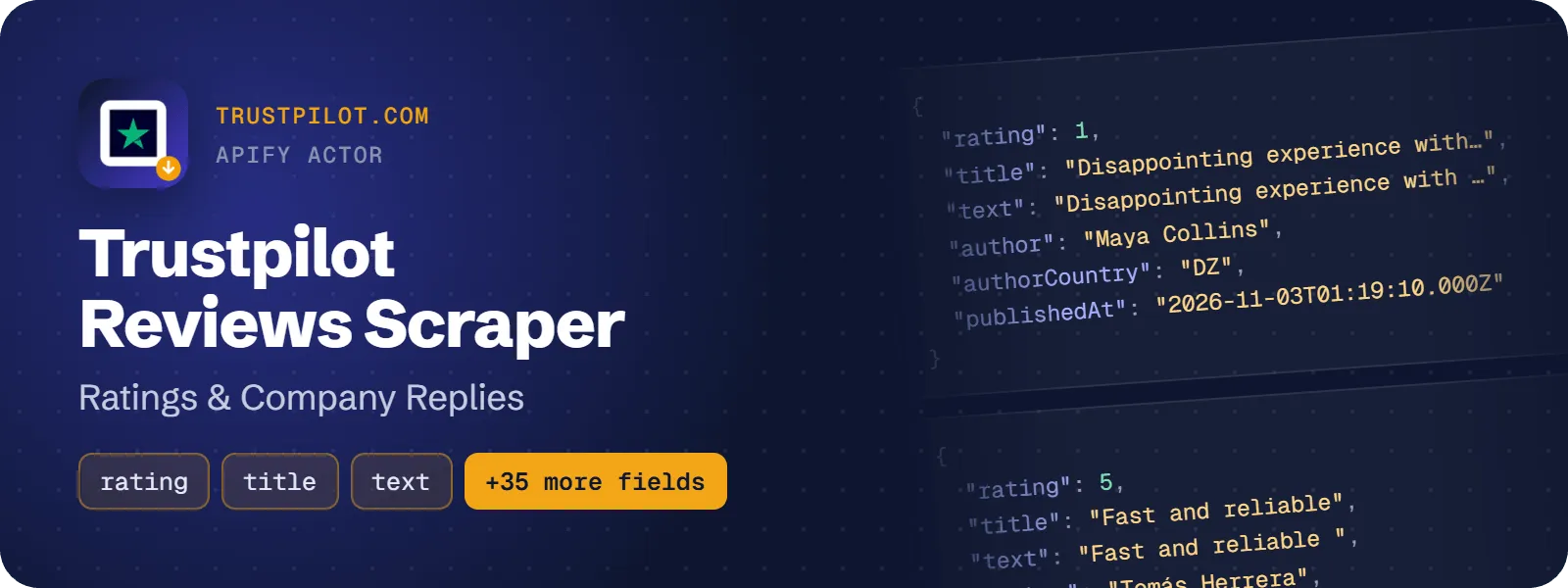
Get Trustpilot reviews as flat rows: star rating, review title and text, publish date, reviewer name and country, the company's reply and its reply date. Every row also carries the company's TrustScore, total review count and reply rate. Give it company domains or Trustpilot profile URLs and download the reviews as JSON, CSV or Excel. No Trustpilot account is needed.
What does Trustpilot Reviews Scraper do?
The actor takes a list of companies (a domain such as wise.com or a URL such as https://www.trustpilot.com/review/wise.com) and returns one row per review. Each row repeats the company context: TrustScore, review count, category, country, claimed status, reply rate and average days to reply.
It is built for brand and customer-experience teams that track their own and competitors' reviews, for analysts who study complaints and sentiment, and for AI agents that need the latest reviews of a company in one call.
You can use Trustpilot's own filters: star rating, review language, date range, verified reviews, reviews with a company reply, and text search.
How to scrape Trustpilot reviews
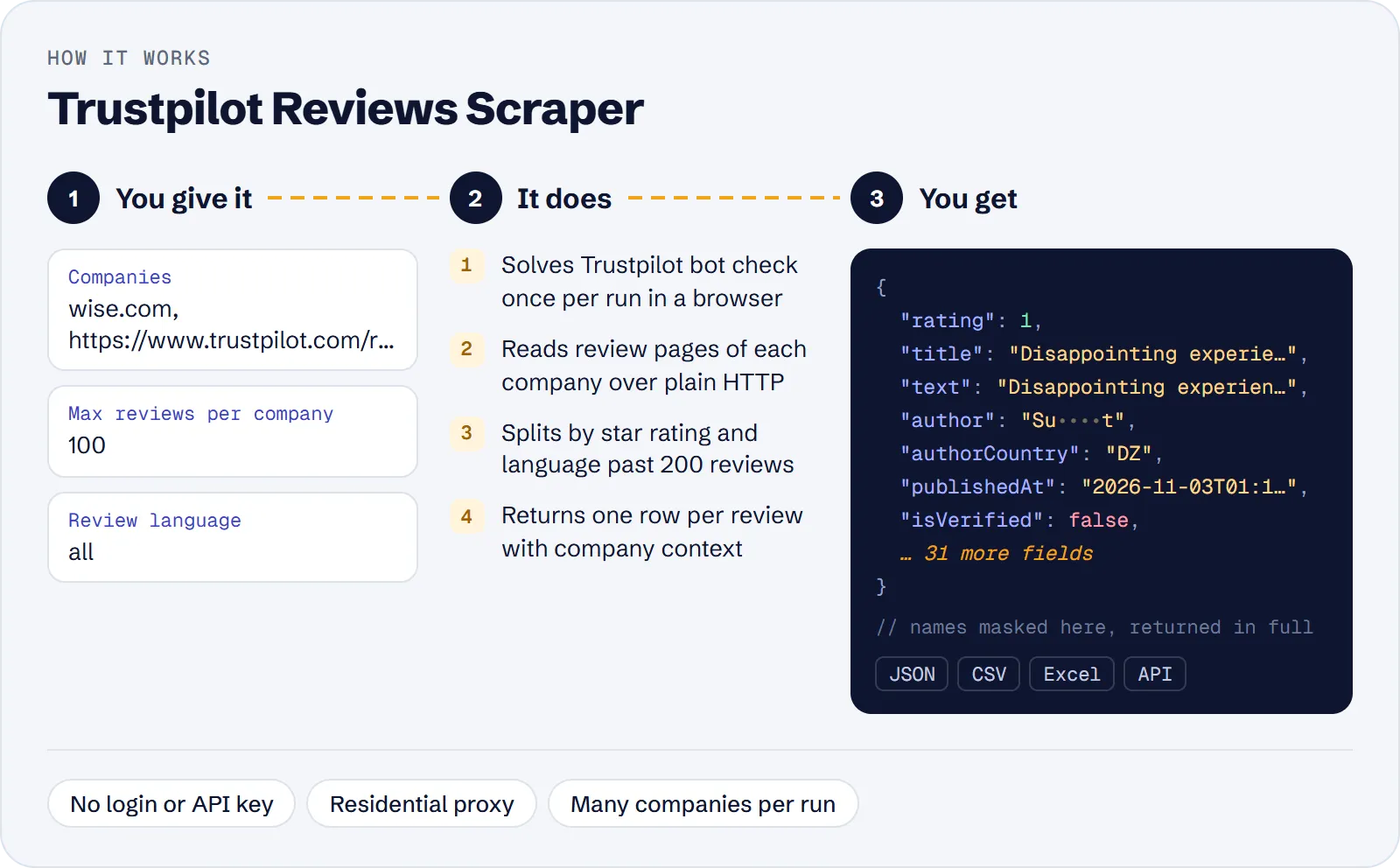
- Open the actor in Apify Console and enter one or more companies in Companies, one per line.
- Set Max reviews per company (default 100) and, if needed, filters such as Star ratings or Review language.
- Click Start. When the run finishes, open the Output tab and download the dataset as JSON, CSV or Excel.
For daily or weekly syncs, set Published after and run the actor on an Apify Schedule: it stops as soon as it reaches older reviews.
How much does it cost to scrape Trustpilot reviews?
Price per event by Apify plan:
| Event | Free | Bronze | Silver | Gold and above |
|---|---|---|---|---|
| Review | $0.50 per 1,000 | $0.45 per 1,000 | $0.40 per 1,000 | $0.35 per 1,000 |
| Actor start | $0.005 | $0.005 | $0.005 | $0.005 |
A test run with the API example input below returned 200 rows in 68 s.
You pay per review row ($0.0005 each, $0.50 per 1,000 on the Free plan) plus a $0.005 start fee once per run. Paid plans have lower review prices, shown in the table above. Companies without a Trustpilot profile and filters with no matching reviews are not charged.
| Scenario | Reviews | Cost on Free plan |
|---|---|---|
| Latest 100 reviews of one company | 100 | $0.055 |
| 2 companies × 100 reviews | 200 | $0.105 |
| 1,000 negative reviews of one company | 1,000 | $0.505 |
| Monthly sync of 5 companies, 1,000 each | 5,000 | $2.505 |
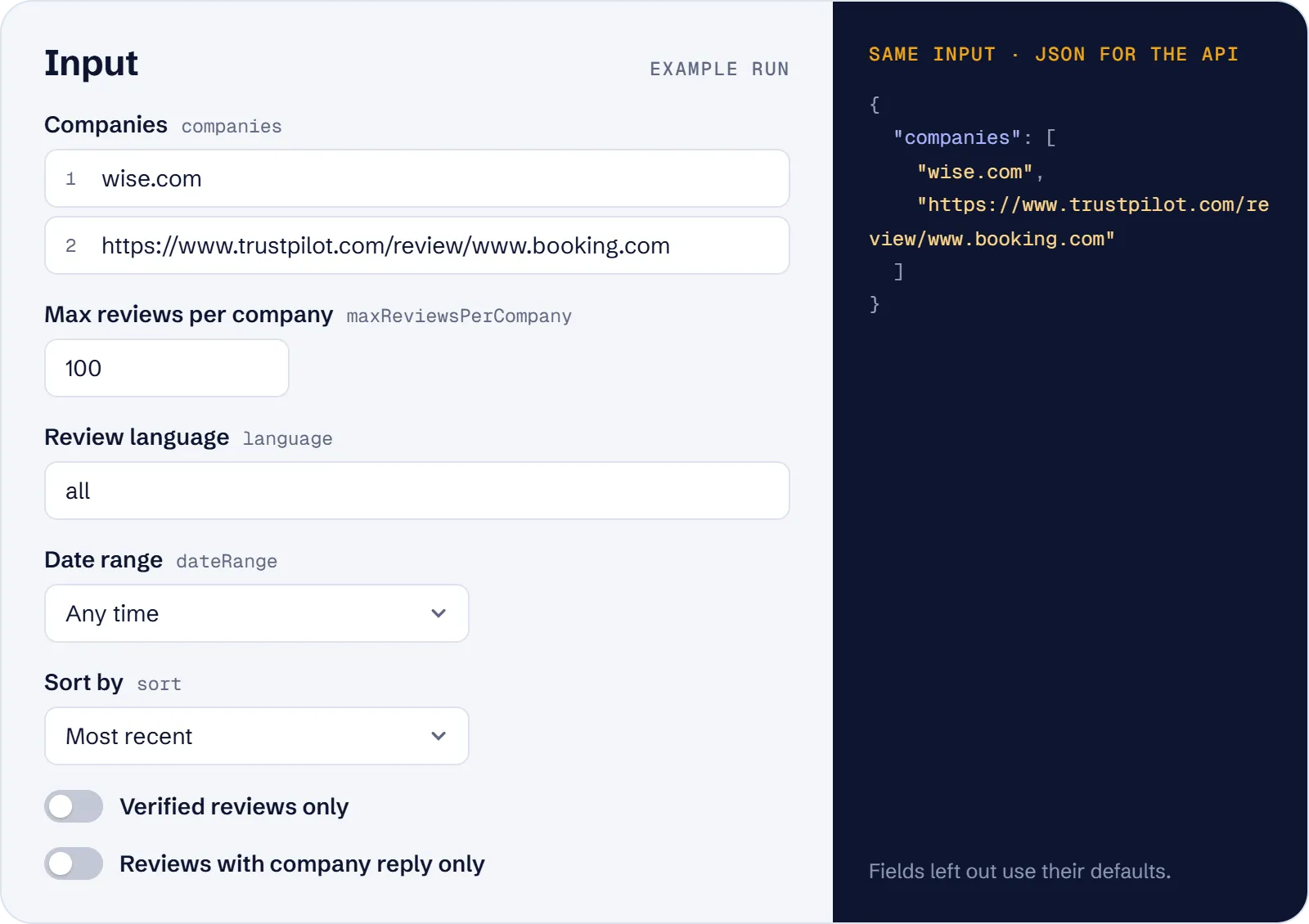
Input
| Field | What it does |
|---|---|
companies (required) | Domains or Trustpilot profile URLs, one per line |
maxReviewsPerCompany | Reviews per company, 1–100000, default 100 |
maxItems | Total limit across all companies |
stars | Only these ratings, e.g. ["1","2"] |
language | ISO code (en, de, fr …) or all (default) |
dateRange | any, last30days, last3months, last6months, last12months |
publishedAfter | Only reviews from this date (YYYY-MM-DD); newest first |
sort | recency (default) or relevance |
verifiedOnly | Only verified reviews |
withRepliesOnly | Only reviews the company replied to |
searchText | Only reviews containing a word or phrase |
proxyConfiguration | Apify Residential proxy is used by default |
Example input:
What data can you extract from Trustpilot?
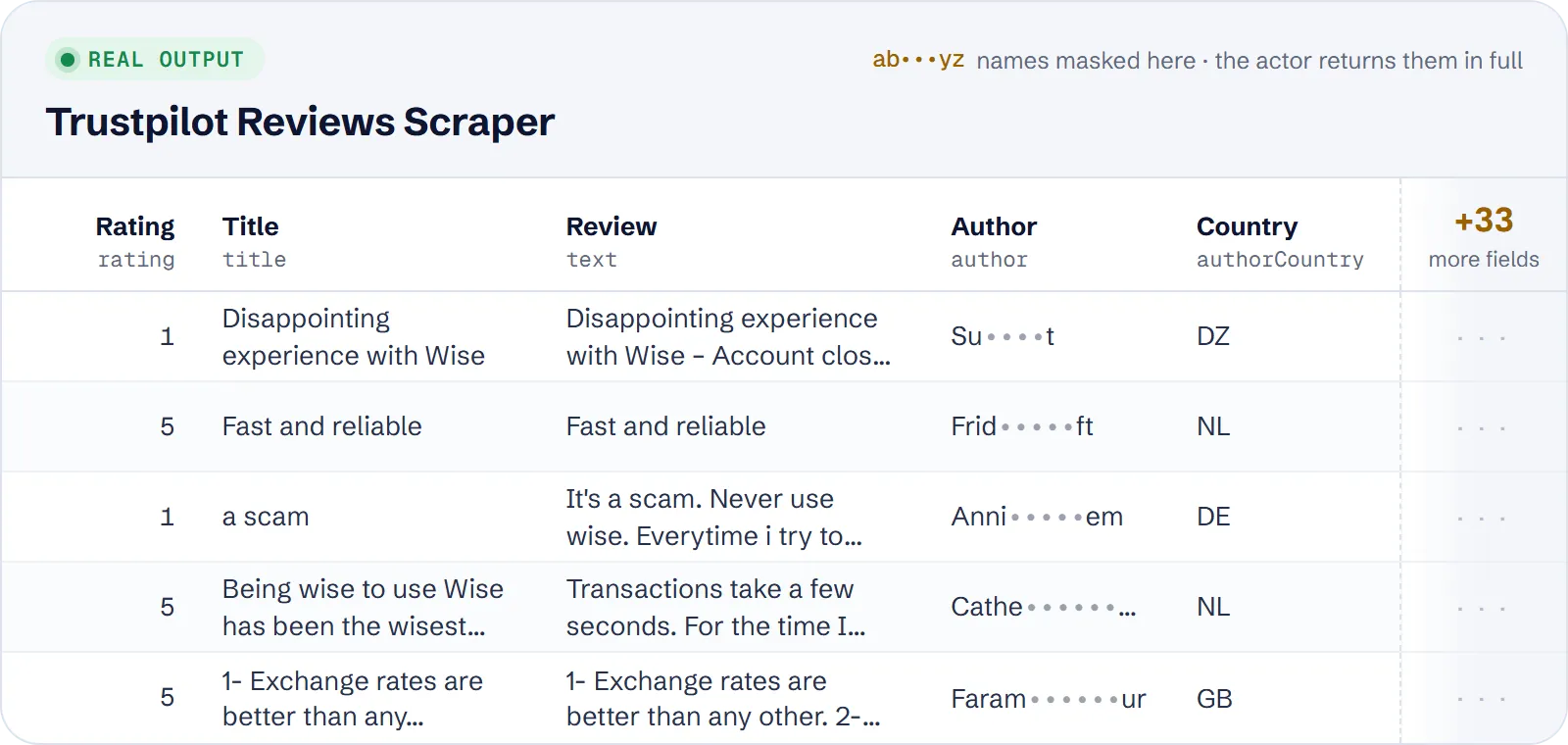
Each review is one flat row. Main fields:
| Field | Meaning |
|---|---|
id, url | Review ID and link |
rating, title, text, language | The review itself (text can be empty for rating-only reviews) |
publishedAt, experiencedAt, updatedAt | Dates |
isVerified, verificationLevel, reviewSource, likes | Verification and source details |
author, authorId, authorUrl, authorCountry, authorReviewsCount | Reviewer |
hasReply, replyText, replyPublishedAt, replyUpdatedAt | Company reply |
companyName, companyDomain, companyTrustScore, companyStars, companyReviewsCount, companyCategory, companyCountry, companyIsClaimed, companyReplyRate, companyAvgDaysToReply | Company context |
query | The input entry that produced the row |
scrapedAt | When the row was collected |
Example (shortened):
Use cases
- Brand monitoring: pull new reviews every day with
publishedAfterand send them to Slack, a sheet or a database. - Competitor benchmarking: compare TrustScore, reply rate and days to reply across several companies in one run.
- Complaint analysis: collect 1–2 star reviews, optionally with a
searchTextsuch as "refund", for sentiment or topic analysis. - Support quality checks: use
withRepliesOnlyto study how a company answers critics. - AI and LLM pipelines: feed flat review rows into summarisation or classification.
Limitations
- Trustpilot shows at most 200 reviews per filter combination. Above that the actor splits the request by star rating, and by language when Language is
all, to reach more. The log states how many matching reviews were reachable; very large histories may not be fully reachable. - Only reviews Trustpilot shows publicly are returned.
textcan be empty,updatedAtis usuallynull, and reply fields arenullwhen the company has not replied. - An unknown domain gives a warning and zero rows. An unknown language code skips that company with a warning.
- Trustpilot blocks datacenter IPs, so the actor uses Apify Residential proxy (a datacenter or no-proxy setting is switched to Residential).
- The actor opens a browser once per run for Trustpilot's bot check; the data itself is then fetched over plain HTTP.
Tips and troubleshooting
- More than 200 reviews: keep Review language at
alland leave Star ratings empty, so the actor can split by language and rating to go past the 200 cap. - Only new reviews: set
publishedAfterto the date of your last sync; sorting is then newest first. - Zero rows for a company: check the log for "no Trustpilot profile (404)" or an unsupported language code, and try the exact domain shown on its Trustpilot page.
- Filters in a URL: filters in the query part of a Trustpilot URL are ignored; use the input fields instead.
- Proxy: leave the default Apify Residential proxy; datacenter IPs are blocked by Trustpilot.
API, MCP and integrations
Run the actor from your code with the same JSON input as in Console. Your API token is in Console → Settings → API & Integrations.
Python (pip install apify-client):
Node.js (npm install apify-client):
HTTP — one request runs the actor and returns the results (runs up to 5 minutes; longer ones: run asynchronously):
AI agents (MCP). Add the actor as a tool of the Apify MCP server. Claude Code:
Claude Desktop, Cursor or VS Code: {"mcpServers": {"apify": {"url": "https://mcp.apify.com?tools=genial_candlestand/trustpilot-reviews-scraper"}}}. Then ask, for example:
- "Get the 100 newest 1-2 star Trustpilot reviews of wise.com"
- "Compare TrustScore and reply rate of wise.com and revolut.com"
- "Find Trustpilot reviews of airbnb.com mentioning refund"
Integrations. Run it on a schedule with Apify Schedules and send the results to Google Sheets, Slack, Zapier, Make, n8n or your webhook — see Apify integrations.
FAQ
Is it legal to scrape Trustpilot?
The actor collects publicly visible reviews and does not log in. Reviews contain reviewer display names, so you are responsible for using the data in line with Trustpilot's terms and with privacy laws such as GDPR. Get legal advice for your case.
How is it different from other Trustpilot actors?
It returns 38 fields per review, including company reply rate, average days to reply, likes, experience date and reviewer review count; the most-used alternative in our comparison returns 12. The review price is $0.50 per 1,000 against $0.575 for that alternative, plus a $0.005 start fee here.
Can I get more than 200 reviews per company?
Yes, up to the number the filters make reachable; see Limitations.
Can I get only new reviews?
Yes. Set publishedAfter to the date of your last sync.
Do I need a Trustpilot account or API key?
No.
Also useful
- Google Play Reviews Scraper — add app reviews with ratings, replies and versions from Google Play
- Apple App Store Reviews API — add iOS app reviews and ratings across apps and countries
- Yelp Business Scraper — add Yelp ratings, contacts and reviews for local businesses
- Firefox Add-ons Reviews Parser — add reviews of Firefox add-ons


