Google Lens Scraper - No Per-Tab Fees, $0.003/Image avatar

Google Lens Scraper - No Per-Tab Fees, $0.003/Image

Pricing

$3.00 / 1,000 image searcheds

Go to Apify Store
Google Lens Scraper - No Per-Tab Fees, $0.003/Image

Google Lens Scraper - No Per-Tab Fees, $0.003/Image

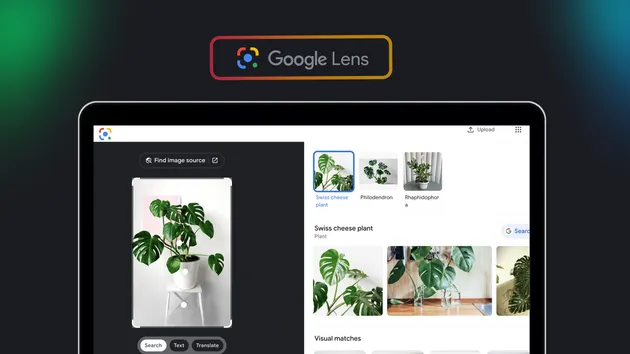
Reverse image search via Google Lens: visual matches, exact matches and an AI description, all in one call. One flat $0.003 per image, no separate fee per tab. Blocked or unreachable images are never charged.

Pricing

$3.00 / 1,000 image searcheds

Rating

0.0

(0)

Developer

Gio

Gio

Maintained by Community

Actor stats

1

Bookmarked

120

Total users

31

Monthly active users

2.7 hours

Issues response

4 days ago

Last modified

Share

Google Lens Scraper

Why use this scraper

Google Lens can tell you where an image came from, where else it appears online, and what it shows, but there is no official API for it. Anyone who needs this at scale (fraud teams tracing a stolen product photo, SEO teams auditing image reuse, sourcing teams checking a supplier photo against the wider web) is stuck opening lens.google.com one image at a time and copying links by hand.

This actor turns Google Lens into a batch job. Feed it a list of public image URLs and get back, per image, every visual match Lens finds (page, title, source domain, thumbnail, full-size image), plus two optional extras Lens keeps behind extra clicks in the browser: exact matches (the same photo reused elsewhere) and an AI-generated description of the image. One flat price covers whichever of the three you turn on, and an image that Google refuses to process is never charged.

Overview

Input is a list of direct image URLs. Output is one JSON record per image with the visual matches Lens returned, and, if requested, exact matches and an AI description. A plain visual-match search takes about 30 seconds per image; turning on exact matches or the AI description adds 1 to 3 minutes per image because those tabs need a full browser session, which Google does not always grant on the first try. The actor retries automatically (maxAttemptsPerImage) and, if every attempt is refused, still returns the visual matches plus a warning instead of failing the whole image.

Supported inputs

  • Image URL list (imageUrls) - the only required field. Each URL must return the image directly (not an HTML page) and allow hotlinking; some hosts with strict referer checks (Wikipedia/Wikimedia, some CDNs) will refuse the fetch.
  • Locale (country, language) - two-letter codes that set which Google data center and UI language answer the search. Defaults to US / en.
  • Exact matches toggle (includeExactMatches) - opens Google's "Exact matches" tab in addition to visual matches, for finding the same photo reused elsewhere.
  • AI description toggle (includeAI) - opens Google AI Mode's generated description of the image.
  • Run limits (maxItems, maxAttemptsPerImage) - cap how many images run and how many browser sessions to retry per image (default 4, max 6) when the optional tabs are on.

Use cases

  • Brand protection / anti-counterfeiting teams - batch-check product photos to find listings selling the same image on other marketplaces.
  • SEO and content teams - audit which sites reuse a page's images without credit, using exact matches.
  • E-commerce sourcing - reverse-search a supplier's product photo to see where else (and at what price) it circulates before committing to an order.
  • Journalists and fact-checkers - trace the origin and spread of an image before publishing, and use the AI description to get a quick, independent read on what a photo actually shows.
  • Stock and creative agencies - find unlicensed reuse of a portfolio image across the web, then use exact matches to build a takedown list with source URLs.

Because the actor accepts any list of image URLs, all of these run unattended: point it at a spreadsheet of product photos, portfolio images or screenshots overnight and read the results the next morning, instead of running each search by hand in a browser tab.

How it works

The actor submits each image URL to Google Lens the same way a browser does and reads back the visual-matches panel Google returns for that image. Exact matches and the AI description live behind an extra tab that requires a live browser session; Google grants that session inconsistently, so the actor opens a fresh session per attempt and keeps the best result it gets within maxAttemptsPerImage. Because it follows Google's own rendering rather than scraping a static endpoint, it keeps working as Google's page layout changes.

Input configuration

Visual matches only (default, fastest and cheapest):

{
"imageUrls": [
"https://images.unsplash.com/photo-1518791841217-8f162f1e1131?w=800"
]
}

Visual + exact matches, for reuse tracking:

{
"imageUrls": ["https://cdn.example.com/product-photo.jpg"],
"includeExactMatches": true,
"country": "GB",
"language": "en"
}

Full search (visual + exact + AI description) with extra retry budget:

{
"imageUrls": ["https://cdn.example.com/artwork.jpg"],
"includeExactMatches": true,
"includeAI": true,
"maxAttemptsPerImage": 6
}

Output sample

Real item from a production run (visual matches only, default settings):

{
"imageUrl": "https://images.unsplash.com/photo-1518791841217-8f162f1e1131?w=800",
"vsrid": "CMWJvbDH4PeyMBACGAEiJGZjZTRhM2ZkLTAwYTAtNGZiZi05ZjA1LWY3MGJlYzZiNTAxOTKAASICaWUoEEJyCi5sZmUtZHVtbXk6YzE1MDAyNmItNDA1Yi00Y2ExLWFmMWQtN2VkNDM1MWRiMDE5EkAKPi9ibnMvaWUvYm9yZy9pZS9ibnMvbGVucy1mcm9udGVuZC1hcGkvcHJvZC5sZW5zLWZyb250ZW5kLWFwaS82WgQKAmllOPGGzeX2h5cD",
"visualMatches": [
{
"link": "https://www.amazon.com/PET-SUPPLEMENTS-NUTRITION-LLC-Anti/dp/B07QF4VG3M",
"title": "Amazon.com : cat Anti Itch - CAT Allergy Relief Complex ...",
"source": "Amazon.com",
"domain": "www.amazon.com",
"thumbnail": "https://encrypted-tbn1.gstatic.com/images?q=tbn:ANd9GcTvPAEWzhyw-EeGH_QX6qGGMY0yej3_64ht8pIbRpmRF91gFXWz",
"imageUrl": "https://m.media-amazon.com/images/I/61gCRbCfAkL.jpg",
"imageWidth": 667,
"imageHeight": 1000
},
{
"link": "https://www.ndtv.com/science/research-suggests-cats-mourn-the-death-of-companion-animals-even-dogs-6325308",
"title": "Research Suggests Cats Mourn The Death Of Companion Animals ...",
"source": "NDTV",
"domain": "www.ndtv.com",
"thumbnail": "https://encrypted-tbn0.gstatic.com/images?q=tbn:ANd9GcRtkOjILZtEBq2cUoy85AKzTz0ShVaI7yQPQ-6dabXS9Hd4hg6T",
"imageUrl": "https://c.ndtvimg.com/2024-08/bl1f2mho_cats_625x300_13_August_24.jpeg",
"imageWidth": 225,
"imageHeight": 400
}
],
"visualMatchCount": 2,
"scrapedAt": "2026-09-24T19:15:58.000Z"
}

When includeExactMatches and includeAI are on, the same record also carries exactMatches[] (empty array when Lens finds no reuse) and aiSummary (null when Google's AI Mode has nothing to add for that image), plus exactMatchCount.

Key output fields

FieldTypeDescription
imageUrlstringThe input image URL, echoed back
vsridstringGoogle's internal visual-search request ID
visualMatches[]array{link, title, source, domain, thumbnail, imageUrl, imageWidth, imageHeight} for each similar image found
visualMatchCountintegerCount of visualMatches
exactMatches[]arrayOnly present when includeExactMatches is true. Same-image hits, each with {title, source, date, imageWidth, imageHeight, thumbnail, googleRedirectUrl}
exactMatchCountintegerOnly with includeExactMatches
aiSummarystring/nullOnly with includeAI. Google AI Mode's text description of the image
warnings[]arrayPresent when an optional tab could not be collected after all retry attempts
scrapedAtstringISO timestamp of the search
errorstringOnly when the image could not be searched at all; these records are never charged

Pricing

EventPrice
Image searched (image-searched)$0.003 per image, includes visual matches, exact matches and AI description in a single charge

An image Google cannot load, or blocks entirely, is never charged.

What makes this richer than the competition

  • borderline/google-lens (173 users/30d) charges per feature: a $0.01 actor-start fee plus $0.0015 for visual match, $0.0015 for exact match and $0.0065 for AI analysis separately. Running all three on one image costs about $0.0195 there against $0.003 here, all included.
  • s-r/google-lens (59 users/30d) charges $0.005 per image plus a $0.002 actor-start fee ($0.007 total) for visual matches alone, with no exact-match or AI option in that actor.

This actor is the only one of the three that bundles visual matches, exact matches and an AI description behind one flat per-image price with no separate start fee.

Notes & limitations

  • Google refuses to run the browser-based Exact matches and AI Mode tabs part of the time; the actor retries automatically but a small share of images will come back with only visual matches plus a warnings entry.
  • The source image URL must be a direct, hotlinkable image. Pages that block hotlinking (some Wikipedia/Wikimedia file pages, some CDNs with referer checks) cannot be searched.
  • aiSummary can legitimately come back null even when the AI Mode tab loads successfully; Google does not always generate a description for every image.
  • This is Google Lens as it exists at the time of the search: results (and Google's own UI) can change without notice.

FAQ

Does this work on any image, or only product photos? Any public, direct image URL. Google Lens does not restrict by category.

Do I get charged if the image fails? No. error records and images Google blocks entirely are never charged.

Can I run thousands of images in one call? Yes, pass a long imageUrls array; each is billed and processed independently, use maxItems if you want to cap a run.

Why is exactMatches empty even though I turned it on? Google found no other copy of that exact image online, or refused the tab after every retry (check warnings).

Does it support video frames or PDFs? No, only static images reachable by direct URL.

Can I run this on the free Apify plan? Yes, the free plan is limited to 2 images per run, enough to test before scaling up on a paid plan.

What happens if my image URL redirects? The actor follows a normal HTTP redirect to the final image; if the final response is not an image (an HTML page, a login wall) the search fails for that URL and it is not charged.

For AI Agents & LLM Apps

Call this actor from an MCP client via mcp.apify.com, or synchronously from any backend with the Apify API:

curl "https://api.apify.com/v2/acts/gio21~google-lens-scraper/run-sync-get-dataset-items?token=$APIFY_TOKEN" \
-X POST -H "Content-Type: application/json" \
-d '{"imageUrls": ["https://example.com/photo.jpg"]}'

The response is the dataset items directly, ready to feed into an agent's next step (compare visual matches, summarize the AI description, or flag exact-match hits above a threshold your app defines).

Disclaimer

This actor is an independent tool and is not affiliated with, endorsed by, or sponsored by Google LLC or any of its subsidiaries. All trademarks mentioned are the property of their respective owners.

SEO Keywords

Google Lens API, reverse image search API, Google Lens scraper, visual search API, image search automation, find image source, exact image match finder