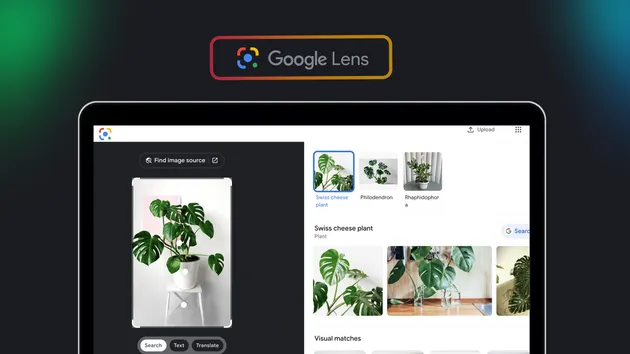
Google Lens API - Reverse Image Search & Visual Product Matches
Pricing
from $5.00 / 1,000 image reverse-searcheds
Google Lens API - Reverse Image Search & Visual Product Matches
Send image URLs to Google Lens and get every visual match back as JSON: page link, title, source, thumbnail and price text, plus the objects Lens detected in the image. Built for product matching, image source checks and competitor research. You pay only for images with matches.
Pricing
from $5.00 / 1,000 image reverse-searcheds
Rating
0.0
(0)
Developer

SR
Maintained by CommunityActor stats
0
Bookmarked
295
Total users
143
Monthly active users
24 days ago
Last modified
Categories
Share
Google Lens Reverse Image Search API
Google Lens reverse image search for your own image URLs, returned as structured JSON. Use it to find similar products, discover pages that use a photograph, identify objects, or collect shopping matches with the price text Google displays. Each searched image has its own dataset row, so you can keep the results linked to the original photograph throughout your workflow.
What the Google Lens reverse image search returns
The actor keeps the matches in the order returned by Google Lens. A row includes the original image URL, the list of matches, their count, the regions detected inside the image, and the search page URL. A match includes a title, a page link, a source identifier, a thumbnail string, and price and currency strings. Some values are empty because Google did not include them in the result. Empty strings are intentional and preserve the existing output format.
The actor produces visual search results. It does not extract text from an image or promise an exact product identifier. A visual match may show a similar product, a differently coloured variant, or a page about the same object. Review the page and title before treating a match as the exact item you supplied.
Input
image_urls is required. Provide a list of direct image URLs, up to 100 per run. JPG, PNG, WEBP and GIF images can be searched. Each URL should open the actual image file rather than a gallery or product page. Blank lines and surrounding whitespace are ignored. Repeating a URL repeats the search and keeps a separate dataset row; the actor does not deduplicate your list.
language is optional and defaults to en. It selects the Google Lens interface language and can affect the titles and order of visual matches. For example, nl requests Dutch results. It does not restrict the result pages to a particular country, and Google may still show matches from other languages or markets.
retries is optional, defaults to 4, and accepts integers from 0 through 8. It controls additional attempts when Google cannot complete a search. A response that cannot benefit from another attempt stops early. Retry attempts do not create additional dataset rows or chargeable image searches.
This is the input of a real run from 1 October 2026:
Output
The default dataset contains one row per image that could be downloaded and searched. A search that returns no visual matches can still have a row with an empty matches array and an error string. An image that could not be downloaded, or that timed out before completing, has no dataset row. The run records these failures separately so you can inspect which work could not complete.
This excerpt comes from that real run. Only the first match and first region are shown; match_count and the remaining scalar values are unchanged from the full response.
In the full response, the three images in that run returned 59 visual matches each. Result content changes over time, so the example illustrates the field format rather than a guarantee of particular sellers or titles.
Match fields
title is a string and can be empty. page_url is a string that may be a Google redirect link; link_is_redirect tells you when that is the case. Open the link to reach the result page. url contains the same link and position gives the one-based result order.
source_domain preserves the existing source identifier. For direct links it is a hostname; for Google redirect links it can be the first word of a merchant name. Do not treat a merchant word as a verified domain name. The optional domain field is supplied when the actual destination hostname is known.
thumbnail, price, and currency are strings. They remain empty when Google did not provide a usable value. price contains display text such as a currency symbol and an amount, rather than a normalized number. Compare prices only after checking the currency and the product variant. Do not assume that an empty price means a free product.
Image fields and run records
regions contains detected labels and normalized bounding boxes in centre-x, centre-y, width, height order. search_url is the Google search page URL, or null if no such page was returned. attempts is an integer when the number of completed attempts is known, or null when it is unknown. error appears only on a failed search row. fetched_in_seconds is the run duration shared by its rows.
Additional fields include source, engine, fetched_at, language and input_index. The index identifies the position of the image in the cleaned input list, including duplicate URLs. The key-value store contains summary and OUTPUT with counts, status, charges and warnings. The errors record is present when an image failed.
Use cases for Google Lens reverse image search
- Product matching for e-commerce. Start from a product photo and find the shops and marketplaces that list the same or a similar item. The price text and source on each match give a first view of who sells it, which you can then verify on the page.
- Image source and copyright checks. Find the pages where a photograph appears, for example to see where your own product photos or press images are reused.
- Competitor and catalogue research. Run the photos of a product range through the actor and compare which merchants show up most often for each item.
- Object identification at scale. The
regionsfield shows what Lens detected inside each image, which helps when a photo contains several objects. - Feeding your own pipeline. Because every image is one row with a fixed set of fields, the dataset can go straight into a spreadsheet, a database or a matching model.
How this Google Lens reverse image search API compares
Searching Google Lens by hand works for one photo, but it gives you a web page rather than data, and it does not scale to a list of a hundred images. This actor takes the list, runs the searches, and returns the same fields for every image, in the order Google shows them.
Other Google Lens actors in the Store often focus on text extraction (OCR) or bundle several Lens tabs together. This actor does one job: visual matches for an image, with the detected regions. If you need the text inside an image, use an OCR actor instead.
Pricing is per image, not per match. An image with 59 matches costs the same as an image with one, and an image without matches costs nothing. Input names, defaults and output fields stay stable between versions, so an integration you build today keeps working.
Pricing
The existing pay-per-event price remains $0.005 per image with at least one visual match. Each qualifying image is one image_search event, regardless of how many matches it contains. A row with 59 matches is one image search, rather than 59 charges. Retries are included in that event price.
The platform actor-start fee is $0.002, with its quantity determined by the actor memory setting, at least one event. Images with no matches, missing images and timed-out images have no image_search charge. The start fee still applies when a run has no image results. One thousand qualifying images therefore cost $5 in image-search events, plus the applicable start fees.
Free-plan runs deliver at most ten dataset rows and charge only for qualifying rows within that delivered set. A row without matches uses a delivery slot but has no image-search charge. Paying users can request up to 100 images. Check the run summary for the delivered count and any cap or timeout warning.
Frequently asked questions
Does a missing image make the run fail?
A download failure is recorded as a soft error. Other images continue, and a run consisting entirely of missing images completes with an empty dataset. The errors record explains why no results were delivered.
Why is a title or thumbnail empty?
Google does not include every field on every visual match. The actor keeps those matches and returns the available fields. An empty value is preferable to silently discarding a result or inventing information.
Are duplicate image URLs removed?
No. Duplicate URLs remain separate searches with separate rows. Use input_index to distinguish identical URLs, and deduplicate your own input before starting if you want each image searched only once.
Can I get the same matches every time?
Google changes its index and result selection. Language, image availability and the time of the search also affect the response. Save your datasets when you need to compare runs over time, and use the timestamp and source image URL to track their origin.
Do I need a Google account or API key?
No. You only need an Apify account. The actor runs the Google Lens searches for you and stores the results in your dataset.
Can every run finish all 100 images?
The actor continues through the list while time remains. If a slow source or the run timeout prevents completion, already completed rows are delivered and the summary reports the partial result. Splitting a large list into smaller runs can make individual failures easier to retry.