MCP Config Generator (Apify Actor → Claude / Cursor)
Pricing
from $5.00 / 1,000 config generateds
MCP Config Generator (Apify Actor → Claude / Cursor)
Given any Apify actor ID, generates ready-to-paste Model Context Protocol (MCP) server configs for Claude Desktop, Claude Code, and Cursor. Wraps the actor as a tool Claude can call directly. $0.005 per config.
Pricing
from $5.00 / 1,000 config generateds
Rating
0.0
(0)
Developer

Hojun Lee
Maintained by CommunityActor stats
0
Bookmarked
2
Total users
1
Monthly active users
8 days ago
Last modified
Categories
Share
MCP Config Generator
Given any Apify actor ID, generates ready-to-paste Model Context Protocol (MCP) server configs for Claude Desktop, Claude Code, and Cursor. Wraps the actor as a tool Claude can call directly. $0.005 per config.
⚡ Run in 30 seconds
Click Start with default settings — takes the sample actor ID and returns ready-to-paste MCP config blocks for Claude Desktop (claude_desktop_config.json), Claude Code (.mcp.json), and Cursor, so you can wire any Apify actor into your AI assistant in seconds.
Input Parameters
| Parameter | Type | Default | Description |
|---|---|---|---|
actorId | string | — | Apify actor ID (UpperCaseChars) OR handle 'username~actor-name'. |
username | string | `` | If 'actorId' is empty, combine 'username' + 'name'. |
name | string | `` | Used with 'username'. |
apifyToken | string | — | Required only to resolve private actors. |
apifyTokenPlaceholder | string | APIFY_TOKEN_HERE | Placeholder shown in generated config where the user pastes their toke |
Why this exists
Model Context Protocol (MCP) is the open standard for letting LLM clients (Claude Desktop, Claude Code, Cursor) call external tools. Apify has @apify/actors-mcp-server — but figuring out the exact config snippet for each client is tedious.
This actor takes an actor ID (or handle) and emits the JSON config block you paste into:
- Claude Desktop:
~/Library/Application Support/Claude/claude_desktop_config.json - Claude Code:
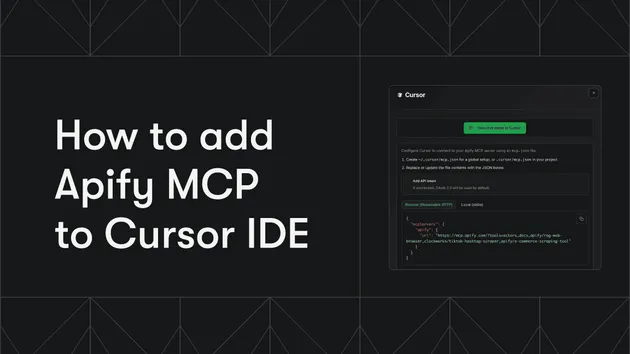
~/.claude/config.json - Cursor: Settings > MCP
Now any of those clients can directly call the actor — Claude will pick it up as a tool, formulate the input, and surface the result.
What you get
The full Claude Desktop config is also saved as claude_desktop_config.json in the run's key-value store.
Quick start
By handle (recommended)
By internal ID
Username + name parts
Resolve a private actor (requires your token)
Use cases
- Wrap any Apify actor as a Claude tool — Hook the entire Apify Store into Claude
- Onboarding — Give clients a one-paste config to start using your actors
- Cursor integration — Let Cursor IDE call data-gathering actors during code generation
- MCP marketplace pre-baked configs — Ship ready-to-install MCP packages
Pricing
Pay-Per-Event: $0.005 per config generated.
How to install the generated config
After getting the output:
- Copy the
claude_desktop_configJSON block - Open
~/Library/Application Support/Claude/claude_desktop_config.json - Merge (or replace) the
mcpServerssection - Replace
APIFY_TOKEN_HEREwith your real token (get one here) - Restart Claude Desktop
- The actor will appear as a tool — try asking Claude to use it
For Claude Code, you can also run:
Related actors (same author)
This actor is meta-tooling: it makes our other 50+ actors callable from Claude. Pair with any of them.
- Smart Money Wallet Tracker — most popular target
- Crypto Alpha Dashboard — 1-call macro briefing
- Article Summarizer
- Web Structured Data Extractor
Feedback
A short review helps Claude/Cursor users find it: Leave a review on Apify Store
Keywords: MCP config generator, Model Context Protocol setup, Claude Desktop config, Claude Code MCP, Cursor MCP config, Apify actor MCP tool, LLM tool integration, AI agent tool config, Claude tool use, MCP server JSON, Apify MCP wrapper, Claude plugin config, AI workflow automation, LLM API integration