

Irs Private Foundation Leads Scraper
DeprecatedPricing
from $6.00 / 1,000 leads
Go to Apify Store
Irs Private Foundation Leads Scraper
DeprecatedExtract US private foundations from the IRS Exempt Organization Business Master File. Returns EIN, name, city, state, NTEE sector, foundation type, assets, income, and more. Ideal for nonprofits seeking grant funders, development consultants, and philanthropy-sector vendors.
Pricing
from $6.00 / 1,000 leads
Rating
0.0
(0)
Developer
GoCreative AI
Maintained by CommunityActor stats
0
Bookmarked
2
Total users
1
Monthly active users
an hour ago
Last modified
Categories
Share
📊 Example output (real run)
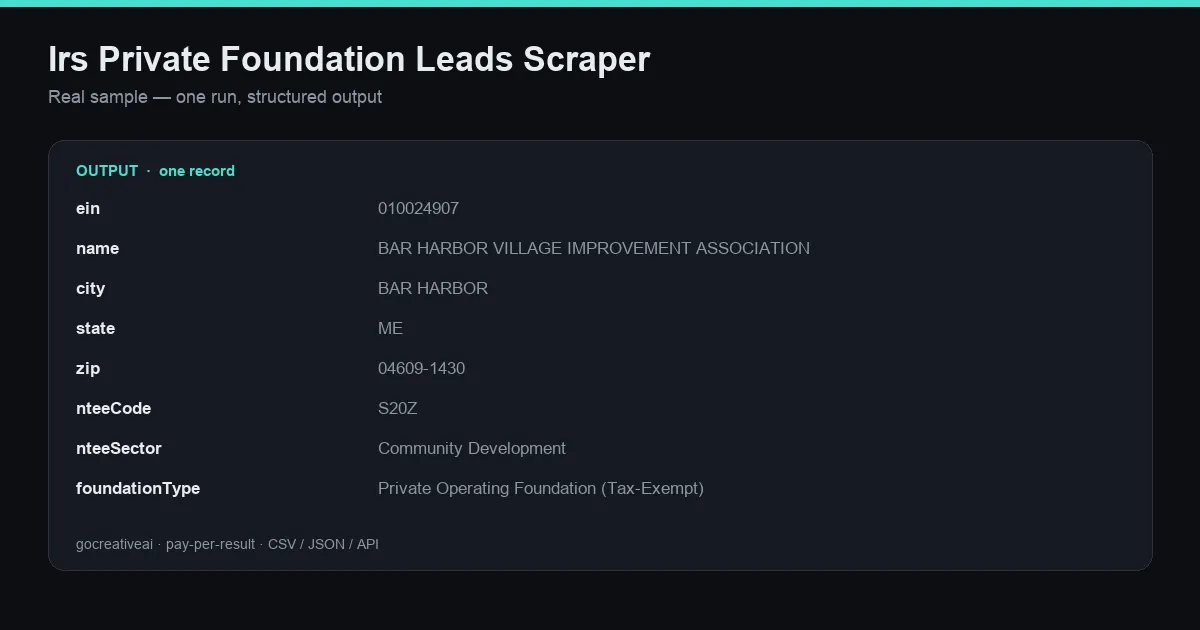
A real record from a live run — clean structured data, exported as CSV / JSON / Excel or via API.
IRS Private Foundation Leads
Streams IRS EO BMF CSV files and returns private foundation leads.
What you get (real output fields)
Every record includes:
einnamecitystatezipnteeCodenteeSectorfoundationTypeassetAmountincomeAmountrevenueAmountrulingDatetaxPerioddataSource
Example record (real output, one live run)
Use cases
- Sales & lead generation — build a targeted, verifiable outreach list from a real public source.
- Market research — measure coverage, count, and distribution for this category over time.
- CRM / enrichment pipeline — feed structured rows straight into your CRM, Clay, or a data warehouse.
- Due diligence / verification — every record traces back to its public source, so any lead can be checked by hand.
How to use it
- Run the actor (schedule it to catch new/changed records automatically).
- Export results as JSON, CSV, or Excel, or pull via the Apify API/dataset.
- Push straight into your CRM or outreach tool, or join it with our other lead/enrichment actors.
Notes on data quality
- Data is pulled directly from the public source described above — not aggregated or resold.
- Fields the source left blank are returned as empty/null rather than guessed — no fabricated data.


