Google Search Scraper
Pricing
from $0.10 / 1,000 results
Google Search Scraper
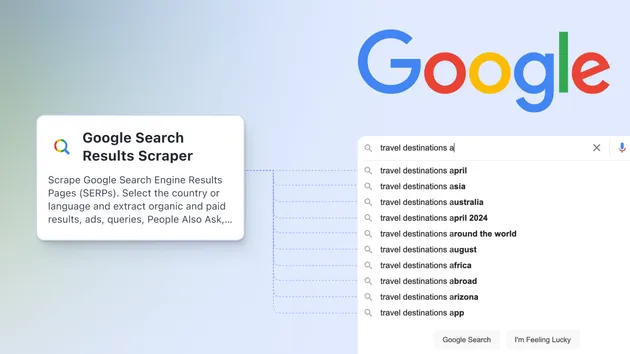
Google Search Scraper & SERP API - Extract organic results, paid ads, People Also Ask, and related searches from Google Search. Get titles, URLs, descriptions, rankings, and rich snippets. Download in JSON, CSV, or Excel format.
Pricing
from $0.10 / 1,000 results
Rating
0.0
(0)
Developer

HappiTap
Maintained by CommunityActor stats
2
Bookmarked
61
Total users
2
Monthly active users
2 months ago
Last modified
Categories
Share
🔍 Google Search Scraper & SERP API
Extract organic results, paid ads, People Also Ask, and related searches from Google Search. Get titles, URLs, descriptions, rankings, and rich snippets. Download in JSON, CSV, or Excel format.
The Google Search Scraper is your Google SERP API alternative that lets you extract unlimited search results with complete data. Perfect for SEO monitoring, keyword research, competitor analysis, and market intelligence.
What can Google Search Scraper do?
- ✅ Extract organic results - titles, URLs, descriptions, positions, and displayed URLs
- ✅ Scrape paid ads - advertisement results with ad labels and targeting
- ✅ People Also Ask - questions, answers, and source URLs
- ✅ Related searches - suggested queries and search URLs
- ✅ Rich snippets - ratings, review counts, and prices
- ✅ Knowledge panels - entity information and descriptions
- ✅ Multiple pages - scrape up to 10 pages per query
- ✅ Country & language - search from any Google domain and language
- ✅ Mobile results - get mobile search results
- ✅ Export formats - JSON, CSV, Excel, HTML, or RSS feed
- ✅ API access - integrate scraped data into your applications
- ✅ No coding required - simple point-and-click interface
Why scrape Google Search results?
Google Search is the world's largest search engine with valuable data for:
- 🎯 SEO monitoring - Track your website's rankings for target keywords
- 📊 Keyword research - Discover what content ranks for specific queries
- 💬 Competitor analysis - Monitor competitor rankings and ad strategies
- 🔍 Market intelligence - Identify trends and market opportunities
- 📈 Content strategy - Analyze what types of content perform best
- 🏆 SERP tracking - Monitor search engine results page changes over time
- 📝 Lead generation - Find potential customers searching for your services
- 💰 Ad intelligence - Analyze competitor advertising strategies
What data can you extract from Google Search?
The scraper extracts comprehensive search result information:
| Data Field | Description | Example |
|---|---|---|
| Search Query | Search term and URL | "hotels in New York" |
| Organic Results | Natural search results | Array of results |
| Position | Ranking position | 1, 2, 3... |
| Title | Result title | "Best Hotels in NYC 2024" |
| URL | Destination URL | "https://example.com/hotels" |
| Description | Meta description | "Discover the top-rated hotels..." |
| Displayed URL | Shown URL | "example.com › hotels" |
| Paid Results | Advertisement results | Array of ads |
| Ad Label | Ad indicator | "Sponsored", "Ad" |
| People Also Ask | Related questions | Array of Q&A |
| Question | User question | "What are the best hotels in NYC?" |
| Answer | Extracted answer | "The best hotels include..." |
| Related Searches | Suggested queries | Array of related terms |
| Rich Snippets | Enhanced results | Ratings, prices, reviews |
| Rating | Star rating | 4.5 |
| Review Count | Number of reviews | 1,234 |
| Price | Product/service price | "$199/night" |
| Total Results | Estimated total | "About 1,234,567 results" |
How to scrape Google Search results
- Click "Try for free" to start using the scraper
- Enter search queries - Type your keywords or paste Google Search URLs
- Configure options - Set pages, country, language, and filters
- Start the scraper - Click "Start" and let it run
- Download results - Export your data as JSON, CSV, Excel, or via API
The scraper automatically extracts all available data from each search results page.
Input
The scraper has a simple input interface. Click on the Input tab above to see all available options.
Key settings:
- Search Queries - List of keywords to search for (e.g., "web scraping", "SEO tools")
- Search URLs - Alternative: Direct Google Search URLs to scrape
- Max Pages Per Query - Number of result pages to scrape (1-10)
- Results Per Page - Results per page: 10, 20, 30, 50, or 100
- Country Code - Google domain: 'us', 'uk', 'ca', 'de', 'fr', etc.
- Language Code - Language: 'en', 'es', 'fr', 'de', etc.
- Mobile Results - Get mobile search results instead of desktop
- Include Paid Ads - Extract advertisement results (default: yes)
- Include People Also Ask - Extract related questions (default: yes)
- Include Related Searches - Extract suggested queries (default: yes)
- Proxy Configuration - Use residential proxies for best results
All fields have helpful tooltips. For advanced options, check the Input tab.
Output
You can download your scraped data in multiple formats:
- JSON - For developers and API integrations
- CSV - For Excel and data analysis
- Excel - Ready-to-use spreadsheet
- HTML - For viewing in browser
- RSS - For feed readers
Output example
Here's what the data looks like for a single search query:
How much does it cost to scrape Google Search?
Google Search scraping on Apify uses a pay-per-result model. You only pay for search pages you successfully extract.
Free tier: New Apify users get $5 in free credits - enough to scrape approximately 5,000 Google Search pages for free!
Cost estimates:
- Per search page: $0.001 ($1 per 1,000 pages)
- 100 search pages = $0.10
- 500 search pages = $0.50
- 1,000 search pages = $1.00
- 10,000 search pages = $10.00
Pricing breakdown:
- Actor start: $0.00005 (one-time per run)
- Per search page: $0.001 ($1 per 1,000 pages)
Tips to reduce costs:
- Set
maxPagesPerQueryto limit pages per query - Disable
includeAds,includePeopleAlsoAsk, orincludeRelatedSearchesif not needed - Process multiple queries in one run
- Use lower
resultsPerPagevalues - Keep
maxConcurrency: 1(default) to avoid bot detection and failed requests - Use datacenter proxies for testing, residential proxies for production (recommended)
Cost vs. Reliability Trade-offs:
- Lower concurrency = Slower but fewer blocks and retries (recommended: 1)
- Residential proxies = Higher proxy cost but essential for avoiding Google blocks
- Random delays = Longer runtime but significantly better success rate
The scraper is optimized for reliability over speed, ensuring successful data extraction with minimal failed requests and wasted compute resources.
Is it legal to scrape Google Search?
Yes, scraping publicly available data from Google Search is legal in most jurisdictions. This scraper only extracts publicly visible information that anyone can see without logging in - search results, titles, URLs, and descriptions.
What we extract:
- ✅ Public search results
- ✅ Organic result titles and URLs
- ✅ Meta descriptions
- ✅ Paid advertisement results
- ✅ People Also Ask questions
- ✅ Related search suggestions
What we DON'T extract:
- ❌ Private user data
- ❌ Login-required information
- ❌ Personal search history
- ❌ User account information
Best practices:
- Use scraped data ethically and responsibly
- Respect Google's rate limits (use appropriate concurrency)
- Don't use data for spam or manipulation
- Review Google's Terms of Service for your specific use case
For commercial use at scale, you may want to review Google's official APIs. However, official APIs have strict rate limits and can be expensive for large datasets. This scraper provides a cost-effective alternative for research and analysis purposes.
Learn more about the legality of web scraping.
Troubleshooting
No results or empty dataset?
- Verify that your search queries are valid
- Check that you're using the correct country code and language
- Look for "✅ SAVED" messages in the log to confirm data is being extracted
- Enable
debugModeto save HTML for inspection - Try reducing
maxConcurrencyto avoid rate limiting
Getting blocked or rate limited?
- Use residential proxies in proxy configuration (highly recommended for Google)
- Reduce
maxConcurrencyto 1-3 for safer scraping - Google aggressively blocks datacenter IPs - residential proxies are essential
- Add delays between requests
- Avoid scraping too many pages too quickly
Missing data fields?
- Some results may not have all fields (e.g., no rich snippets, no ads)
- People Also Ask may not appear for all queries
- Related searches depend on the query
- Check the individual field settings (
includeAds,includePeopleAlsoAsk, etc.)
Scraper running slow?
- Reduce
maxPagesPerQueryfor faster runs - Disable optional features (
includeAds,includePeopleAlsoAsk,includeRelatedSearches) - Increase
maxConcurrencyto 5-10 (if not getting blocked) - Use faster proxy groups
Results not matching Google?
- Google personalizes results based on location, history, and device
- Use
countryCodeandlanguageCodeto target specific regions - Enable
mobileResultsfor mobile search results - Results may vary slightly from manual searches due to personalization
Use cases
SEO Monitoring & Rank Tracking
Track your website's rankings for target keywords over time. Monitor position changes, identify ranking opportunities, and measure SEO campaign effectiveness.
Keyword Research
Discover what content ranks for specific queries. Analyze title patterns, content types, and SERP features to inform your content strategy.
Competitor Analysis
Monitor competitor rankings, ad strategies, and content performance. Identify gaps in their strategy and opportunities for your business.
Market Intelligence
Analyze search trends, identify emerging topics, and understand market demand. Use People Also Ask to discover customer questions and pain points.
Content Strategy
Understand what types of content perform best for your target keywords. Analyze meta descriptions, titles, and rich snippets that attract clicks.
Ad Intelligence
Monitor competitor advertising strategies, ad copy, and targeting. Identify high-value keywords and optimize your own ad campaigns.
Lead Generation
Find potential customers searching for your products or services. Extract business websites from search results for outreach campaigns.
SERP Feature Analysis
Track the presence of rich snippets, knowledge panels, and other SERP features. Optimize your content to win featured snippets and enhance visibility.
Google SERP API alternative
The official Google Custom Search API has significant limitations:
Google Custom Search API limitations:
- ❌ Strict quotas - Only 100 queries per day on free tier
- ❌ Expensive - $5 per 1,000 queries after free tier
- ❌ Limited data - Missing many SERP features
- ❌ No ads - Cannot extract paid results
- ❌ Restricted - Cannot scrape more than 10 pages
- ❌ API key required - Complex setup process
This scraper offers:
- ✅ Unlimited queries - No daily quotas or limits
- ✅ Cost-effective - $1 per 1,000 search pages
- ✅ Complete data - All SERP features included
- ✅ Ads extraction - Get paid advertisement results
- ✅ Flexible - Scrape any query, any country, any time
- ✅ Easy to use - No API keys or complex setup
- ✅ Multiple pages - Extract up to 10 pages per query
Integrations
Connect your scraped Google Search data with 1000+ apps:
- Google Sheets - Auto-update spreadsheets with search results
- Slack - Get notifications when scraping completes
- Webhooks - Send data to your own applications
- Make/Zapier - Automate workflows with scraped data
- API - Access data programmatically via REST API
- Airtable - Build SEO tracking databases
- Excel - Export directly to Excel format
- Tableau - Create SERP analytics dashboards
Learn more about Apify integrations.
Support and feedback
- 📧 Issues? Use the Issues tab above to report bugs
- 💬 Questions? Check the troubleshooting section first
- 🔧 Custom solution? Contact us for tailored scraping needs
- ⭐ Feedback? We're always improving - let us know what you need!
- 📚 Documentation - Apify Documentation
Related Actors
Looking for more Google scraping tools? Check out these Actors:
- Google Maps Scraper - Extract business listings from Google Maps
- Google Images Scraper - Scrape images from Google Image Search
- Google News Scraper - Extract articles from Google News
- Google Shopping Scraper - Scrape product listings and prices
- Google Trends Scraper - Extract trending search data
Browse all Google Scrapers.
License: Apache-2.0 | Version: 1.0.0 | Last updated: January 2024
Disclaimer: This scraper is for educational and research purposes. Always review and comply with Google's Terms of Service and applicable laws in your jurisdiction. Use residential proxies to avoid being blocked.