

Competitor Ads Report & Analysis: Meta, Google, LinkedIn Ads
Pricing
$10.00 / 1,000 results
Competitor Ads Report & Analysis: Meta, Google, LinkedIn Ads
See every active ad of up to 5 competitors on Meta (Facebook and Instagram), Google and LinkedIn in one run. AI tags each ad by offer, angle and funnel stage. The report shows what each rival pushes, new ads, the longest-running ads and takeaways for your own ads. Pay per unique ad.
Pricing
$10.00 / 1,000 results
Rating
0.0
(0)
Developer

Harsh Maur
Maintained by CommunityActor stats
0
Bookmarked
2
Total users
1
Monthly active users
a day ago
Last modified
Categories
Features
Share
Competitor Ads Report — See Your Competitors' Meta, Google and LinkedIn Ads in One AI Report
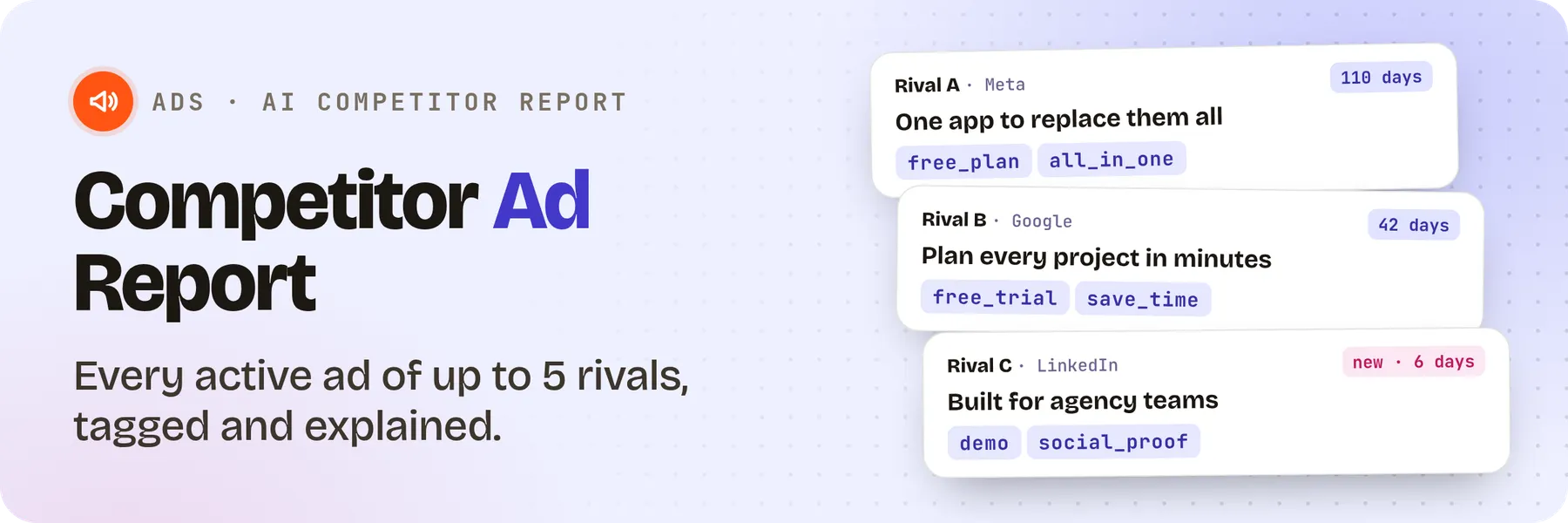



Checking competitor ads by hand means three ad libraries, one search per brand, and a spreadsheet you rebuild every week. Competitor Ads Report does that work for you. Type up to 5 competitor names and get every active ad they run on Meta, Google and LinkedIn, with one report that says what each competitor pushes and what to copy.
What is Competitor Ads Report?
It is a competitor ad analysis and spy tool built on the public ad libraries: the Meta Ad Library (Facebook and Instagram), the Google Ads Transparency Center and the LinkedIn Ad Library. You type brand names, not page IDs or advertiser IDs. The AI finds each brand's accounts, checks that each advertiser really is that brand, and reads the ads.
Each ad gets three AI tags:
- Offer: free plan, free trial, discount, free content, demo or none.
- Angle: the main message, for example a product feature, AI, saving time, social proof or a comparison.
- Stage: awareness, consideration or conversion.
Use it to:
- Plan your next campaign: see which offers and angles your market uses today.
- Find the ads that work: an ad that runs for 100 days usually pays for itself.
- Catch launches early: new ads in the last 30 days show what a competitor is about to push.
- Report to a client: send the HTML report or paste the Markdown copy.
How to see your competitors' ads
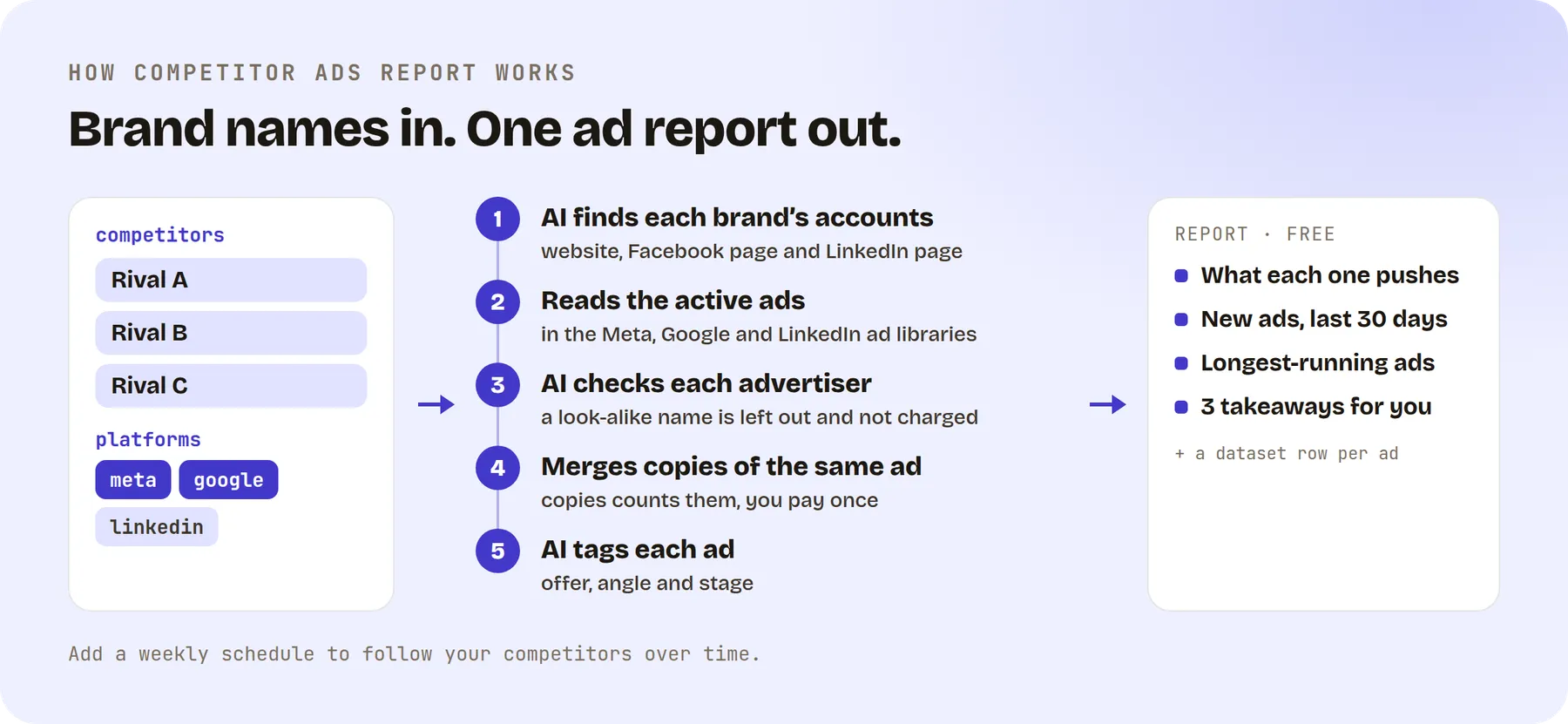
- Type 1 to 5 Competitors, for example
ClickUp,Monday.comandAsana. - Optional: describe Your product in one line. The takeaways then speak to your own ads.
- Pick the Platforms. Meta and Google are on by default; add LinkedIn for B2B brands.
- Set the Country, for example
USorGB. - Click Start. Add a weekly schedule in Apify to follow your competitors over time.
Input fields
| Field | What it does | Default |
|---|---|---|
competitors | 1 to 5 brand names. | none |
about | One line about your product, for takeaways that fit you. | none |
platforms | Any of meta, google, linkedin. | meta, google |
country | 2-letter country code of the ads. | US |
maxAdsPerSource | The most ads per competitor and platform, from 5 to 100. | 25 |
Input example
Output example
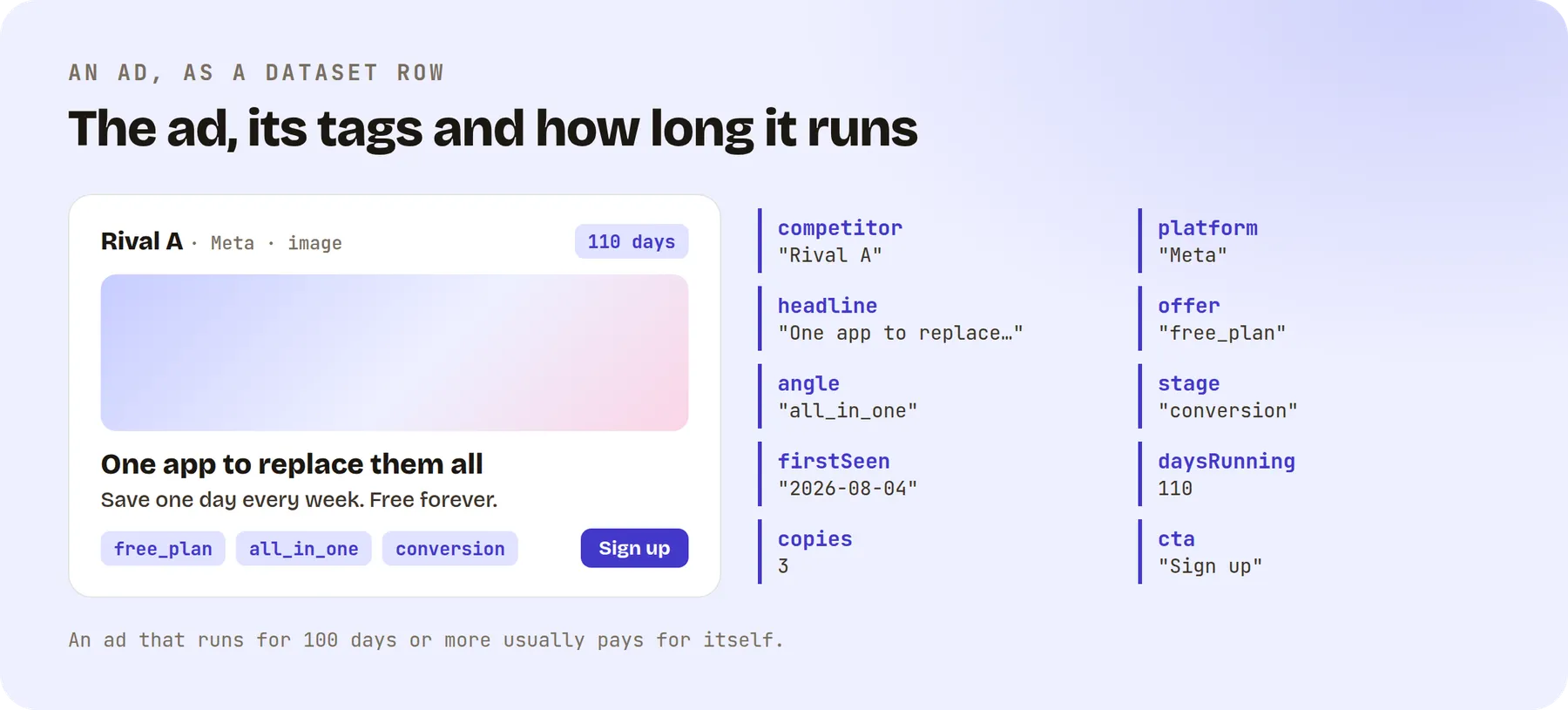
The dataset has one row for each unique ad:
copies counts the library entries that show the same ad. Brands often run one ad many times with small changes in the audience; you get it once.
Each run also saves three free records, linked from the Output tab:
- REPORT: the report as a web page. One card per competitor: ads per platform, what they push, new ads, the longest-running ad, offers, angles and their top ads. Three takeaways for your own ads at the top.
- REPORT.md: the same report as Markdown, for Slack, Notion, a client email or an AI agent.
- SUMMARY: the counts and AI notes as JSON, for automations.
What counts as one ad?
One ad is one competitor, one platform, one headline and one text. The same ad on Meta and on Google is two ads, because it runs as two campaigns. Catalog ads that show only a placeholder such as {{product.name}} are left out.
The AI checks each advertiser name against the brand and its website. An advertiser with a similar name, for example "CLICKUPON LLC" for ClickUp, is left out and not charged. A legal name that runs the brand's ads, for example "Mango Technologies, Inc." for ClickUp, is kept.
How much does Competitor Ads Report cost?
You pay for each unique ad in the results. Ads that are left out cost nothing, and the web page, the Markdown report and the summary are free. The Pricing tab shows the price per ad.
Most ads per competitor and platform sets the size of a run, so you know the most it can cost before you start. You can also set Maximum cost per run: the run then keeps the ads the budget pays for, shared between your competitors and platforms, longest-running first.
FAQ
Which dates does each platform show?
Meta shows the day an ad started, so you get days running. Google shows the first and last day it saw the ad. LinkedIn shows the first and last day for a few ads only, so most LinkedIn ads have no dates.
Why does a competitor have no ads on one platform?
The brand may not advertise there in your country now, or its page name differs a lot from its brand name. The report says which competitors had no account on each platform. Try the exact page name as the competitor name.
Why is LinkedIn off by default?
LinkedIn ads cost more for us to read. Turn it on for B2B competitors, where LinkedIn is often their main channel.
Are the AI notes accurate?
The tags and notes come from the ad text only. They are a fast first read; open the ad link before you quote an ad or copy an idea.
How long does a run take?
A report on 5 competitors and 3 platforms takes about 8 minutes. Reading Google takes most of that time. Fewer competitors or platforms finish sooner.
Can I call it from my code or an AI agent?
Yes. Start a run with the Apify API, then read the dataset or the REPORT.md record. The API tab has ready code for Python, JavaScript and cURL.
Do I need an ad account?
No. The Actor reads the public ad libraries only. It never signs in and never runs ads.
More research tools
| Actor | Use it for |
|---|---|
| Facebook Ads Library Scraper | Every Meta ad of a search or a page, as raw data with all fields. |
| Reddit Brand & Sentiment Monitor | What people say about your brand and competitors on Reddit. |
| Reddit Pain Point Finder | The problems and wishes of a market, grouped into themes with real quotes. |
| Reddit Lead Alerts | Reddit posts that ask for what you sell, with a reply draft. |


