
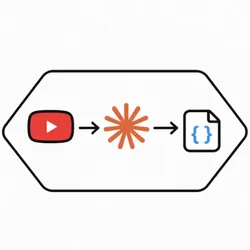
AI YouTube Transcript Analyzer
Pricing
$25.00 / 1,000 transcript analyses
Pricing
$25.00 / 1,000 transcript analyses
Rating
5.0
(2)
Developer

Hexa API
Maintained by CommunityActor stats
1
Bookmarked
5
Total users
0
Monthly active users
6 months ago
Last modified
Categories
Share
Turn one YouTube video into one sharp answer.
Video URL + Prompt = { "answer": "❤️🔥" }
No setup maze. No prompt engineering circus. No transcript cleanup work on your side.
Drop in a YouTube URL, tell the Actor what you want, and it will:
- fetch the transcript
- understand the full video
- chunk long videos safely behind the scenes
- return either plain text or strict JSON
Input
What You Get
- One YouTube video per run
- One custom prompt per run
- Plain text output, or strict JSON with your schema
- Clean dataset output shaped like
{ "result": ... }
Pricing, But Human
We price by transcript analysis.
- Most short videos usually fit into 1 transcript analysis
- A short video with
jsonschemastill usually fits into 1 transcript analysis - If the video is long, we automatically split the transcript into chunks behind the scenes
- Each processed chunk counts as 1 transcript analysis
- After all chunks are processed, the final combined answer counts as 1 more transcript analysis
- Internal fallback retries are not billed as extra transcript analyses
Big video? No panic.
We use the transcript's flattened text, cut it into safe pieces when needed, analyze every piece, and stitch the final answer back together. The goal is simple: no lost context, no dropped data, no messy partial answer.
Example Dataset Item
Example OUTPUT Record
Environment Variables
WORKER_BASE_URLrequiredWORKER_API_TOKENoptionalREQUEST_TIMEOUT_MSoptional
Apify Pricing Setup
1 ai-call event = 1 transcript analysis- you choose the price of each transcript analysis
- long videos cost more only because they truly require more analysis work
- transcripts are split into chunks of 12,000 characters; each chunk is processed as a separate LLM request and billed individually; after all chunks are processed, a final merge request combines the results and is also billed
Example scenario
-
A 20-minute video has a transcript of 15,000 characters
-
This gets split into:
- 2 chunks (12,000 + 3,000)
- 1 merge step
-
Total cost = 3 units (2 chunk analyses + 1 merge)


