

Deezer Scraper — Tracks, Artists, Albums & Charts
Pricing
from $0.0005 / item scraped
Deezer Scraper — Tracks, Artists, Albums & Charts
Search Deezer and scrape tracks (artist, album, rank, ISRC, preview), artists (fans, albums), albums and playlists, plus top charts. Fast clean HTTP via the open Deezer API, no setup. For music catalogs, analytics and research.

Deezer Scraper — Tracks, Artists, Albums, Playlists & Charts
Search Deezer and scrape tracks, artists, albums and playlists — plus the global top charts — as structured data. Get titles, artists, albums, ISRCs, durations, popularity rank and 30-second preview links exported to clean JSON, CSV, Excel or XML. No account and no API key — fast and reliable.
What does Deezer Scraper do?
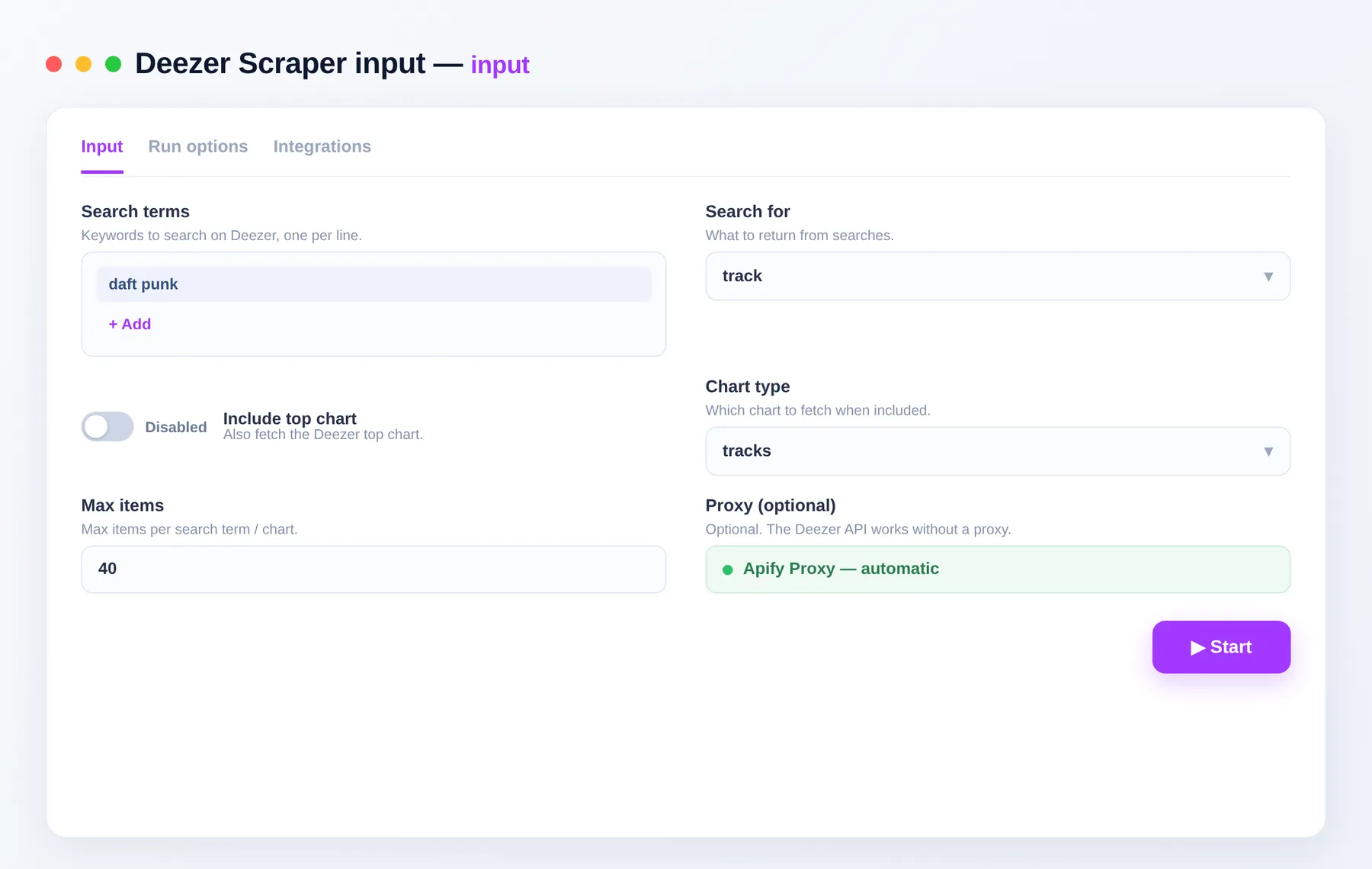
Deezer Scraper is a crawler that extracts public music metadata from Deezer. Give it search terms and choose an entity type — track, artist, album or playlist — and optionally pull the top charts. It returns flat, normalized records with consistent field names, ready to export or pull through the API.
What data can you scrape from Deezer?
| Data point | Description |
|---|---|
| Entity type | Whether the record is a track, artist, album or playlist |
| Title | Track, album, artist or playlist name |
| Artist | Artist name and ID |
| Album | Album name and ID |
| Duration | Track length in seconds |
| Popularity | Deezer rank score |
| Explicit flag | Whether the track is marked explicit |
| ISRC | International Standard Recording Code |
| Preview | 30-second preview clip URL |
| URL | Direct link to the item on Deezer |
What you get
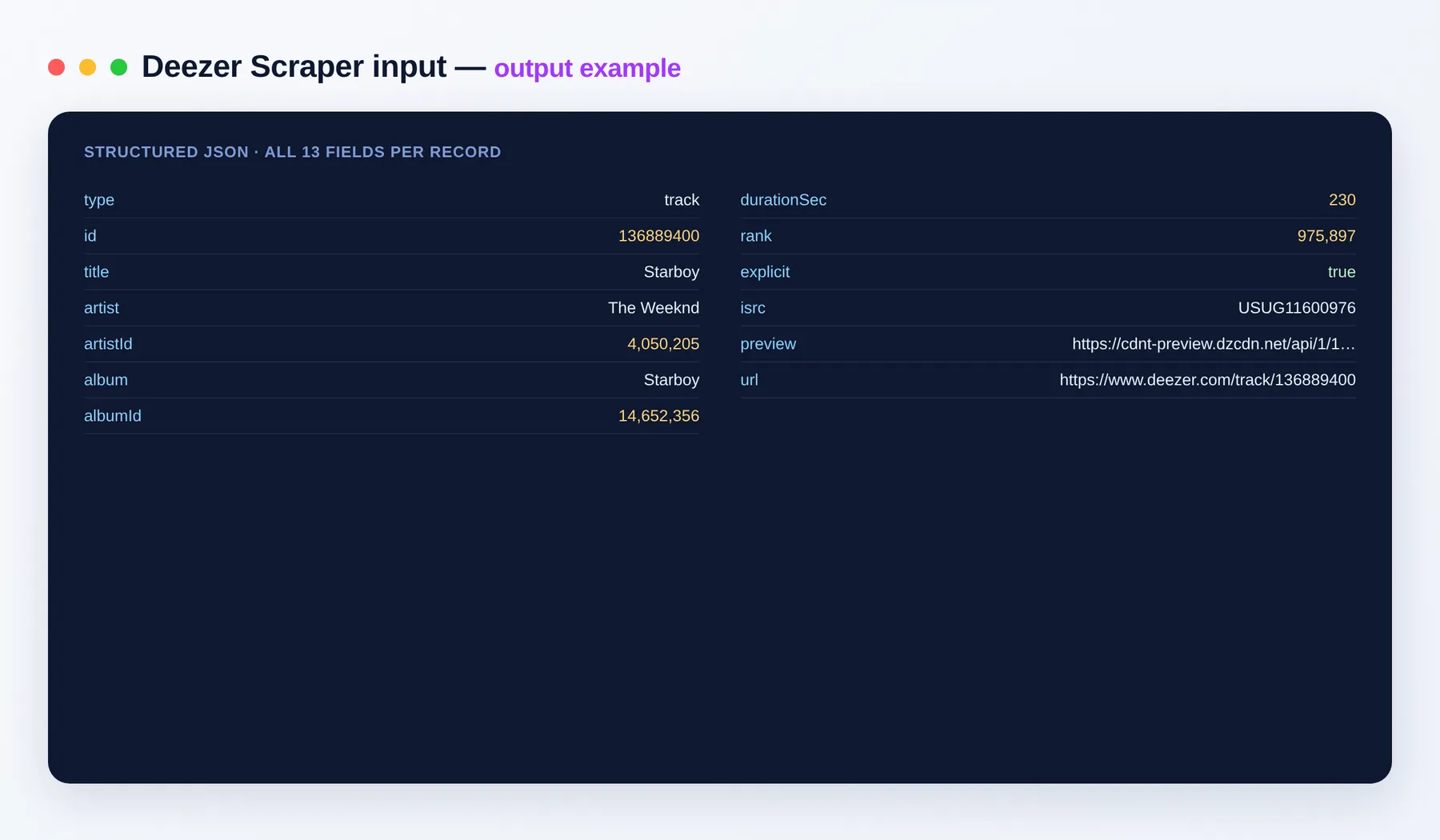
One flat JSON record per item. Example track:
Output schema
| Field | Type | Description |
|---|---|---|
type | string | Entity type: track, artist, album or playlist. |
id | integer | Unique Deezer identifier for the item. |
title | string | Title of the track, album, artist or playlist. |
artist | string | Artist name. |
artistId | integer | Unique Deezer identifier for the artist. |
album | string | Album name the track belongs to. |
albumId | integer | Unique Deezer identifier for the album. |
durationSec | integer | Track duration in seconds. |
rank | integer | Deezer popularity rank score. |
explicit | boolean | True if the track is marked explicit. |
isrc | string | International Standard Recording Code of the track. |
preview | string (URL) | URL of the 30-second preview clip. |
url | string (URL) | Direct link to the item on Deezer. |
Use cases
- Build and enrich a music catalog with ISRCs, durations and album links.
- Track chart movement over time by scheduling recurring chart runs.
- Research an artist's discography and track popularity via
rank. - Source 30-second preview URLs and metadata for playlists or apps.
- Assemble datasets for music analytics and recommendation engines.
- Match and de-duplicate catalog entries across services using ISRCs.
How to scrape Deezer data
- Add Deezer Scraper to your Apify account and open the input.
- Enter your keywords in
searches, one per line. - Choose the
searchType: track, artist, album or playlist. Optionally enableincludeChartand pick achartType. - Set
maxItemsPerSearchto cap results, then click Run. - Export the results as JSON, CSV, Excel or XML, or pull them through the Apify API.
Input
| Field | Description |
|---|---|
searches | Keywords to search on Deezer, one per line. |
searchType | What to return: track, artist, album or playlist. |
includeChart | Also fetch the Deezer top chart. |
chartType | Which chart to pull: tracks, artists, albums or playlists. |
maxItemsPerSearch | Max items per search term / chart (1–500). |
Need more music data?
FAQ
Do I need a Deezer account or API key? No. There's no setup and no login — just add your search terms and run.
How many items can I get per run?
Set maxItemsPerSearch up to 500 per search term and per chart. Pass multiple keywords in searches to scale further.
Can I download songs or audio?
No. The Actor returns public metadata only. The preview field is Deezer's own publicly listed 30-second clip URL — no full tracks are downloaded.
Can I pull the top charts?
Yes. Turn on includeChart and choose a chartType (tracks, artists, albums or playlists) to grab what's trending right now.
What export formats are supported? JSON, CSV, Excel and XML, plus programmatic access via the Apify API.
Can Deezer Scraper connect to my other tools? The Deezer Scraper can be connected with almost any cloud service or web app thanks to integrations on the Apify platform. It works with Make, Zapier, Slack, Airbyte, GitHub, Google Drive and many more, plus the Apify API, JavaScript/Python clients and MCP. Or use webhooks to trigger an action whenever a run finishes.
Is scraping Deezer legal? The Actor returns only public metadata. You are responsible for complying with Deezer's terms and applicable laws.
Related Actors
Notes
Original clean-room implementation. Returns only public metadata — no audio files or DRM-protected content. You are responsible for compliance with Deezer's terms. Not affiliated with Deezer.


