

Google Trends Scraper — Interest & Related Queries
Pricing
from $0.0005 / keyword scraped
Google Trends Scraper — Interest & Related Queries
Scrape Google Trends for any keyword: interest over time, related and rising queries, and interest by region. Per country and timeframe. For SEO, market and trend research. No setup.

Google Trends Scraper — interest over time, related & rising queries, interest by region
Get the full Google Trends picture for any keyword in clean, structured JSON: interest over time, top related and fastest-rising queries, and interest broken down by region. Built for SEO, market research, and trend-spotting teams.
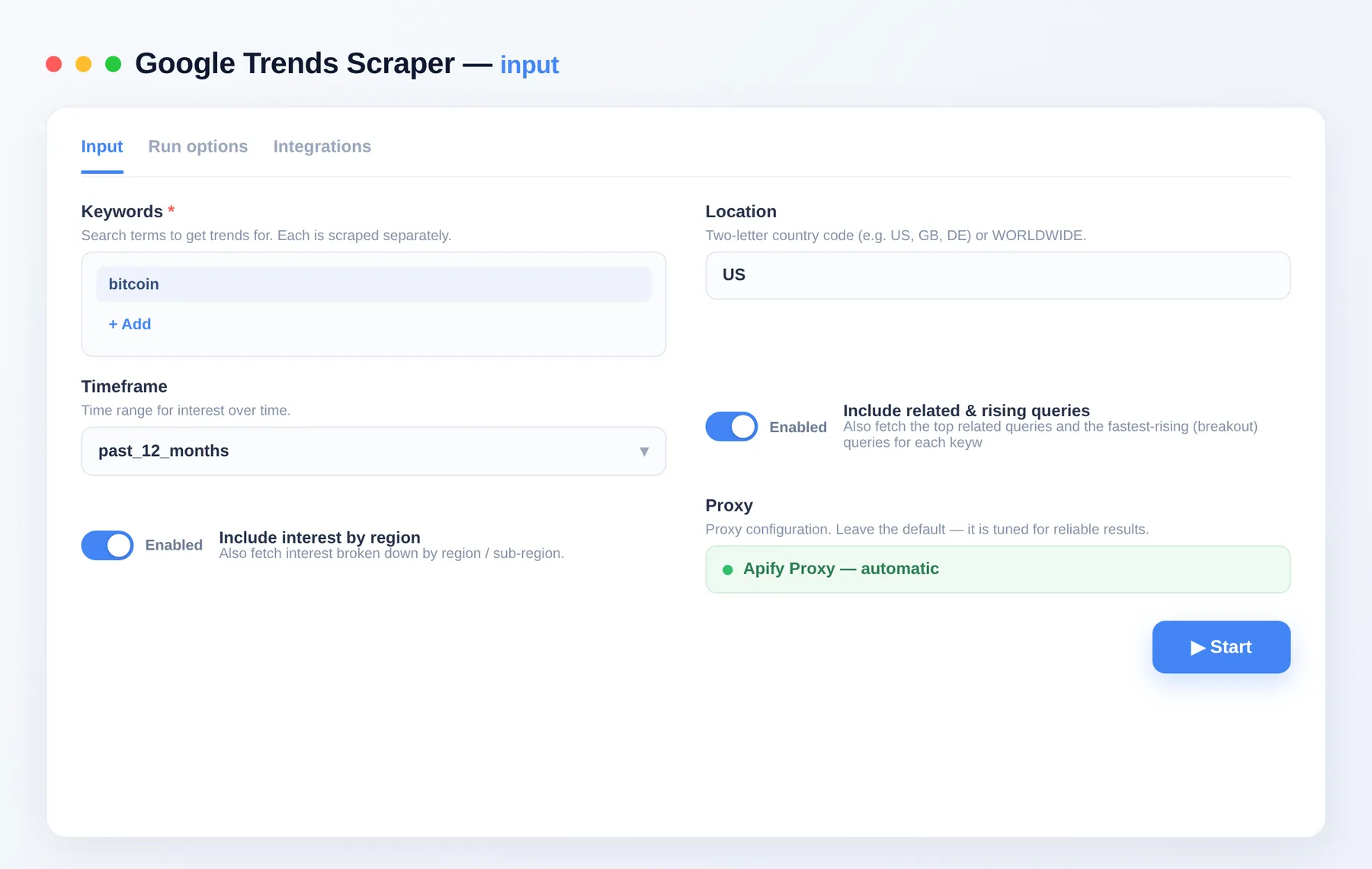
Features
- 📈 Interest over time — a full
interestOverTimetimeline ofdate,timestamp, and normalizedvalue(0–100) points for your timeframe. - 🔗 Related & rising queries — with
includeRelatedQueries, getrelatedQueries(top) andrisingQueries(breakout) lists with their scores. - 🗺️ Interest by region — with
includeInterestByRegion, get aninterestByRegionbreakdown oflocationandvalue. - ⏱️ Flexible timeframes —
timeframefrompast_hourall the way tosince_2004. - 🌍 Geo targeting — set
geoto a country code (e.g.US,GB,DE) orWORLDWIDE. - 📊 Computed summary — each row adds
averageInterestandpeakInterestderived from the timeline. - 🛡️ Reliable results — returns real, structured trend data every run instead of empty responses.
What you get
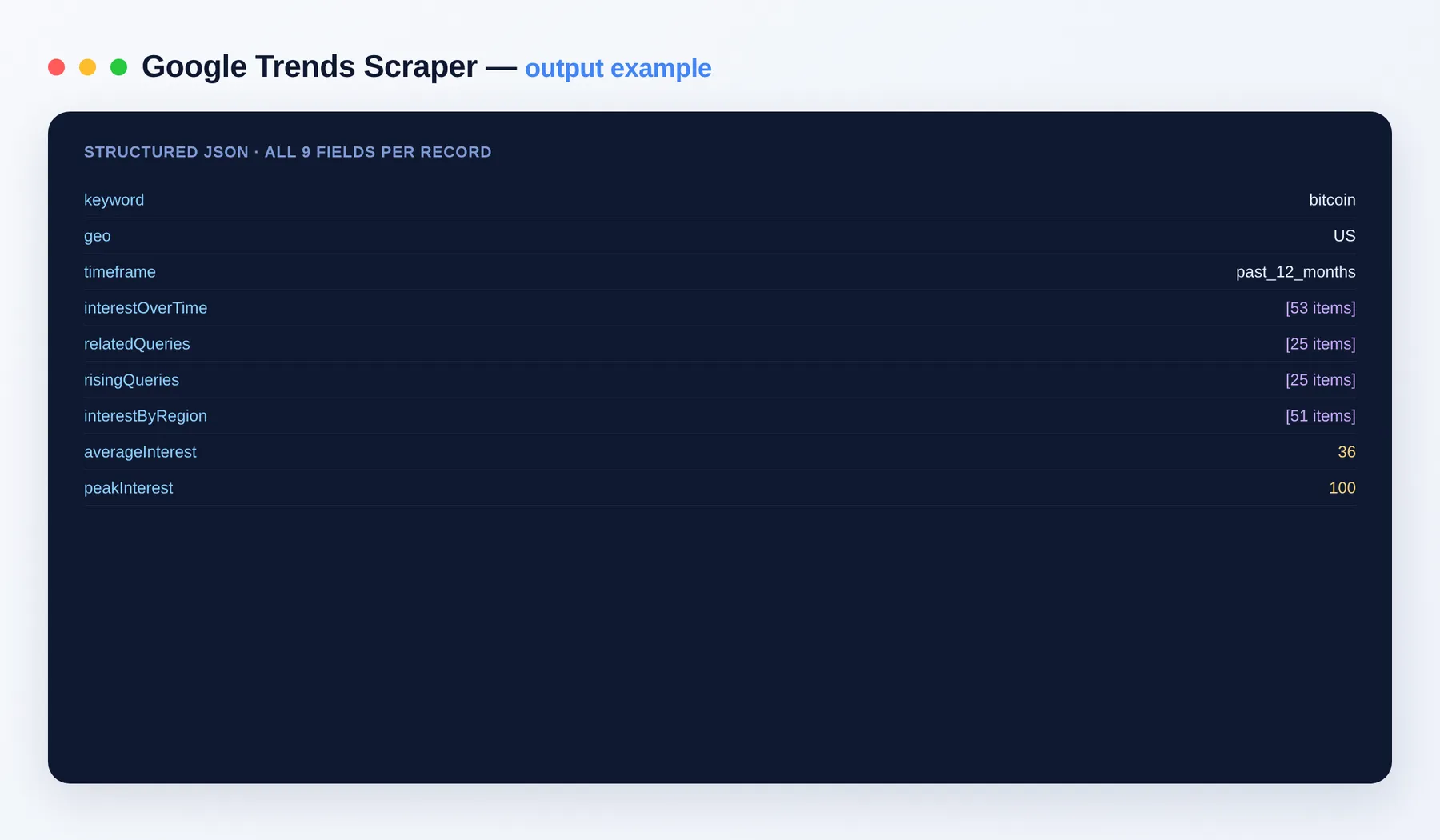
Each row is one keyword's full trends report:
Output schema
| Field | Type | Description |
|---|---|---|
keyword | string | The search term this row reports on. |
geo | string | Geographic region for the data — a country code (e.g. US) or WORLDWIDE. |
timeframe | string | Time range covered by the report (e.g. past_12_months). |
interestOverTime | array | Timeline of normalized interest points (0–100), each with date, timestamp and value. |
relatedQueries | array | Top related search queries with their relative scores. |
risingQueries | array | Fastest-rising ("breakout") related queries with their growth values. |
interestByRegion | array | Interest broken down by location and value. |
averageInterest | integer | Average interest value across the timeline. |
peakInterest | integer | Highest interest value on the timeline (typically 100). |
Input
| Field | Description |
|---|---|
keywords | Search terms to get trends for; each is scraped separately (required). |
geo | Two-letter country code (e.g. US, GB, DE) or WORLDWIDE. Default US. |
timeframe | Time range: past_hour…since_2004. Default past_12_months. |
includeRelatedQueries | Also fetch top related and fastest-rising queries. Default true. |
includeInterestByRegion | Also fetch interest by region / sub-region. Default true. |
proxyConfiguration | Proxy settings for the run; residential proxy is recommended. |
Use cases
- Spot rising and breakout topics before they peak.
- Compare seasonal demand across keywords and timeframes.
- Find related search terms to expand keyword and content strategy.
- Map regional interest for geo-targeted campaigns.
Pricing
Pay-per-event: you're billed a small amount per run and per item scraped — you only pay for what you get. See the Pricing tab for current rates.
FAQ
What formats can I export? Results are available as JSON, CSV, Excel, or via the Apify API, ready for spreadsheets, BI tools, or your own pipeline.
Can I integrate this with other tools? The Google Trends Scraper can be connected with almost any cloud service or web app thanks to integrations on the Apify platform. It works with Make, Zapier, Slack, Airbyte, GitHub, Google Drive and many more, plus the Apify API, JavaScript/Python clients and MCP. Or use webhooks to trigger an action whenever a run finishes.
Notes
This Actor uses Google Trends' public endpoints and returns only publicly available, normalized trend data. It is an independent tool and is not affiliated with, endorsed by, or sponsored by Google; Google Trends is a trademark of its respective owner.


