

SSL Certificate Expiry Checker — Bulk
Pricing
from $0.0015 / host checked
SSL Certificate Expiry Checker — Bulk
Check SSL/TLS certificates for a list of domains: issuer, validity dates, days to expiry and chain problems. Catch expiring certificates before they cause outages.
Pricing
from $0.0015 / host checked
Rating
0.0
(0)
Developer

Hipersoft
Maintained by CommunityActor stats
0
Bookmarked
1
Total users
0
Monthly active users
18 hours ago
Last modified
Categories
Features
Share
SSL Certificate Expiry Checker — Bulk TLS Cert Monitoring & Days-to-Expiry
Check SSL/TLS certificates for a list of domains — issuer, validity dates, days to expiry, covered hostnames and chain validity — so you catch expiring certificates before they take a site down. The SSL Certificate Expiry Checker connects to each host, reads its live certificate, and tells you exactly how many days are left and whether the chain is trusted. Run it on a schedule to monitor every domain you own and get alerted before a cert lapses. Results come back as one structured JSON row per host, exportable as JSON, CSV, Excel or XML.
What is the SSL Certificate Expiry Checker?
The SSL Certificate Expiry Checker is a bulk TLS certificate monitor — an SSL expiration checker that audits many domains at once. For each host you give it, it opens a TLS connection, reads the served certificate, and returns the issuer, subject, valid-from and valid-to dates, the number of days until expiry, whether the certificate is expiring soon or already expired, whether the chain is valid and trusted, and the list of SAN hostnames the certificate covers. Instead of logging into each server or clicking the padlock one site at a time, you check a whole portfolio in a single run. It's built for SRE and ops teams preventing certificate-expiry outages, agencies and MSPs tracking client sites, and security teams auditing TLS coverage.
Features
- ⏳ Days to expiry — know exactly how many days remain on each certificate.
- 🚨 Expiring-soon & expired flags — set a warning threshold and get a boolean flag when a cert falls inside it, plus an
expiredflag for lapsed certs. - 🏛️ Issuer & subject — see who issued each certificate and the common name it was issued to.
- 🔗 Chain validity — know whether the certificate chain is valid and trusted, with the reason when it isn't.
- 🌐 SAN hostname coverage — list the Subject Alternative Names each certificate covers, so you can confirm every hostname is protected.
- 🔌 Custom port — check TLS on any port, not just 443.
- 📦 Bulk monitoring — check dozens or hundreds of hosts in one run, one report per host.
- 📤 Clean exports & alerts — download as JSON, CSV, Excel or XML, or wire a webhook to alert when a cert is expiring soon.
What you get
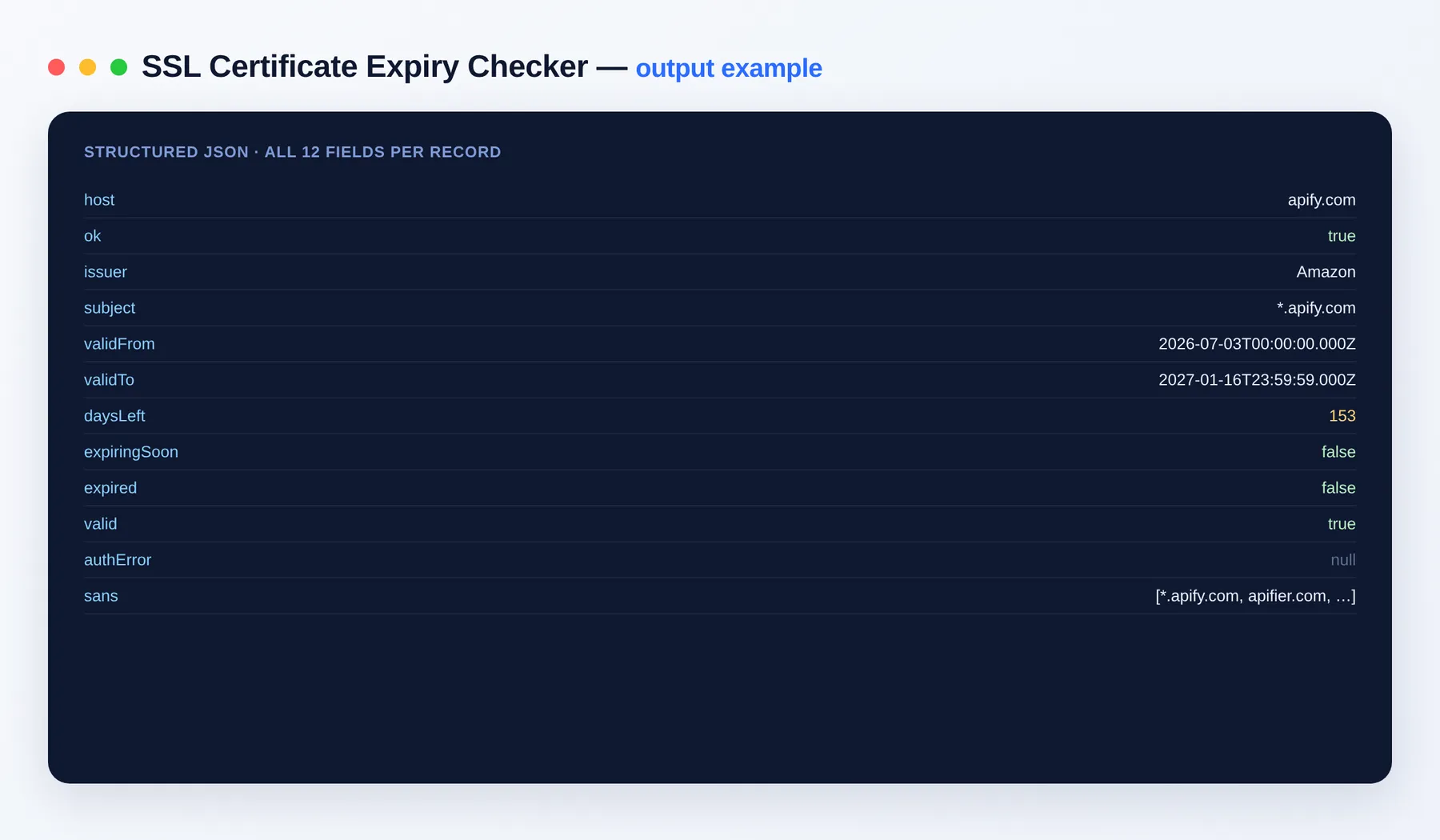
Each host becomes one structured JSON certificate report:
A host that can't be reached or has no certificate returns a clear error instead of failing the run:
Output schema
| Field | Type | Description |
|---|---|---|
host | string | The domain checked. |
ok | boolean | Whether a certificate was read successfully. |
issuer | string | Certificate issuer (CA). |
subject | string | Common name the certificate was issued to. |
validFrom | string (ISO date) | Start of the certificate's validity. |
validTo | string (ISO date) | Expiry date of the certificate. |
daysLeft | integer | Days until the certificate expires. |
expiringSoon | boolean | True if expiry is within the warnDays threshold. |
expired | boolean | True if the certificate has already expired. |
valid | boolean | Whether the certificate is currently valid and trusted. |
sans | array | Subject Alternative Name hostnames covered. |
error | string | Reason the check failed (on failure rows only). |
How to check SSL certificate expiry in bulk
- Open the SSL Certificate Expiry Checker and click Try for free.
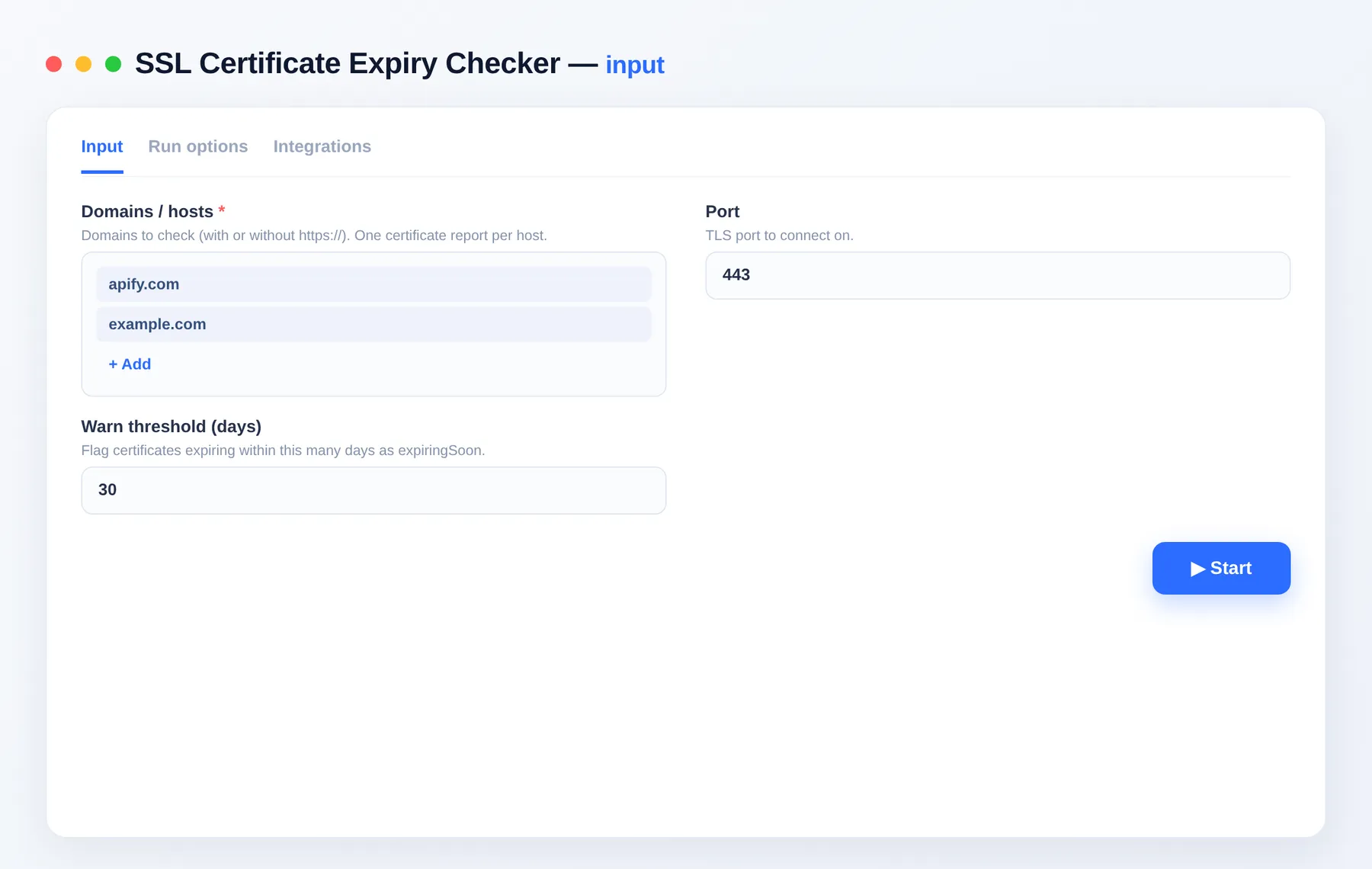
- Add your domains to the
hostsfield — one per line, with or withouthttps://. - Set the
warnDaysthreshold (e.g. 30) to flag certificates expiring within that window, and changeportif you need a non-standard TLS port. - Click Run.
- Export the results, or schedule the run and connect a webhook to alert when
expiringSoonis true.
Input
| Field | Type | Description |
|---|---|---|
hosts | array | Domains/hosts to check — one per row, with or without https://. |
port | integer | TLS port to connect on (default 443). |
warnDays | integer | Flag certificates expiring within this many days as expiringSoon (default 30). |
Use cases
- Prevent certificate-expiry outages: monitor every production domain and catch certs before they lapse and break HTTPS.
- Scheduled TLS monitoring: run the checker daily and alert your team the moment any certificate enters the warning window.
- Agency & MSP certificate tracking: audit SSL certificates across many client sites from one run and one dataset.
- TLS coverage audits: confirm each certificate's SAN list actually covers every hostname and subdomain you serve.
- Chain & trust validation: flag self-signed, misconfigured or untrusted certificate chains across your estate.
- Migration & renewal checks: verify new certificates are installed and valid after a renewal or server move.
- Compliance reporting: export a dated snapshot of certificate validity across all domains for audits.
Pricing
Pay-per-event: you're billed a small amount per host checked — you only pay for the results you receive. See the Pricing tab for current rates.
FAQ
How do I check when an SSL certificate expires?
Add your domains to the hosts field and run the actor. Each host comes back with validTo and daysLeft, so you know the exact expiry date and how long is left.
Can I check many domains at once? Yes — the checker is built for bulk monitoring and returns one certificate report per host in a single run, so you can audit a whole portfolio at once.
How do I get alerted before a certificate expires?
Set warnDays to your lead time (e.g. 30), run the actor on a schedule, and connect a webhook or integration that fires when expiringSoon is true.
Does it validate the certificate chain?
Yes. The valid field reflects whether the certificate is currently valid and trusted, so you can catch untrusted or misconfigured chains, not just expiry.
Can it check a non-standard port?
Yes — set the port field to check TLS on any port, not just 443.
Does it list the hostnames a certificate covers?
Yes. The sans field returns the Subject Alternative Name hostnames, so you can confirm every subdomain you serve is included.
What happens if a host is unreachable?
The run continues and that host is reported with ok: false and an error reason, so one unreachable domain never fails the whole check.
Can I connect this to other apps? The SSL Certificate Expiry Checker can be connected with almost any cloud service or web app thanks to integrations on the Apify platform. It works with Make, Zapier, Slack, Airbyte, GitHub, Google Drive and many more, plus the Apify API, JavaScript/Python clients and MCP. Or use webhooks to trigger an alert whenever a run finishes.
Related Actors
Building an uptime and monitoring toolkit? Combine the SSL Certificate Expiry Checker with our other utilities:
- HTTP Uptime Checker — monitor status codes and response times across URLs.
- Security Headers Checker — audit HTTP security headers in bulk.
- RDAP / WHOIS / DNS Lookup — resolve domain registration and DNS data.
- Sitemap URL Extractor — pull every URL from a site's sitemaps.
- User Agent Parser — parse user-agent strings into browser, OS and device.
Notes
Original clean-room implementation. Reads the public certificate each host presents over TLS and reports its validity and expiry.


