

Xiaohongshu (RedNote) Scraper — Notes & Search
Pricing
from $0.004 / note scraped
Xiaohongshu (RedNote) Scraper — Notes & Search
Scrape Xiaohongshu / RedNote notes by keyword: title, author, likes, images and link. Runs a real browser to handle signing. For social & market intelligence.
Pricing
from $0.004 / note scraped
Rating
0.0
(0)
Developer

Hipersoft
Maintained by CommunityActor stats
0
Bookmarked
3
Total users
0
Monthly active users
6 days ago
Last modified
Categories
Share
Xiaohongshu Scraper — Notes, Authors, Likes & Cover Images
Scrape Xiaohongshu (RedNote / 小红书) public notes at scale into clean JSON, CSV, Excel or XML. This Xiaohongshu scraper extracts note titles, authors, like counts, cover images and note links from the public discover feed and note URLs — no code, no account and no login required. A fast, reliable and cheap way to turn China's biggest lifestyle-and-shopping social network into a structured dataset.
Point it at the explore feed or paste specific note URLs, hit Run, and export ready-to-use data for trend research, creator discovery and market intelligence.
What does the Xiaohongshu Scraper do?
The Xiaohongshu Scraper crawls and extracts public Xiaohongshu (RedNote) data from the discover/explore feed and from individual note URLs. For every note it returns structured data points — title, author, like count, cover image, note URL and note ID — normalized and ready for analytics, datasets, LLM pipelines, dashboards or lead generation. Like counts written in Chinese shorthand (for example 1.1万) are parsed into plain integers (11000) so your data is analysis-ready out of the box.
What data can you scrape from Xiaohongshu?
| Group | Fields |
|---|---|
| 📕 Note | note ID, title, cover image URL, canonical note URL |
| 👤 Author | author / creator display name |
| ❤️ Engagement | like count (normalized from 万 shorthand to a plain integer) |
| 🧾 Provenance | source feed / channel, source URL, collectedAt timestamp |
Use cases
- China trend & social intelligence — track what's trending on the discover feed for any market-research or brand study.
- Creator & influencer discovery — surface authors and their top-performing notes for outreach and partnerships.
- Content research & inspiration — mine titles, cover images and engagement to plan your own content strategy.
- Product & market research — see which lifestyle, beauty, travel and shopping notes get traction.
- Build a Xiaohongshu dataset — collect thousands of notes with engagement and metadata for analysis or LLM training.
- Engagement benchmarking — compare like counts across notes and authors to find outliers.
- Monitoring & alerting — re-run on a schedule to watch a feed and catch new notes over time.
- Academic & market research — study topics, popularity and audience signals from public data.
How to scrape Xiaohongshu data
- Click Try for free / Start to open the Xiaohongshu Scraper.
- Keep
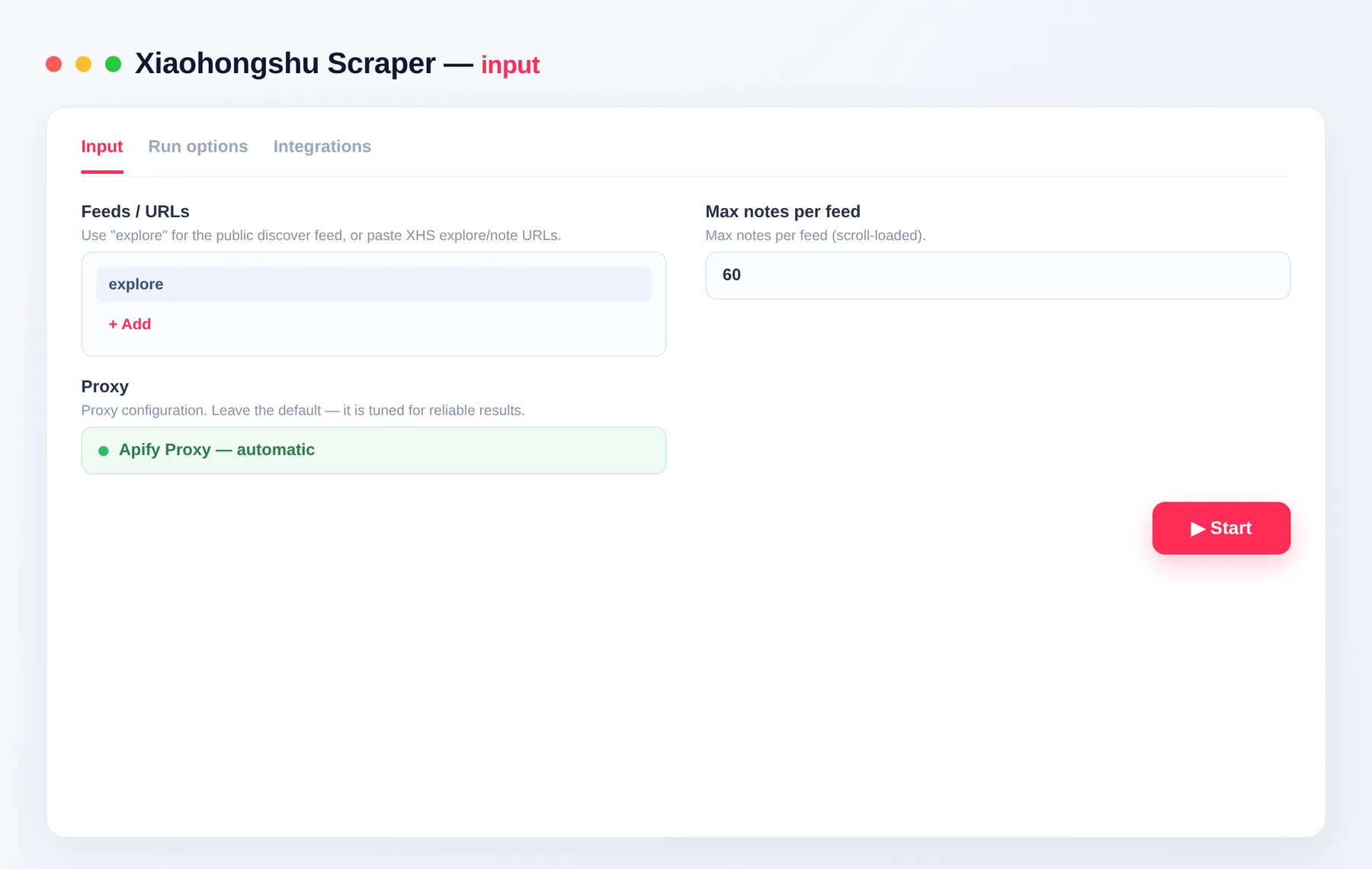
explorefor the public discover feed, or paste specific Xiaohongshu note / explore URLs into the input. - Set Max notes per feed to control how many notes you collect.
- Click Run.
- Download the results as JSON, CSV, Excel or XML, or pull them from the Apify API.
Input
Provide the feed keyword explore and/or specific note URLs, then set a per-feed limit. No setup or account needed — just add your inputs.
| Field | Type | Description |
|---|---|---|
channels | array | Use explore for the public discover feed, or paste one or more Xiaohongshu explore/note URLs. |
maxItemsPerChannel | integer | Maximum notes to collect per feed (scroll-loaded). Default 60, up to 5000. |
proxyConfiguration | object | Proxy settings. Leave the default — it is tuned for reliable results. |
Scrape the discover feed or specific notes
Keep channels set to explore to pull trending notes from the public discover feed, or paste exact note/explore URLs to target the notes you already know. Mix both in one run.
Set how many notes you collect
Use maxItemsPerChannel to cap the number of notes per feed. The Actor scroll-loads the feed until it reaches your limit or runs out of new notes.
Output
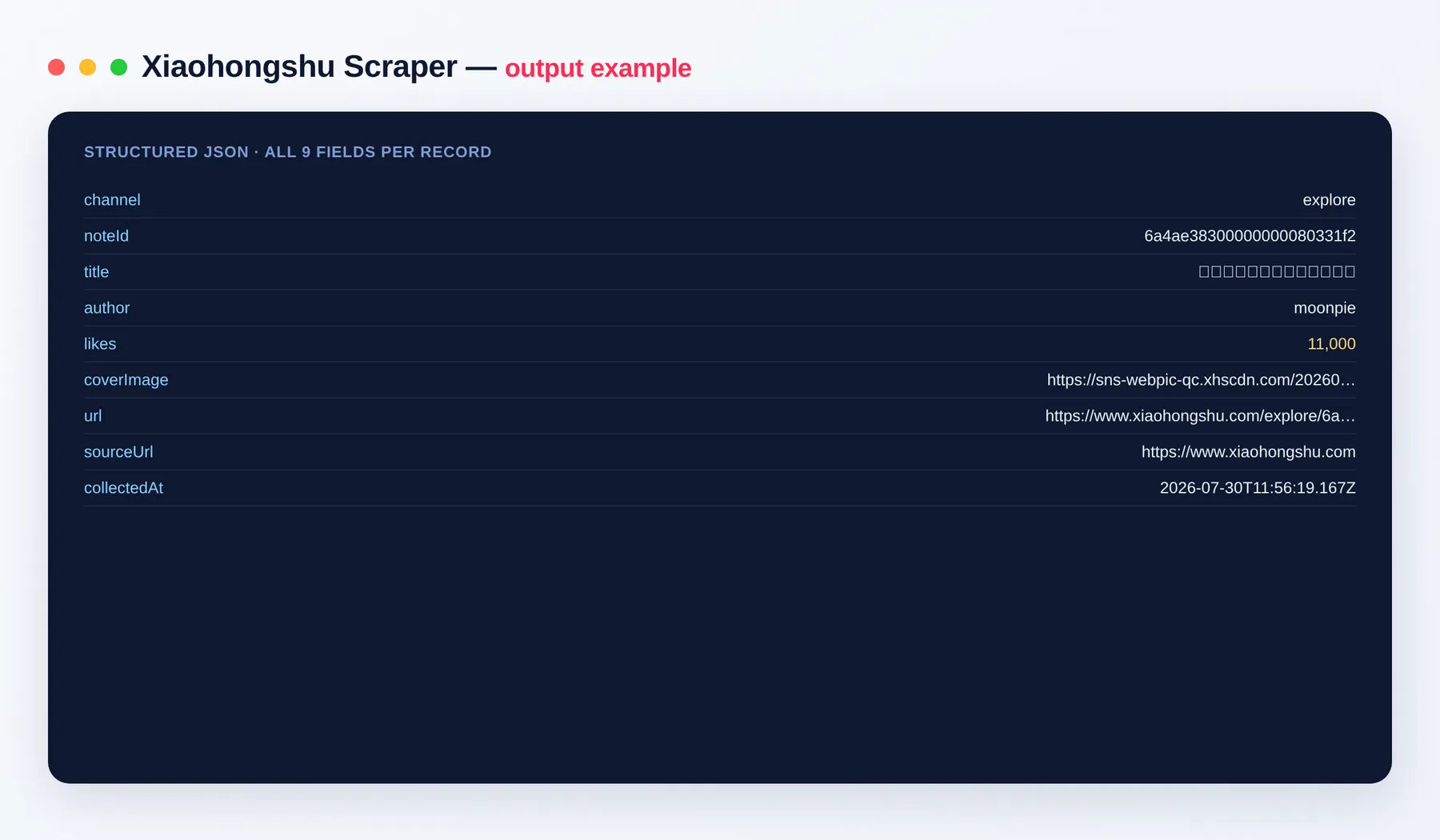
Each note is one dataset item:
Output schema
| Field | Type | Description |
|---|---|---|
channel | string | The feed or URL the note came from (for example explore). |
noteId | string | Unique Xiaohongshu note ID. |
title | string | Note title / caption text. |
author | string | Display name of the note's author. |
likes | integer | Like count, normalized from 万 shorthand to a plain integer. |
coverImage | string (URL) | URL of the note's cover image. |
url | string (URL) | Canonical URL of the note. |
sourceUrl | string (URL) | The site the note was collected from. |
collectedAt | string (ISO date) | Timestamp when the note was collected. |
Need more social & China data?
The Xiaohongshu Scraper pairs well with our other social and content scrapers — build a wider dataset across platforms:
- Weibo Scraper — posts, authors and engagement from Weibo.
- Bilibili Scraper — videos, creators and view counts.
- Douban Scraper — movies, books and ratings.
- Juejin Scraper — tech articles, authors and stats.
FAQ
Do I need a Xiaohongshu account or login? No. The Xiaohongshu Scraper needs no account and no login — it collects only public notes from the discover feed and note URLs. Just add your inputs and run.
How many notes can I scrape per run?
As many as you like. Set maxItemsPerChannel to control the count per feed (up to 5000), and pass multiple feeds or URLs in one run to scale up.
Do I need to write any code? No — this is a no-code tool. Add your inputs in the Apify Console, click Run, and download the data. Developers can also drive it via the Apify API.
What export formats are supported? JSON, CSV, Excel and XML, plus webhooks and the Apify API.
How does billing work? You pay per item you get, so it stays one of the cheapest ways to collect Xiaohongshu data — no monthly fees, no wasted credits.
How fresh is the data?
Every run collects live notes from the public feed at that moment, each stamped with a collectedAt time. Re-run any time (or on a schedule) for fresh data.
Can I automate or integrate the Xiaohongshu Scraper? Yes. The Xiaohongshu Scraper can be connected with almost any cloud service or web app thanks to integrations on the Apify platform. It works with Make, Zapier, Slack, Airbyte, GitHub, Google Drive and many more, plus the Apify API, JavaScript/Python clients and MCP. Or use webhooks to trigger an action whenever a run finishes — get a notification, or kick off another process such as loading your data downstream.
Is scraping Xiaohongshu legal? The Actor collects only public data. You are responsible for how you use it and for complying with Xiaohongshu's terms and applicable laws.
Related Actors
- Weibo Scraper — posts, authors and engagement from Weibo.
- Bilibili Scraper — videos, creators and view counts.
- Douban Scraper — movies, books and ratings.
- Juejin Scraper — tech articles, authors and stats.
Notes
Original clean-room implementation. Collects only public Xiaohongshu (RedNote) data; you are responsible for how you use the data and for complying with Xiaohongshu's terms. This is an independent tool and is not affiliated with or endorsed by Xiaohongshu.


![Xiaohongshu (RedNote) All-in-One Scraper 小红书 [From $2] No Login avatar](https://images.apifyusercontent.com/hgm8yAjIdZIzSIWeWs3_7Y2IOqrGgYRuz1bN18b6K8w/rs:fill:76:76/cb:1/aHR0cHM6Ly9hcGlmeS1pbWFnZS11cGxvYWRzLXByb2QuczMudXMtZWFzdC0xLmFtYXpvbmF3cy5jb20vbmduOHZSRVNUa3NleVdFNnAtYWN0b3ItSk1Jc2xkdzJnZFM4UGhlSjUtY0FQd0U0TUJmZy1yZWRub2UuanBlZw.webp)


