
Amazon Keyword Scraper
Under maintenancePricing
from $0.06 / 1,000 results
Amazon Keyword Scraper
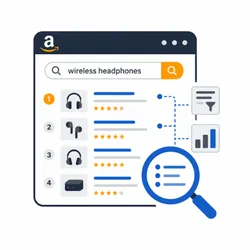
Under maintenanceSearch Amazon by keyword across multiple marketplaces, collect and deduplicate product URLs from search-result pages, then extract structured product data with keyword, page, position, and region metadata.
Pricing
from $0.06 / 1,000 results
Rating
0.0
(0)
Developer

Iqbal R
Maintained by CommunityActor stats
0
Bookmarked
1
Total users
0
Monthly active users
18 days ago
Last modified
Categories
Share
Amazon Keyword Scraper turns Amazon search terms into structured product data. Enter one or more keywords, choose a marketplace, and collect product titles, prices, availability, sellers, ratings, ASINs, images, and search positions. Run it on the Apify platform to use API access, scheduling, integrations, proxy rotation, and run monitoring.
What does Amazon Keyword Scraper do?
Amazon Keyword Scraper searches a selected Amazon marketplace for each keyword and collects the products shown in the requested search-result pages. The resulting dataset combines search context with product details so you can compare products without manually reviewing every page.
Try it with a term such as wireless mouse, select your target region, and export the results for analysis.
Why use Amazon Keyword Scraper?
The Actor is useful for teams that need repeatable Amazon market data, including:
- Product and niche discovery
- Competitor and seller monitoring
- Price and availability tracking
- Keyword search-position analysis
- E-commerce reports and dashboards
- Data enrichment through the Apify API
How to use Amazon Keyword Scraper
- Open the Actor in Apify and select the Input tab.
- Add one or more product search terms under Search Keywords.
- Set the number of search-result pages to process for each keyword.
- Choose the Amazon marketplace region.
- Optionally select a preferred currency, delivery country, and proxy configuration.
- Start the run and open the dataset when it finishes.
- Download the results or connect them to your workflow through an integration or API.
Input
| Field | Required | Default | Description |
|---|---|---|---|
keywords | Yes | — | One or more Amazon product search terms. |
maxPages | No | 1 | Search-result pages processed per keyword, from 1 to 100. |
region | No | United States | Amazon marketplace used for the search. |
currencyId | No | USD | Preferred display currency where supported. |
deliverTo | No | Australia | Delivery country used for location-aware results where supported. |
timeout | No | 10000 | Page loading timeout in milliseconds. |
maxRequestRetries | No | 5 | Maximum retries for a failed request. |
proxyConfiguration | No | — | Apify Proxy or custom proxy settings. |
Example input:
Output
Each dataset item represents a product found for one keyword on one search-result page.
You can download the dataset in various formats such as JSON, HTML, CSV, or Excel.
Data table
| Field | Description |
|---|---|
keyword | Search keyword that discovered the product. |
page, position | Product location in the search results. |
region | Amazon marketplace used for the search. |
asin, url | Amazon product identifier and link. |
title, image, category | Main product information. |
price, currencyCode, currencySymbol | Displayed product price and currency. |
availability, availabilityStatus | Availability information. |
seller | Product seller when available. |
rating, reviewCount | Customer rating and review count. |
deliverToCountry, hasDeliveryError, deliveryErrorText | Delivery context and restrictions. |
scrapedAt | ISO 8601 collection timestamp. |
Pricing / Cost estimation
How much does it cost to scrape Amazon data?
Cost depends on the number of keywords, requested pages, products found, proxy use, and page response times. Start with one keyword and one page to estimate consumption for your target marketplace. Your Apify plan and any applicable free-tier limits determine the final cost; the run details show exact platform usage.
Tips and advanced options
Use specific keywords to reduce irrelevant results. Increase maxPages gradually because each additional search page can add many products. A proxy configuration can improve reliability for larger runs. Results may vary by marketplace, delivery destination, currency, proxy location, and collection time.
FAQ, disclaimers, and support
Is this Actor affiliated with Amazon?
No. Amazon may change its pages, availability, or access controls at any time. Use this Actor only in accordance with Amazon’s terms, applicable laws, and your organization’s policies.
Why can result counts vary?
Amazon can show sponsored placements, widgets, unavailable products, or different results for different locations and sessions. Some product fields may be unavailable on individual pages.
Where can I get help?
Use the Actor’s Issues tab to report a problem or request an improvement. Contact the Actor maintainer if you need a custom Amazon data solution.


