

Google Maps Lead Enricher
Pricing
from $4.00 / 1,000 results
Google Maps Lead Enricher
Scrape Google Maps and enrich every business with verified emails, phone numbers, and social media profiles. Turn any local search into a ready-to-use B2B lead list — no code required.
Pricing
from $4.00 / 1,000 results
Rating
0.0
(0)
Developer

Dheeraj Palakurthi
Maintained by CommunityActor stats
0
Bookmarked
2
Total users
1
Monthly active users
22 days ago
Last modified
Categories
Share
Google Maps Lead Enricher — Email & Contact Scraper
Turn any Google Maps search into a ready-to-use B2B lead list — complete with verified emails, phone numbers, and social media profiles.
Google Maps Lead Enricher is a Google Maps scraper and email finder in one. It finds businesses on Google Maps, then visits each company's website to pull out the contact details that Maps alone never gives you — emails, phone numbers, and social profiles. In one run you go from "dentists in Chicago" to a clean spreadsheet you can drop straight into your CRM, cold-email tool, or sales workflow.
Keywords: Google Maps scraper · email scraper · lead generation · contact extractor · B2B leads · sales prospecting
Screenshots
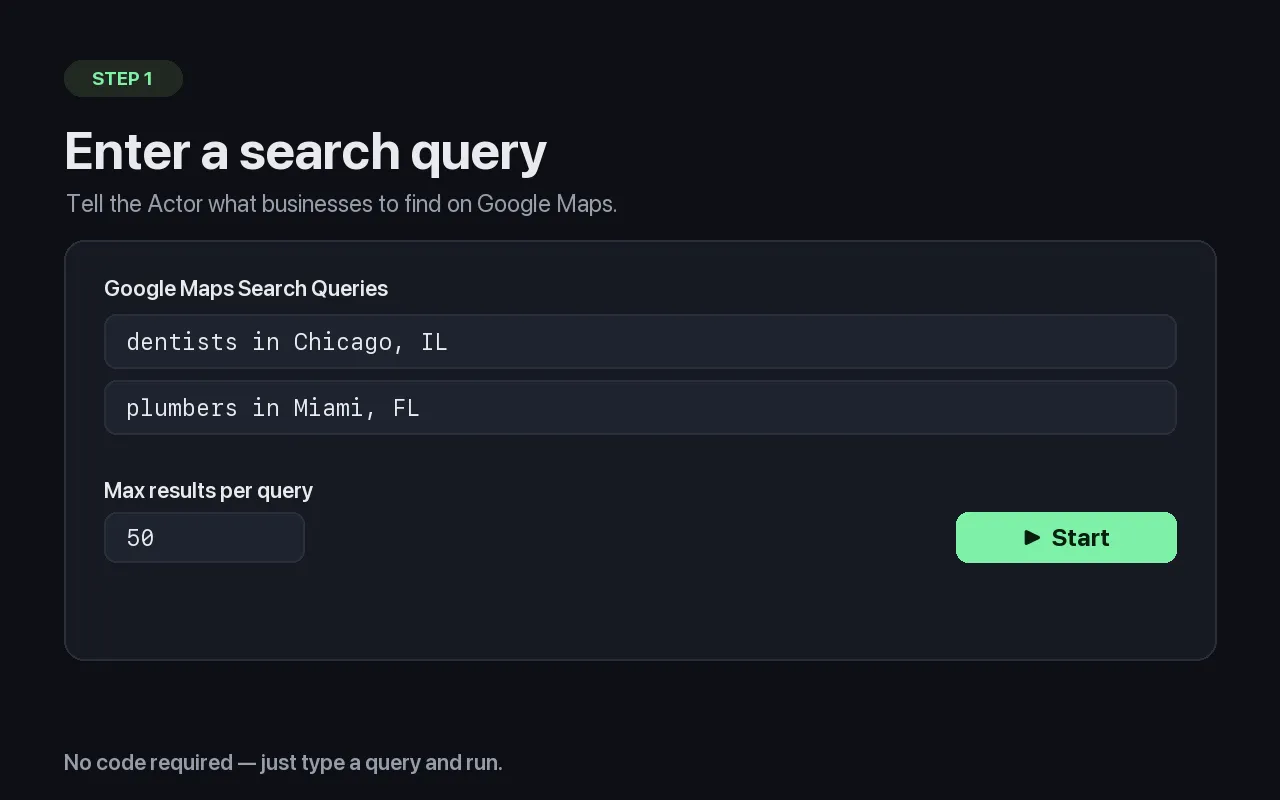
Just enter a search query — no code required.
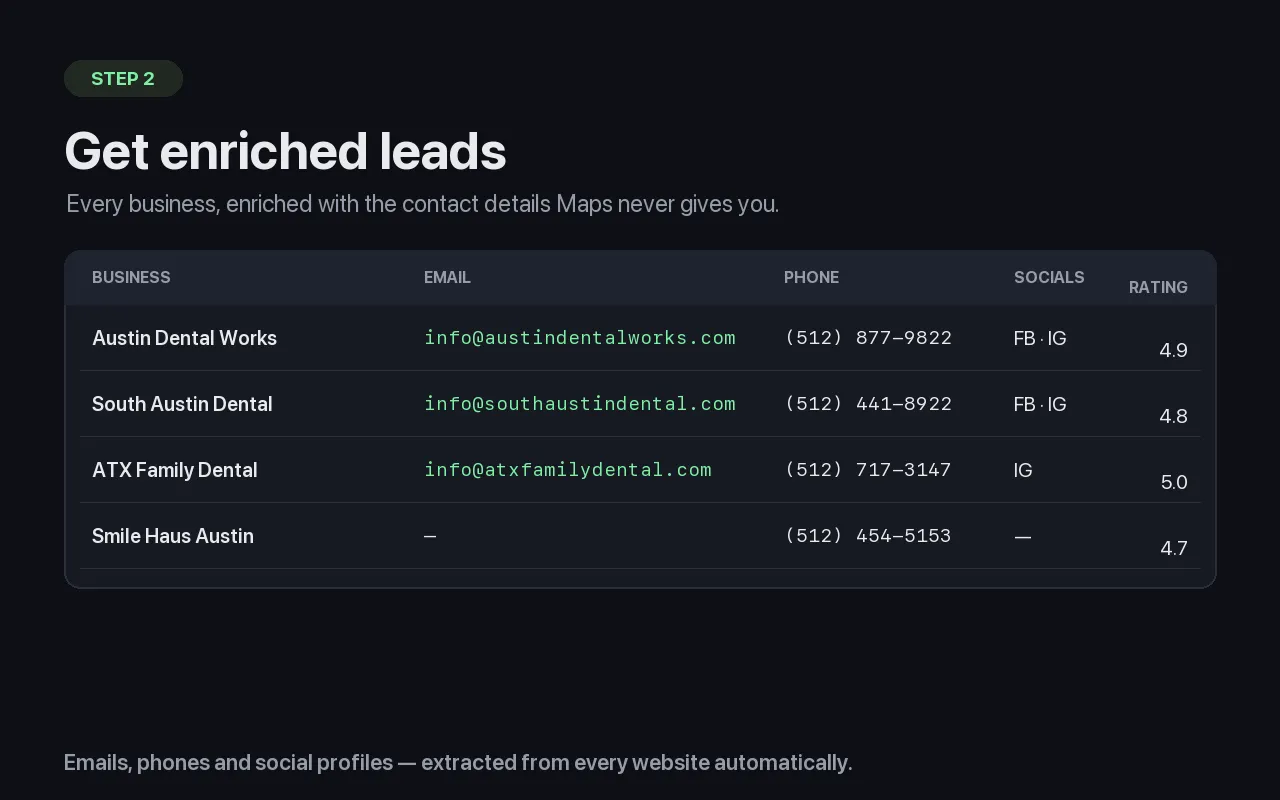
Every lead enriched with email, phone, and social profiles.
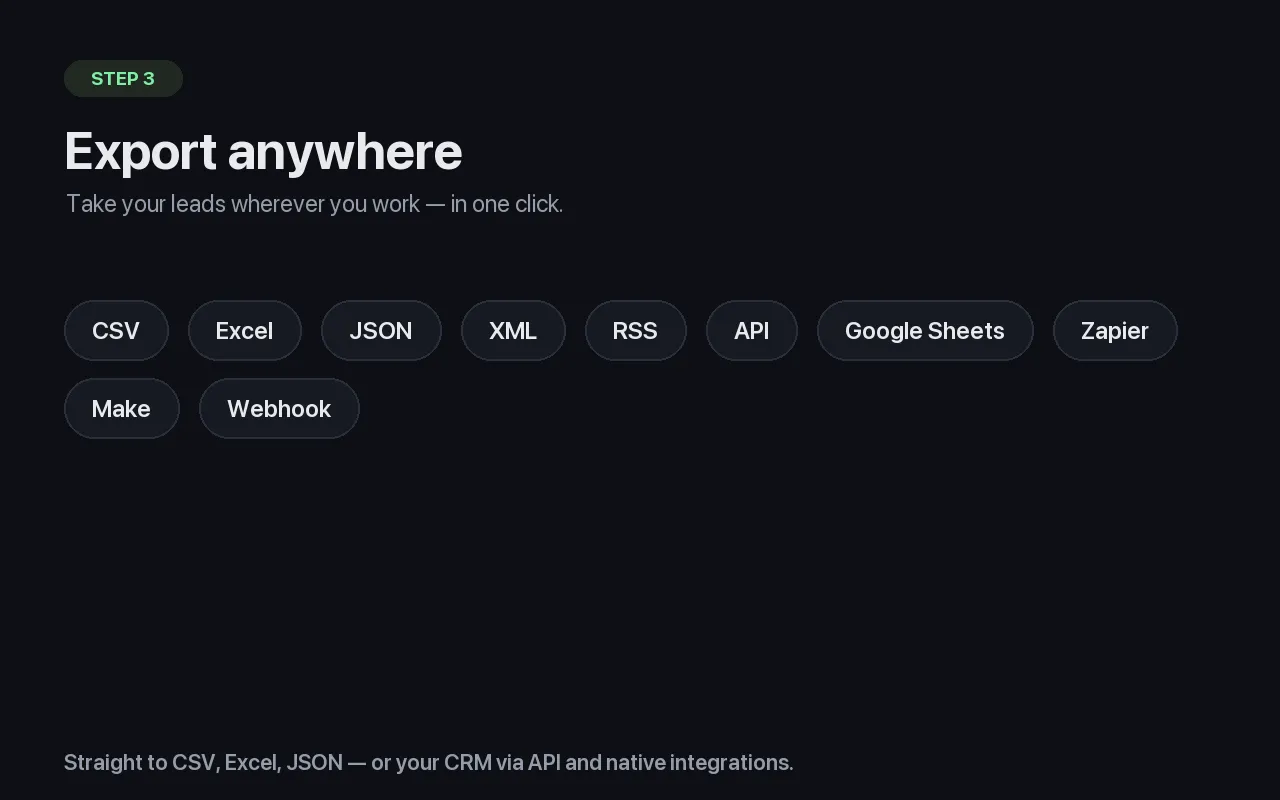
Export to CSV, Excel, JSON, or API in one click.
Why use this Actor?
Google Maps has the businesses. Their websites have the contact details. This Actor connects the two automatically.
- 📧 Real business emails — extracted from homepages, contact pages, and structured data, then filtered to remove
noreply@, placeholder, and junk addresses. - 📱 Phone numbers — from both Google Maps and the website, in US and international formats.
- 🔗 Social media profiles — Facebook, Instagram, LinkedIn, Twitter/X, YouTube, TikTok, and Pinterest.
- 🏢 Rich business data — category, rating, review count, address, and geo-coordinates straight from Maps.
- 🧠 Smart extraction — reads JSON-LD / Schema.org structured data and falls back to crawling the site's contact page when the homepage comes up empty.
No code required. Just enter a search query and run.
Who it's for
- Lead generation agencies building targeted prospect lists by city and niche.
- Sales teams filling their pipeline with local businesses that fit their ICP.
- Marketing agencies finding local clients who need websites, ads, or SEO.
- Recruiters and researchers compiling contact databases for outreach.
How to use it
- Click Start and open the input panel.
- Enter one or more search queries, for example
dentists in Chicago, ILorplumbers in Miami, FL. - (Optional) Set how many results you want per query and adjust the proxy.
- Run the Actor. When it finishes, export your leads as CSV, Excel, JSON, or via API.
That's it — the Actor scrapes Maps and enriches every website automatically.
Three ways to provide input
1. Search Google Maps (most common)
2. Enrich a list you already have — skip Maps entirely and just add contact details to your own businesses:
3. Enrich a previous Maps scrape — reuse the results of an earlier Google Maps run by its dataset ID:
Input reference
| Field | Type | Default | Description |
|---|---|---|---|
searchQueries | string[] | [] | Google Maps search queries, e.g. "coffee shops in Portland, OR". |
places | object[] | [] | Provide businesses directly (must include a website to enrich). Skips Maps. |
googleMapsDatasetId | string | null | Enrich the results of a previous Google Maps scraper run. |
maxResultsPerQuery | integer | 50 | Max businesses scraped per search query (1–1000). |
proxyConfiguration | object | Apify Proxy | Proxy settings. Apify Proxy is recommended for reliable results. |
skipEnrichment | boolean | false | Return Maps data only, without visiting websites. |
concurrency | integer | 5 | Number of websites processed in parallel (1–20). |
You must provide at least one of
searchQueries,places, orgoogleMapsDatasetId.
Output
Each business is saved as one record in the dataset. Example:
Output fields
| Field | Description |
|---|---|
name, placeId | Business name and Google place identifier. |
address, city, state, zipCode, country | Normalized location. |
latitude, longitude | Geo-coordinates. |
phone, website | Primary contact details from Google Maps. |
category, categories | Business categories. |
rating, reviewsCount | Google rating and number of reviews. |
googleMapsUrl | Direct link to the Google Maps listing. |
emails, primaryEmail | Business emails found on the website; primaryEmail is the best contact (prefers contact@, info@, sales@, hello@). |
socialLinks | Detected social profiles by platform. |
enrichment | Full enrichment detail, including phones, meta tags, extracted address, the contact page used, HTTP status, and timestamp. |
enrichment.enrichmentError | Present when a website could not be reached or had no contact info. |
How it works
- Collect businesses — from your search queries (via the official
compass/crawler-google-places), a list you provide, or a previous dataset. Results are deduplicated automatically. - Visit each website — the Actor fetches the homepage with realistic browser headers and Apify Proxy rotation.
- Extract contacts — it reads structured data (JSON-LD), scans page text for emails and phones, and detects social links. If no email is found on the homepage, it automatically checks the site's contact/about page.
- Deliver leads — records are written to the dataset in batches as they're processed, so you can start exporting before the run even finishes.
Tips for best results
- Be specific with queries.
"vegan restaurants in Austin, TX"yields better-targeted leads than"restaurants". - Raise
concurrencyto 10–15 for faster runs on large lists; lower it to be gentler on websites. - Use
googleMapsDatasetIdto enrich an existing scrape without paying to crawl Maps again. - Always keep Apify Proxy on — it dramatically improves the success rate of website enrichment.
- Check
enrichment.enrichmentErrorto see which sites blocked access or had no public contact info.
Frequently asked questions
Do I need coding skills? No. Enter a search query, click Start, and export the results.
Which businesses get emails? Only businesses that have a website with publicly listed contact information. Listings without a website are still returned (with Maps data) and flagged accordingly.
What formats can I export? CSV, Excel, JSON, JSONL, XML, or via the Apify API and integrations (Zapier, Make, Google Sheets, and more).
Is the data accurate? Emails and phones are extracted directly from each company's own website in real time, so they reflect what the business currently publishes. Placeholder and no-reply addresses are filtered out automatically.
Can I schedule it? Yes. Use Apify Schedules to run the Actor daily, weekly, or monthly and keep your lead lists fresh.
Legal & responsible use
This Actor collects only publicly available business information. You are responsible for using the resulting data in compliance with applicable laws and regulations, including GDPR, CAN-SPAM, and local marketing rules. Always honor opt-out requests and obtain consent where required before sending outreach.
Changelog
1.0.0
- Initial release.
- Google Maps collection via the official
compass/crawler-google-places. - Website enrichment: emails, phones, and social profiles.
- Structured-data (JSON-LD / Schema.org) parsing.
- Automatic contact-page fallback when the homepage has no email.
- Input via search queries, direct places, or an existing dataset ID.
- Deduplication, batched output, and live progress reporting.
Support
Found a bug or have a feature request? Open an issue on the Actor's Issues tab in Apify Console, and we'll take a look. We actively maintain this Actor and typically respond within one business day.
About the maker
Built and maintained by Dheeraj Palakurthi — a developer focused on lead-generation and web-scraping tools that turn public data into clean, sales-ready datasets. This Actor is actively maintained, monitored for site changes, and improved based on user feedback.
⭐ If it saves you time, please leave a rating — it helps other users find it.


