
Google Maps Email Extractor — Local Business Leads
Pricing
from $0.003 / business lead scraped
Google Maps Email Extractor — Local Business Leads
Search Google Maps for businesses, then crawl each business website to extract emails, social profiles and extra phone numbers. Turns any Maps search into a ready lead list. No setup.
Pricing
from $0.003 / business lead scraped
Rating
0.0
(0)
Developer

hiper soft
Maintained by CommunityActor stats
0
Bookmarked
8
Total users
2
Monthly active users
19 hours ago
Last modified
Categories
Share
Google Maps Email Extractor — Local Business Leads with Emails, Socials & Phones
Turn any Google Maps search into a ready-to-use lead list. This Actor searches Google Maps for businesses (e.g. "dentists in Austin TX"), then reads each business's own website to pull email addresses, social profiles and extra phone numbers — merged with the Maps listing into one clean record per lead. Export to JSON, CSV, Excel or XML with no account and no API key. Built for sales teams, agencies and researchers who want contactable leads, not just names on a map.
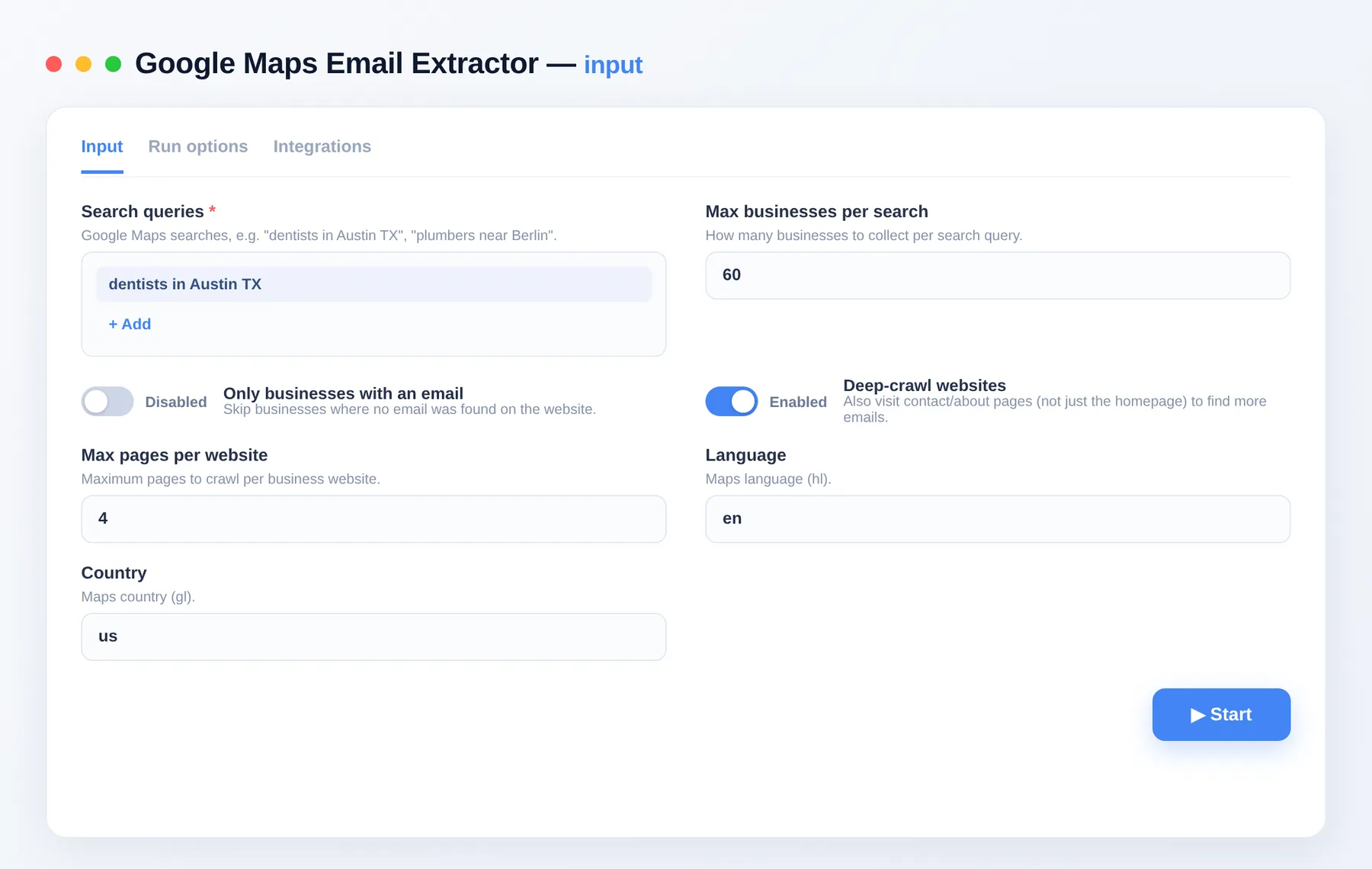
What does Google Maps Email Extractor do?
Google Maps Email Extractor is a lead-generation crawler. It finds businesses on Google Maps for each search you enter, then visits each business's website to extract emails, social links and secondary phone numbers, combining them with the Maps listing's name, address, category, rating and coordinates. The result is a contactable-lead dataset you can download or pull through the API.
What data can you scrape?
| Data point | Description |
|---|---|
| Business name & category | Name plus primary and additional categories |
| Address & location | Full address, city, country and coordinates |
| Contact | Emails, primary phone and extra phone numbers |
| Social profiles | LinkedIn, Facebook, Instagram, X and more |
| Website | The business's own website URL |
| Maps context | Rating, Place ID and Google Maps link |
| Crawl info | Number of website pages crawled |
What you get
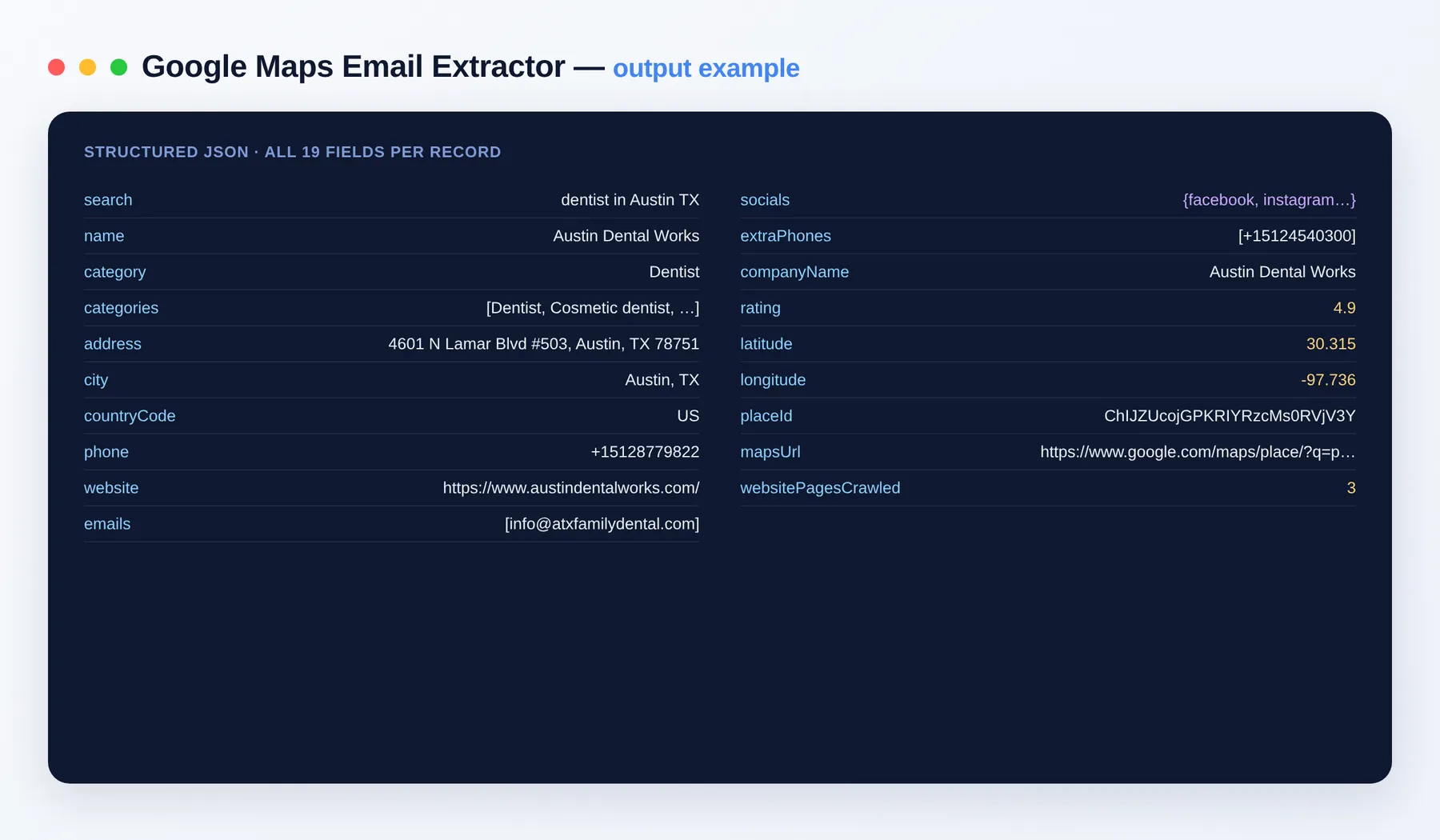
One record per business lead, for example:
Output schema
| Field | Type | Description |
|---|---|---|
search | string | The Google Maps search the lead was found under. |
name | string | Business name. |
category | string | Primary business category. |
categories | array | All categories listed for the business. |
address | string | Full street address. |
city | string | City the business is located in. |
countryCode | string | Two-letter country code. |
phone | string | Primary phone number from the Maps listing. |
website | string (URL) | The business's own website URL. |
emails | array | Email addresses found on the business website. |
socials | object | Social profile links keyed by network. |
extraPhones | array | Additional phone numbers found on the website. |
companyName | string | Legal or full company name, when available. |
rating | number | Average Google Maps rating. |
latitude | number | Business latitude coordinate. |
longitude | number | Business longitude coordinate. |
placeId | string | Google Maps Place ID. |
mapsUrl | string (URL) | Link to the business on Google Maps. |
websitePagesCrawled | integer | Number of website pages crawled for contacts. |
Use cases
- Build cold-outreach lead lists with real emails for a niche and city.
- Enrich an existing prospect list with socials and secondary phone numbers.
- Feed a CRM or email tool with contactable local businesses.
- Research a local market's players and their web presence in one pass.
- Score and segment leads by category, rating and location.
- Assemble local-business datasets for analytics and dashboards.
How to extract Google Maps leads
- Add Google Maps Email Extractor to your Apify account and open the input.
- Enter your
searches, one per line (e.g. "plumbers near Berlin"). - Set
maxPlacesPerSearch, toggledeepCrawlandonlyWithContact, and pick yourlanguage/country. - Click Run and watch enriched leads stream into the dataset.
- Export the results as JSON, CSV, Excel or XML, or pull them through the Apify API.
Input
| Field | Description |
|---|---|
searches | Google Maps searches, e.g. "plumbers near Berlin". One per line. |
maxPlacesPerSearch | How many businesses to collect per search (1–500). |
onlyWithContact | Skip businesses where no email was found on the website. |
deepCrawl | Also visit contact/about pages, not just the homepage. |
maxPagesPerSite | Maximum pages to crawl per business website (1–10). |
websiteConcurrency | How many business websites to crawl in parallel (1–12). |
proxyConfiguration | Proxy settings; residential recommended. |
Need more leads and local data?
FAQ
Do I need an API key or Google account? No. There's no setup and no login — just add your searches and run.
How many leads can I get per run? Each search collects up to 500 businesses, and every business is crawled for emails, socials and extra phones. Queue multiple searches in one run to build lead lists in the thousands.
Does it collect emails and contact info? Yes — that's its core job. It reads each business site (optionally including contact/about pages) and returns emails, social profiles and secondary phone numbers merged with the Maps listing.
What export formats are supported? JSON, CSV, Excel and XML, plus programmatic access via the Apify API.
Can this connect to my other tools? The Google Maps Email Extractor can be connected with almost any cloud service or web app thanks to integrations on the Apify platform. It works with Make, Zapier, Slack, Airbyte, GitHub, Google Drive and many more, plus the Apify API, JavaScript/Python clients and MCP. Or use webhooks to trigger an action whenever a run finishes.
Is scraping Google Maps and business websites legal? The Actor gathers only publicly visible data from Google Maps listings and the businesses' own public websites. You are responsible for using the results in compliance with anti-spam and data-protection laws such as GDPR and CAN-SPAM.
Related Actors
Notes
Original clean-room implementation. Collects only public data that businesses publish on Google Maps and their own websites; use the results in compliance with anti-spam and data-protection laws. Not affiliated with Google.


