

Fendi Scraper
Pricing
from $2.10 / 1,000 results
Fendi Scraper
⚡ Fast Fendi scraper for 50+ official country stores. No login, no API key. Scrape bags, shoes, ready-to-wear and accessories by category, search, product URL or keyword: local prices and currency, colors, sizes, stock, materials, categories, descriptions and HD images.
Pricing
from $2.10 / 1,000 results
Rating
0.0
(0)
Developer

jooah code
Maintained by CommunityActor stats
0
Bookmarked
2
Total users
1
Monthly active users
2 days ago
Last modified
Categories
Features
Share
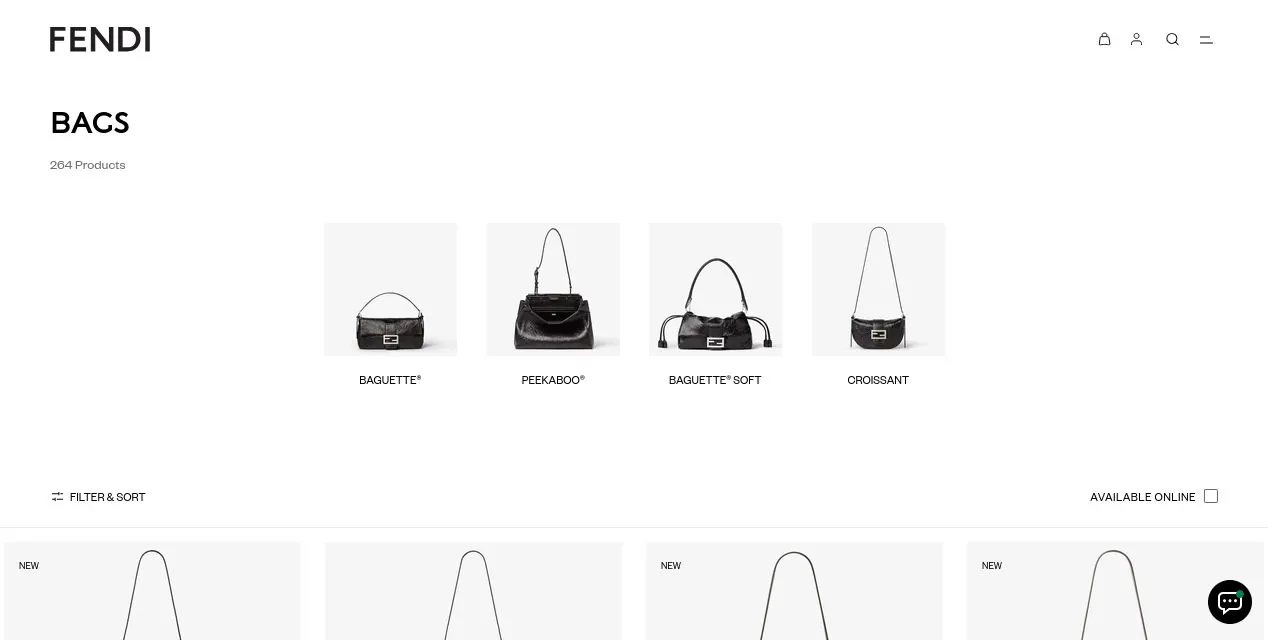
Scrape official Fendi products, with local prices, colors, sizes, stock, materials, and images, from more than 50 country stores and download them as JSON, CSV, Excel, or HTML. No account or login required.
What does Fendi Scraper do?
Fendi Scraper turns the official Fendi online stores into a clean, structured product dataset. Give it a Fendi category, search, or product URL from any country store, or type a few keywords, and it returns the name, product code, price and currency, color, sizes, stock status, material, product line, categories, description, and images of every product.
Fendi is the luxury fashion house from Rome behind the Baguette, the Peekaboo, and the FF monogram. It sells bags, ready-to-wear, shoes, accessories, and kidswear in official online stores around the world. The scraper reads the same public product pages you see in your browser, so you can run it once, schedule it, or plug it into your own tools to follow Fendi prices and new arrivals in each market.
Features
- Every country store: local prices and currencies from more than 50 Fendi markets in the Americas, Europe, the Middle East, and Asia Pacific.
- URLs or keywords: start from a category, search, home, or product page, or search by keyword in the market you pick.
- Keeps your filters: color and material filters in a pasted URL are applied to the results.
- Clean data: prices are numbers, dates use one standard format, and descriptions are plain text.
- Small, cheap runs: no proxy needed, and a limit per URL or query keeps each run as small as you want.
- Automation ready: schedule runs, export to Google Sheets, or connect to Make, Zapier, and n8n.
Data fields
- Product:
url,productId,name,shortDescription,description - Price and stock:
price,currency,inStock,availability - Color and size:
color,colorCode,sizes,bagSize,heelHeight,fit - Product details:
material,productLine,productType,gender,kidsAge - Categories:
category,categoryPath,categories - Season and popularity:
season,launchDate,monthlyViews - Media and store:
images,market,country
Who uses this Fendi scraper?
- Market researchers follow Fendi prices, new arrivals, and iconic lines across seasons.
- Pricing analysts compare the same product code between the US, Europe, the Middle East, and Asia.
- Luxury and e-commerce teams watch how a leading fashion house prices and organizes its collections.
- Resellers and catalog builders keep their own Fendi product database with images and descriptions.
- Data and AI teams load ready-to-use product data into spreadsheets, dashboards, or AI workflows.
How to use Fendi Scraper
Step 1. Paste one or more Fendi URLs into Start URLs, or type keywords into Search queries and choose a Market.
Step 2. Set Maximum number of results to the number of products you want per URL or per query.
Step 3. Click Start and let the run finish.
Step 4. Open the Output tab and download the data in JSON, CSV, Excel, or HTML.
Input parameters
startUrls(Start URLs): Fendi pages to scrape. Supported pages are category pages (such as Women > Bags), filtered category pages (such as black bags), search result pages, a country home page likehttps://www.fendi.com/us-en/(every product of that store), and single product pages. The store and currency come from the URL, for example/us-en/,/it-it/, or/jp-ja/.searchQueries(Search queries): keywords to search on Fendi, one per line. Each query is scraped on its own.maxResults(Maximum number of results): how many products to collect for each start URL or search query. Set 0 for no limit.market(Market): the Fendi country store used for search queries. It also decides the price currency. Start URLs always use the store in the URL.gender(Gender): return only products for women, men, unisex, or baby. Works with search queries only.
Start URLs and search queries can be combined in one run.
Example input
Scrape a Fendi category page
Search by keywords in the US store
Sample output
Every product color becomes one dataset item, for example:
Export the dataset as JSON, CSV, Excel, XML, or HTML, or read it through the Apify API.
Good to know
- Category, search, and home page results only contain products that can be bought online right now. Sold-out pieces shown on the website are left out, and a URL of a sold-out or removed product is skipped with a warning.
- Supported stores: United States, Canada, Mexico, United Kingdom, most of Europe, the Gulf countries, Japan, South Korea, Hong Kong, Taiwan, Singapore, and Australia. URLs of other stores, such as the international store, are skipped.
- Names, colors, materials, and descriptions use the language of the store in the URL (Italian for
/it-it/, for example). Search keywords also work best in that language: in the Japanese store, "スニーカー" finds sneakers but "sneakers" finds nothing. - Each color of a model is its own item with its own product code.
- Results come in the store's relevance order; a sort option picked on the website is not applied.
- Sizes, heel height, fit, bag size, and kids age only exist for some product types and are empty for the rest.
Frequently asked questions
How many results can I scrape?
Any number you set in Maximum number of results, or 0 for no limit. The scraper stops at your limit or when the page has no more products.
Do I need a Fendi account?
No. Only public product data is collected, so there is nothing to log in to and no account details to share.
Can I compare prices between countries?
Yes. Add the same category or product URL for several stores (for example /us-en/, /gb-en/, and /jp-ja/) and match the items by productId.
Can I run it on a schedule?
Yes. Apify Schedules can run it every hour, day, or week, so your data stays fresh.
Can you add a new filter or input?
Yes. The scraper supports start URLs, search queries, market, and gender today. Other inputs, such as color or price range for search queries, can be added on request.
Can I get a custom or private version?
Yes. It can be adapted to your workflow, delivered as a private version, or a new scraper can be built for another website. See the contact details below.
Support and custom scrapers
Need another field, a private version, or a scraper for a different website? Get in touch:
- Email: jooah.code@gmail.com
- Apify profile: joaah-code
Image credit
Banner: screenshot of Fendi.


