
Plaisio Scraper
Pricing
from $2.10 / 1,000 results
Plaisio Scraper
⚡ Fast Plaisio.gr scraper that works on Akamai-protected pages. No login, no API key, no proxy. Scrape Greek electronics by keyword or category, search or product URL: price, original price, discount, stock, rating, full specs, EAN, price history and images.
Pricing
from $2.10 / 1,000 results
Rating
0.0
(0)
Developer

jooah code
Maintained by CommunityActor stats
0
Bookmarked
2
Total users
1
Monthly active users
4 days ago
Last modified
Categories
Features
Share
Scrape Greek electronics products from Plaisio.gr with prices, discounts, stock, ratings, specifications, EAN codes, and price history, and download them as JSON, CSV, Excel, or HTML. No account or login required.
What does Plaisio Scraper do?
Plaisio Scraper turns Plaisio.gr product pages into a clean, structured dataset. Start from a category, search, collection, or product URL, or simply type keywords, and get the current and original price, discount, availability, rating, full specifications, EAN/MPN codes, price history, and images of every product.
Plaisio is a leading Greek retailer of technology, with laptops, PCs, phones, TVs, home appliances, gaming gear, and office supplies sold online and in stores all over Greece. Its catalog is a common price reference for the Greek electronics market. The scraper reads the same public information shown in your browser, so you can run it once, put it on a schedule, or plug it into your own tools.
Features
- Works on protected pages: collects data from Plaisio's Akamai-protected pages with no proxy to set up.
- Search or paste URLs: start from keywords or from any category, search, collection, or product page.
- Keeps your filters: brand, price range, specification filters, sort order, and page number in the URL are applied to the results.
- Sort and price range for keywords: choose a sort order and a minimum or maximum price for your search queries.
- Clean data: prices and ratings are numbers, dates share one standard format, and text contains no HTML.
- Small, cheap runs: set a product limit per URL or query and pay only for what you collect.
- Automation ready: schedule runs, send data to Google Sheets, or connect to Make, Zapier, and n8n.
Data fields
- Product:
url,id,name,brand,mpn,ean,description - Category:
categories,categoryUrl - Price:
price,originalPrice,discountAmount,discountPercent,promotionEndDate,priceExVat,currency,priceHistory - Stock and seller:
availability,inStock,seller,freeShipping,warranty - Outlet offers:
outletLowestPrice,outletOffers(condition, store, and price of demo or repaired units) - Reviews:
rating,reviewCount - Specifications:
highlights,specifications,energyLabel - Labels and media:
statusFlags,images
Who uses this Plaisio scraper?
- Market researchers follow prices, discounts, and stock across Greek electronics categories.
- Retailers and resellers keep an eye on Plaisio's prices and promotions for the products they also sell.
- Deal hunters and pricing teams use the price history to tell real discounts from fake ones.
- Catalog builders create product databases with EAN codes and full technical specifications.
- Data and AI teams load ready-to-use product data into spreadsheets, dashboards, or AI workflows.
How to use Plaisio Scraper
Step 1. Add one or more Plaisio URLs to Start URLs, or enter keywords in Search queries.
Step 2. Set Maximum number of results to the number of products you want per URL or per query.
Step 3. For search queries, optionally pick Sort by, Minimum price (EUR), and Maximum price (EUR).
Step 4. Click Start and wait until the run is finished.
Step 5. Open the Output tab and download the data in JSON, CSV, Excel, or HTML.
Input parameters
startUrls(Start URLs): Plaisio URLs to scrape. Supported pages are category pages (/list/...), search result pages (/search?query=...), collection pages (/collection/...), and single product pages (/product/...). Filters, sorting, and the page number in the URL are kept.searchQueries(Search queries): keywords to search on Plaisio, one per line. Every query is scraped on its own.maxResults(Maximum number of results): how many products to collect for each start URL or search query. Use 0 for no limit. Default: 5.sortBy(Sort by): order of the results for search queries: most relevant, price low to high, price high to low, biggest savings, new arrivals, or best rated. Default: most relevant.minPrice(Minimum price (EUR)): only products from this price, for search queries.maxPrice(Maximum price (EUR)): only products up to this price, for search queries.
Start URLs and search queries can be combined in one run. Sort and price options affect search queries only; start URLs use the filters already in their URL.
Example input
Scrape a Plaisio category page
Search by keywords
Sample output
Every product becomes one dataset item. An example (long lists shortened):
When demo or repaired units of a product are on sale, outletOffers is filled like this:
Export the dataset as JSON, CSV, Excel, XML, or HTML, or read it through the Apify API.
Good to know
- Names, categories, descriptions, and specifications are in Greek, the same as on Plaisio.
- Campaign and landing pages (
/campaign/...) are skipped; use the category or collection page they link to. - Plaisio returns at most 10,000 products for a single search or category; split very large categories into subcategories or price ranges.
- Plaisio search forgives typos, so even odd keywords may return a few loosely matching products.
originalPrice,discountAmount, anddiscountPercentare set only for products on offer,ratingandreviewCountonly for reviewed products, andpriceHistoryonly when Plaisio shows it.- Stock per store is not collected;
availabilitygives the overall status. - Products that no longer exist are skipped with a warning.
Frequently asked questions
How many results can I scrape?
As many as you set in Maximum number of results, or every available product with 0. The run stops at your limit or when Plaisio has no more products. See Good to know for the limit set by Plaisio.
Do I need a Plaisio account?
No. The scraper only collects public data, so no login or account details are needed.
Can I run it on a schedule?
Yes. With Apify Schedules it can run every hour, day, or week, so your prices stay up to date.
Why are some fields empty?
Not every product shows every detail, for example an EAN code, an energy label, or reviews. Missing values are returned as null, and missing lists as an empty list.
Can you add a new filter or input?
Yes. Today the scraper supports start URLs, search queries, sorting, and a price range. Other filters or data, such as stock per store, can be added on request.
Can I get a custom or private version?
Yes. It can be adapted to your workflow, delivered as a private version, or a new scraper can be built for another website. See the contact details below.
Support and custom scrapers
Need another field, a private version, or a scraper for a different website? Get in touch:
- Email: jooah.code@gmail.com
- Apify profile: joaah-code
Image credit
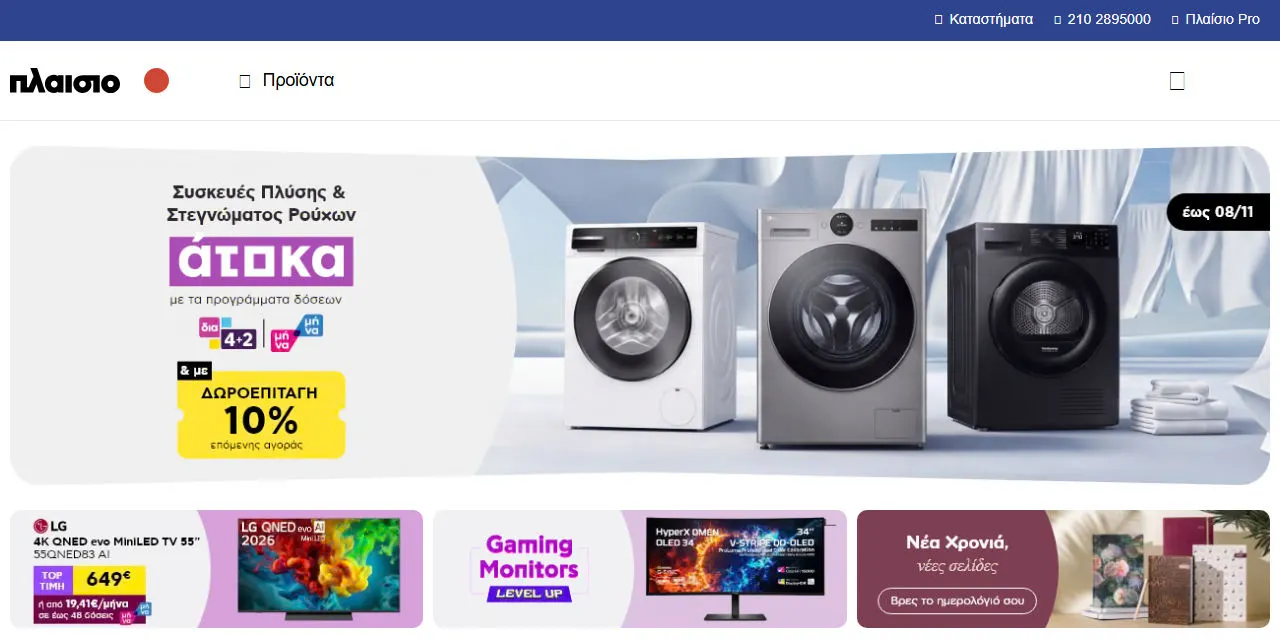
Banner: screenshot of Plaisio.


