

Bol.com Product Scraper Netherlands
Pricing
from $0.77 / 1,000 results
Bol.com Product Scraper Netherlands
Scrape Bol.com products and extract prices, EAN/GTIN, brands, ratings, sellers, offers, images, availability, and product details. Supports search, category, and direct product URLs with structured product data.
Pricing
from $0.77 / 1,000 results
Rating
0.0
(0)
Developer

MrDoe
Maintained by CommunityActor stats
0
Bookmarked
2
Total users
1
Monthly active users
5 days ago
Last modified
Categories
Share
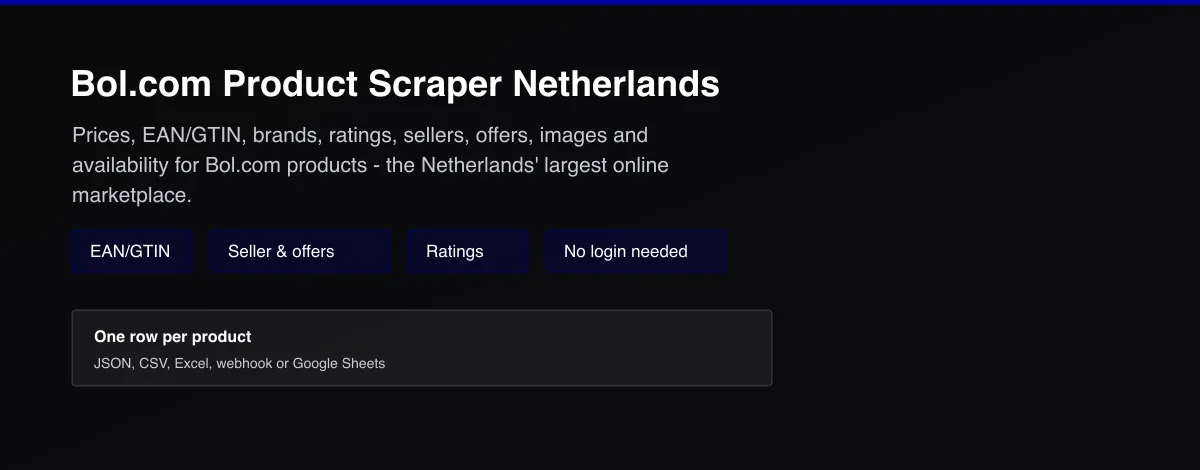
Turn Bol.com listings into structured data in minutes - no coding, no manual copy-pasting. Get price, brand, EAN/GTIN, ratings, seller, and dozens of other fields for any product listed on Bol.com, the Netherlands' largest online marketplace.
What does Bol.com Product Scraper Netherlands do?
Bol.com Product Scraper Netherlands collects product data from Bol.com. Give it one or more search, category, or direct product URLs and it discovers every product listed, then visits each product's own page to pull price, brand, GTIN/EAN, dimensions, ratings, seller, and offer details from Bol.com's own structured product data.
Why use Bol.com Product Scraper Netherlands?
- Price monitoring - track price, offer count, and lowest/highest offer for products over time.
- Catalog enrichment - pull GTIN/EAN, brand, dimensions, and weight into your own product database.
- Competitor research - see which sellers list a product, their price, and shipping terms.
- Market research - track ratings and review counts across a category.
How to use Bol.com Product Scraper Netherlands
- On Bol.com, search or browse to a category and copy the resulting URL, or copy a specific product's URL.
- Paste it into Start URLs in the Input tab. Add as many as you like.
- Set Max items / Max pages if you want to cap the run, or leave empty to collect everything the search returns.
- Click Start and wait for the run to finish.
- Open the Dataset tab to preview, filter, and export your results.
Input
| Field | Type | Description |
|---|---|---|
startUrls | Array | Bol.com search, category, or direct product URLs. Required. |
maxItems | Integer | Maximum products to collect across all start URLs (default: unlimited). |
maxPages | Integer | Safety cap on result pages per start URL (default: unlimited). |
useCache | Boolean | Skip products already collected by a previous run (default: true). |
proxyConfiguration | Object | Proxy settings. Residential proxy is used by default - Bol.com blocks non-residential traffic. |
Example input:
Output
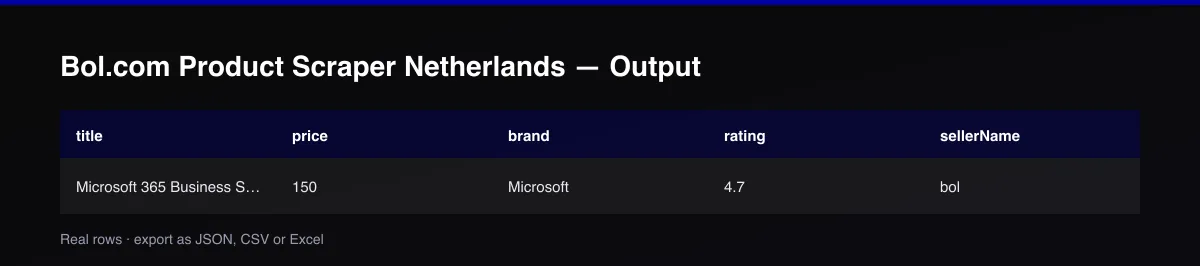
Each product is saved as one item in the dataset, for example:
Field reference
| Field | Description |
|---|---|
productId / sku | Bol.com's product ID |
ean / gtin | The product's barcode, where published |
brand, title, description, color, material, dimensions, weight | Product identity and specifications |
category, categoryPath | Category breadcrumb |
price, currency, availability | This offer's price and stock status |
offerCount, lowestOffer, highestOffer | How many sellers offer this product, and the price range across them |
sellerName, sellerType, shippingCost, freeShipping | The seller behind this specific offer |
rating, ratingCount, reviewCount | Aggregate customer rating |
images | Product photo URLs |
url, source, scrapedAt | Provenance |
Fields with no public data for a given product are returned as null (or []/{} for arrays/objects) - never fabricated or guessed.
Detail-page enrichment
Bol.com's search and category pages don't expose structured product data in a form that can be reliably read - they're a client-rendered app with no stable markup hooks. This Actor uses them only to discover each product's own URL, then reads Bol.com's own structured product data (the same schema.org data Google uses for Shopping results) from each product's page. Every product in the output has been through this enrichment step - there is no listing-only mode for this Actor.
Pagination
The Actor pages through each start URL's search/category results (~30 products per page) until a page returns no new products, maxPages, or maxItems - whichever comes first.
Cache behavior
With useCache on (default), every successfully collected product's ID is stored permanently in the Actor's key-value store - no expiration, no TTL. Re-running the Actor with the same or overlapping start URLs will skip products already collected and only return new ones. Disable useCache to re-collect everything.
Cost / performance
Bol.com's bot protection requires a real browser session (see Troubleshooting), so this Actor uses a headless browser with a residential proxy rather than plain HTTP requests. This makes it costlier per request than a pure-HTTP Actor; the permanent cache keeps repeat runs cheap by skipping already-collected products.
Troubleshooting
A run returns fewer products than expected, or some fail. Bol.com's bot protection occasionally blocks even residential-proxy sessions on specific product pages. The Actor retries with a fresh session automatically; a small fraction of pages may still fail on a given run without stopping the rest of the run. Re-running later (with useCache on) will pick up anything missed without re-collecting what already succeeded.
A run returns 0 products. Make sure the default residential proxyConfiguration is enabled, and double check the start URL is a valid bol.com/nl/nl/s/..., bol.com/nl/nl/l/..., or bol.com/nl/nl/p/... URL copied directly from the site.
FAQ / Disclaimer
Is this legal? This Actor only collects publicly visible product data. You are responsible for using the data in accordance with Bol.com's Terms of Service and applicable law in your jurisdiction.
Found a bug or have a feature request? Please use the Issues tab on this Actor's page - feedback directly shapes future updates.


