

Depth Map Generator: Image to Depth Map (Depth Anything V2)
Pricing
Pay per event
Depth Map Generator: Image to Depth Map (Depth Anything V2)
Turn any photo into a depth map with Depth Anything V2: grayscale PNG ready for ControlNet, 3D photos and displacement, a color preview and an optional 16-bit PNG. Works with image links, Google Drive, Dropbox and uploads. No API key or GPU needed.
Pricing
Pay per event
Rating
0.0
(0)
Developer

Jumble Mog
Maintained by CommunityActor stats
0
Bookmarked
2
Total users
1
Monthly active users
2 days ago
Last modified
Categories
Share
Turn any photo into a depth map in seconds. This Actor runs Depth Anything V2, one of the most accurate open models for monocular depth estimation, and saves a grayscale depth map PNG (white = near, black = far) that's ready for ControlNet, 3D photos, displacement maps and VFX, plus a color preview and an optional 16-bit PNG. Everything runs inside the Actor: no API key, no GPU and no Python setup needed.
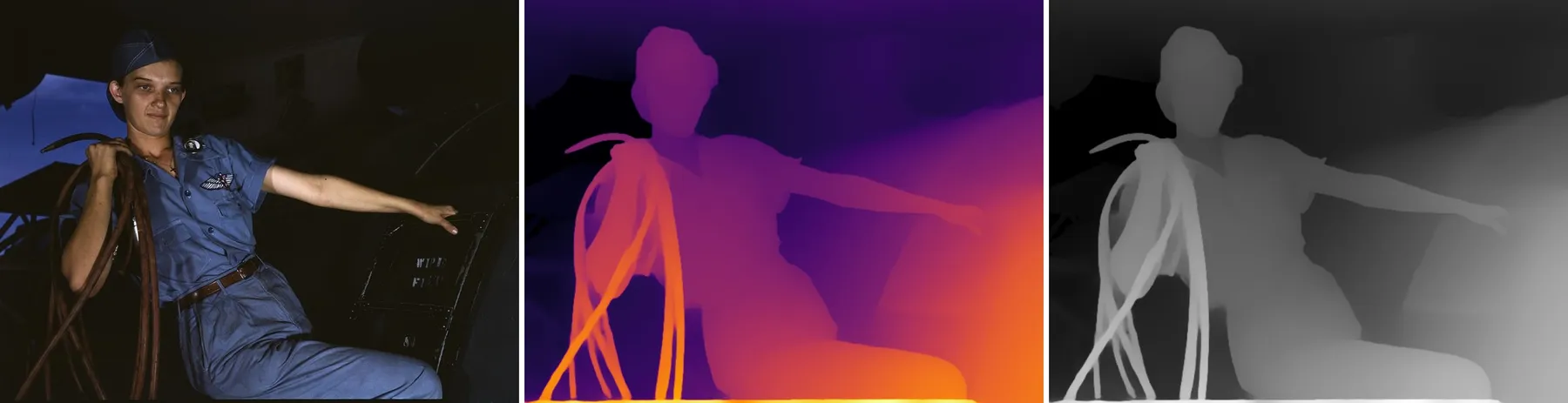
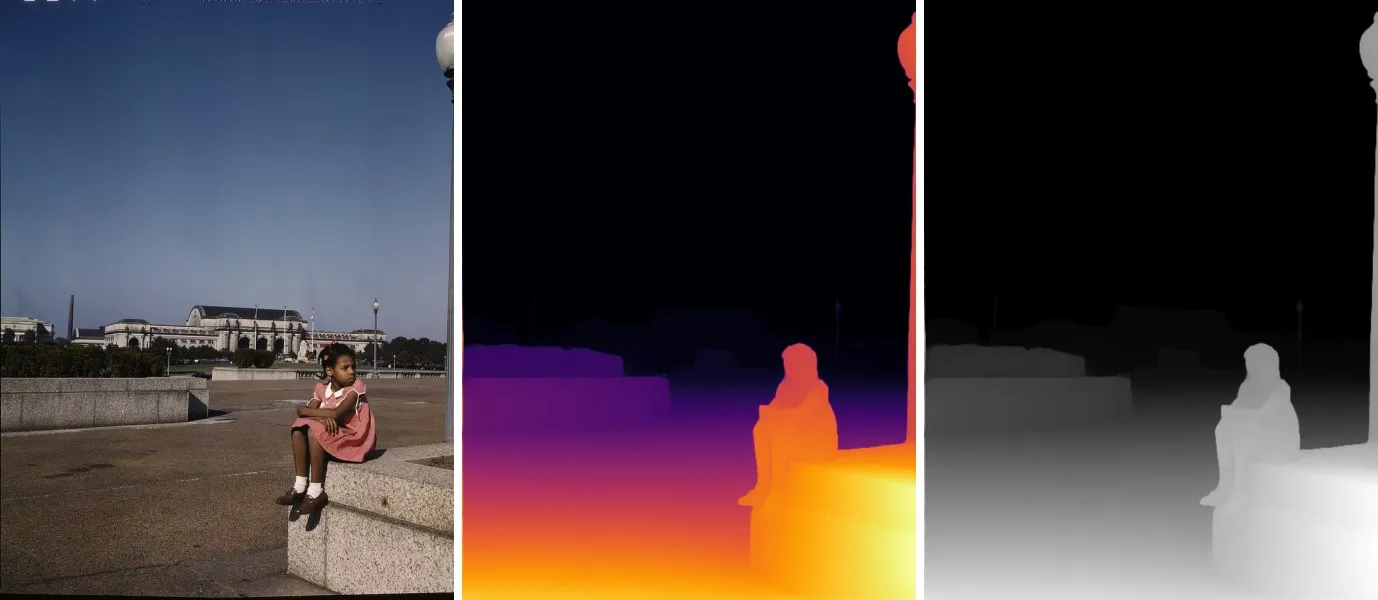
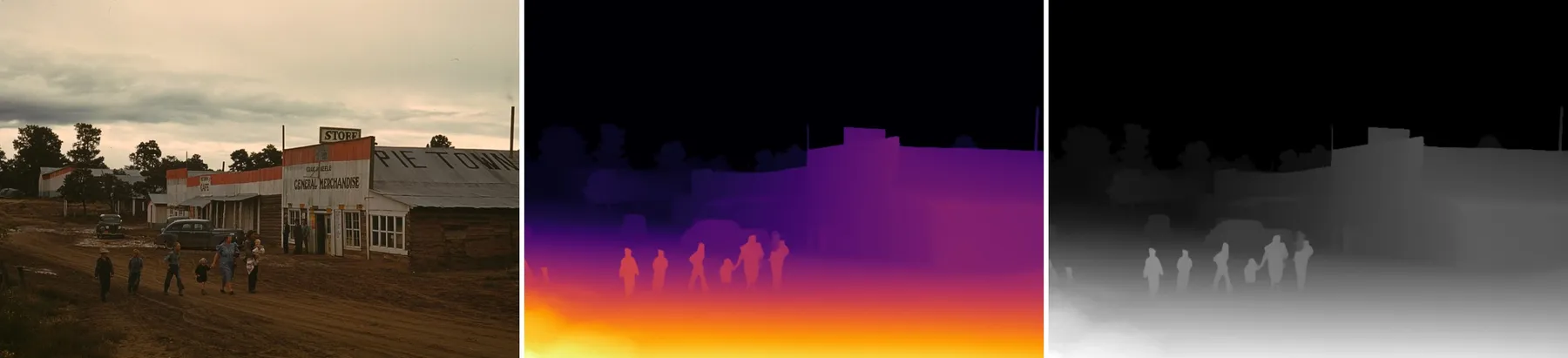
Sample photos: Library of Congress, Farm Security Administration/Office of War Information color photographs (public domain), cropped. Each row shows the photo, the color preview and the grayscale depth map.
What it does
- Makes a depth map for every image: a grayscale PNG at the same size as the photo, where brighter means closer to the camera.
- ControlNet ready: the default map (near = white) is what depth ControlNets expect in Stable Diffusion, SDXL, Flux, ComfyUI and Automatic1111.
- 3D, displacement and VFX: turn on the 16-bit PNG for 65,536 depth levels, smooth enough for displacement in Blender, 3D photo and parallax effects, fog, depth of field and relighting. Turn on
invertfor Z-depth style maps where far is white. - Color preview in Inferno, Magma, Plasma, Viridis, Turbo, Jet or Bone, easier to read than grayscale.
- Two detail levels: standard (the model's native 518 px) for speed, high (770 px) for finer edges on hair, leaves and thin objects.
- Reads almost any image: JPEG, PNG, TIFF (including 16-bit), WebP, HEIC from iPhones, BMP and GIF, with EXIF rotation applied.
- Takes images from anywhere: direct links, Google Drive and Dropbox share links, web pages that declare a main image, or files you upload.
- Handles batches: give it thousands of links in one run.
- Fair billing: you pay per depth map. Links that fail and files that can't be read cost nothing.
How to use it
- Paste image links or upload images.
- Keep the defaults or pick a detail level, palette and extra outputs.
- Click Start. Each depth map appears in the Output tab with a preview and a download link.
You can also run it through the Apify API, on a schedule, or from Make, n8n, Zapier and other integrations.
Input
| Field | What it does |
|---|---|
imageUrls | Links to images, Google Drive or Dropbox share links, or pages that declare a main image. |
files | Images uploaded from your computer or picked from an Apify key-value store. |
detail | standard (default, 518 px, fast) or high (770 px, finer edges, about 3 times slower). Same price. |
invert | Off (default): near is white. On: near is black and far is white. |
saveColorized | Also save a color preview JPEG (default on). |
colormap | Palette of the color preview: inferno (default), magma, plasma, viridis, turbo, jet or bone. |
save16bit | Also save a 16-bit grayscale PNG (default off). |
maxImages | Stop after this many images (default 1000). |
Example:
Output
Each image becomes one dataset item. The depth maps are saved in the run's key-value store, and the ...Url fields are their download links:
An image that couldn't be downloaded or read gets status: "failed" and an error that says why, and isn't billed. Download your files within your plan's data retention period, or copy them to your own storage, because run storage expires.
Pricing
You pay one Depth map event per image, at the price shown on this page, whichever detail level and outputs you choose. Links that fail and files that can't be read are never charged. If you set a maximum cost per run, the Actor stops before going over it.
Speed
With the default 2 GB of memory, a standard depth map takes about 2 to 4 seconds per image and a high-detail one about 7 to 18 seconds, after 5 to 10 seconds to start the run. More memory means more CPU: 4 GB is about twice as fast, and the price per image stays the same.
Tips and limits
- The depth is relative, not in meters: it tells you which parts of the picture are nearer, scaled from 0 (farthest) to 1 (nearest) in each image. Values can't be compared between different images.
- Borders, frames and scanner edges around a photo look "near" to the model and squeeze the rest of the scene into darker tones. Crop them off for the best maps.
- Glass, mirrors, water and very dark areas can confuse any depth model.
- Depth maps are capped at 4096 px on the long side, and inputs above 25 megapixels are reduced to 25 megapixels first.
- Very wide panoramas are processed at up to twice the detail size on the long side, so their short side gets less detail.
For AI agents and developers
This Actor works with the Apify MCP server, so AI agents can call it as a tool: pass imageUrls and read depthMapUrl from each dataset item. Every item has the same documented fields, and status tells you whether an image succeeded. For a direct API call:
Privacy
Images are downloaded into the run, processed in memory and saved only to your own Apify storage. Nothing is sent to an outside AI service.
Credits and licenses
- Depth model: Depth Anything V2 Small by Lihe Yang et al. (NeurIPS 2024), Apache-2.0, run with ONNX Runtime from the onnx-community export.


