

Old Photo Restoration: Colorize, Restore Faces & Upscale
Pricing
Pay per event
Old Photo Restoration: Colorize, Restore Faces & Upscale
Restore old photos with AI: colorize black-and-white and sepia photos (DDColor), restore blurry faces (GFPGAN v1.4) and upscale small scans 2x or 4x (Real-ESRGAN). Works with photo links, Google Drive, Dropbox and uploads. No API key needed.
Pricing
Pay per event
Rating
0.0
(0)
Developer

Jumble Mog
Maintained by CommunityActor stats
0
Bookmarked
2
Total users
1
Monthly active users
2 days ago
Last modified
Categories
Share
Bring old family photos back to life. This Actor colorizes black-and-white and sepia photos, restores blurry and damaged faces and upscales small scans in one step, using three of the best open AI models for the job: DDColor for colorization, GFPGAN v1.4 for faces and Real-ESRGAN for upscaling. Everything runs inside the Actor, so there's no API key to bring and your photos aren't sent to another AI service.
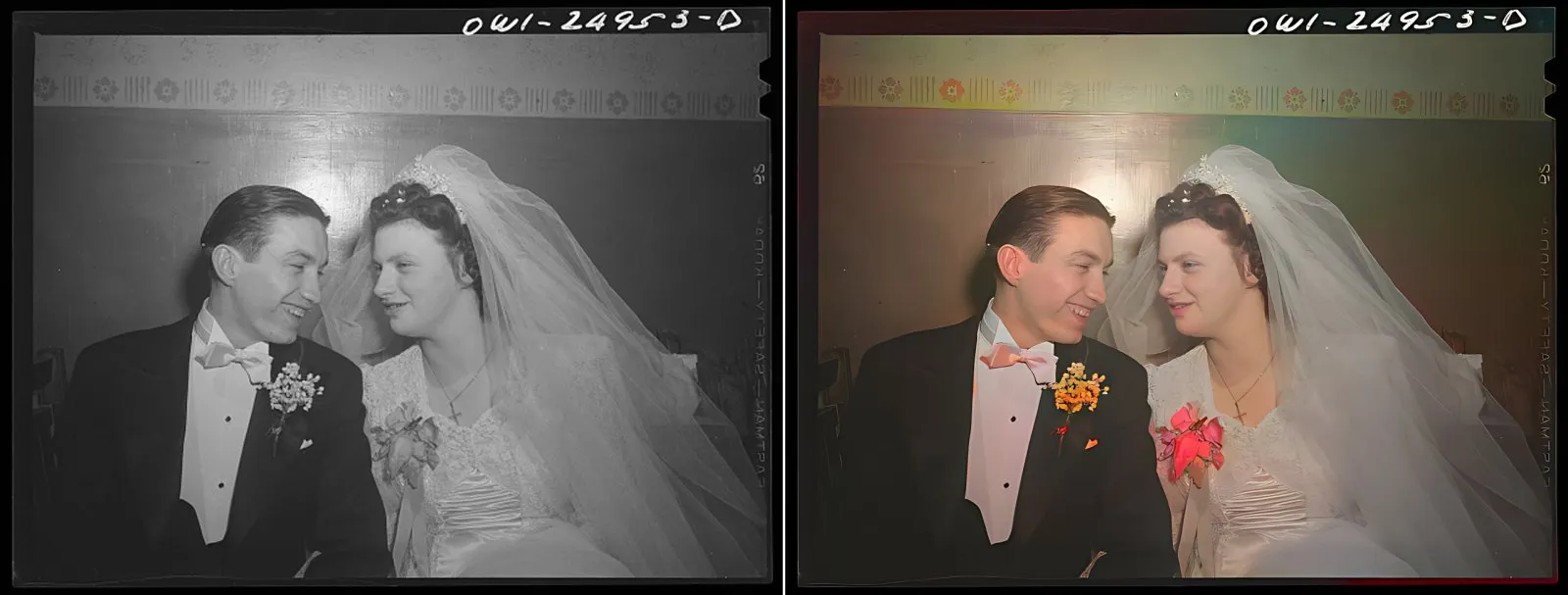
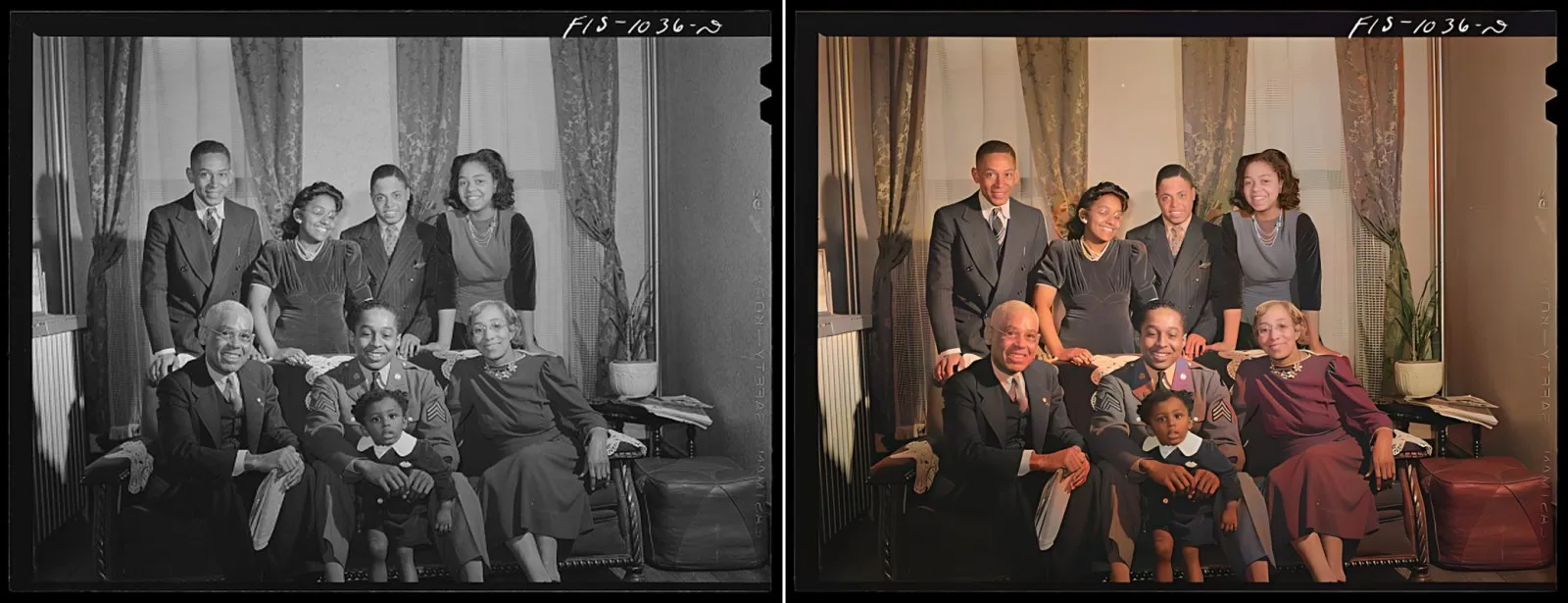
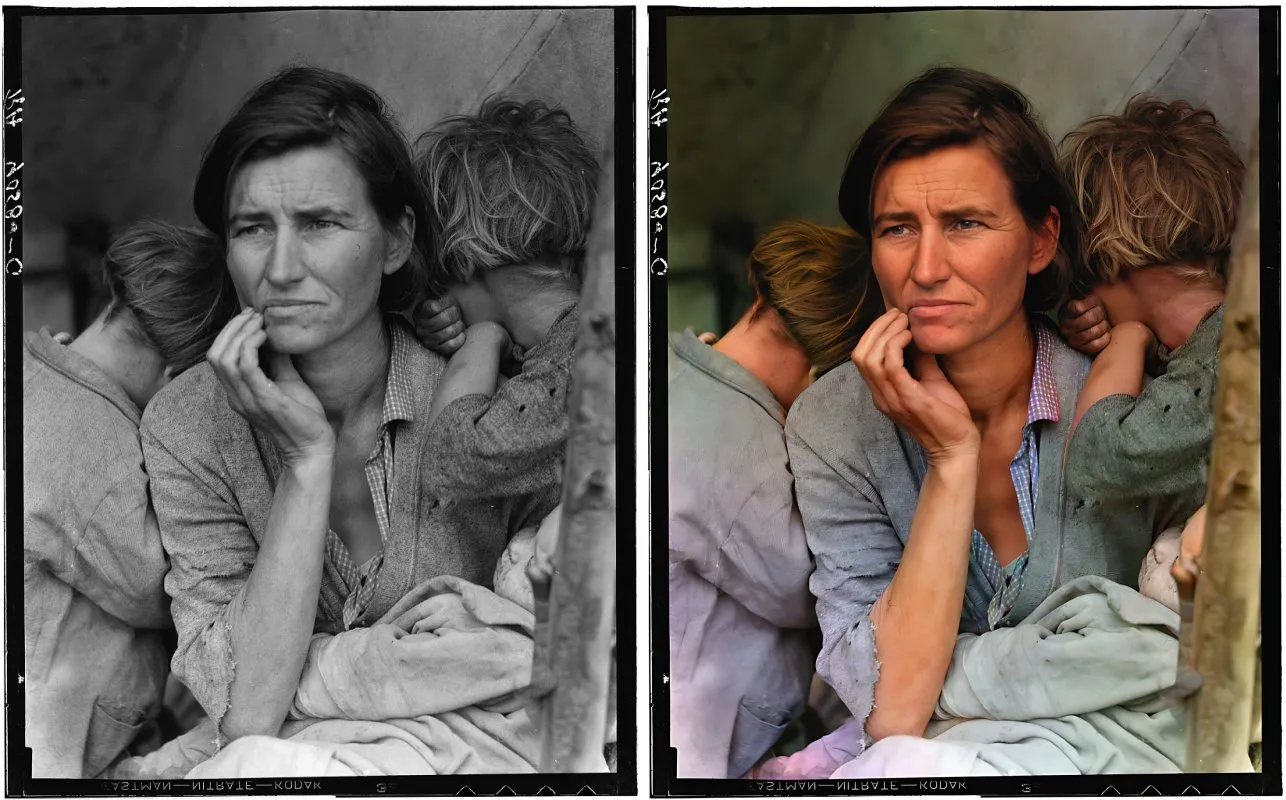
Sample photos: Library of Congress, Farm Security Administration/Office of War Information collection (public domain). The first one is the Actor's example input.
What it does
- Colorizes black-and-white photos with natural skin tones, clothing and backgrounds. Sepia, cyanotype and other single-tone prints are detected and colorized too; color photos are left alone unless you ask for it.
- Restores faces: every face is found, rebuilt with GFPGAN v1.4 (sharper eyes, skin and hair, scratches and blur on the face removed) and blended back in. Group photos work; each face is handled separately.
- Upscales small scans 2x or 4x with Real-ESRGAN, which also cleans up noise and JPEG artifacts.
- Reads almost any photo: JPEG, PNG, TIFF (including 16-bit scans), WebP, HEIC from iPhones, BMP and GIF, with EXIF rotation applied.
- Takes photos from anywhere: direct links, Google Drive and Dropbox share links, web pages that declare a main image (such as archive item pages), or files you upload.
- Saves a before/after image if you want one for sharing.
- Fair billing: you pay per restored photo and per restored face. Links that fail and files that can't be read cost nothing.
How to use it
- Paste photo links or upload photos.
- Keep the defaults (colorize black-and-white photos, restore faces, upscale small photos) or change them.
- Click Start. Each restored photo appears in the Output tab with a preview and a download link.
You can also run it through the Apify API, on a schedule, or from Make, n8n, Zapier and other integrations.
Input
| Field | What it does |
|---|---|
imageUrls | Links to photos, Google Drive or Dropbox share links, or pages that declare a main image. |
files | Photos uploaded from your computer or picked from an Apify key-value store. |
colorize | auto (default) colorizes black-and-white and sepia photos only; always colorizes every photo, which can revive badly faded color prints; never keeps the original colors. |
restoreFaces | Restore every face with GFPGAN v1.4 (default on). |
faceRestorationStrength | 1.0 (default) uses the restored face as it is; lower values blend in the original face. |
upscale | auto (default) enlarges photos up to 600 px 4x and photos up to 1200 px 2x; or choose 1x, 2x or 4x. Results are capped at 4096 px on the long side. |
outputFormat | jpg (default), png or webp. |
saveComparison | Also save a side-by-side before/after image. |
maxPhotos | Stop after this many photos (default 100). |
Example:
Output
Each photo becomes one dataset item. The restored image is saved in the run's key-value store, and imageUrl is its download link:
A photo that couldn't be downloaded or read gets status: "failed" and an error that says why, and isn't billed. Download your images within your plan's data retention period, or copy them to your own storage, because run storage expires.
Pricing
You pay per event, at the prices shown on this page:
- Photo restored: once per photo that was restored and saved.
- Face restored: once per face restored. A portrait usually has one face and a family photo several. Turn off
restoreFacesif you only want colorization or upscaling.
Links that fail and files that can't be read are never charged. If you set a maximum cost per run, the Actor stops when the next photo wouldn't fit, and restores the biggest faces first when the budget can't cover them all.
Speed
A typical photo takes 30 to 60 seconds with the default 4 GB of memory, after about 20 seconds to start the run. The example photo above (two faces, enlarged 2x) took 45 seconds. Choose 8 GB for batches to make it about twice as fast; the price per photo stays the same.
Tips and limits
- Faces need to be at least roughly visible: very small (under about 10 px between the eyes), turned-away or covered faces may not be detected and are left as they are.
- Restored faces and colors are AI reconstructions. They look natural, but details such as eye color or clothing colors are the model's best guess, not a record of the original. Don't use the results as evidence or for identification.
- Scratches, tears and stains outside faces aren't removed yet. The upscaler cleans noise and grain but not large cracks.
- Inputs above 25 megapixels are reduced to 25 megapixels first.
- Colorizing a photo that's already in color (
colorize: always) replaces its colors, which helps with badly faded prints but loses any color that was still right.
For AI agents and developers
This Actor works with the Apify MCP server, so AI agents can call it as a tool: pass imageUrls and read imageUrl from each dataset item. Every item has the same documented fields, and status tells you whether a photo succeeded. For a direct API call:
Privacy
Photos are downloaded into the run, processed in memory and saved only to your own Apify storage. Nothing is sent to an outside AI service.
Credits and licenses
- Colorization: DDColor by Kang et al. (ICCV 2023), Apache-2.0, ModelScope-trained weights.
- Face restoration: GFPGAN v1.4 by Tencent ARC, Apache-2.0 (the clean architecture, without the third-party CUDA code).
- Upscaling: Real-ESRGAN general x4 v3 by Xintao Wang et al., BSD-3-Clause.
- Face detection: YuNet, MIT.


