

Auto Captions & Lyric Video Maker - TikTok Subtitles, Karaoke
Pricing
from $56.00 / 1,000 720p output minutes
Auto Captions & Lyric Video Maker - TikTok Subtitles, Karaoke
Add animated captions to videos (TikTok-style word highlight, karaoke or classic subtitles burned in) and turn songs into lyric videos with lyrics synced to the singing. MP4 + SRT/VTT out. $0.06 per output minute (720p).
Pricing
from $56.00 / 1,000 720p output minutes
Rating
0.0
(0)
Developer

Kanto Labs
Maintained by CommunityActor stats
0
Bookmarked
2
Total users
1
Monthly active users
9 days ago
Last modified
Categories
Share
Auto Captions & Lyric Video Maker - add TikTok-style subtitles to any video
Auto Captions & Lyric Video Maker adds animated captions to your videos and turns songs into lyric videos - automatically. Give it a video link and get back an MP4 with burned-in subtitles (TikTok / Reels / Shorts word-by-word highlight, karaoke or classic style), plus the SRT and VTT subtitle files and the transcript. Give it a song (and optionally the lyrics) and get a karaoke-style lyric video with every word timed to the singing.
No editor, no account anywhere else, no API key: speech recognition (OpenAI Whisper), subtitle styling and video rendering all run inside the Actor. $0.06 per output minute at 720p, failures are free.
What it does
| Mode | You give | You get |
|---|---|---|
| Captions | Video URL(s) - MP4, MOV, WEBM, MKV... (optional: your own SRT/VTT) | MP4 with captions burned in + SRT + VTT + transcript + preview image |
| Lyric video | Song / audio URL + optional lyrics + optional background image | MP4 lyric video (16:9, 9:16, 1:1 or 4:5) with lyrics synced to the singing + SRT/VTT |
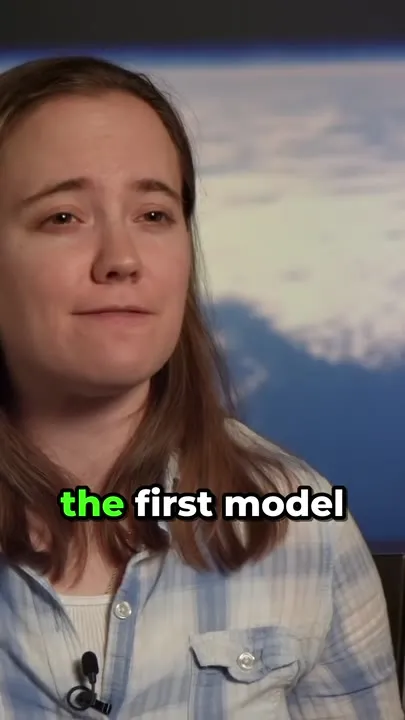
- TikTok-style captions: 1-6 big bold words at a time, the spoken word lit up in your highlight colour, a small pop-in per phrase, placed clear of the TikTok/Reels buttons.
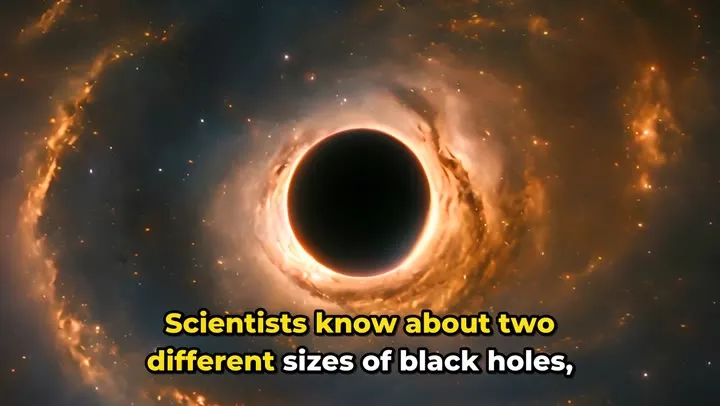
- Karaoke captions: a full subtitle line where words light up as they are spoken.
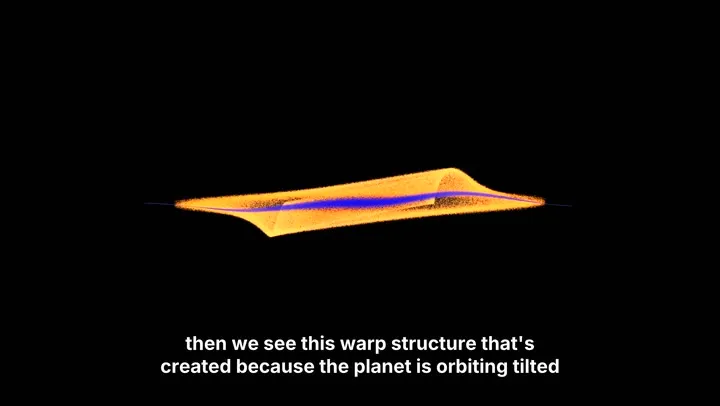
- Classic subtitles: clean two-line subtitles for YouTube, courses and webinars.
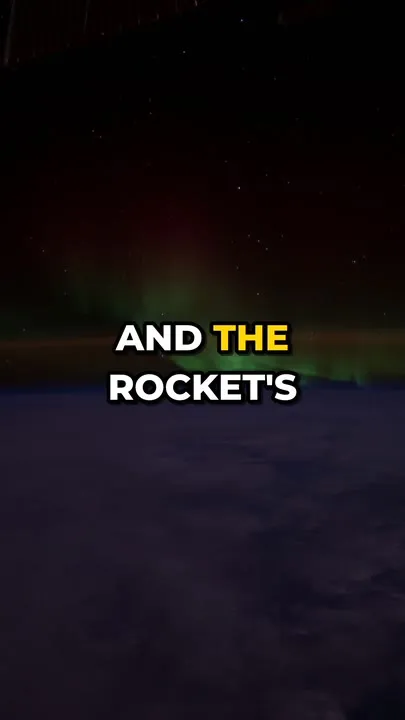
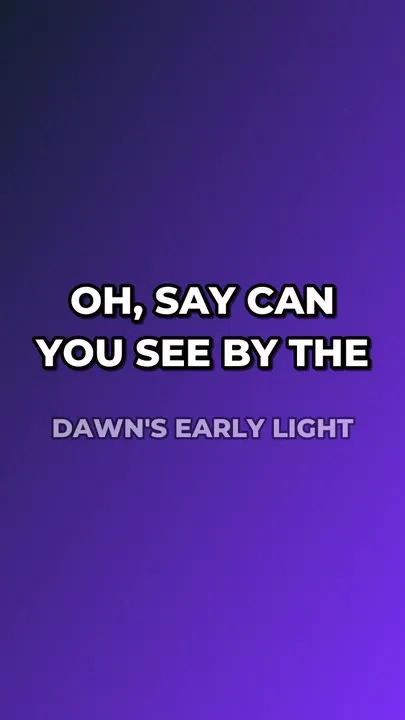
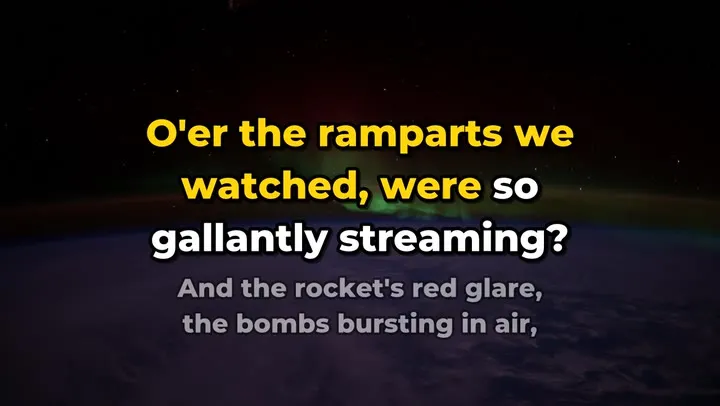
- Lyric videos: paste the lyrics and they are aligned to the vocals word by word; or leave them out and the words are transcribed. Image, video, colour or gradient background, slow zoom, title card, next line previewed.
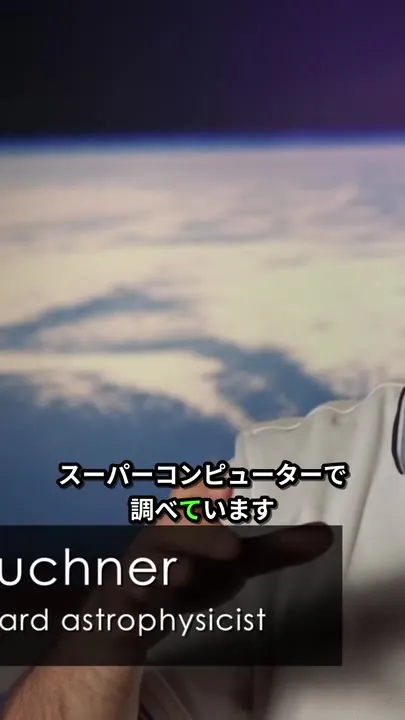
- 99 languages (auto-detected), including Chinese, Japanese and Korean with proper CJK fonts.
- Your own subtitles: burn an existing SRT/VTT into the video instead of transcribing.
Style examples
All examples below were made by this Actor from public-domain NASA footage and a public-domain U.S. Navy Band recording.
| TikTok style (green highlight) | Lyric video, TikTok style | Japanese captions | Lyric video, gradient |
|---|---|---|---|
 |  |  |  |
Karaoke captions - words light up as they are spoken:
Classic subtitles (1080p):
Lyric video, karaoke style - the current line fills word by word, the next line is previewed underneath:
Who uses it
- Faceless shorts / content automation (n8n, Make, Zapier): script -> voice-over -> stock clip -> this Actor adds the captions -> post to TikTok, Reels and YouTube Shorts. One HTTP call, one MP4 link back.
- Social media managers and agencies: caption a batch of client clips in one run, in a consistent brand colour and font.
- AI agents (Apify MCP server, Claude, ChatGPT, Cursor): "add captions to this video" becomes a single tool call that returns a finished MP4.
- Musicians and labels: lyric videos for YouTube and vertical lyric clips for TikTok/Reels without editing software.
- Podcasters: audiograms - lyric video mode without lyrics turns an audio clip into a captioned video on your cover image.
- Course creators and marketers: classic burned-in subtitles plus SRT/VTT files for every platform.
How to use it
- Click Try for free and keep the prefilled sample video, or paste your own direct video links (one per line).
- Pick a caption style (TikTok, karaoke or classic), colours, font and position - or keep the defaults.
- Click Start. Each video becomes one row in the results with a link to the captioned MP4, a preview image, the SRT/VTT files and the transcript.
- For a lyric video, switch What to make to Lyric / audio video, paste the song link and the lyrics, and optionally a background image.
Input example (captions)
Input example (lyric video)
Output example (one dataset row per video)
The links work without an Apify token. Files are kept for your plan's data-retention period - download or re-host them in your workflow.
Auto captions API for n8n, Make and AI agents
Call the Actor with Run Actor synchronously and get dataset items - the response is the list of rows above, so the next step can read videoUrl directly:
- n8n: the official Apify node -> Run an Actor and get dataset -> next node uses
{{$json.videoUrl}}(e.g. upload to TikTok/YouTube, save to Drive). - Make / Zapier: the Apify app -> Run an Actor (wait for finish) -> Get dataset items.
- AI agents: add Apify's MCP server; the agent finds this Actor with a search like "add captions to a video" and gets the MP4 link back.
A one-minute short usually finishes in 1-2 minutes, so synchronous calls work well for shorts; for long videos start the run and wait for it (or use a webhook).
Pricing
Pay per event - you pay only for finished video:
| Event | Price (Free/Starter plans) |
|---|---|
| Output video minute, up to 720p | $0.06 |
| Output video minute, 1080p | $0.08 |
- Minutes are started minutes of finished video, rounded up per video: a 45-second short = 1 minute = $0.06. The transcription is included.
- Free: refused links, failed downloads, files without speech, over-limit files, render failures - you are never charged for a video you did not get.
- The 1080p price applies only when you choose 1080p and the source is larger than 720p (the output's short side is above 720 px) - a 720p source stays 720p and is charged as 720p. Videos are never upscaled.
- Your "Max cost per run" is respected: a video that would go over it is skipped (free) before any work is done.
- Scale and Business plans get a small Store discount automatically.
Worked examples and measured run times (Apify, 4 GB default memory)
| Job | Output | Run time (measured) | You pay |
|---|---|---|---|
| 21 s vertical clip, TikTok style (the prefilled sample) | 720x1280 | 47 s | $0.06 |
| 52 s vertical 1080x1920 talking-head video, TikTok style | 720x1280 | 70 s | $0.06 |
| Same clip at 1080p | 1080x1920 | about 1 min 50 s | $0.08 |
| 60 s Spanish interview, karaoke style | 1280x720 | about 1 min | $0.06 |
| 93 s 1080p explainer (AV1), karaoke style | 1280x720 | about 2 min | $0.12 |
| 4 min 1080p video, classic subtitles at 1080p | 1920x1080 | 5 min 50 s | $0.40 |
| 64 s song, words transcribed, gradient background | 720x1280 | 90 s | $0.12 |
| 64 s song + lyrics, TikTok style, image background | 1080x1920 | 2 min 20 s | $0.16 |
| 10 shorts of 30-60 s in one run (estimate from the runs above) | 720p | about 10 min | $0.60 |
Languages and accuracy
- Speech recognition is OpenAI Whisper small (MIT licence) running inside the Actor: 99 languages, auto-detected per video, best on English and the major European and Asian languages.
- Names and rare terms can be misheard (for example "plantesimals" for "planetesimals"). For exact wording, provide your own SRT/VTT - its text and timing are burned in as-is.
- Lyric videos: when you paste the lyrics, the displayed words are always yours; the speech model is only used to find when each word is sung (we report an
alignmentScore- near 1.0 means almost every word was found). Write the lyrics out in full as sung, repeating the chorus each time. Without lyrics, the words are transcribed and sung words are misheard more often than speech. - Chinese, Japanese and Korean use Noto Sans CJK and are line-broken at natural points; Arabic, Hindi, Thai, Cyrillic and other scripts fall back to Noto Sans automatically.
Limits
- Direct file links only: your storage, S3/R2/GCS (public or pre-signed), CDNs, Dropbox and Google Drive share links. Pages of YouTube, TikTok, Instagram, Facebook, X, LinkedIn, Vimeo, Twitch, Douyin, Bilibili, SoundCloud and Spotify are refused because their terms forbid downloading - only caption videos you own or may edit.
- Up to 120 minutes and 4 GB per file (defaults 30 minutes / 2 GB - raise them in the input).
- Output up to 1080p, frame rate capped at 30 fps, H.264 + AAC MP4 (plays everywhere, ready for TikTok, Reels, Shorts and YouTube).
- Lyric video mode makes one video per run; captions mode takes many videos per run (processed one after another).
- Emoji are not drawn.
Fonts and licences
Fonts are bundled from Debian packages, all under the SIL Open Font License 1.1 (free for commercial use, including in videos you sell): Montserrat (Julieta Ulanovsky), Inter (Rasmus Andersson), Bebas Neue (Dharma Type), Noto Sans and Noto Sans CJK (Google / Adobe). Whisper is MIT-licensed; FFmpeg and libass do the rendering.
FAQ
How do I add subtitles to a video automatically?
Paste the video link in Video URLs, keep the TikTok style (or pick karaoke/classic) and start the run. The Actor transcribes the speech, times every word and burns the captions into a new MP4.
Can I use a YouTube or TikTok link?
No. Platform pages are refused on purpose (their terms forbid downloading). Upload the video file to your own storage, Dropbox or Google Drive and use that link.
Can I burn my own SRT file into the video?
Yes - put the SRT/VTT link in Your own SRT/VTT files (same order as the videos) or paste the text into the box for a single video. Classic style shows your cues exactly; TikTok and karaoke styles spread the highlight over the words of each cue.
How do I make a lyric video from a song?
Choose Lyric / audio video, paste the song link and the lyrics (one sung line per line), pick 16:9 for YouTube or 9:16 for Shorts/Reels, add a background image if you like, and start. Lines appear and light up in time with the singing.
Is there a free trial?
Apify's free plan includes monthly platform credit you can use to try the Actor; the prefilled 21-second sample costs $0.06.
Do you keep my videos?
The input is downloaded into the run, used, and deleted when the run ends. Results are stored in your run's storage under your Apify account, with your plan's retention.
Which caption style gets the most views?
For Shorts/Reels/TikTok, the TikTok style with 2-3 words at a time in the lower third is the common choice; for YouTube and courses, classic subtitles. Uppercase and a bright highlight colour (yellow or green) read best on busy footage.
Related Actors by Kanto Labs
- Audio & Video to Text - Whisper Transcriber - transcripts and SRT/VTT subtitles without rendering a video, $0.008 per audio minute.
- Video Frame Extractor - keyframes, scene frames and thumbnails from any video, for AI vision and previews.
Support
Something not right with a video? Open an issue in the Issues tab with the input link (if you can share it) and we will look at it quickly.


